MSCM graphic_top.pngThe Microsoft Solution Accelerators team is pleased to announce the release of new resources that you can use in combination with the Microsoft Security Compliance Manager tool: the Windows Server 2008 R2 Security Baseline and the Office 2010 Security Baseline, and setting packs for Windows 7 and Internet Explorer 8. Together with the tool, these resources are designed to help organizations efficiently manage the security and compliance process for some of the most widely used Microsoft products.

  • The highly-anticipated security baselines for Windows Server 2008 R2 and Microsoft Office 2010 provide you with free Microsoft-recommended solutions to meet today’s security challenges. In combination with best-practice guidance and the Security Compliance Manager tool, the baselines are designed to help you plan, deploy, and monitor the security of computers running Windows Server 2008 R2 and of Office 2010 applications. Both releases also include a setting pack (for Windows Server 2008 R2 and Office 2010, respectively) enabling you to define baselines that include settings outside the scope of the security baselines from Microsoft.
  • The Windows 7 and Windows Internet Explorer 8 setting packs, in combination with the Security Compliance Manager tool, will enable you to define baselines that include settings outside the scope of the security baselines from Microsoft. Use these new resources to define custom baselines, meet business-critical needs, and elevate the security of Windows 7 and Internet Explorer 8.

The Security Compliance Manager works with the Microsoft Assessment and Planning (MAP) Toolkit and the Microsoft Deployment Toolkit (MDT) to help you plan, securely deploy, and manage new Microsoft technologies—easier, faster, and at less cost. Learn more.

—————-

Learn more about the Security Compliance Manager tool. Next, learn more about the new security baselines and setting packs:

Download the tool:

  • New users can access these resources by visiting the Microsoft Download Center to download the Security Compliance Manager tool.
  • Existing users can access the baseline and setting packs in the tool by clicking the Tools menu, and then clicking Check for Baselines.


imageIn this lab you will learn how Microsoft SQL Server PowerPivot for SharePoint leverages SharePoint 2010 and Excel Services to support centralized management of PowerPivot workbooks to enable collaboration. You will also learn how to configure a PowerPivot site in SharePoint for successfully viewing PowerPivot workbooks and how to publish PowerPivot workbooks to that PowerPivot site. In addition, you will learn about the PowerPivot Gallery views and how to change the default view, and create a linked document based on a PowerPivot workbook and configured a data refresh of the workbook. Finally, you will learn how to build a Reporting Services report using the PowerPivot Web service as a data source, and review the PowerPivot Management Dashboard.

During this lab, we will cover:

  • Visualizing Data with Maps in SQL Server 2008 R2 Reporting Services
  • Working with ATOM Data Feeds in SQL Server 2008 R2 Reporting Services
  • Exploring PowerPivot for SharePoint
  • Analyzing and Reporting with the Excel 2010 Client
  • Developing and Consuming Shared Components in SQL Server 2008 R2 Reporting Services

Registration: To see more information, or to register, please contact me for more information if you are a customer of mine. This special, no charge training series will fill quickly and space is limited, so be sure to register as soon as possible to reserve your seat.

What is a virtual hands-on-lab:
This isn’t your typical IT class. A hands-on lab online is an invite only event that combines LiveMeeting with a virtual lab. Attendees and presenters login from anywhere. Attendees watch a brief LiveMeeting presentation, then spend most of the time getting hands-on experience working through all, or just self-selected modules of the entire lab – at their own pace, and receive real–time, personal, one-on-one attention from the presenter. In addition, there’s a proctor available for technical support and to answer more attendee questions.

Date
Wednesday
January 12th, 2011

Time
9:00am – 1:00pm Pacific Time

Location: Virtual Hands On Lab Classroom.

Target Audience: IT Pro, IT Manager

Before the Event:

Posted by: kurtsh | November 9, 2010

NEWS: 30 MORE apps from the Windows Phone 7 Marketplace!

And the apps just keep coming.  It’s amazing what Windows Phone 7 developers have been doing with Visual Studio 2010, Silverlight, and XNA.  The ‘canvas’ paradigm that’s used that provides the sidescrolling looks just fantastic on products like Fandango, Break.com, and Kelley Bluebook.

Approaching 2000, these are some of the more recent apps that got added to the marketplace.  And they look gorgeous!

clip_image002

Halo: Waypoint, Slingplayer, Netflix, Weather Channel, Max & the Magic Marker, Tetris

clip_image004

Fandango, de blob, Slacker Radio, Guitar Hero 5, Earthworm Jim, Need for Speed Undercover

clip_image006

DirecTV, TED, Daily Dilbert, RedBull TV, Police Scanner 7, graphic.ly

clip_image008

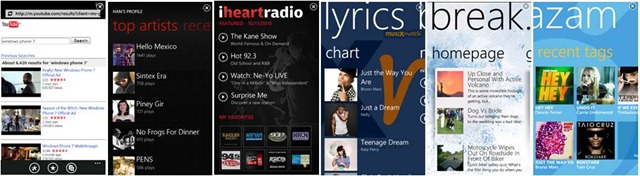
YouTube, Last.FM, i heart radio, lyrics, Break.com, Shazam

clip_image010

Photobucket, Photo Caption, Craigster, REALTOR.com, Kelley Blue Book, WeatherBug

Posted by: kurtsh | November 8, 2010

NEWS: 30 apps from the Windows Phone 7 Marketplace!

I love how our partners applications are so rich and have so much personality, while still staying within some fundamental UI conventions like the horizontal sliding canvas, dynamic tiles, vertical scrolling, tap-and-holding menus, etc.

What’s even more amazing is that this is some of what we’re launching!  Can’t wait until devs really get going with the Windows Phone 7…

clip_image002

Yelp, Where, Travelocity, Uno LIVE, The SIMS 3, Flight Control

clip_image004

Star Wars: Battle for Hoth, Monopoly, The Harvest, Rocket Riot, Pictures Lab, Craigslist 7

clip_image006

iFood Assistant Plus, BarBuddy, Newsroom (RSS), xkcd, MSN Money Stocks, Stocks

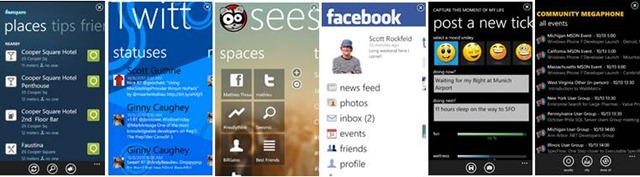
 clip_image008FourSquare, Twitt, Seesmic, Facebook, tickWell, Community Megaphone

clip_image010

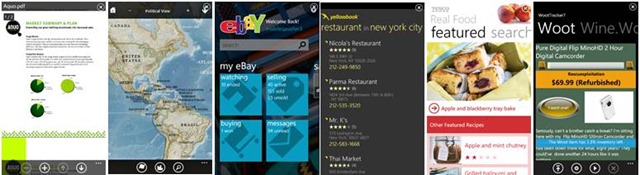
Adobe Reader, National Geographic World Atlas, eBay, Yellowpages, Tesco Real Food, WootTracker7

Unlock the spatial data stored in Microsoft SQL Server 2008

clip_image002Date: December 02, 2010
Event Start Time: 11:00 AM Pacific Standard Time
Duration: 1 hour

Understanding Web Mapping and Data Visualization using DataConnector

Attend this webcast and learn how SQL Server 2008 can help you visualize your data on a map using a free download called DataConnector. You’re most likely already familiar with SQL Server support for spatial data and now with DataConnector viewing this data on a map from Microsoft Bing is even easier. In no time at all using DataConnector you’ll be a wizard at displaying your organization’s geospatial data on a map or image of the world!

DataConnector can help you:

  • View SQL Server 2008 spatial data on a map or image of the world
  • Create lines and polygons (right on the map!) and store them to SQL Server 2008
  • Save your organization money leveraging the Microsoft software you most likely already own
  • Utilize vector and raster data and query/display this data rapidly

We’ll discuss how to show polygons (e.g. states, counties etc) and point data (e.g. customer locations) and other features such as thematic and heat maps. SQL Server 2008 and SQL Azure have rich spatial data features such as spatial data types for storage, indexing and query capabilities DataConnector allows you to make use of these built in functionalities at no extra cost.

This web cast will introduce DataConnector and relevant components, and we will deep dive on Microsoft Bing Maps and Microsoft SQL Server 2008’s spatial features and APIs. We will demonstrate the sample DataConnector UI features and how to setup and get started with developing a solution leveraging DataConnector.

Presented by:

STEVE MILROY
Technical Specialist , Microsoft
Steve Milroy is an industry leader with Location Based Services and geospatial solutions, and is a Bing Maps Technology Specialist with Microsoft. Steve has presented at developer conferences, user groups, and business associations on many emerging technology solution and development topics.

Registration Link:
https://swrt.worktankseattle.com/webcast/5741/preview.aspx

Microsoft Platform Ready - find out what's new

We’ve made some changes to Microsoft Platform Ready (formerly Front Runner) and added a host of new features to help you develop and promote your solutions.

imageNo-cost Online Test Tool
We’ve made application testing simpler and faster. Sign-in, and head to the test tab on your MPR dashboard to access the latest testing tools. Use our no-cost online tests for:

  • Windows® 7
  • Windows Server® 2008 R2
  • Microsoft® SQL Server® 2008 R2
  • Windows Azure™ Platform
  • Microsoft Dynamics™ 2011
  • Microsoft Exchange 2010 + Microsoft Lync™ 2010

Plus, test results can now automatically be sent to the Microsoft Partner Network if you’re a Microsoft Partner. Applications that pass testing for Windows Server 2008 R2 or Windows Azure Platform will automatically qualify for the ‘Works with Windows Server 2008 R2’ or the ‘Powered by Windows Azure’ logo respectively. You can use results from Microsoft Platform Ready testing you to qualify for Microsoft Partner Network Competencies. Find out more here.

Spread the word about your app
Post application development updates to Facebook and Twitter and get your apps out in the msdev community, including auto-tweet and auto-post capabilities. Here’s how:

  1. Sign-in to MPR as usual
  2. Go to ‘Edit profile’
  3. Add your twitter address and Facebook username
  4. Check the box that says, "I want Microsoft to promote my company in Facebook and Twitter social media pages"
  5. Once you’ve added your Facebook information, you can click the Facebook logo next to your application in the dashboard to let the world know about your solution*.

Now you can let the world know about your application through Facebook and Twitter.

* Only available to Microsoft Partners

Get Started

Posted by: kurtsh | November 5, 2010

INFO: SharePoint 2010 Governance

imageThis is a topic common to most of my customers:  Our Sharepoint site needs to be better maintained.  What sort of processes should we put into play to make sure our site stays under control?

Enter governance.

SharePoint 2010 Governance
Governance is a key component to ensuring the success of your SharePoint 2010 deployment, and one we frequently get asked about it as we travel to conferences and events. Represented by a set of established processes, procedures, and stakeholders, a well designed and implemented governance plan promotes adoption, ensures participation, and maximizes ROI.  By using the governance techniques, best practices, and recommendations available below, you can align your policies for using SharePoint 2010 with your culture and goals while still enabling teams and individuals to effectively collaborate and share information.

  • Resource Center  (IT Governance, Information Management, Application Management)
  • ALM Resource Center | SharePoint 2010
  • Whitepaper: SharePoint 2010 Governance Planning
  • Whitepaper: Implementing Governance in SharePoint 2010
  • Whitepaper: SharePoint Server 2010 Operations Framework and Checklists
  • Publication:  Essential SharePoint 2010: Overview, Governance, and Planning (Addison-Wesley Microsoft Technology Series
  • Virtual Lab: Configuring Tenant Administration on SharePoint Server 2010
  • Virtual Lab: Monitoring SharePoint 2010
  • Solutions: Active Directory Domain Services Markers
  • Solutions: Quotas
  • Solutions: Locks
  • Solutions: Self-Service Site Creation

Read more at:

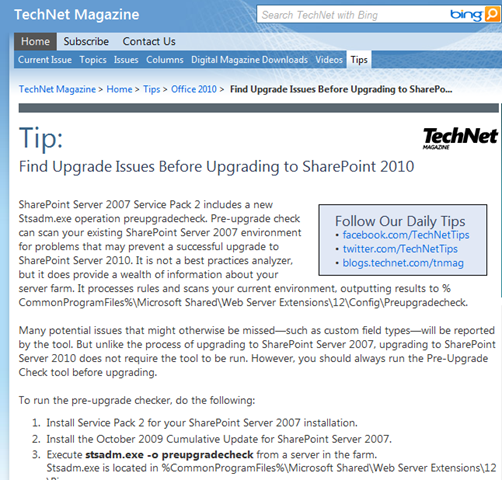
imageAnother useful Technet Magazine post: “Find Upgrade Issues Before Upgrading to SharePoint 2010”

SharePoint Server 2007 Service Pack 2 includes a new Stsadm.exe operation preupgradecheck. Pre-upgrade check can scan your existing SharePoint Server 2007 environment for problems that may prevent a successful upgrade to SharePoint Server 2010. It is not a best practices analyzer, but it does provide a wealth of information about your server farm. It processes rules and scans your current environment, outputting results to %CommonProgramFiles%\Microsoft Shared\Web Server Extensions\12\Config\Preupgradecheck.

Many potential issues that might otherwise be missed—such as custom field types—will be reported by the tool. But unlike the process of upgrading to SharePoint Server 2007, upgrading to SharePoint Server 2010 does not require the tool to be run. However, you should always run the Pre-Upgrade Check tool before upgrading.

Read more here:

Here’s a really awesome video of the upcoming Dell Inspiron Duo which provides all the power of a laptop including a keyboard while delivering the ease of use, multitouch convenience, and portability of a tablet.  The design reminds me of the old Vadem Clio, a former Handheld PC that was just an incredible device for it’s time back in the early 2000-2001 timeframe… but I digress.

Yup.  Gonna get me one of these Duos!

Dell Inspiron Duo… coming loaded with Windows 7 of course!

Look at this:  Gartner’s weighed in on EPM suites and look who’s in the leader’s quadrant?image

Yup.  Microsoft Enterprise Project & Portfolio Management came in very strong beating many big names and is in the company of some equally big names…

…none of which I’m permitted to mention in this post unfortunately due to republishing rights but all you have to do is check it out below… because we’ve licensed the reprint/republishing rights for the Magic Quadrant study and made it available to everyone to view at no charge:

« Newer Posts - Older Posts »

Categories