[taken from the EdgeAccess blog]

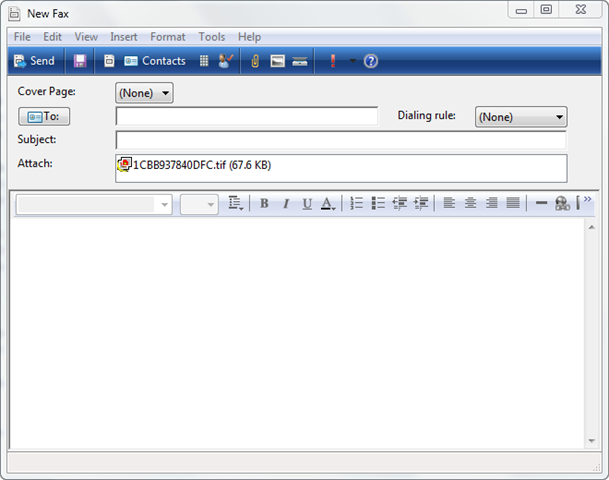
We received some great feedback from customers about deploying DirectAccess in their organizations. One notable quote was “it works like magic!” Our customers also told us how we can make the product better by adding features and making existing features easier to manage.

After discussions and prioritization we are now proud to present the DirectAccess enhancements in service pack 1:

  • One-time-password support including: Integrated RSA SecurID agent and support for other 3rd party RADIUS based OTP products
  • Added optional settings in each step for advanced deployment scenarios
  • Support for deploying DirectAccess Group Policy across multiple domains, and pre-created GPOs
  • Support for the “I only want to manage my computers” scenario using integrated UAG UI
  • Support for Force Tunneling scenario using integrated UAG UI
  • Integrated NAP for simplified endpoint policy enforcement with simple “for dummies” setup of NAP+DA and integrated NAP troubleshooting tools included in Web Monitor
  • Improved monitoring and troubleshooting

Read more at:
http://blogs.technet.com/b/edgeaccessblog/archive/2010/10/27/uag-sp1-da-overview.aspx

imageTaken from the “OutBlog”:

Have you visited Office.com recently? Microsoft offers free online video training courses that increase your Outlook 2010 productivity. Whether you’re new to Outlook, recently upgraded from Outlook 2003, or an experienced user that likes to organize your Inbox with the new Conversations view, there is something for you. Go here to check them out.

We’re also happy to introduce three new courses:

· Use e-mail signatures in Outlook 2010

· Get familiar with the Outlook Calendar

· Use electronic business cards in Outlook 2010

Check them out and let us know what you think in the comments. Feel free to suggest a topic for future trainings!

Posted by: kurtsh | December 1, 2010

INFO: What’s new with Lync 2010

imageBack in October, we officially announced the release to manufacturing of Microsoft Lync 2010 – the next release of Office Communications Server and Communicator. 

  1. Office Communications Server 2007 introduced Communicator and a totally new experience for enterprise IM, presence and conferencing built into the Office applications people use every day.
  2. Office Communications Server 2007 R2 added on premise audio conferencing that was easy to manage, saved customers money, added core enterprise telephony features, and better supported collaboration through richer online meetings and ad hoc conversations via Communicator. 

With the release of Lync 2010, we’re taking collaboration and productivity to the next level.

What’s new with Lync 2010?
Microsoft Lync Server 2010 now delivers complete presence, instant messaging, conferencing and enterprise voice capabilities through a single, easy-to-use interface that is consistent across PC, browser, and mobile device. Administrators benefit from a single, consistent management infrastructure, new capabilities to increase availability, and interoperability with existing systems.

  • Unified Experience
    • Get easy access to presence, instant messaging, voice, and audio, video, and Web conferencing—all from the new Microsoft Lync 2010.
    • Use one set of contacts across Microsoft Lync 2010 and Office applications.
    • Communicate with context from within the applications you use most, including Microsoft Outlook and Microsoft SharePoint.
    • Deliver access to presence, instant messaging, and other capabilities for workers on the go via PCs, browsers, and mobile phones.
  • Connect and Collaborate
    • Find the right people, make connections, and communicate more effectively with new rich presence features including pictures and location.
    • Leverage internal expertise more effectively with Microsoft SharePoint-based Skill Search.
  • Simple, Essential, Reliable Conferencing
    • Collaborate more effectively with built-in desktop and application sharing, PowerPoint upload, and rich white boarding, including the ability to copy and paste images and other content.
    • Schedule and join meetings with a single click in Microsoft Outlook or the meeting reminder.
    • Place attendees in a virtual lobby for greater security and control over who can attend.
  • Complete Enterprise Voice Features
    • Delight your users with the features they need, a wide range of IP and USB devices, and the ability to work in the office, at home, or on the road.
    • Architect your deployment for high availability using data center resiliency and survivable branch appliances.
    • Manage bandwidth utilization and increase Quality of Experience with Call Admission Control, QoS markings, and an adaptive media stack that works well even on unmanaged networks like the Internet.
    • Meet North American regulatory requirements with flexible Enhanced 9-1-1 capability.
  • Powerful Deployment and Management Tools
    • Work with a PowerShell-based foundation for administration consistent with Exchange Server, Active Directory, and other Microsoft server products.
    • Get consolidated management tasks in one location with dramatically improved navigation through the new Silverlight-based, scenario -driven unified graphical management tool.
    • Improve security and administrative productivity with Role-based Access Control (RBAC) with built-in and customer-defined roles.
    • Get support for server virtualization of most OCS roles.
  • Extensibility
    • Easily embed Microsoft Lync UI elements in your applications, build your own client experience in .NET with open and documented APIs, and enhance contextual collaboration by launching applications right from Microsoft Lync.
    • Get platform support for sophisticated contact center and help desk scenarios, enable access to all UC-enabled services from any phone, and deliver state-of-the-art speech technology in 26 languages.
    • Significantly simplify deployment, operations, and interoperability with added features that improve provisioning, load-balancing, fail-over, and draining.

For more information on Lync’s new themes, visit the following sites:

imageWant yet another reason to switch using Bing as your search engine?

You can earn 1 Microsoft Point for every search you do on Bing using the Bing Rewards program.

And here’s something even better:  When you sign up for Bing Rewards, you automatically receive 250 search credits – as if you’d already searched using Bing 250 times.

Bing’s every bit as good as Google for searches and in many scenarios, like air travel, sports scores, and other specific areas, it’s much better.  But just as importantly – if you’re gonna search the Internet, why not get paid for it?  Bing Rewards allows you do get PAID.

GETTIN’ PAID FOR YOUR INTERNET SEARCHING
It’s easy to start getting free Xbox Live credit just for searching the Internet.  How do you start, you ask?

  1. Sign up for Bing Rewards.  You’ll need to have a Windows Live ID.
    http://bit.ly/cx2Fui
  2. Install the Bing Toolbar & Bing Rewards BHO Helper Object.  The toolbar & Helper object helps keep track of each search.  NOTE:  It does NOT track what you searched for – only that you did in fact search the Internet using Bing.
  3. Be sure to configure the Bing Toolbar to log you in.
  4. Visit the Bing Rewards redemption page to redeem your points for Microsoft Point cards.  (400 point increments)
    https://ssl.bing.com/rewards/redeem/Product/Index?category_id=6493

That’s it.  Redeem your points after you get 400 searches. 

WARNING:  In order for you to get credit for your searches, you apparently have to search from either the Search field in Internet Explorer 8.0 or the Bing Search bar itself.  Otherwise you search count tally won’t increment.  (It shows your total number of searches in the Bing Bar itself.)

Posted by: kurtsh | November 17, 2010

TOOL: Windows Service Pack Blocker Tool Kit

imageA blocking tool is available for organizations that would like to temporarily prevent installation of Service Pack updates through Windows Update.
This tool can be used with:

  • Windows 7 Service Pack 1 (valid for 12 months following general availability of the service pack)
  • Windows Server 2008 R2 Service Pack 1 (valid for 12 months following general availability of the service pack)

This toolkit contains three components. All of them function primarily to set or clear a specific registry key that is used to detect and block download of Service Packs from Windows Update. You only need to use the component which best serves your organization’s computer management infrastructure.

  • A Microsoft-signed executable
  • A script
  • An ADM template
  1. The executable creates a registry key on the computer on which it is run that blocks or unblocks (depending on the command-line option used) the delivery of a Service Pack to that computer through Windows Update. The key used is HKLM\Software\Policies\Microsoft\Windows\WindowsUpdate.
    When the ‘/B’ command line option is used, the key value name ‘DoNotAllowSP’ is created and its value set to 1. This value blocks delivery of a Service Pack to the computer through Automatic Update or Windows Update.
    When the ‘/U’ command line option is used, the previously created registry value that temporarily blocked the delivery of a Service Pack to the computer through Automatic Update or Windows Update is removed. If the value does not exist on the computer on which it is run, no action is taken.
  2. The script does the same thing as the executable, but allows you to specify the remote machine name on which to block or unblock delivery of Service Packs.
    Note that the executable and script have been tested only as a command-line tool and not in conjunction with other systems management tools or remote execution mechanisms.
  3. The ADM template allows administrators to import group policy settings to block or unblock delivery of Service Packs into their Group Policy environment. Administrators can then use Group Policy to centrally execute the action across systems in their environment.

Please note that this toolkit will not prevent the installation of the service pack from CD/DVD, or from the stand-alone download package. This simply prevents the service pack from being delivered over Windows Update.

Posted by: kurtsh | November 16, 2010

INFO: SharePoint 2010 resources for IT Pros and Developers

imageThis is a aggregated list of SharePoint 2010 resources for IT Pros and also Developers.

IT Pro Resources

Training

Documentation

Downloads

Communications

Downloadable Books

Diagrams and white papers

Developer Resources

Training

Documentation

Code Samples

Community

ALM Resource Center | SharePoint 2010
Application Lifecycle Management is the coordination of all aspects of software engineering—including the formulation and communication of business and technical requirements, code design and architecture, project tracking, change management, coding, testing, debugging, and release management—by using tools that facilitate and track collaboration among and within work teams.
http://msdn.microsoft.com/en-us/sharepoint/dd552992.aspx

Solutions you develop internally or create for public consumption should function as designed when users upgrade to Office 2010. Here you will begin to learn what you need to know when you migrate existing application code. You can find information about application compatibility tools, programs, and guidance.

Tools and Guidance

clip_image002

Office 2010 Code Compatibility Inspector

The Office Code Compatibility Inspector for VBA and the Office Code Compatibility Inspector for Visual Studio are add-ins that you install with Office 2010 or Visual Studio. The tools scan VBA, VB.NET, and C# code for object model usage that is incompatible with Office 2010.

clip_image004

Office Environment Assessment Tool (OEAT)

This tool helps you determine the kinds of add-ins that are installed on users’computers and the extent to which the add-ins are used. OEAT collects and reports add-in information about Office 2000, Office XP, Office 2003, and the 2007 Office system.

clip_image006

Application Compatibility Assessment and Remediation Guide

The Application Compatibility Assessment and Remediation Guide for Office 2010 describes the overall assessment and remediation process, including planning, testing, piloting, and deployment.

Articles

Compatibility Changes Between Versions

Related Resources

Blogs

MSCM graphic_top.pngThe Microsoft Solution Accelerators team is pleased to announce the release of new resources that you can use in combination with the Microsoft Security Compliance Manager tool: the Windows Server 2008 R2 Security Baseline and the Office 2010 Security Baseline, and setting packs for Windows 7 and Internet Explorer 8. Together with the tool, these resources are designed to help organizations efficiently manage the security and compliance process for some of the most widely used Microsoft products.

  • The highly-anticipated security baselines for Windows Server 2008 R2 and Microsoft Office 2010 provide you with free Microsoft-recommended solutions to meet today’s security challenges. In combination with best-practice guidance and the Security Compliance Manager tool, the baselines are designed to help you plan, deploy, and monitor the security of computers running Windows Server 2008 R2 and of Office 2010 applications. Both releases also include a setting pack (for Windows Server 2008 R2 and Office 2010, respectively) enabling you to define baselines that include settings outside the scope of the security baselines from Microsoft.
  • The Windows 7 and Windows Internet Explorer 8 setting packs, in combination with the Security Compliance Manager tool, will enable you to define baselines that include settings outside the scope of the security baselines from Microsoft. Use these new resources to define custom baselines, meet business-critical needs, and elevate the security of Windows 7 and Internet Explorer 8.

The Security Compliance Manager works with the Microsoft Assessment and Planning (MAP) Toolkit and the Microsoft Deployment Toolkit (MDT) to help you plan, securely deploy, and manage new Microsoft technologies—easier, faster, and at less cost. Learn more.

—————-

Learn more about the Security Compliance Manager tool. Next, learn more about the new security baselines and setting packs:

Download the tool:

  • New users can access these resources by visiting the Microsoft Download Center to download the Security Compliance Manager tool.
  • Existing users can access the baseline and setting packs in the tool by clicking the Tools menu, and then clicking Check for Baselines.

imageIn this lab you will learn how Microsoft SQL Server PowerPivot for SharePoint leverages SharePoint 2010 and Excel Services to support centralized management of PowerPivot workbooks to enable collaboration. You will also learn how to configure a PowerPivot site in SharePoint for successfully viewing PowerPivot workbooks and how to publish PowerPivot workbooks to that PowerPivot site. In addition, you will learn about the PowerPivot Gallery views and how to change the default view, and create a linked document based on a PowerPivot workbook and configured a data refresh of the workbook. Finally, you will learn how to build a Reporting Services report using the PowerPivot Web service as a data source, and review the PowerPivot Management Dashboard.

During this lab, we will cover:

  • Visualizing Data with Maps in SQL Server 2008 R2 Reporting Services
  • Working with ATOM Data Feeds in SQL Server 2008 R2 Reporting Services
  • Exploring PowerPivot for SharePoint
  • Analyzing and Reporting with the Excel 2010 Client
  • Developing and Consuming Shared Components in SQL Server 2008 R2 Reporting Services

Registration: To see more information, or to register, please contact me for more information if you are a customer of mine. This special, no charge training series will fill quickly and space is limited, so be sure to register as soon as possible to reserve your seat.

What is a virtual hands-on-lab:
This isn’t your typical IT class. A hands-on lab online is an invite only event that combines LiveMeeting with a virtual lab. Attendees and presenters login from anywhere. Attendees watch a brief LiveMeeting presentation, then spend most of the time getting hands-on experience working through all, or just self-selected modules of the entire lab – at their own pace, and receive real–time, personal, one-on-one attention from the presenter. In addition, there’s a proctor available for technical support and to answer more attendee questions.

Date
Wednesday
January 12th, 2011

Time
9:00am – 1:00pm Pacific Time

Location: Virtual Hands On Lab Classroom.

Target Audience: IT Pro, IT Manager

Before the Event:

Posted by: kurtsh | November 9, 2010

NEWS: 30 MORE apps from the Windows Phone 7 Marketplace!

And the apps just keep coming.  It’s amazing what Windows Phone 7 developers have been doing with Visual Studio 2010, Silverlight, and XNA.  The ‘canvas’ paradigm that’s used that provides the sidescrolling looks just fantastic on products like Fandango, Break.com, and Kelley Bluebook.

Approaching 2000, these are some of the more recent apps that got added to the marketplace.  And they look gorgeous!

clip_image002

Halo: Waypoint, Slingplayer, Netflix, Weather Channel, Max & the Magic Marker, Tetris

clip_image004

Fandango, de blob, Slacker Radio, Guitar Hero 5, Earthworm Jim, Need for Speed Undercover

clip_image006

DirecTV, TED, Daily Dilbert, RedBull TV, Police Scanner 7, graphic.ly

clip_image008

YouTube, Last.FM, i heart radio, lyrics, Break.com, Shazam

clip_image010

Photobucket, Photo Caption, Craigster, REALTOR.com, Kelley Blue Book, WeatherBug

« Newer Posts - Older Posts »

Categories