image

[taken from the Microsoft Research page on Holoportation]

Holoportation is a new type of 3D capture technology that allows high quality 3D models of people to be reconstructed, compressed, and transmitted anywhere in the world in real-time.

HoloPortation: Virtual 3D teleportation in real-time (Microsoft Research)

When combined with mixed reality displays such as HoloLens, this technology allows users to see and interact with remote participants in 3D as if they are actually present in their physical space. Communicating and interacting with remote users becomes as natural as face to face communication.

Posted by: kurtsh | March 27, 2016

DOWNLOAD: User Guide for Lumia with Windows 10 Mobile

imageOn the cusp of the availability of Windows 10 Mobile for Lumia devices, comes the User Guide for Windows 10 Mobile for Lumia owners.

If you’re interested in knowing if your Lumia will be upgradable to Windows 10 Mobile, check the following site:
https://www.microsoft.com/en-us/mobile/support/product/lumia640/faq/?action=singleTopic&topic=FA144485

The main site for Windows 10 Mobile is available here:
https://www.microsoft.com/en-us/mobile/windows10/

The user guide is download able here:

imageIntroducing the Visio NCAA Bracket Generator!

The Visio NCAA Bracket Generator employs a robust algorithm to automatically identify your top pick.

Select your priority criteria in the Generator’s user-friendly interface and let the app do the rest of the work for you!

  • imageWin %
  • RPI
  • Schedule strength
  • Scoring Offense
  • Scoring Defense
  • Scoring Margin
  • All Time (historical)
  • Seed
  • Mascot

To read up on the Visio NCAA Bracket Generator, go to the link below:

The Economist has published a report entitled, “Changing Roles: How Technology is Transforming Business Functions” which Microsoft has licensed and made available at no cost:

imageIn this report from the Economist Intelligence

Unit, explore how the workplace is evolving and the effect technology will have on how people collaborate, form global teams and make decisions across various business functions.

Download the report from here:

image

We’re happy to announce the release of our newest free ebook, Deploying Windows 10: Automating deployment by using System Center Configuration Manager (ISBN 9781509301867), by Andre Della Monica, Russ Rimmerman, Alessandro Cesarini, and Victor Silveira.

Get a head start deploying Windows 10—with tips and best practices from experts in the field. This guide shows you how to deploy Windows 10 in an automated way without impacting end users by leveraging System Center Configuration Manager, which is the most used product to deploy Microsoft operating systems in the industry today.

Read more on the announcement blog:

Download the eBook here:

Posted by: kurtsh | March 15, 2016

RELEASE: SharePoint Server 2016 & Project Server 2016

Introducing SharePoint Server 2016

[taken from the Office blog]

Today marks Release to Manufacturing (RTM) of SharePoint Server 2016! This is an important milestone in the delivery of this significant release, which includes new capabilities for users, IT pros and administrators, as well as the next generation of hybrid capabilities for SharePoint. This also marks the general availability of cloud hybrid search for SharePoint Server 2013 and higher customers—allowing on-premises and Office 365 content to be surfaced in one search result.

We are also excited to announce the RTM of Project Server 2016 that is distributed as part of SharePoint Server 2016. Learn more in the Project Server 2016 release notes.

Read more at the Office blog:

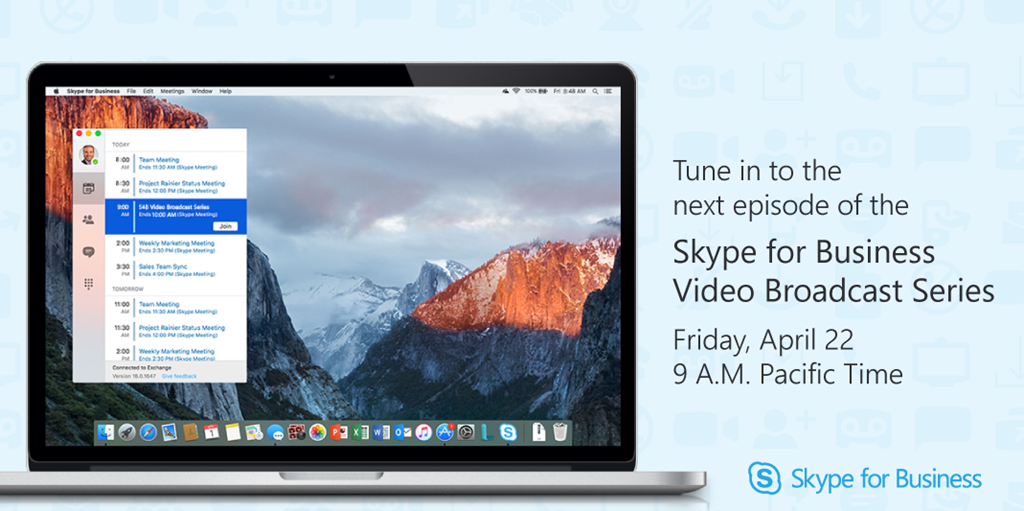
imagePlease join us on May 4, 2016 for a live online event to celebrate SharePoint 2016 and unveil our vision and roadmap for the future of SharePoint.

See Jeff Teper, CVP for OneDrive and SharePoint, outline our vision and future plans for SharePoint and OneDrive for Business—both on-premises and in the cloud with Office 365.

Following the keynote will be a number of sessions detailing the new innovations along with sneak peek demos of what’s coming. Whether you are an executive, IT pro, developer or SharePoint user, we have a lot to share and hope you’ll be part of this historic moment and register today.

I obtained the following visual guide for folks looking to move from Windows 7/8 to Windows 10, or from Windows 10 to a different edition/branch version. 

Windows10WorkflowforChangingEditions

It’s pretty self explanatory but it does highlight the need to completely reimage a workstation if there’s a need to move from a Windows 10 Enterprise to a lesser Edition or a Branch revision with less sophistication. (i.e. W10Enterprise to W10LTSB, or W10LTSB to W10Professional)

This scenario – moving from Windows 10 Enterprise to Windows 10 Long Term Servicing Branch – is one that would be required if an organization were to drop Software Assurance on Windows for the PC in question.

image

Are you looking to “life & shift” existing virtual machines to operate in Azure to take advantage of the reduced total cost of ownership, integrated data redundancy, higher resource availability?

Sharon Bennett wrote a great step-by-step article on how to leverage the Microsoft Azure Virtual Machine Readiness Assessment tool to quickly identify if your VM will smoothly move to Azure.

Moving to the cloud can be a daunting task, and sometimes it is hard to know where to start. You may have questions like what workloads can be moved? What workloads can’t? What can be moved after some modifications?

The Azure Virtual Machine Readiness Assessment tool was designed to help you determine how to move your virtual machine workloads to Azure. The tool inspects your physical or virtualized environment, and provides a checklist and a detailed report on the steps needed to move to Azure.

In this step-by-step, I will show you how to leverage this tool to analyze your environment.

After downloading and installing the application, the Azure Virtual Machine Readiness Assessment tool will begin the process of evaluating your infrastructure.

There is a total of 16 questions that you are required to answer in order for the tool to analyze your environment. We will walk through each question in this how-to.

Download the assessment tool here:

Read the post for the full step by step guide here:

Posted by: kurtsh | March 14, 2016

HOWTO: Restore Maximum Power State to Surface Pro 4

imageThis is just a redirect post for myself to reference later to Brad Wardell’s blog on “Enabling Max Power State” on Surface Pro 4/Book. 

The modification he describes takes less than a minute & can enable you to obtain more than 1 hour of additional battery life.  It accomplishes this by essentially disabling Intel CPU SpeedBoost aka Overclocking when your Surface’s CPU is being taxed.  By eliminating intermittent overclocking, you greatly reduce the drain on your battery.

If you’re interested, read Brad’s post here:

« Newer Posts - Older Posts »

Categories