Posted by: kurtsh | May 11, 2011

EVENT: XAPFest LA 2011! Sat, June 4th, 9AM – 10PM

clip_image002[4]Wanna try your hand at developing for Windows Phone 7?  Come to XAPFest LA 2011!  Sat, June 4th, 9AM–10PM

about XAPFest
XAPFest is a Windows Phone 7 Hackathon for developers of every background and skill level. iOS and Android developers, .NET veterans, and curious programmers who want to try their hand at programming for Windows Phone 7 are all invited! It is a great opportunity to get to learn new technologies, meet members of the SoCal tech community, code, and have fun!

XAPFest consists of 1 full day of hacking – breakfast, lunch, dinner, plus snacks and drinks will be provided. This is a BYOL (Bring Your Own Laptop) Event. Please remember to install the free WP7 tools and SDK before the event begins, and if you don’t have a copy of Windows Vista or Windows 7 (required to install the WP7 tools), you can request a Windows 7 license. Loaner Windows Phone 7 units will be available to teams and individuals for the purposes of testing apps.

the prizes

  • clip_image004clip_image002Best App – $2000 (sponsored by Infragistics) & Windows Phone 7 device
  • Best Original App – $500 AMEX gift card & Windows Phone 7 device
  • Best Port – $500 AMEX gift card & Windows Phone 7 device
  • User’s Choice – XBOX 360 with Kinect & Windows Phone 7 device

rules for apps to be eligible

  • Applications must NOT already be in the Windows Phone 7 marketplace
  • Applications CAN be worked on before the event but must not be in the marketplace prior to the event
  • Teams CAN submit multiple applications and all CAN be submitted for the $2000 Grand Prize
  • Teams are limited to 3 or less members

For schedule, registration, and other details, visit David Chou’s blog at:

Posted by: kurtsh | May 9, 2011

NEWS: Microsoft to acquire Skype… allegedly.

imageSupposedly this news is to hit the wire tomorrow, according to AllThingsD’s Kara Swisher:

Now I’ve got no information on this (seriously – I don’t) but if this happens – and I hope it does – my bet is that  SteveB and Microsoft’s Unified Communications strategists looked at the availability of Skype on the market and observed:

  • FINANCIALS
    Skype was holding their own revenue wise ($860M) bringing in profits that weren’t huge but required a partner to get them where they needed to go faster before they lost their edge to some other up-and-comer.  So they needed someone.
  • BRAND
    Skype is the #1 consumer VOIP product in the world.  They’ve got a huge following and a huge ecosystem of users worldwide… as in not just English speaking folk.

So ultimately, even at ~$8.5B if that’s really what’s being paid, Skype could do well on their own over time.  But they could do better with us, and we could do better overall with them.

One might look at Skype’s huge following in the VOIP space and combine this strength in various ways:

  1. SKYPE & LYNC 2010:
    Small & medium businesses now have an opportunity to bridge their Skype implementations with manageable Lync 2010 solutions.  Use your Skype solutions and when you wanna grow up… here’s Lync.
  2. SKYPE & WINDOWS LIVE MESSENGER
    #1 consumer VOIP solution in the world?  Meet the #1 instant messaging solution in the world.  Now hook up and play nice.  Make the directories “be one”.  Provide Windows Live authentication for Skype.  Nice.
  3. SKYPE & WINDOWS PHONE 7
    Skype – now shipping on every Windows Phone 7 device, including those from Nokia & their worldwide distribution network.  The best client engineered for the best mobile phone platform.  Guaranteed to be there.  Forever. 
  4. SKYPE & WINDOWS 7/8-BASED SLATES
    Every Windows slate will be a phone via Bluetooth headset.  With the infrastructure to back it.  Guaranteed.  And with Windows 8, it’ll fit natively right into the OS’s touchable interface – perfect for a softphone.
  5. SKYPE IN EVERY MICROSOFT STORE
    Skype peripherals, Skype subscriptions/credits, Skype installations on Windows PCs.  All on parade at our stores.
  6. SKYPE & MICROSOFT ADVERTISING
    Skype’s recent release of advertising in their VOIP client opens a new target for Microsoft Advertising:  150M Skype users.   The ability for ad sales folks to tout such a rich based of advertising targets inherently strengthens ad sales & thus other ad-driven properties… like Bing.
  7. SKYPE & XBOX 360/KINECT
    And did you forget that Xbox 360’s Kinect provides video & audio calls over the Internet?  Now make that a reality by connecting with any Skype user as well.
  8. SKYPE & OFFICE 365
    This is the killer.  Remember that that Skype is big in small/medium biz.  Office 365 provide Lync Unified Communications (voice, video, data, conferencing, etc.) & Exchange messaging in the cloud.  Now you’ve got Skype which provides adhoc voice & video telecom along with 150M active users.

imageI had these lying around and I figured I might as well post them.  These are all the articles I’ve read about the upcoming Los Angeles-based Microsoft Store.

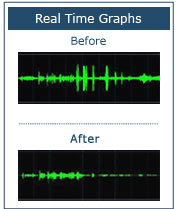
What’s the one problem (besides crappy audio) that anyone that attempts to make a phone call on a laptop gets when they use the built-in speakers and microphone?

TAPTAPTAPTAPTAPTAPTAP.  Yup.  The keyboard.  If you’re on a call with someone and you start, I dunno, doing email or start tapping away, unless you proactively hit that mute button, your keyboard will betray you.

imageNow apparently, SoliCall’s driver & software resolves this long standing issue.  Here’s the SoliCall FAQ: http://www.solicall.com/faq.htm

Note that I haven’t actually used this software yet but it looks so very cool that I couldn’t help but blog it.  I’m curious as to how well this technology works and will report back once I’ve done a basic test.

TRANSLATION:  This isn’t a recommendation.  More like a, “Hey – this is interesting.  Let’s see if it works.”

  • Personal PBXMate
    Need to improve audio quality in your personal VoIP/SIP phone? Perhaps you need a recording solution for your calls? SoliCall’s Personal PBXMate is the right product for you. It will improve the quality of your calls and record them. SoliCall’s Personal PBXMate can work with any SIP phone (hardware or softphone) and it runs on your personal desktop.
    Some of the benefits:
    • Reduce noise and echo from both ends of the call.
    • Keep the volume of the calls at a comfortable level.
    • Record the calls.
    • Monitor call quality.
    • Simple installation on your desktop/laptop.

    Download Personal PBXMate
    Operating System: Windows XP, Vista and Windows 7.  Note: This product is a shareware and requires an activation license after fourteen (14) days of trial period. The cost of the activation license is $42.
    http://www.solicall.com/personalpbxmate-mydownload.html

  • imageSoliCall Pro
    This product is the professional successor of the free Softphone add-on product. It is compatible with all modern flavors of Windows (including Windows 7). It works with any commercial softphone including Skype, Google Talk, Yahoo Messenger, MSN Messenger, Microsoft Communicator etc. Now your free calls will also be free from noise and echo. You can make calls using the integrated microphone and speaker on your laptop without the need to use headsets.
    Some of the benefits:
    • Reduce noise and echo from both ends of the call.
    • Personal tuning for individual speakers.
    • Record the calls.
    • Supports all commercial softphones using different audio formats.
    • Simple installation on your desktop/laptop.

    Download SoliCall Pro
    Operating System: Windows 2000, Windows XP, Windows Vista and Windows 7. Note: This product is a shareware and requires an activation license after fourteen (14) days of trial period. The cost of the activation license is $42.
    http://www.solicall.com/addonpro-mydownload.html

It’s coming! 

The construction of the Microsoft Store at the Westfield Century City Shopping Mall is underway and now everyone down the street in Beverly Hills knows about it.  (http://westfield.com/centurycity/)

clip_image002

As you can see Century City Shopping Mall is an open air mall and a showcase of Westfield Shopping Centers.  Sitting across from the “Bloomingdales Men’s Department” – right near the sit-down tables of “Pinkberry” – the Microsoft Store’s footprint is large enough to stretch nearly completely across the north entrance/exit of Bloomies.  (It’s taken the spot of the old “Origins” nature store.)

So attention Los Angeles:  Soon, there’ll be a NEW full service location to buy a Windows PC at in Los Angeles from knowledgeable, friendly staff.  If you’ve lived around here, there’s really not too many choices for where you can go to get a Windows PC from a store with selection, knowledgeable staff, a service department, software, etc.  For desktop & laptop sales, the only major location around here for the average consumer is “Best Buy”.  (Fry’s Electronics, for you ubertechs, is a good 20+ min drive on Los Angeles’ freeways)  The only alternative with a broad selection is sadly… the Internet. 

So where exactly is it in the mall?

image

Parking is free at Century City Shopping Mall for 3 hours.  There’s a monster food court that caters to “the region” with such culinary delights as Korean Barbecue, multiple sushi restaurants, and even a “Lawry’s The Prime Rib”.

(Be forewarned:  This is one of the “malls to the stars” due to it’s proximity to Beverly Hills and BelAir.  You may actually see the craziness they call the ‘paparazzi’.  I’ve seen the TMZ camera crew there on more than one location.  Even Harvey Levin himself once.)

I guess while I’m posting, I’d might as post what tech podcasts I listen to religiously.  I have a Zune Pass but admittedly I listen to music maybe a couple times weekly.  On the other hand, I listen to podcasts on the other hand EVERY MORNING, NOON, and NIGHT.  In the shows, on the road, and in the evening while walking the dog – it’s the best way to keep up.

Here’s what I listen to:

  • imageTech News Today
    http://leo.am/podcasts/tnt
    Yes, I listen to this daily.  I like Tom Merritt and I admire him in the same way I have come to admire Leo Laporte.  Not for their understanding of technology which often times is shallow, but more for their incredible skills as broadcasters and notable achievements in such broadcasting roles.  Being a host is not an easy job AT ALL and I am always in admiration of their ability to transition, smooth over, and otherwise push forward.
  • imageG4.com Web Shows
    http://g4tv.com/10play/podcasts/56/
    G4TVdotcomWebShows.xml

    This feed has some great commentary about games & the gaming industry – Sessler’s Soapbox & Feedback in particular.  I have mixed thoughts about this podcast feed however G4 forces you to download EVERY PODCAST THEY PRODUCE.  They don’t appear to separate each podcast into it’s own RSS feed probably because G4 reallllllly wants to have all their content viewed so they insist you download their “comic book” podcast and the “MMO” podcast – regardless if you ever actually want any of that.  Adam Sessler’s commentary however is enough to compel me to hit the ‘subscribe’ button however.
  • imageMaximum PC No BS Podcast
    http://feeds.feedburner.com/maximumpc/1337
    If you like Windows & PC hardware, this podcast is for you.  A favorite of mine, listening to the Maximum PC podcast is like hanging out with your friends.  Some people ramble, others go off on tangents, some talk about stuff they did the other day, others talk about the state of technology.  They cover stuff that was reviewed in the magazine but more importantly they let Senior Editor Gordon Mah Ung rant – and rant he does – about basically anything and everything.  Listening to Gordon rant is like having the little voice in the back of your head have a turn at the microphone.
  • imageKOXM Radio – The Official Xbox Magazine Podcast
    http://oxmpodcast.podbean.com/feed/
    Ryan McCaffrey, Official Xbox Magazine editor runs this podcast and talks about Xbox gaming from the magazine’s perspective… well, sometimes.  See, I keep going back and forth on this podcast because the host sometimes talks minimally about Xbox instead going off on some story about his iPhone or something completely unrelated to the podcast topic, otherwise wasting my time with things I’m not even remotely interested in.  Hey Ryan?  Reign it in or get a co-host to help you reign it in, like Paul Thurrott does with Leo Laporte.
  • imageWindows Weekly with Paul Thurrott
    http://www.leoville.tv/podcasts/ww.xml
    And then there’s the big daddy of podcasting.  Paul Thurrott’s Windows Weekly podcast along with Leo Laporte, TWIT network founder & CEO runs the most successful tech podcast for Microsoft technology in the world.  Reviewing all things Windows and a lot of things “Microsoft”, Paul uses his decades of experience to weigh in on the importance of some things and the hype of others.  Windows Phone 7 users will want to definitely subscribe as Paul’s a big fan of WP7.
  • imageWindows Phone Radio
    http://wpradio.podcast.windowsphone7.com/rss
    Produced by Brian Seitz & Matt Akers, the Windows Phone Radio podcast is an official Microsoft podcast that lasts usually no more than a half hour and goes over nothing by Windows Phone related matters… which is interesting if you don’t care what the perspective is.  Some days, they cater to the user audience.  Others they cater to the developer audience.  And yet others, it’s hard to tell who they’re talking to as they tend take odd tangents a lot.  Nonetheless, if you have a Windows Phone 7 device you have to at least give this podcast a try to see if it’s relevant to you.
  • imageWPCentral Podcast
    http://feeds2.feedburner.com/WmexpertsPodcast
    The creation of Daniel Rubino, aka Malatesta, the WPCentral podcast was always informative and a very interesting 3rd party look at Windows Phone.  Malatesta tends to break news stories quicker than the other phone sites because he focuses exclusively on the Windows Phone platform.  Alas, they don’t broadcast regularly any more.  In fact it’s hard to tell WHEN they’re going to broadcast.  The last podcast?  MARCH 2011.  Sigh.  Here’s to hoping…
  • imageIGN Game Scoop
    http://feeds.ign.com/ignfeeds/podcasts/gamescoop/
    Masters of the general gaming world and the new owners of 1UP, IGN is the top shelf reviewers of gaming in a world full of game reviewers.  If you’re not into Nintendo or Sony gaming and otherwise prefer Xbox 360 and PC gaming, sometimes this podcast can drag because it’s got so much content across so many different platforms.  But that’s what God made the fast-forward button for I suppose.  It’s definitely worth listening to.
  • imageXbox Live’s Major Nelson Radio
    http://feeds.feedburner.com/mnitunes
    The venerable Larry Hyrb, Xbox Live’s Major Nelson has one of the longest running gaming podcasts on the market.  What makes this podcast so interesting is his supporting cast, Xbox Live Operations Manager “E”, Xbox Developer Laura “Lollipop” Massey, and Xbox policy enforcement chief, Stephen Toulouse.  Hearing their banter and perspectives is always informative… even if Larry can’t seem to keep the podcast Xbox focused, often going off on cooking, BluRay, iPhone/iPad, TiVo, Nintendo portable gaming, etc.

Since I can’t seem to keep up with the blog due to either constant illness, emergency work, out-of-office situations or whatever, I thought I’d just post off the top of my head, the most awesome people I follow on Twitter in the tech field:

howling-wolf_normal[1]@edbott
The notorious ZDnet journalist and long time “Microsoft beat reporter”.  As long lived as Mary Jo Foley but a lot more fact-based, as intellectually astute as Paul Thurrott but a little less emotional… Ed’s twitter feed should be a staple in every IT professional’s Twitter account.

winrumors_twitter_normal[1]@winrumors
a.k.a. Tom Warren.  Think ZDnet’s Mary Jo but… male.  He has his sharp ear to the tracks in many respects better than Mary Jo does and comes up with a lot of scoops.  His accuracy deviates appropriately as well however so YMMV on the facts.

xbl1_normal[1]@johnobeto
Microsoft technology small business consultant and one of the single most active social media monsters I’ve ever read.  I thought I was good:  John is better.  I wish I had the nuclear reactor that powers his passion for all things Microsoft, HP, and Lakers.

Me_normal[1]@obinnaosobalu
Obinna is actually how I stumbled upon John Obeto.  A Nigerian IT consultant halfway around the world, Obinna reports on Microsoft stuff that you might otherwise miss.  A great feed to balance out a Twitter portfolio.

ems_logo_normal[1]@everythingms
I don’t know who this is or what their motivations are but this feed duplicates everything I follow and some things I might have otherwise missed Microsoft wise.  Good feed to reiterate certain tweets.

twitterProfilePhoto_normal[1]@thewindowsclub
India-based Windows Club is easily one of the best feeds for Microsoft tools, tech, and gadgetry that are affiliated with Microsoft & Windows in particular.  This is a must-follow for anyone that wants not just concepts but details about Windows technology.

mjf_normal[1]@maryjofoley
Mary Jo.  Well, I resisted following her rumor feed for a long time based on some past articles she’s written but I concluded that anyone that vested in Microsoft technology must not just be at least experienced but also somewhat wise in the ways of our company and that’s probably a good thing.  Besides… despite her often overreaching speculation, she seems like an honestly nice person from interviews I’ve seen and that gets a lot of points in my book.

twitter_small1_normal[1]@msonline
This is our Cloud Twitter feed specifically from the Office 365 & BPOS team.  If you have an interest in the our Software-as-a-Service play that utterly trumps Google Apps in virtually every way, you should follow them.

skyjumpme_normal[1]@msdave
My friend Dave Trupkin.  Dave’s got bags of experience with our Application Virtualization technology and if you believe – as you should – that App Virtualization is the future, then you should follow Dave.  Now if he’d just stop broadcasting his stupid Fitbit stats…

twitteravatar_normal[1]@msftsecresponse
Simply put – if the fit hits the shan security wise, this is where you’ll hear it first.  They rarely broadcast on this feed but if they do, you can bet it’s important.

me_normal[1]@chapman
Stephen Chapman – long time Microsoft & Windows tech and current blogger for ZDnet around Search Engine Optimization.  He runs http://msftkitchen.com.  Also, he’s a genuinely nice guy.  A great feed for lots of stuff Windows wise.

FB-Profile_GREEN_normal[1]@windowsphone
The official Twitter feed for Windows Phone.  Nuff said?  No?  Well, when new offers or new stuff comes up, this is where they post.  And post they do.  If you’re a user or a fan of Windows Phone, you can anticipate having your opinions echoed at least a little here.

Rome_coffee_normal[1]@thurrott
Cranky.  Opinionated.  Intelligent.  Paul Thurrott is the famous creator of the WinSuperSite and long time follower of Windows technology.  Editor at Penton Media, Paul speaks on the Windows Weekly podcast with Leo Laporte on the TWIT network and is an must-listen for anyone in the IT field.  Just wish he’s stop talking about Apple – bad or good – and just get back to relevant Windows stuff.

mosspuppet-icon-for-podcast-small_normal[1]@mosspuppet
Here’s the weird part:  MossPuppet – aka Walt Mossberg Puppet – is the creation of Brian Hogg and reports on real items of the day in his own irreverent, comedic way.  The thing is:  A lot of times, his reporting is actually accurate and educational.  It’s like Sesame Street for IT professionals.  Hey Brian… there’s an idea for you.

RobertMcLaws-SimpsonsSmall_normal[1]@robertmclaws
Master Windows expert and long time 3rd party blogger on Microsoft topics, Robert is never one to shy away from an opinion.  He knows that many people depend on Microsoft for their livelihood and doesn’t back away from supporting that.

e6d4092a-4bab-4ed4-9c44-35576c5ce406_normal[1]@malatesta77
a.k.a. Daniel Rubino, Malatesta77 is one of the best Windows Phone reporters in the world and the keeper of the Windows Phone beat at WPCENTRAL.COM.  If I could, I’d send this guy any Xbox 360 games we sell just for keeping up with all the ups and downs of our ridiculous mobile strategy.  Hey Daniel… if you read this, consider it an open invitation.

image

I’m a tad surprised by this move because unlike a lot of other free “eBooks” published by 3rd parties that are often just shilling their other properties and IP, this is a really good book.  If you flip through all 170 pages I guarantee that you will learn something. 

For example:

  • What’s the difference between scaling your desktop & simply changing the resolution?
  • How do you take advantage of multitouch gesture support for capacitive touch slates/tablets running Windows 7?

Here’s the announcement:

I’m delighted to announce that my 170 page Windows 7 Power Users Guide is now completely FREE to download and own as an eBook. The book is for people of all technical ability from complete novices to IT Pros.

The book contains 16 chapters and is a guide on how to get the very best out of Windows 7 from installation to configuration and advanced operations. It includes step-by-step guides, screenshots and diagrams on every page, quick tips throughout the book and is presented in full colour.

Read more at Mike Halsey’s web site at:
http://www.thelongclimb.com/2011/05/06/the-windows-7-power-users-guide-ebook-is-now-free/

Powershell2You’ve doubtless heard the “buzz” about Windows PowerShell – it’s in everything from Windows 7 and Windows Server 2008 R2 to SharePoint 2010, Exchange Server 2010, and even SQL Server 2008 R2. But what is Windows PowerShell? A scripting language? A collection of command-line utilities? A .NET programming language? More importantly, what can you do with Windows PowerShell to make administration faster, less repetitive, more consistent, and more efficient?

Come find out. Don Jones, Microsoft MVP Award recipient, Microsoft TechNet Magazine columnist, WindowsITPro.com contributor, and author of the newly-released Learn Windows PowerShell in a Month of Lunches (Manning) shows you how Windows PowerShell works, and gives you a glimpse at all it can do. He’ll show you how everyone from the help desk to high-end administrators can benefit from the shell without scripting, and demonstrate how the shell can be used by scripters and programmers to create reusable tools. Most importantly, Don will introduce some of the key underlying mechanisms of the shell itself, helping you learn how to teach yourself administrative techniques in Exchange Server, SharePoint, SQL Server, System Center, Windows Server, and more.

We’re entering an age when a primary distinction between “high-end” IT professionals and “low-end” technicians will be their skill in Windows PowerShell. As Don once famously said, “it’s learn the shell… or start asking, ‘would you like fries with that?’” Don’s helped thousands of IT professionals get started on the Windows PowerShell path – why not make 2011 the Year You Learned the Shell?

TechNet Events Presents: “Meet Windows PowerShell – No Matter Who You Are”
Featuring Author and MVP Don Jones

TIME/DATE:
Starts: Tuesday, May 10, 2011 9:00 AM
Ends: Tuesday, May 10, 2011 12:00 PM
Time zone: (GMT-08:00) Pacific Time (US & Canada)
Welcome Time: 8:30 AM

LOCATION:
Microsoft LA Office MPR 1&2
333 S Grand Ave
Suite 3300
Los Angeles California 90071

Registration:
Contact me for registration details if you are a customer of mine.

Posted by: kurtsh | May 3, 2011

INFO: Motion CL900 Tablet PC… starting at $999!

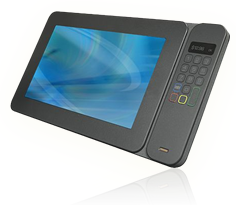
imageWow.  An affordable ruggedized Windows tablet? 

This is a seriously beautiful tablet and is clearly designed for serious business use… and while capable, not for Angry Birds.

Running Windows 7 Professional (32bit), this unit is ruggedized for protection against moisture, heat, dust, and drops.  It also has a bright durable screen for outdoor viewing and sports a total weight of under 2 lb.

imageHere’s the specs:

  • 10.1” wide HD LED-backlit display with 1366 x 768 resolution, feat. Gorilla Glass
  • Intel Atom z670 ES (1.5Ghz) leveraging Intel Oaktrail chipset
  • 1GB DDR2 RAM (2GB option)
  • 32GB SSD (64GB/128GB options)
  • Capacitive touch & Active Digitizer-based Stylus input (N-trig)
  • Forward facing camera: 1.3MP
  • Back facing camera: 3.0MP
  • Integrated graphics acceleration with HD video playback
  • Wireless AGN & Cellular
  • imageBluetooth 3.0
  • SD card slot
  • Integrated speakers
  • 4 cell battery – 8 hour battery life
  • Options:
      • Keyboard
      • Barcode reader
      • MSR or fingerprint reader

There’s an AWESOME review of this device at RuggedPCReview:

« Newer Posts - Older Posts »

Categories