clip_image005Please join us for lunch and a fun Kinect gaming experience. Learn how OrgChart for Visio can shape and visualize your workforce faster than ever before by:

  • Enabling best-of-breed features of Visio 2010
  • Leveraging critical path Human Capital Management features of OrgChart
  • Create dynamic & data-driven diagrams
  • clip_image006Simply connect your diagram to one or more data sources such as Excel

You will also have a very special opportunity to win some fantastic prizes.

DATE:
December 12th, 2011

REGISTRATION/TIME/LOCATION:
If you are interested in participating and you are a customer of mine, please contact me for registration instructions.

Posted by: kurtsh | November 14, 2011

BETA: Microsoft Deployment Toolkit (MDT) 2012 Beta 2

imageBeta 2 of the Microsoft Deployment Toolkit (MDT) 2012 is now available for download!New features and enhancements make large-scale desktop and server deployments smoother than ever!

  • For System Center Configuration Manager customers, MDT 2012 Beta 2 provides an improved, extensible wizard and designer for customizing deployment questions.
  • MDT 2012 makes full use of the capabilities provided by System Center Configuration Manager 2012 for OS deployment.
  • MDT 2012 integrates with configuration templates from the Security Compliance Manager (SCM) tool to ensure a secure Windows installation from the beginning of the deployment.

Download the latest version of MDT and improve your deployment experience. Existing MDT users will find more reliability and flexibility with the many small enhancements and bug fixes and a smooth and simple upgrade process.

Key Benefits:

  • Full use of the capabilities provided by System Center Configuration Manager 2012 for OS deployment.
  • Improved Lite Touch user experience and functionality.
  • A smooth and simple upgrade process for all existing MDT users.

Tell us what you think!
We value your input. Download the beta on Connect and tell us what you think! Please submit your feedback through Connect and direct any support questions you may have to satfdbk at microsoft dot com.

Availability
This program is now open. The beta review period will run through January 2012.

Tell your friends
To join the beta review program for Microsoft Deployment Toolkit (MDT) 2012, visit Microsoft Connect: http://go.microsoft.com/fwlink/?LinkId=217606

Learn more
Visit the MDT home page: http://www.microsoft.com/MDT
Get the latest news straight from the MDT team: http://blogs.technet.com/mniehaus/

MDT works with the Microsoft Assessment and Planning Toolkit and Security Compliance Manager to help you plan, securely deploy, and manage new Microsoft technologies-easier, faster, and at less cost. Learn more athttp://www.microsoft.com/solutionaccelerators.

Thank you for your interest in the development of MDT. We look forward to receiving your feedback!

image

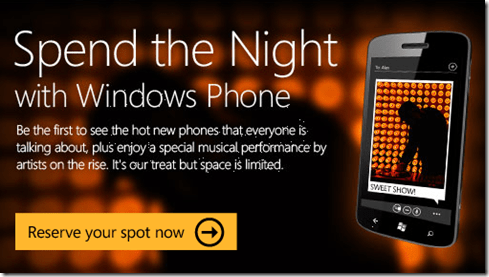
We’re throwing a big ol’ party in Santa Monica, featuring musical artist, “MuteMath”, as featured on the Tonight Show performing “Blood Pressure”!

Register now or miss out!

FAQ:
(As taken from web site)

GENERAL EVENT QUESTIONS

What is Spend the Night with Windows Phone all about?
It’s a celebration and a chance to get a first look at the new Windows Phones while enjoying hot indie bands, great food and drinks. It’s free but by invitation only.

Who should attend?
Anyone who digs technology, hearts their cell phone, loves to be the first to know, enjoys good music, video games or tasty local food & drinks should definitely RSVP.

Who is hosting this event?
The Microsoft Windows Phone team.

Do I have to RSVP to get in?
Yes, you must have your confirmation of your RSVP to be allowed in. Space is limited. Party crashing prohibited.

When and where will the events be held?
We’re hosting these hi-tech shindigs in New York, Chicago, Dallas, Los Angeles and San Francisco. Address details will be sent with your RSVP confirmation.

  • Los Angeles
    November 30th & December 1st.
    Starts at 7pm PST
    Ends at 12am PST.

How much does it cost to attend?
Registration is free, but limited.

What’s the dress-code?
Hip, casual. Nice jeans and sneakers are fine. We’re ok if you want to glam it up a little. Be yourself.

Can I bring friends? How do I invite them?
Heck yes, you can bring friends. Once you RSVP, you’ll see a tool to select friends and invite them. You can also share this link: http://on.fb.me/uA6dQo

Does my RSVP guarantee a spot for me?
You must have your confirmation to be allowed in. Space is extremely limited, so it’s recommended that you arrive early.

How old do I have to be to attend?
You must be 21 or older to attend.

Why are you asking for my FB data?
During the party, there will be amazing technology where you can choose to interact with different areas and generate a post to your Facebook account, having this info makes it super easy and fun. We’re also requesting permission to stay compliant with Facebook’s guidelines to obtain a complete release from each participant.

What are you going to do with that data before, during, after the events?
When you arrive at the door, we’ll double-check that you registered through Facebook & that you are who you say you are. Once at the event, we may message you. You’ll also get to play with some cool tools on-site to post status updates. After the event, we’ll safely dispose of your information.

I didn’t get a confirmation email/ticket text.
Please contact support at support@mogotix.com or by phone 1-855-MOGOTIX

The application isn’t working for me.
Please contact support at support@mogotix.com or by phone 1-855-MOGOTIX

What’s the best browser to view the application?
We recommend Internet Explorer 9. Here is a link to download: http://windows.microsoft.com/en-US/internet-explorer/downloads/ie-9/worldwide-languages

How do I invite more friends after I’ve initially RSVP’d?
Share this link: http://bit.ly/vCJScY

Who do I contact for help?
Contact support at support@mogotix.com or by phone 1-855-MOGOTIX

I lost my confirmation email/ticket
Please contact support at support@mogotix.com or by phone 1-855-MOGOTIX

How do I know if I’m a VIP?
Your mobile ticket will label what kind of ticket you have right under your name. If you have further questions email us at support@mogotix.com

Will parking be available?
No special parking will be available for the events.

Additional Questions?
If your question is not listed here please email support@mogotix.com.

Check this out:  It’s a video documentary we’re producing in 5 parts that talks about being a startup from the eyes of 5 organizations that I believe are participating in our Bizspark startup program.

“Ctrl+Alt+Compete” – a Microsoft produced documentary about startups

MicrosoftParis-WP7App1aDavid Hernie recently posted instructions on how to your blog into a great Windows Phone 7 application without being a developer with the caveat that your blog must have a RSS feed.

Here’s a snippet of his instructions:
(Leeched & reposted in the event his post disappears)

  • Download the windows Phone 7 SDK (Even if you are not a developer) to test your app in the emulator. It’s free : http://www.microsoft.com/download/en/details.aspx?displaylang=en&id=27570
  • Build your Windows Phone App online No code – couple of clicks – Max 15 min .. http://www.followmyfeed.net -The most complicated part is selecting pictures and finding a good name for your mobile app.
  • Register as developer to the WP7 Marketplace. http://create.msdn.com
  • Submit you app to the certification process, your application will be available worldwide after couple of days.
  • Promote your application to your audience and don’t forget to tweet with the TAG #WP7be

For the full read, go to:
http://www.mytic.be/blog/dhe/Lists/Billets/Post.aspx?ID=69

In case you forgot how awesomesauce this game was, here’s a reminder to GET YOUR BUTT DOWN TO THE MIDNIGHT LAUNCH IN CENTURY CITY!  It’s gonna be ‘wrapped in bacon… & fried in butter’! 

Four days left!

———————

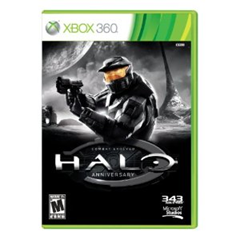
image_thumb1Join us beginning at 10:00PM as we celebrate the launch of “Halo: Combat Evolved – 10th Anniversary Edition”

Show off your skills in tournaments and enter to win great prizes. Bonus: The first 100 gamers attending a launch event will receive a complimentary gift bag.

Pre-order and score $25!
Pre-order Halo: Combat Evolved – 10th Anniversary Edition and get a $25 gift card per title when you pick up your purchases. **

* Open to guests 17 years and older with proof of age. Guests under 17 no admitted without parent or legal guardian.

** Limited-time offer value with pre-order of eligible products through 11/14 or while supplies last. Requires pre-order deposit, which is non-refundable if pre-ordered product is not purchased or refund is not requested within 120days of the product release date. Offer cannot be redeemed for cash or combined with any other offer or promotion. Not available online. Limit one gift card per pre-order game title. Value of gift card may not be applied to purchased of the eligible products. Pre-order and gift card terms and conditions apply. See an associate for details.

Halo Combat Evolved Anniversary E3 2011 Debut Trailer

DATE/TIME:
November 14th 10:00PM-1:00AM

LOCATION:
Westfield Century City
10250 Santa Monica Blvd
Los Angeles, CA 90067
3102283550
http://microsoftstore.com/losangeles

imageAre you familiar with the Microsoft Software Assurance Home Use Program?

Probably.  Customers with Microsoft Office on Software Assurance (also known in some circles as ‘license maintenance’) have a benefit called the Home Use Program that allows corporate employees covered by the Microsoft licensing agreement to purchase 1 home copy of Office Professional Plus 2010 for $9.95.  This includes the activation key and the software as a download.

imageWhat is HUP with Digital Bulk Order?
The Home Use Program Digital Bulk Order allows Software Assurance benefit administrators to purchase multiple copies of Microsoft Office Professional Plus 2010 in bulk for their employees to use on home PCs. 

Instead of employees individually purchasing and downloading the software/activation key for $9.95, they can get the software and the key from their corporate administrator of the benefit if the company ‘fronts the $9.95/copy bill’.

This is useful if your organization wants to buy and gift the Office HUP software for the holidays for example as a benefit of working at the company.

What do you need to do:

  • Tell your users about the option to buy Office Professional Plus 2010 at $9.95 per employee, if you have Software Assurance and the HUP benefit.
  • Contact me for details on marketing materials, posters, emails and more if you are a customer of mine.
  • Contact me for details on how to sign up for the Digital Bulk Order program if you are a customer of mine.
Posted by: kurtsh | November 4, 2011

DOWNLOAD: Office 365 for Enterprise Service Descriptions

imageOffice 365 is a suite of Internet-based services that are designed to help meet your needs for robust security, 24/7 reliability, and user productivity. This set of documents provides service descriptions for the components of the suite.

  • Microsoft Exchange Online for Enterprises Service Description – Microsoft® Exchange Online is a hosted messaging solution that delivers the capabilities of Microsoft Exchange Server as a cloud-based service. It gives users rich and familiar access to email, calendar, contacts, and tasks across PCs, the web, and mobile devices.
  • Microsoft SharePoint Online for Enterprises Service Description – Microsoft SharePoint Online is a Microsoft Office 365 service for businesses of all sizes. Instead of installing and deploying Microsoft SharePoint Server on-premises, any business can now simply subscribe to SharePoint Online to provide their employees with an enterprise grade solution for creating sites to share documents and information with colleagues and customers.
  • Microsoft Lync Online for Enterprises Service Description – Microsoft® Lync™ Online is a next-generation cloud communications service that connects people in new ways, anytime, from virtually anywhere. Lync Online provides intuitive communications capabilities across presence, instant messaging, audio/video calling and a rich online meeting experience including PC-audio, video and web conferencing. Transform your interactions with colleagues, customers and partners from today’s hit-and-miss communication to a more collaborative, engaging, and effective experience.
  • Microsoft Office Professional Plus Service Description – With Office Professional Plus, users get the latest version of the Microsoft Office applications, seamlessly connected and delivered with cloud services, so they can access their documents, email, and calendars from virtually any device. Office Professional Plus includes the new Office Web Apps—online companions to Microsoft Word, Microsoft Excel®, Microsoft PowerPoint®, and Microsoft OneNote®—which let users review and make minor edits to documents directly from a browser.
  • Microsoft Office 365 Apple Devices Service Description – The Microsoft Office 365 Apple Devices Service Description provides customers with an overview of Office 365 capabilities on the Mac and iOS (iPhone and iPad) devices.
  • Microsoft Exchange Online Archiving Service Description – Microsoft Exchange Online Archiving is a cloud-based archiving solution for organizations that have deployed Microsoft Exchange Server 2010 on-premises. Exchange Online Archiving is an enterprise-class service that assists these organizations with their archiving, compliance, regulatory, and e-discovery challenges while simplifying their on-premises infrastructure, thereby saving costs and easing the information technology (IT) burden.
  • Microsoft Office 365 for Enterprises Support Service Description – Microsoft® Office 365 for enterprises Support Service Description provides information to customers about the technical and nontechnical support included in their subscription fee to Microsoft Office 365 for enterprises.
  • Microsoft Office 365 Mobility Services Description – The Microsoft Office 365 Mobility Services Description provides customers with information on mobility solutions—access to services from phones and devices—that are available for two online services in this current release namely, Microsoft Exchange Online and Microsoft SharePoint® Online.
  • Microsoft Office Web Apps Service Description – Microsoft® Office Web Apps is the online companion to Microsoft Word, Microsoft Excel®, Microsoft PowerPoint®, and Microsoft OneNote® applications that helps users access documents from almost anywhere. Users can view, share, and work on documents online with other users across personal computers, mobile devices, and the web.
  • Office 365 Security and Service Continuity Service Description – This service description describes the security, continuity, privacy, and compliance policies and controls for the Office 365 for enterprises service offerings. It is intended to provide Office 365 customers with an overview of how each of the Office 365 services is designed to provide a high degree of security, privacy, continuity, and compliance—service goals that are derived from the Microsoft Risk Management program.
  • Office 365 Identity Service Description – This document discusses the design, policies, and best practices related to Office 365 identity, including the creation of user accounts, password policy, co-existence, directory synchronization, and single sign-on ( identity federation). Users can gain access to Office 365 by authenticating to their Office 365 user accounts—either through a prompt to provide valid credentials or through a single sign-on process. Once authenticated, users’ identities refer to the user names associated with the Office 365 accounts.

DOWNLOAD: Office 365 for Enterprise Service Descriptions
http://www.microsoft.com/download/en/details.aspx?id=13602

imageThe Lync Server Administration Guide and the Windows PowerShell Supplement contain procedures and guidance for administering a Lync Server 2010 deployment.

  • The Lync Server Administration Guide (LS_Admin.doc) covers procedures that you can perform using the Lync Server Control Panel and some command-line procedures.
  • The Windows PowerShell Supplement (LS_Admin_Windows_PowerShell _Supplement.doc) contains guidance for using Windows PowerShell cmdlets to perform management tasks at the command line.

WARNING:  This is a 257 page document and very large to print out.

Posted by: kurtsh | November 4, 2011

RELEASE: Lync Server 2010 Resource Kit

imageThe Lync Server 2010 Resource Kit is the technical reference for the product. This book extends the product planning, deploying, and managing documentation in the Lync Technical Library. This book serves as a companion to the product documentation to learn how the product works under the hood.

The following chapters are available as separate Word documents.

  • Chapter_01_Address_Book_Service.doc
  • Chapter_02_Archiving_and_Monitoring.doc
  • Chapter_03_Client_Administration.doc
  • Chapter_04_Conferencing_and_Collaboration.doc
  • Chapter_05_Direct_SIP
  • Chapter_06_Enhanced_Presence.doc
  • Chapter_07_Enterprise_Voice.doc
  • Chapter_08_Exchange_UM_Integration.doc
  • Chapter_09_External_User_Access.doc
  • Chapter_10_Instant_Messaging.doc
  • Chapter_11_Interoperability_with_Asterisk_and_Skype.doc
  • Chapter_12_Interoperability_with_XMPP_Systems_Using_the_XMPP_Gateway.doc
  • Chapter_13_New_Features_Overview.doc
  • Chapter_14_Response_Group_Application.doc
  • Chapter_15_Server_Administration.doc
  • Chapter_16_SharePoint_Integration.doc
  • Chapter_17_Technical_Overview.doc
  • Chapter_18_Troubleshooting_Basics.doc
  • Chapter_19_Troubleshooting_Specific_Workloads.doc
  • Microsoft_Lync_Server_2010_Resource_Kit_Chapters.zip

These chapters are also available together in a .zip file.
The Microsoft Lync Server 2010 Resource Kit book is currently being developed. Chapters will be available for download while this book is being completed. For information about the continuing release of chapters, check DrRez.

« Newer Posts - Older Posts »

Categories