imageThis has been available for the last few months but it’s worth repeating that we have a 480 page eBook available entitled “Understanding Microsoft Virtualization” that’s been updated for Windows Server 2008 R2 and goes into both server virtualization & Virtual Desktop Infrastructure.

There are over 6 massive chapters, with topics including:

  • Performing P2V Conversions
  • Automating V2V Conversions from VMware to Hyper-V
  • Implementing Business Continuity for Hyper-V
  • Using the Self Service Portal
  • Understanding usage scenarios for App-V for RDS
  • Private Cloud Architecture & Implementation

It is provided in .PDF and .XPS format.  Please download it before it gets taken down!

Posted by: kurtsh | November 19, 2011

INFO: Ever get “Trying to connect…” in Outlook?

Ever get “Trying to connect…” in Outlook?

Try opening a command window and typing:

tasklist –m olmapi32.dll

This should be empty.  If it’s not, take a look at the list of processes that are in there and kill the ones that are blocking your connection, using task manager.

imageAlternatively, you can follow the instructions here for using the HIDDEN “Connection Status…” menu item in Outlook to reset/reconnect the session between Outlook and Exchange.

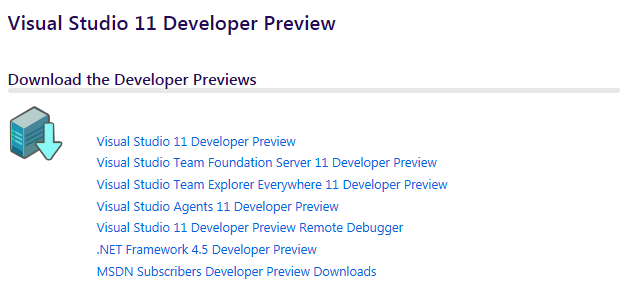
imageThe Visual Studio 11 Developer Preview Training Kit includes hands-on labs to help you understand how to take advantage of the variety of enhancements in Visual Studio 11 and the .NET Framework 4.5, how to support and manage the entire application lifecycle and how to build Windows Metro style apps.

This is pretty sick.  Here’s the Walmart Black Friday ads for Los Angeles.  Look up page 8-9 for walk-in store deals (non-Internet):

image

Do you see it?  Xbox 360 4GB + Kinect & “Kinect Adventures” for $199.
For the uneducated, that’s $100 off easy.  That’s CRAZY.

imageIf that’s not enough for you, check out what’s right below it:  If you already own an Xbox 360, get a Kinect sensor + “Kinect Adventures” + “Gunslinger” + “Fruit Ninja Kinect” all for $99. 
That’s at least a full $50 off, not including the value of all the game titles.

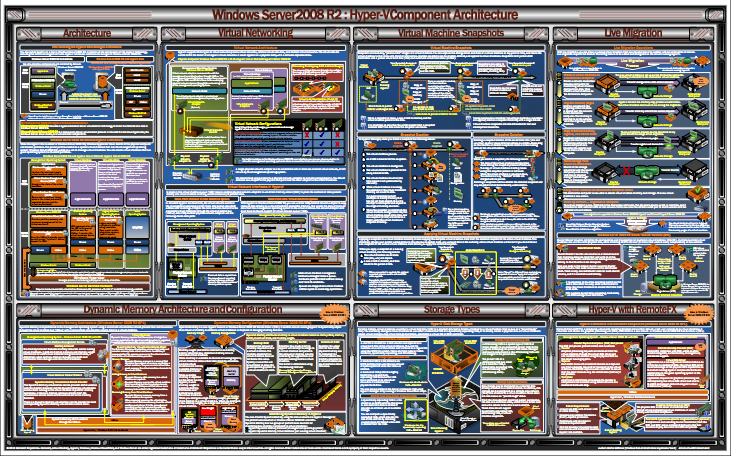
imageHere’s a quick inventory of Microsoft technology posters that you can print out for your wall.

Windows Server Posters

Exchange Server Posters

Lync Server Posters

SharePoint Posters

Posted by: kurtsh | November 18, 2011

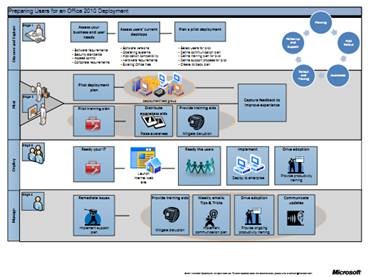
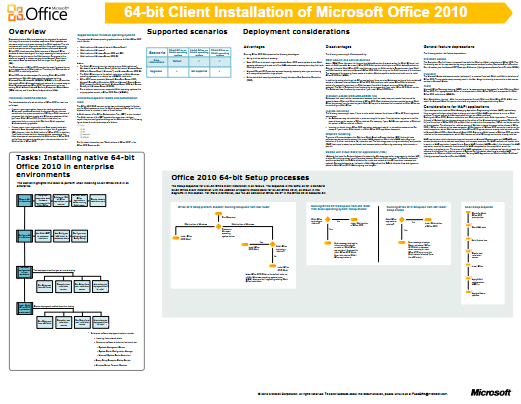
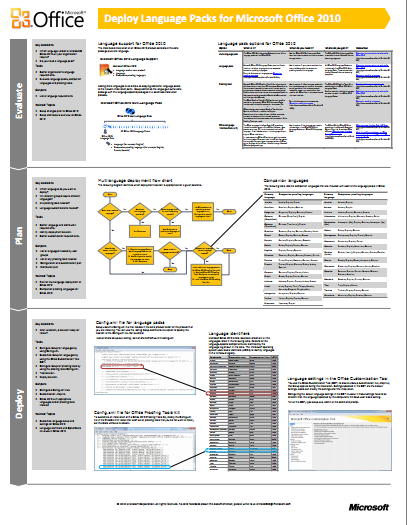
DOWNLOAD: Posters for planning Office 2010 Roll Outs

Posters for IT professionals that are in charge of the deployment, planning, and management of an Office 2010 rollout.  Nuff said?

clip_image002clip_image004


imageimage

Posted by: kurtsh | November 18, 2011

INFO: Lync 2010 Adoption & Training Resources

Here’s some Lync 2010 resources that might be useful for folks looking into deploying & training their staff around the client.

image

Innovation. Expertise. Community.

At the 2012 Microsoft Management Summit (MMS) the brightest and most skilled IT Professionals from around the world meet to increase their technical expertise through deep hands on technical training, sharing of best practices, and interaction with innovators and pioneers in desktop and device management, datacenter and cloud technologies.
We hope you will join us for this popular event designed to stimulate new thinking and forge lasting relationships among a remarkable group of IT professionals and industry leaders.

Be the First to Try New Technology
At MMS you will be the first to learn about how Microsoft management technologies enable a new breed of datacenter through private cloud and public cloud solutions, and deliver a more flexible and productive desktop infrastructure. You’ll also gain free access to valuable trial software and be able to visit with over 50 technology companies who will be exhibiting their latest innovations and technology solutions.

Five Days of Intense Learning & Networking
MMS offers a jam packed schedule of learning opportunities that will help you accelerate your career and solve today’s most challenging technical problems while preparing you for tomorrow’s innovation.
Learn about a variety of technologies by attending expert led sessions through either instructor-led labs or self-paced labs, as well as Microsoft Certification Exam cram-sessions and tests when you’re ready to take the next step.
Bring your questions, your experiences and your curiosity to structured and unstructured networking events that will provide the opportunity to meet and discuss topics of common interest peer-to-peer or with Microsoft and industry experts.

Register now and save up to US $275 off the standard registration price.*


*Early Bird Registration ends January 27, 2012; discount is shown in United States Dollars only.

clip_image002

Tango is a free application that provides both audio calls between Tango clients (iPhone, iPad, Android, Windows Phone 7.5, and Windows Desktops) as well as video calls over both Windows Phone 7.5 and Windows Slate/laptop devices that have cameras on them.

clip_image004For those of you with front facing cameras from your HTC Radar, Samsung Focus S, or Samsung Focus FLASH, it’s a great tool being able to video call (similar to Apple’s Facetime) using your 3G data connection to another phone or to a Windows SLATE with a front facing camera.

Two things about Tango to know:

  1. DISABLING CONTACT DATA STORAGE
    Tango, by default, uploads your contact information to their servers over an encrypted pipe. (XMPP-TLS)  You can have this data deleted by turning off the “Save Address Book” setting. 
    To change it, go to Settings and touch the edit icon (pencil) next your contact information, and then at the bottom of that screen you’ll find the “Save Address Book” setting.  Evidently, turning this off will delete the data that they uploaded.
  2. TANGO SKIN
    Maybe it’s just me but you may want to get rid of the iPhone skin on the Windows Desktop client.  Under SETTINGS, set it to the Windows Standard skin.

[as announced on the Server & Cloud team blog]

imageI am so glad that the System Center Operations Manager 2012 Release Candidate was recently released. This is an exciting release, and includes all of the new capabilities introduced in the Beta plus a few more.

One of the important changes we made with Operations Manager 2012 is that we have simplified the architecture by removing the RMS (Root Management Server) role. To do this, we have created resource pools that will distribute the workload that the RMS performed in the past. This will help decrease bottlenecks, help increase performance, and help provide higher availability of your Operations Manager environment.

I am really excited about our Network Monitoring in Operations Manager 2012 RC. Whether the devices are ones where we have extended monitoring capabilities (check out the link here), or other switches where we can just determine connectivity, you can determine if the problem is with the networking infrastructure, or the servers connected.

Now, if you want to, you can create your own custom dashboards displaying views of performance and alerts that are important to you. Once you have created these dashboards, you can present them in a read-only view to SharePoint via the Operations Manager Web Part support.

With Operations Manager 2012, we have connectors for other System Center products that allow for better management of your infrastructure and more connected communication within System Center.

With System Center Orchestrator 2012, the integration pack will have the capabilities to interact with Operations Manager 2012 through activities like:

  • Create Alert
  • Get Alert
  • Update Alert
  • Monitor Alert
  • Get Monitor
  • Monitor State
  • Start Maintenance Mode
  • Stop Maintenance Mode

With System Center Virtual Machine Manager 2012, the connector will allow you to push from Virtual Machine Manager

  • Virtual machine information (properties, performance data)
  • Service information (services rendered as distributed applications in OM)
  • Private cloud information (capacity, usage metrics)
  • Host and Host Cluster information
  • Storage Pool information
  • IP Address and MAC pool information
  • VMM infrastructure information (VMM server health, library server health)

With System Center Service Manager 2012, you have the connector which allows you to sync your Operations Manager discovered objects from any Operations Manager management packs and create configuration items and business services within Service Manager. Also, the connector will create incidents from Operations Manager alerts automatically for you.

We’ve built Operations Manger 2012 with upgrading in mind, and you can perform a rolling upgrade from your Operations Manager 2007 environment. Here is a nice diagram on the upgrade process flow.

I would be remiss to mention that all the really cool things you used in Operations Manager before are still there. For example, your management packs will still work, your alerting, health, and performance monitoring is all still there. Existing MPs and Templates should just work, allowing you to preserve that existing investment you may have already made.

I am really excited about this Release Candidate. Please, download and give it a try.

« Newer Posts - Older Posts »

Categories