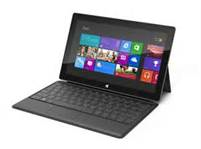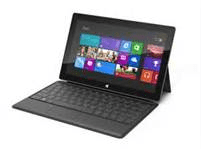
imageUntil yesterday, I’d never encountered any problem with the Surface worth writing about.  My issues were mainly usability concerns and basic 1.0 sort of issues.

APPS CRASHING TO THE DESKTOP
However recently an issue has been cropping up every so often.  When I run the "Finance" application, the requisite ‘Loading…’-ish screen comes up… then after a few seconds, it suddenly displays the Desktop, as if the application crashed and the default reaction is to go to the Desktop environment instead of the START menu.  Also the Explorer environment (the taskbar, system tray, etc.) looks like it’s crashed & is being reloaded, as if I’d killed EXPLORER.EXE and it was bringing itself back.  This in it of itself isn’t that big a deal in that usually if I attempt to run the app again, it will load.

A SUDDENLY EMPTY TASK BAR?
The issue is that immediately after the crash, if you bring up the Windows 8’s "Task Bar" a.k.a. WinKey-Tab/Swipe Left to view the running apps in memory, NOTHING APPEARS.  It’s as if all the running apps got deregistered from the Task Bar… but they’re still running in the background.  The reason I know they’re still running is that there’s no load time if I attempt to run any programs I believed were previously loaded. 

For example:  If I had previously run Mail, Calendar, MetroTwit, and Internet Explorer M-tro before this "Finance crash" occured, I can return to the START page, run "Mail" and it’ll pop right up without any load time.  Because it was still in memory.  Once I do this, the app (in this case, “Mail”) does appear in the Task Bar and can be switched to.

I considered a few possibilities:

  • The Finance App is buggy.
    The problem with this theory is that the crash clearly affects the operating system.  By having a “blank” Task Bar from Windows 8, that tells me that there’s more at work here than the app itself – especially considering every app is sandboxed to protect one apps issues from impacting another running app.
  • My Surface is damaged.
    Some of you may know about the well-publicized fall of my Surface from the roof of my car while driving.  This did occur to me that the fall might have somehow caused some damage from the impact… however I’ve now seen these symptoms on BOTH of my Surface RT devices (I own 2) and I’ve seen it also on the Windows 8 LAPTOP that I’m typing this post on right now.  The Mail app did the same behavior as the Finance app not more than 5 min ago.
  • Windows 8 has a bug.
    This is the most likely scenario.  The question is where?  And how do we fix it?

This is a problem. I don’t want my Surface crashing on a customer who’s just having fun jamming away on it.  Must.  Fix.  Now!

  • FIX ATTEMPT #1:  REBOOT
    I tried the ol’ tried and true tactic of rebooting thinking it was a temporary condition.  Unfortunately in this case, it was not.  I’ve heard that this has fixed the issue for some but definitely not for me.  The Finance app still resulted in the same issues.
  • FIX ATTEMPT #2:  UNINSTALL/REINSTALL
    I attempted to uninstall the Finance app and reinstall it from the Store but an interesting thing happened: The reinstall appeared to leverage some locally cached copy because there was NO download time (the app is 16.5MB and should have at least taken a second or two over my 3Mb DSL) and the installation was near instantaneous despite "supposedly having uninstalled" the Finance app. And of course the issue remained.  <sad trombone here>
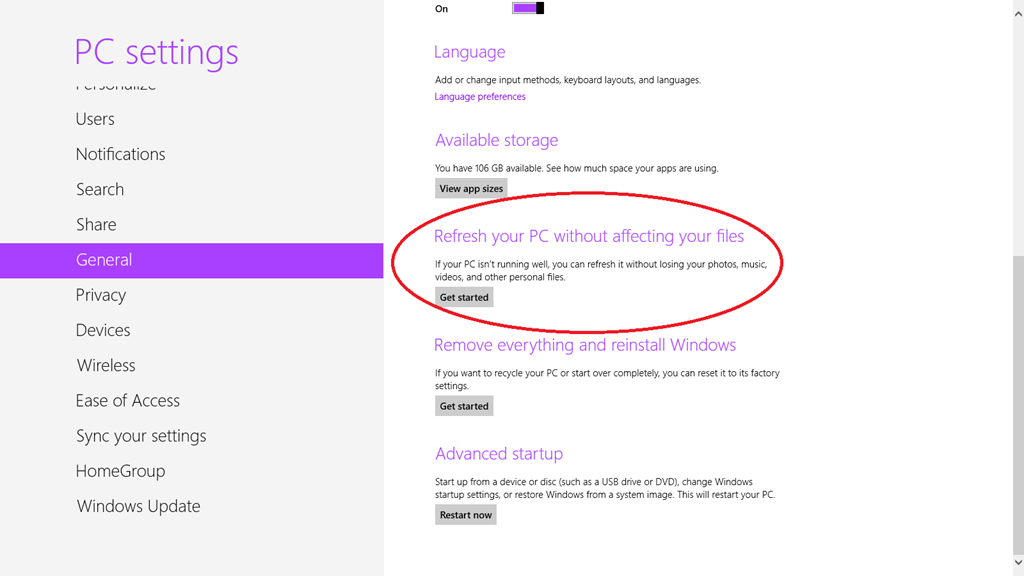
  • FIX ATTEMPT #3:  “REFRESH YOUR PC WITHOUT AFFECTING YOUR FILES”
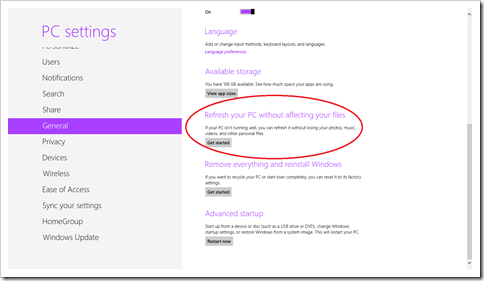
    Running out of things to try, I attempted my very first SETTINGS – GENERAL – “Refresh your PC with affecting your files”. It’s supposed to be a complete OS refresh while keeping applications, user data/documents, and application & profile settings completely intact.  I’ve never actually done this before and if this didn’t work, I was going to shift gears and try "Remove everything and reinstall Windows" as a last ditch attempt to get things fixed. Because clearly something was either wrong with the Finance app… but probably something was likely wrong with the OS as well given the sudden "task bar" corruption that I was experiencing.
image

And lo and behold, it seemed to work. After about 15 mins of reinitializing the device, everything works great.  All my Windows Store bought apps were still there as was my documents & configuration information information.  There was a little bit of resetting that needed to be done to my START page layout but other than that, things were tip top.

So if you’re running into the same problem, maybe this will work for you!

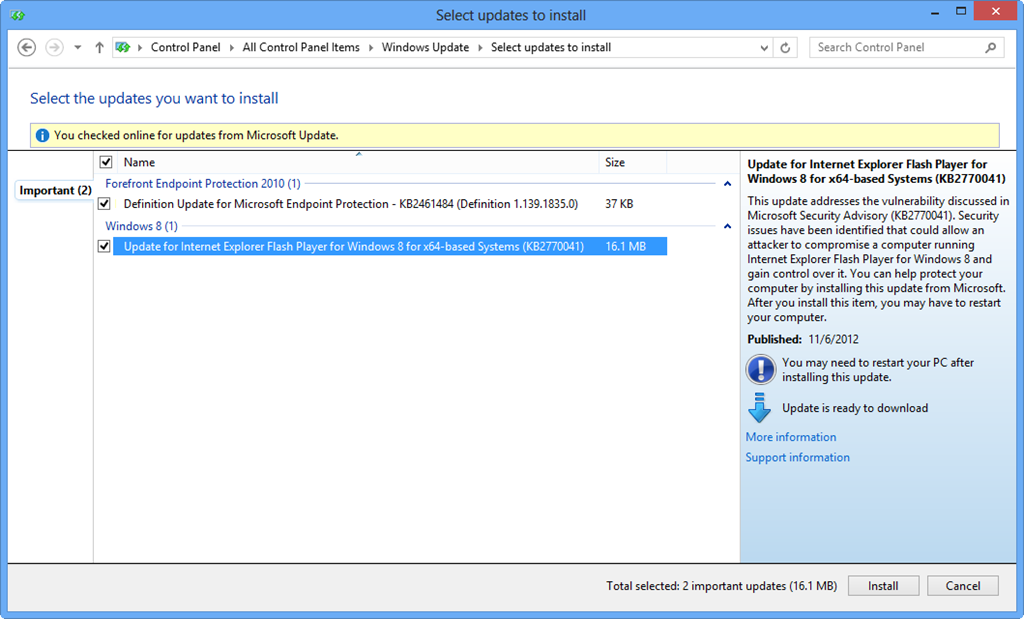
Did you know that Microsoft has produced and is proactively patching the Flash Plug-in in Internet Explorer 10 on Windows 8/RT?  Yup.  That’s one less thing to have to worry about if you deploy Windows 8.

image

I think it’s lost on some people that the Flash plug-in that comes with IE 10 is a MICROSOFT-MANAGED PRODUCT.  It’s proactively patched & maintained as part of the Windows operating system through Windows Update as you can see from the above snapshot from on one of my Windows 8 PCs.

And it’s good thing too:  If you’ve seen Kaspersky’s latest list of “Top 10 vulnerabilities”, you’ll see a familiar name shows up several times:

  1. Oracle Java Multiple Vulnerabilities: DoS-attack (Gain access to a system and execute arbitrary code with local user privileges) and Cross-Site Scripting (Gain access to sensitive data). Highly Critical.
  2. Oracle Java Three Vulnerabilities: Gain access to a system and execute arbitrary code with local user privileges. Extremely Critical.
  3. Adobe Flash Player Multiple Vulnerabilities: Gain access to a system and execute arbitrary code with local user privileges. Gain access to sensitive data. Highly Critical.
  4. Adobe Flash Player Multiple Vulnerabilities: Gain access to a system and execute arbitrary code with local user privileges. Bypass security systems. Highly Critical.
  5. Adobe Reader/Acrobat Multiple Vulnerabilities: Gain access to a system and execute arbitrary code with local user privileges. Extremely Critical.
  6. Apple QuickTime Multiple Vulnerabilities: Gain access to a system and execute arbitrary code with local user privileges. Highly Critical.
  7. Apple iTunes Multiple Vulnerabilities: Gain access to a system and execute arbitrary code with local user privileges. Highly Critical.
  8. Winamp AVI / IT File Processing Vulnerabilities: Gain access to a system and execute arbitrary code with local user privileges. Highly Critical.
  9. Adobe Shockwave Player Multiple Vulnerabilities: Gain access to a system and execute arbitrary code with local user privileges. Highly Critical.
  10. Adobe Flash Player Multiple Vulnerabilities: Gain access to a system and execute arbitrary code with local user privileges. Bypass security systems. Gain access to sensitive data. Extremely Critical.
Posted by: kurtsh | November 11, 2012

RELEASE: SharePoint Mobile for Windows Phone 7.5/8

image

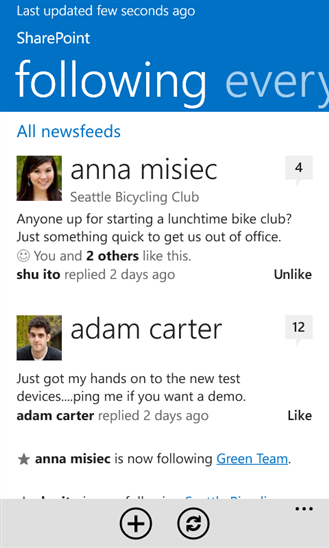
SharePoint Mobile app for Windows Phone 7.5/8 is now available for free off the Windows Phone App Store.

SharePoint Mobile for Windows Phone makes it easy to stay connected with your colleagues using SharePoint’s social features. You can post to newsfeeds on all your SharePoint sites, follow people, documents, and tags, and lots more.

I’ve had the fortune of using this in beta for a while now and it’s definitely great for folks setting up microblogging in their environment and want direct access to feeds within their SharePoint environment from their Windows Phone.

There are some caveats however.  The SharePoint app was designed to work both online with the new Office 365 and SharePoint 2013 on-premises deployments (which require additional UAG components to make SharePoint data beyond any established firewalls). However, the current Windows Phone 7.5 app does not support NTLM authentication for on-premise deployments.

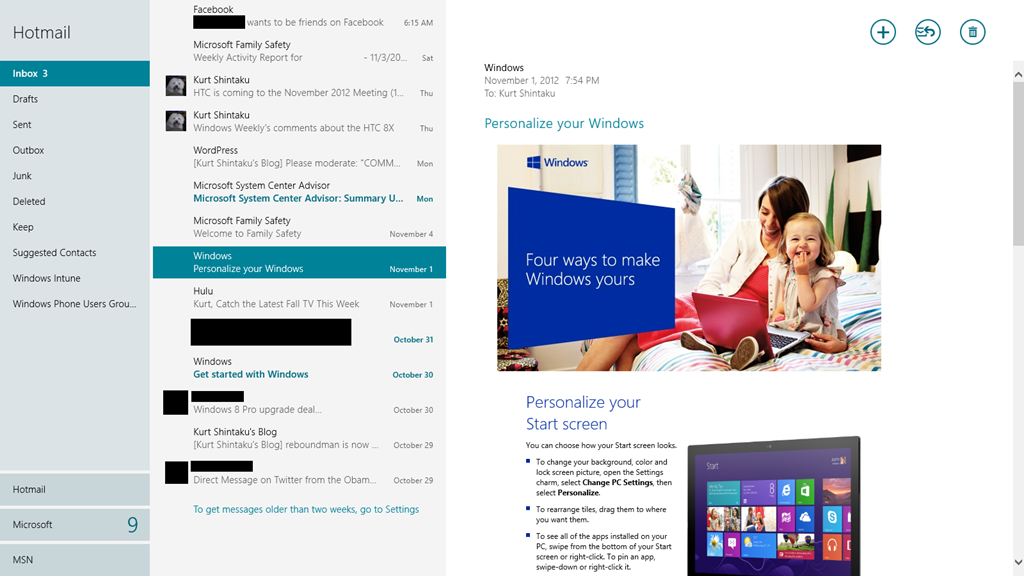
imageI asked some folks in “a position to know” some questions about the Mail client within Windows 8 / RT and here’s some of the responses:

  • Does the Mail app include calendar and contact support?
    Yes.  The Mail application is actually one component of the larger “communication” app that provides the Mail, Calendar, People, and Messenger functionality.  (It’s one app with four entry points.)
  • What mail protocols does the Mail app support?
    Exchange ActiveSync and IMAP.  (There is no POP3 support.)
  • Can you use the Mail app without specifying a Microsoft account?
    No, you must connect a Microsoft account (a.k.a. Live ID) before you can add other mail accounts.
  • Can the Mail app read RMS-protected (IRM) e-mails?
    No.  It is possible to open RMS-protected Office documents, but these would need to be attached to unprotected e-mails.
  • Can the Mail app accept or reject e-mail appointments?
    Yes, using the recently-released Mail app update.
  • Can the Mail app access mail folders?
    Yes, with some limitations.  For example, it can’t create folders.
  • When using Exchange ActiveSync, can you do a remote wipe of the entire device?
    No, the Mail app will remove all mail, contacts, and calendar entries, but it will not touch anything outside of that.
  • When using Exchange ActiveSync, will the configured policies by enforced by the Mail app?
    Yes, the Mail app will set several policies on the Windows RT device based on the required Exchange ActiveSync settings.  See http://msdn.microsoft.com/en-us/library/windows/apps/windows.security.
    exchangeactivesyncprovisioning.easclientsecuritypolicy.aspx
    for the policies supported.  Note that you can’t set a policy to require encrypted external storage because Windows RT does not support encrypting external storage.
  • Does the Mail app support client-side rules?
    No.
  • Can I see free/busy information when scheduling an appointment using the Calendar app?
    No.
  • Does the Mail app support S/MIME for signed e-mail?
    No.

imageEXECUTIVE SUMMARY:
I personally bought the HTC Windows Phone 8X today.

I wanted a phone NOW and I wanted something super attractive & sexy.  There is technology in the Nokia that is superior however this is honestly of less consequence to me vs “visual sexiness” which I really want considering I’ve been using a very mediocre looking phone for a long time & I’ve gotten to sit down with the 8X and see what it’s like to hold & use.  The Samsung ATIV Odyssey might have been my choice but I haven’t gotten any hands-on time with it & it’s not going to be available until December and I don’t want to wait. 

———————
DETAILED SUMMARY:

There are 3 devices using Windows Phone 8 that Verizon Wireless is/will be offering:

imageimageimage

Here’s the decision tree that I had in my head… for better or worse:

  • APPEARANCE:
    Does the appearance of the phone matter to you?  Do you prioritize ‘eye candy’ at all?
      • HTC Windows Phone 8X
      • Samsung ATIV Odyssey
        (The Nokia Lumia 822’s body styling doesn’t appear particularly attractive & has a lower display resolution than the other two)
  • AVAILABILITY:
    Do you want the phone this month?
      • HTC Windows Phone 8X
      • Nokia Lumia 822
        (The Samsung ATIV Odyssey won’t be available until mid/late December)
  • STORAGE:
    Do you plan on needing a lot of storage to store music, apps, videos, etc. in excess of 16GB?
      • Nokia Lumia 822
      • Samsung ATIV Odyssey
        (The HTC Windows Phone 8X is not expandable with microSD Flash)
  • BATTERY LIFE:
    Do you need extra long battery life?
      • Samsung ATIV Odyssey
        (Samsung ATIV Odyssey has a 2300 mAh battery which is about 30% more than the other phones)
  • RADIATION:
    Is radiation dissipation a concern for you?
      • HTC Windows Phone 8X
        (The Nokia Lumia 822’s FCC SAR measurement is ~50% higher than the HTC Windows Phone 8X.  No rating is available for the unreleased Samsung ATIV Odyssey yet.)
  • AUDIO:
    Is high quality audio important?
      • HTC Windows Phone 8X
        (The HTC comes with Beats Audio, an audio hardware specification defined by Dr. Dre for quality.  It also comes with a very large & loud speakerphone.  Nothing is known about the speakers on the Samsung.)
  • CAMERA: 
    Is high quality photography – even in low light situations – important?
        • Nokia Lumia 822
          (It’s been widely reported that the PureView-branded camera technology on the Nokia Lumia 822 is demonstrably better than others, in the same way that the Lumia 920 has best-in-class technology.  Again, not much is known about the Samsung’s camera.)
  • SERVICES:
    Are complimentary & exclusive services like Nokia Maps, Drive, and Transport important to you?
        • Nokia Lumia 822
          (The exclusive nature of these services may turn heads in that they are considered best-in-class)

If you want to view the specifications for each phone on your own, look at these sites:

… or more appropriately the motion capture actors that performed the roles of Master Chief, Cortana, & Thomas Lasky in Halo 4 – specifically Bruce Thomas, Mackenzie Mason, and Darren O’Hare:

IMG_0398

All three were extremely pleasant people.  And we all knew they were doing a ‘corporate gig’ but they were patient with photogs, fans, and most importantly, children in attendance that were rabid fans of the Halo series.

Halo4LaunchPanorama (2)

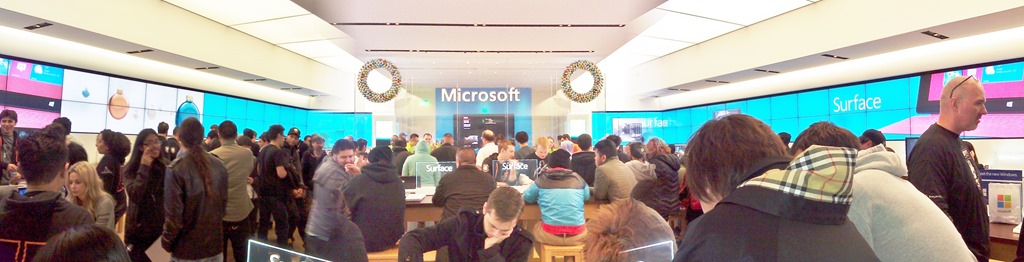
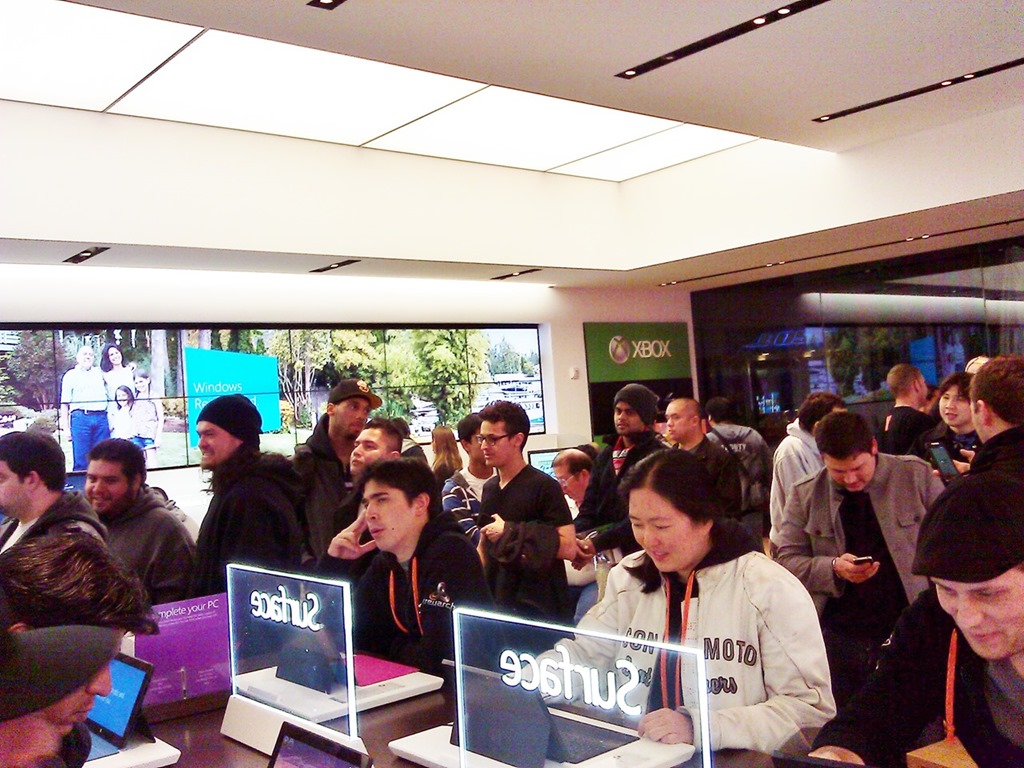
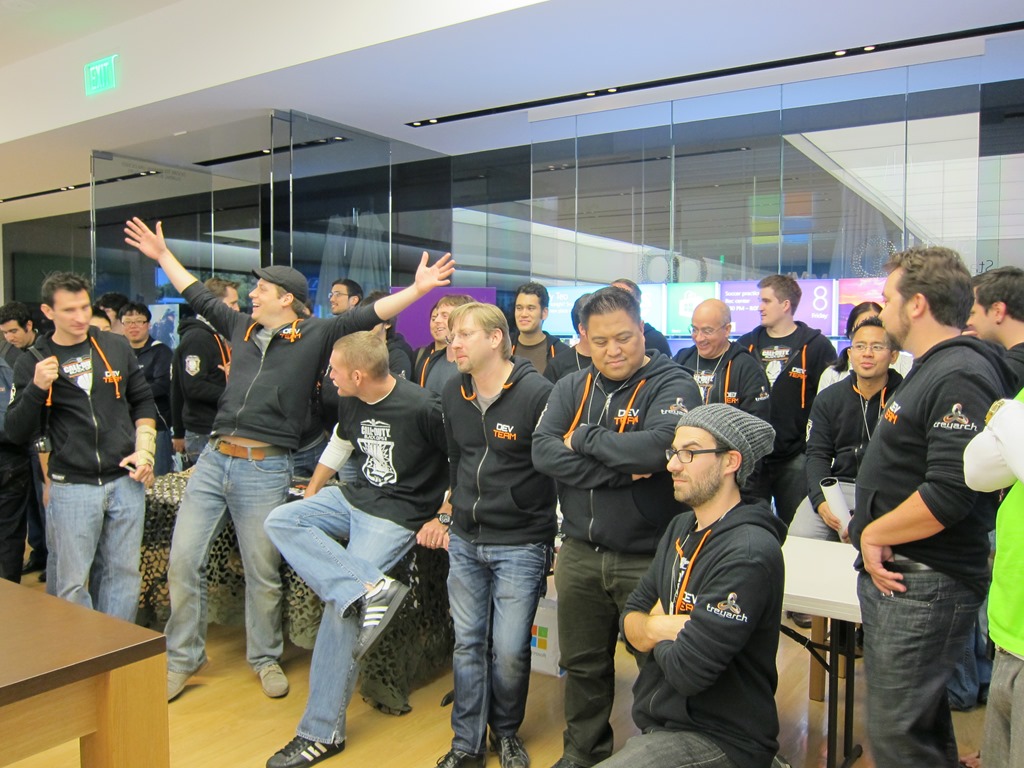
This was possibly the most highly attended Midnight Launch the store ever had above and beyond Call of Duty Modern Warfare 2 & Madden 13, both of which had over 100+ people in attendance.  Halo 4’s launch?  Roughly 150+ people, I figure.  Yeah – that’s a LOT of people waiting in line, eating pizza, drinking soda, taking photographs… and pwning noobs.

IMG_0375IMG_0378

IMG_0406image

One of the neatest things is the free pizza, free drinks, and the free raffle in which they gave away an Xbox 360 (Halo 4 Edition).  The tournament also mandates that you bring your ‘A’ game because there are some REALLY experienced players competing.   And there were some hardcore fans in attendance, as you can see below.

WP_000858WP_000859

683185342WP_000863

One of the neat things that they did was they made it possible for every attendee to have their copies of Halo 4 signed by the mo-cap actors as well as the producer of Halo 4, who was on hand for the Los Angeles festivities:

WP_000862

Folks with pre-orders of Halo 4 were, like I’d posted before, treated with a $25 GIFT CARD for anything in the Microsoft Store:

WP_000864WP_000865

BTW:  I would have gotten this recap posted earlier… but I’ve been busy.  Playing Halo 4.

Microsoft is Paying MS Points For Playing Halo 4

imageThis is a chart that lists out:

  • All the Exchange Features available on Windows Phone 8.0
  • All the Exchange Policies available on Windows Phone 8.0

…and identifies whether or not that feature or policy is actually enabled in the version of Exchange Server that you have deployed. 

The following Exchange Server versions are documented in this chart:

  • 2003 SP2 (2.5)
  • 2007 (12.0)
  • 2007 SP1 (12.1)
  • 2010 (14.0)
  • 2010 SP1 (14.1)
  • Office 365 (14.1)

DOWNLOAD: Windows Phone 8.0 Exchange ActiveSync Comparison Chart
https://skydrive.live.com/redir?resid=DA410C7F7E038D!8840

imageI, along with a few others, run the Los Angeles Windows Phone Users Group.

We’ve got the Regional Business Dev Manager, Utena Yokoshima, from HTC coming to the next meeting on November 14 @ 7:00PM-9:00PM.  She’s bringing HTC’s devices and going to be doing a demo & such… along with bringing some chotchkies. 

So for those of you looking to replace that ol’ HD7 or Trophy, this will be your best opportunity to get a look-see at what your future may hold.

I’ve got a few giveaways of my own that I’m going to bring to step it up for this meeting since Utena’s being nice enough to join us on her own time.  I’ll be raffling off probably about $500 worth of accessories.  And to celebrate, I’ll be putting up funds so we can get Panda Express again.  Or something better than pizza.  Yay.

NOTE: User Group dues are $7 for all attendees

imageMicrosoft Store Los Angeles
(Westfield Century City)

10250 Santa Monica Blvd
Los Angeles, CA 90067
Phone: (310) 228-3550

See you there on November 14th @ 7:00PM.

Posted by: kurtsh | November 8, 2012

DOWNLOAD: Windows 8 Gestures Guide

image

This downloadable guide to the basic touch gestures available within Windows 8 from Official Windows Magazine can be a nice handout to give to end users not familiar with the conventions used for touch on Windows-based devices.

Gestures covered include:

  • Select or perform action
  • App-specific commands
  • Get more options
  • Drag & move items
  • Find recently used apps
  • Close application
  • Zoom in & out
  • Settings commands & search
  • Turn & pivot
  • Switch between apps

DOWNLOAD: Windows 8 Gestures Guide
https://skydrive.live.com/redir?resid=DA410C7F7E038D!8761

imageReady to do it again?

Monday, November 12 at 10:00PM, the Microsoft Store in Century City/Los Angeles is doing another Midnight Madness launch for Activision’s popular & highly anticipated title, “Call of Duty: Black Ops 2” for Xbox 360.

Microsoft Store Los Angeles
(Westfield Century City)

10250 Santa Monica Blvd
Los Angeles, CA 90067
Phone: (310) 228-3550

WP_000775Don’t forget to pre-order your copy of Call of Duty: Black Ops 2 from the store (Requires a deposit of $10, which goes to the cost of the game when it’s available later that night) which will get you:

  • $10 Microsoft Store Gift Card
  • 1600 Microsoft Points

As usual, there will be a tournament as well as food, drinks and giveaways care of the raffle.  Pre-ordered games will be available at 12:01AM that night.

————————
imageUPDATE 11/8/12 3:10PM:
Ooh!  Looks like they updated the Microsoft Store Century City Meetup page to reflect the CODBO2 Launch!  Check it out and RSVP for the event there!

« Newer Posts - Older Posts »

Categories