Our local Windows Client Tech, Chami Rupasinghe, wrote up the following table for your convenience.

Product

Availability

Link

KMS Server 2012

Available
Today

https://technet.microsoft.com/
en-US/jj612867.aspx

http://blogs.technet.com/b/
yongrhee/archive/2015/08/05/
activating-windows-10-on-windows
-server-2012-and-2012-r2-kms-hosts.aspx

KMS Server 2008

October
2015


Microsoft Deployment Toolkit (MDT)

Available Today

http://blogs.technet.com/b/
msdeployment/archive/2015/
08/17/mdt-2013-update-1-now-available.aspx

Remote Server Administrator Tool (RSAT)

Targeted for
Mid-August 
2015


Microsoft Deployment Optimization Pack (MDOP)

Available
Today

Download available at Microsoft Volume Licensing Service Center (VLSC).
http://blogs.technet.com/b/
windowsitpro/archive/2015/08/
17/ready-for-windows-10-mdop-2015-and-more-tools-are-now-available.aspx

Windows Assessment and Deployment Kit (Windows ADK)

Available
Today

https://msdn.microsoft.com/
library/windows/hardware/
dn927348(v=vs.85).aspx

http://go.microsoft.com/fwlink/p/?LinkId=526740

System Center Configuration Manager (SCCM)

Available
Today

http://blogs.technet.com/b/
configmgrteam/archive/2015/
05/14/announcing-the-availability
-of-sysctr-2012-r2-configmgr-sp1
-and-sysctr-2012-configmgr-sp2.aspx

GPO Administrative Template (.admx) files for Windows 10:

Available
Today

http://www.microsoft.com/en-us/download/details.aspx?id=48257

Windows 10 End User Readiness Kit

Available
Today

Windows 10 Readiness Kit

Posted by: kurtsh | August 18, 2015

RELEASE: MDOP 2015 with Windows 10 Support

image

Just announced.

As we discussed a few short weeks ago, Windows 10 is available for businesses, and we are seeing the excitement over the release continuing to build. To support the adoption of Windows 10 within organizations, we have published a great deal of content to http://technet.microsoft.com/Windows10 to help organizations with their planning and deployment efforts, and we expect to publish more each week.

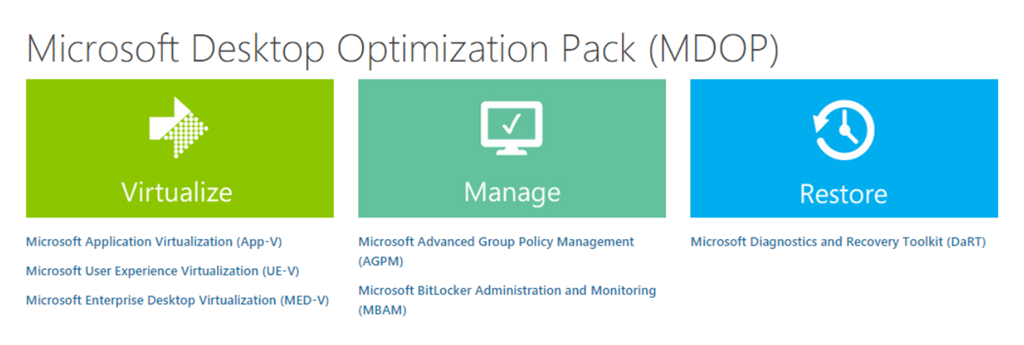
A large number of our customers also use the Microsoft Desktop Optimization Pack (MDOP), a collection of management and security technologies available as a subscription for Software Assurance customers that helps maximize the benefits offered by Windows. We are pleased to announce that the latest release of these technologies, MDOP 2015, is now available for download for volume license customers (as well as on MSDN) with complete support for Windows 10. Here are just a few of the enhancements (in addition to Windows 10 support) you can expect in this latest release:

Read more here:

Posted by: kurtsh | August 17, 2015

TRAINING: Office 365 for End Users (Self-review)

We’ve recently published some self-orchestrated training for end users of Office 365.  You can download them here.

imageOffice 365 Training: Work like a network
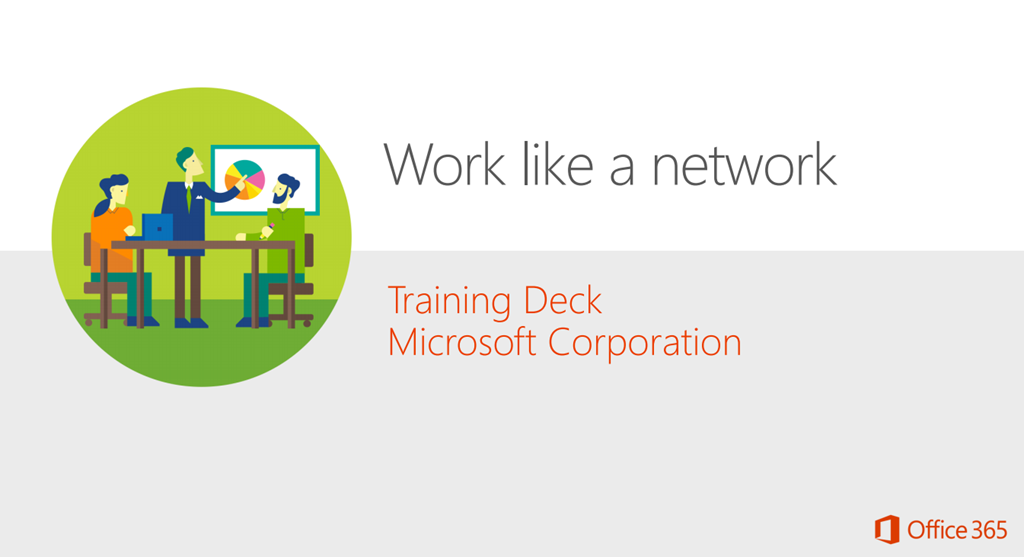
Yammer is a private social network that gets you connected to the right people, share information across teams, and organize around groups. What’s more, using the Yammer network helps build a body of knowledge that’s instantly accessible by any coworker at any time and from any device. The Work like a network training deck introduces you to Yammer and shows you how you use Yammer to extend your social network.
http://www.microsoft.com/en-us/download/details.aspx?id=47758

imageOffice 365 Training: Get it done from anywhere
PC, Mac, tablet, phone? At the office, at home, or on the road. With Office 365, your settings and documents are always available – ready to pick up right where you left off. No matter where you are or what device you’re using. With Office 365, you can: • Create documents using your familiar Office Apps • Save your documents to the cloud using One Drive for Business, so the docs are available from anywhere • Access the docs from anywhere, with almost any device, laptop, tablet, or phone, PC, Mac, or Android.
http://www.microsoft.com/en-us/download/details.aspx?id=47759

For more Office 365 training, visit:t

imagePart of a series of specialized guides on System Center, this book is specifically designed for architects and cloud fabric administrators who want to understand what decisions to make during the design process and the implications of those decisions, what constitutes best practice, and, ultimately, what to do to build out a virtualized network solution that meets today’s business requirements while also providing a platform for future growth and expansion.

This second edition includes coverage of the Hyper-V Network Virtualization gateway, designing a solution that extends an on-premises virtualized network solution to an external (hosted) environment, details of how to troubleshoot and diagnose some of the key connectivity challenges, and a look at the Cloud Platform System (CPS) and some of the key considerations that went into designing and building the network architecture and solution for that environment.

Posted by: kurtsh | August 17, 2015

BETA: Exchange Server 2016 Preview

We’re excited to announce that Exchange Server 2016 Preview is now available for download.

First look at Exchange Server 2016 & what’s new for Admins

At Ignite, we introduced Exchange Server 2016 and demonstrated some of its capabilities. Now you can install the bits yourself and get hands-on experience with the newest member of the Exchange family. We’re eager to hear your feedback as we progress toward a final release later this year.

Posting this since it’s come up NUMEROUS TIMES. 

When you attempt to register a KMS host key and see the following message:

0xc004f015: The Software Licensing Service reported that the license is not installed.

… all this means is that you didn’t install the pre-requisite patch to allow your KMS service host to activate Windows 10 clients.  This is documented at:

To remedy the situation, please install the patch referenced here:

Posted by: kurtsh | August 14, 2015

VIDEO: What’s it like to work at Microsoft?

I really love this video.  It nails some really great points.  I have some others I’d add from more of an insider’s view that I think would raise some eyebrows (like the ridiculous generosity the company has to assist people that are passionate about community service and donate their time & money to worthy non-profit causes) but I think this is solid representation of what it’s like here.

What’s it like to work at Microsoft?

(And BTW, I was there the day they were filming the shot of the Product Fair at our Commons area… I think I was standing just to the right of 3D Microsoft sign!)

Many enterprises use Key Management Service (KMS) to activate their Windows clients.  I found a ton of documentation on how to use KMS specifically for Windows 10.  (Enterprise or Professional)

ACQUIRING THE KMS KEYS
There are two keys you need to obtain in order to activate your Windows 10 clients using KMS.

  • CLIENT KEYS
    The KMS Client Setup keys are publicly posted at https://technet.microsoft.com/en-us/library/JJ612867.aspx and are the same for everyone.  They are:
        • imageWindows 10 Professional: W269N-WFGWX-YVC9B-4J6C9-T83GX
        • Windows 10 Professional N: MH37W-N47XK-V7XM9-C7227-GCQG9
        • Windows 10 Enterprise: NPPR9-FWDCX-D2C8J-H872K-2YT43
        • Windows 10 Enterprise N: DPH2V-TTNVB-4X9Q3-TJR4H-KHJW4
        • Windows 10 Education: NW6C2-QMPVW-D7KKK-3GKT6-VCFB2
        • Windows 10 Education N: 2WH4N-8QGBV-H22JP-CT43Q-MDWWJ
        • Windows 10 Enterprise 2015 LTSB: WNMTR-4C88C-JK8YV-HQ7T2-76DF9
        • Windows 10 Enterprise 2015 LTSB N: 2F77B-TNFGY-69QQF-B8YKP-D69TJ
  • imageHOST KEYS:
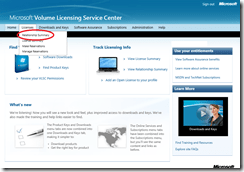
    Obtaining the KMS Host Key is a bit more difficult since it requires accessing the Volume Licensing Service Center, which only Volume Licensing administrators generally have access to.  To retrieve the KMS Service Host Key supporting Win10 activations from the Volume Licensing Service Center:

        • Login to the Volume Licensing Service Center (https://www.microsoft.com/Licensing/servicecenter/default.aspx)
        • Click through “Licenses –> Relationship Summary” 
        • Select the Licensing ID you wish to manage.
        • Click the “Product Key” tab. 
        • Look for the key called “Windows Srv 2012R2 DataCtr/Std KMS for Windows 10
        • Copy that down and use when installing the new KMS Service Host key below.

imagePATCHING THE KMS SERVICE HOST
As with any other release of Windows or Windows Server, the KMS Service host must be patched to support the new OS.  Instructions for doing so for Windows 10 is located at the support article for “KB3058168: Update that enables Windows 8.1 and Windows 8 KMS hosts to activate Windows 10”
https://support.microsoft.com/en-us/kb/3058168

Or here: “KB3079821: Update that enables Windows 7 and Windows Server 2008 R2 KMS hosts to activate Windows 10”
https://support.microsoft.com/en-us/kb/3079821

The steps are as follows:

  1. Verify that your KMS service host is running Windows 8.1, Windows Server 2012 R2, Windows 8, or Windows Server 2012.  If it isn’t, this won’t work and you’ll need to wait until there is an update available for KMS running on Windows Server 2008 R2 or Windows 7.  We released the Windows Server 2008 R2 and Windows 7 patch here:
    https://support.microsoft.com/en-us/kb/3079821
  2. Download the update for the OS that your KMS server is running on.
  3. Run the .msu file & follow the instructions.
  4. Restart the KMS server.

imageINSTALLING THE NEW KMS SERVICE HOST KEY
To get your KMS Services host to activate Windows 10 clients, you’ll need to update the KMS Host Key on your KMS Server.  This is documented at the page called “Deploy KMS Activation” (https://technet.microsoft.com/en-us/library/dn502531.aspx) & “Slmgr.vbs Options for Volume Activation” (https://technet.microsoft.com/en-us/library/dn502540.aspx)

Here’s the general steps:

  1. Uninstall the current product by entering the “uninstall product key” extension:
    slmgr.vbs /upk
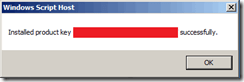
  2. Install the key that you obtained above for Windows Srv 2012R2 DataCtr/Std KMS for Windows 10
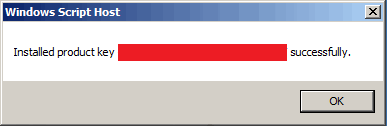
    slmgr.vbs /ipk <25-digit-key-goes-here>
  3. Verify that the key took by executing a Detailed License View:
    slmgr.vbs /dlv

(WARNING: You must activate a minimum of 25 Windows clients or 5 Windows servers – as with any new KMS implementation – or the KMS services host key will be deactivated.  Deactivation will require you to rearm the key by calling into Microsoft Volume Activation & potentially having to fill out & fax in forms, documents, and stuff just to get the key going again so you can deploy Windows 10.  So don’t mess this up.)

DEPLOYING CLIENTS WITH THE CLIENT KEYS
To start deploying your Windows 10 clients, you’ll use the KMS Client keys you found above for the edition of Windows that you plan on deploying.

By default, Volume License editions of Windows 10 are KMS clients. If the computers you want to activate by using KMS are using Windows 10 and the network allows DNS auto-discovery, no further configuration is needed.

The steps for integrating the client key into your deployment is available at “Deploy KMS Activation – Configuring KMS Clients”. (https://technet.microsoft.com/en-us/library/dn502531.aspx)

Posted by: kurtsh | August 13, 2015

TRAINING: Windows 10 Update for IT Professionals

image

If you’re an IT professional looking to deploy Windows 10, I highly encourage you to look into this series of online training videos called “Windows 10 Update for IT PROs”.

It consists of 5 modules and each module is about 30-45min long so you could actually get through it all in an afternoon.

  • Module 1 –  Windows as a Service: What does it mean for your business?
    In this module we’ll discuss how servicing and updating of Windows is changing with the release of Windows 10. We’ll also cover how we move to a more rapid response cadence when it comes to updates.
  • Module 2- What’s New in Windows 10 Deployment
    In this module we’ll cover what’s new in Windows 10 deployment and the new and updated ways to update devices. We’ll cover in-place upgrades, new provisioning tools to convert BYOD devices into Enterprise devices.
  • Module 3 – What’s New in Management and the Windows Store
    Windows has always had a strong management platform and that continues to get better in Windows 10. In this module we’ll cover what’s new with management and how the new features will help you better manage devices in the enterprise.
  • Module 4 – Runtime Provisioning in Windows 10
    In this module we’ll cover a new feature in Windows 10 called runtime provisioning. This new feature will help reduce the cost of deploying tablets and phones in the enterprise. We’ll explore how IT Pro’s will be able to transform BYOD devices into enterprise devices without re-imaging those…
  • Module 5 – A new era of threat resistance for the Windows 10 platform
    In this final module we’ll cover the most important update to Windows 10, security. Windows 8.1 made a huge leap forward in threat resistance. But that was just the beginning. In this module we’ll cover and impressive lineup of changes such as Device guard that make Windows 10 the most secure…

Do you have a Surface?  Has your “Pen Loop” stylus holder fallen off?

I own 5 Surface devices and I’ve never had the pen loop fall off on me. (The “pen loop” is that thing that holds the stylus that you usually attach to the keyboard)   I followed the instructions and pressed really hard on when adhering the pen loop to my respective keyboards and left it it sit for a bit on each device, and they’ve maintained their adhesion on each keyboard.

Well, I think my primary machine’s pen loop got snagged while pulling it out of a case I had it in and I pulled hard enough our of frustration that it came off.  And now it won’t stick back on.

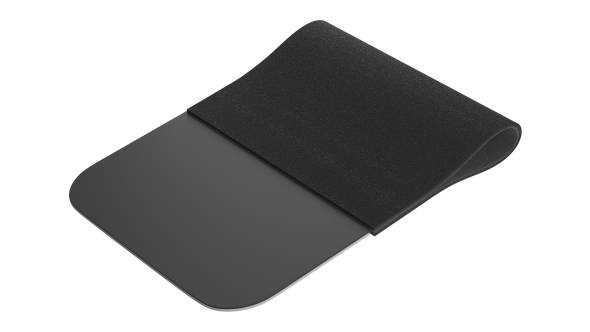
imageLo-and-behold, there are replacements available on the Microsoft store in the color of your choice:

Okay, that’s cute.  But what if I want something a little sturdier?

I discovered that we apparently sell ANOTHER pen loop product with more “sticky surface area” to attach to the keyboard of your Surface.  Here’s the description:

imageThis stylus loop is made of a strong black elastic strap, designed for all brands of styli, thin pencils or thick fountain pens. The loop is self-adhesive so if you want to, you can just stick it to your tablet or the inside back cover of a notebook or calendar.

Anyway, if you wanna try this pen loop, it might be a good alternative.  I have one on order so I’ll update this once I get it.

« Newer Posts - Older Posts »

Categories