(Thanks to coworker, Matt Jackson, for passing on this information from Holly Todd)

AC Power Cords for the Microsoft Surface Pro, Microsoft Surface Pro 2, and certain Microsoft Surface Pro 3’s

Microsoft has initiated a voluntary recall for AC power cords (the cord that plugs into an electrical outlet) supplied with the Microsoft Surface Pro and Microsoft Surface Pro 2, and with any Microsoft Surface Pro 3 (North America: pre-March 15, 2015 Surface Pro 3’s; Rest of World purchased prior to July 15, 2015.

If these AC cords are sharply and repeatedly bent or wrapped tightly over an extended period of time, they may become damaged. Damaged AC power cords can overheat, posing a potential fire or shock hazard.

clip_image002

Microsoft Surface Pro and Surface Pro 2, and pre-July 15, 2015, Surface Pro 3 customers will receive a replacement AC power cord at no cost.

Please visit this website for more details: www.surface.com/powercord

What to do:

  1. Stop using your AC power cord (the cord that you plug into an electrical outlet) if you have a Surface Pro or Surface Pro 2, or a pre-July 15, 2015, Surface Pro 3.
  2. Visit the Microsoft Surface Pro AC Power Cord Recall website at www.surface.com/powercord to request a free replacement AC power cord.
  3. Review the cord care instructions on the Surface support page at Power Cord Care (http://www.microsoft.com/surface/support/performance-and-maintenance/clean-and-care-for-your-surface).

For more information:

Contact Customer Support: http://www.microsoft.com/surface/support/warranty-service-and-recovery/powercordcontact

This voluntary recall is being conducted in cooperation with the U.S. Consumer Product Safety Commission

clip_image002

The nomination portal for Skype for Business Macintosh client has been opened:

The site has a new re-design and is set up as a customer self-service site.  Enterprise customers with Microsoft representation will want to sign up under “Does your Organization have a valid Microsoft NDA”.  Note that this is a nomination process only.

clip_image004Timeline:

  • After you complete the nomination form, the Product Group will take 2 weeks for review and decision
  • The Skype for Business Mac Client will be released to accepted customers the first week of March
  • All future emails will come from the Product Group to the customer. 

image

Interested in Microsoft’s new Operations Management Suite?

This is a free 430 page e-book (17.4MB) written by Microsoft MVPs Tao Yang, Stanislav Zhelyazkov and Pete Zerger, along with Anders Bengtsson, Principal PFE for Microsoft, some of the most active members of the OMS community.

Description: This preview release of "Inside the Microsoft Operations Management Suite" is an end-to-end deep dive into the full range of Microsoft OMS features and functionality, complete with downloadable sample scripts. This early edition is being shared with the community while final edits are being completed.

The chapter list in this edition is shown below:

  • Chapter 1: Introduction and Onboarding
  • Chapter 2: Searching and Presenting OMS Data
  • Chapter 3: Alert Management 
  • Chapter 4: Configuration Assessment and Change Tracking
  • Chapter 5: Working with Performance Data
  • Chapter 6: Process Automation and Desired State Configuration
  • Chapter 7: Backup and Disaster Recovery
  • Chapter 8: Security Configuration and Event Analysis
  • Chapter 9: Analyzing Network Data
  • Chapter 10: Accessing OMS Data Programmatically
  • Chapter 11: Custom MP Authoring
  • Chapter 12: Cross Platform Management and Automation

Please send questions, comments or errata to insidemscloud aht outlook dawt com

Grab it here:

imageRegistration is open for our public webinar, “What is Azure Data Lake?”

Big Data and Data Warehousing have taken a giant leap in the last few months and are now the helm of any data platform discussion.

This session delves into Microsoft’s play in the Big Data workload, and paints the end-to-end picture of effective solutions. Topics include:

  • The importance of building a Data Lake
  • Nurturing its potential with Hadoop and other analytics options
  • Enriching the data warehouse with unforeseen tracts of information

This session will unfold an important chapter in the Microsoft Data Platform story. Join us to learn more.

Speaker for this session is Saveen Reddy, Principle PM Manager, Microsoft

image

A new whitepaper describing Microsoft vision for security in the connected organization.

Protect Identities, Devices and Your Company Information in Today’s Device-Centric World

As an IT leader—identity management, device management, and information protection are critical to what you do. Traditionally, all three have relied on software that ran inside your organization.

This worked—because the identities, devices, and information were also largely inside your organization. Today, it’s a different world. Your workforce is taking their mobile devices everywhere, accessing both on-premises and Software as a Service (SaaS) applications. Now, your data protection must extend across Windows 10, iOS, and Android devices, whether in your conference room or at Starbucks. This is the cloud-centric, device-centric world your modern workforce expects.

In this new vision eBook, "Protecting and Empowering Your Connected Organization", from Microsoft’s Enterprise Mobility team, you’ll learn:

• How your control plane for all these services needs to move from your own datacenter to the cloud

• How this approach lets you provide everything your users expect, while still giving you the protection and control you need

.

Posted by: kurtsh | January 14, 2016

WHITEPAPER: How to upgrade and onboard Windows 10 (.PDF)

imageWithout the right mobility strategy, your company data might be outside your control.

Microsoft has the tools you need to initiate an enterprise mobility strategy that gives you control of your sensitive corporate data—virtually anywhere and anytime. Your workforce is on the move and now you can safeguard your data across devices inside and outside your organization, as well as devices that hold a combination of personal and corporate data.

Tap the security value Windows 10 extends through Microsoft Enterprise Mobility Suite, and keep control of your data no matter where it ends up.

Sign up now for the first in a series of three whitepapers by Jack Madden, “Getting to Windows 10: Microsoft’s new options for upgrading and onboarding."

Microsoft Enterprise Mobility Suite + Windows 10 = Better Together. Keep your users productive and better protect your corporate data.

.

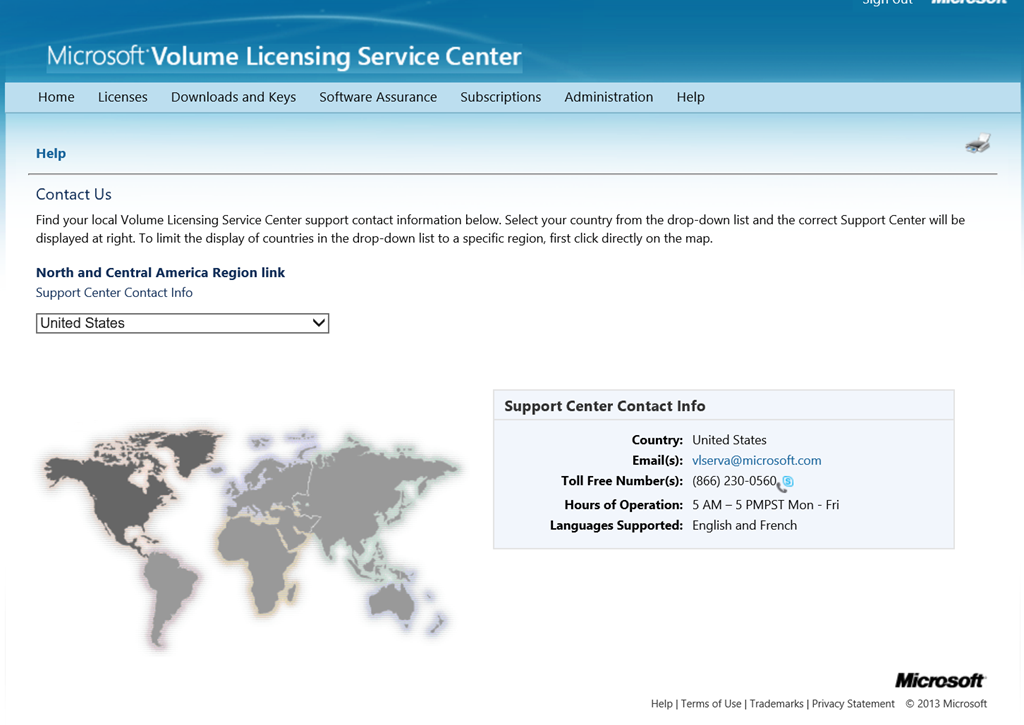
imageIf you’ve ever found that you need to contact the Volume Licensing Support Center for assistance, here’s the contact info for the United States:

Volume Licensing Service Center (VLSC)Support Contact Info
Email(s): vlserva at microsoft.com
Toll Free Number(s): (866) 230-0560
Hours of Operation: 5 AM – 5 PMPST Mon – Fri
Languages Supported: English and French

Other countries are located here:
https://www.microsoft.com/Licensing/servicecenter/Help/Contact.aspx

New free preview eBook from Microsoft Press!

imageWith Microsoft SQL Server 2016, a variety of new features and enhancements to the data platform deliver breakthrough performance, advanced security, and richer, integrated reporting and analytics capabilities. In this Preview Edition ebook, we introduce three new security features: Always Encrypted, Row-Level Security, and dynamic data masking; discuss enhancements that enable you to better manage performance and storage: TempDB configuration, query store, and Stretch Database; and we review several improvements to Reporting Services. This book is a Preview Edition because it’s not complete; the final edition will be available in Spring of 2016.

New free eBook from Microsoft Press!

imageLead the journey to the cloud and drive innovation!

Discover what makes the cloud so compelling to enterprises; with which applications you should start your cloud journey; how your organization will change, and how skill sets will evolve; how to measure progress; how to think about security, compliance, and business buy-in; and how to exploit the ever-growing feature set that the cloud offers to gain strategic and competitive advantage.

AMAZING POST.  This is more for my own reference but I think there’s a lot of folks running Skype for Business or Lync that could make use of this.

Hi All

Happy New Year for 2016. I thought I’d start off the year with a blog on a topic I have been meaning to get to for 18 months now J, and that is on monitoring your Skype/Lync Edge servers with Operations Manager. Too often I go out and review Skype/Lync environments that include an Edge component and find that external role is not well monitored. In my opinion, in a Skype and Lync environment monitoring your external facing components is critical and in some ways more important than monitoring your internal servers. This is of course down to the fact that they are external facing and more likely to be attacked/compromised. In the same vein, Skype Edge Servers should also be well managed, patched, configured for Antivirus and updated with software updates as they are released. Please make sure you monitor your Edge Servers and your Reverse Proxies. *End of rant* J

Now part of the reason I think Operations Manager doesn’t get used enough to monitor the Edge Server role is it can be quite tricky monitoring a server that is 1) in the DMZ and 2) in a workgroup. So this blog is all about setting up monitoring of an Edge Server with Operations Manager 2012 R2.

To use a Gateway Server or not?

The first decision you need to make when embarking off on this monitoring adventure is to decide whether or not you are going to allow your Edge Servers to talk directly to the Operations Manager Management Servers directly, or whether or not you need to funnel all communication from the DMZ through an Operations Manager Gateway server. Gateway servers are useful for taking connections from lots of servers in a DMZ and funnelling back the communication to the internal Operations Manager Server, limiting of course the connections from untrusted (in the DMZ) to trusted in the internal network. This is likely to be the best option for you if you have a lot of servers in the DMZ that need to be monitored.

image

Read the rest of this VERY LONG instructional post here:

« Newer Posts - Older Posts »

Categories