imageHey, are you looking for a nice primer on Office 2016?  Maybe something without all “the ethereal marketing fluff” from a 3rd party?

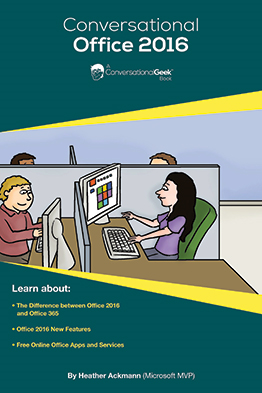
I found a nice eBook written by a 3rd party – a Microsoft MVP – called “Conversational Office 2016” that I think a lot of people will like.

It’s written for humans, a less so for tech geeks.  But in the vein of the “for Dummies” series of books, it’s very easy to understand and, as the title states, “conversational” in nature.

What I think is cool is that it explains the difference between Office 2016 (software) and Office 365 (subscription), while also going over the new capabilities/features of the Office 2016 suite.

As it’s described online as such:

Microsoft Office has gone through quite a few changes over the last few years since Office 365 intruded upon what was once a very simple suite of applications. Now, “Microsoft Office” is a confusing term often applied to any number of applications and online services, both free and via paid subscription. This book is designed to dispel any confusion, and make you smarter as you support and consume Office.

Grab it for free online now!

IoT all the things!  We just obtained the talents & properties of Solair – a company that has specific skills & solutions for providing massive scale monitoring, analytics, & insights-based optimization.

imageToday, I’m pleased to announce that Microsoft has acquired Solair, an Italian company that has been delivering innovative Internet of Things (IoT) services to customers across a number of industries, including manufacturing, retail, food & beverage and transportation. Solair shares our ambition for helping customers harness their untapped data and create new intelligence with IoT, and this acquisition supports our strategy to deliver the most complete IoT offering for enterprises. We’re excited about their technology and talent – and delighted to welcome them to the Microsoft team.

Solair’s IoT customization and deployment solutions, built on Microsoft’s Azure cloud platform, are engineered to help businesses in any industry utilize IoT to run more efficiently and profitably. For example, Solair has brought the power of IoT to the Rancilio Group’s full line of espresso machines, allowing the Italian manufacturer to remotely monitor machines resulting in greater efficiency across the supply chain. Using the power of cloud-based data and analytics, Solair has helped the Rancilio Group reduce costs and increase revenue.

imageIoT COFFEE MACHINES?
And because it’s buzzworthy, the media is highlighting Solair’s implementation of IoT-enabled Professional Grade Espresso Machines from Rancilio. 

It should be noted that Solair implemented this an many more IoT solutions.

Read more on the announcement page:

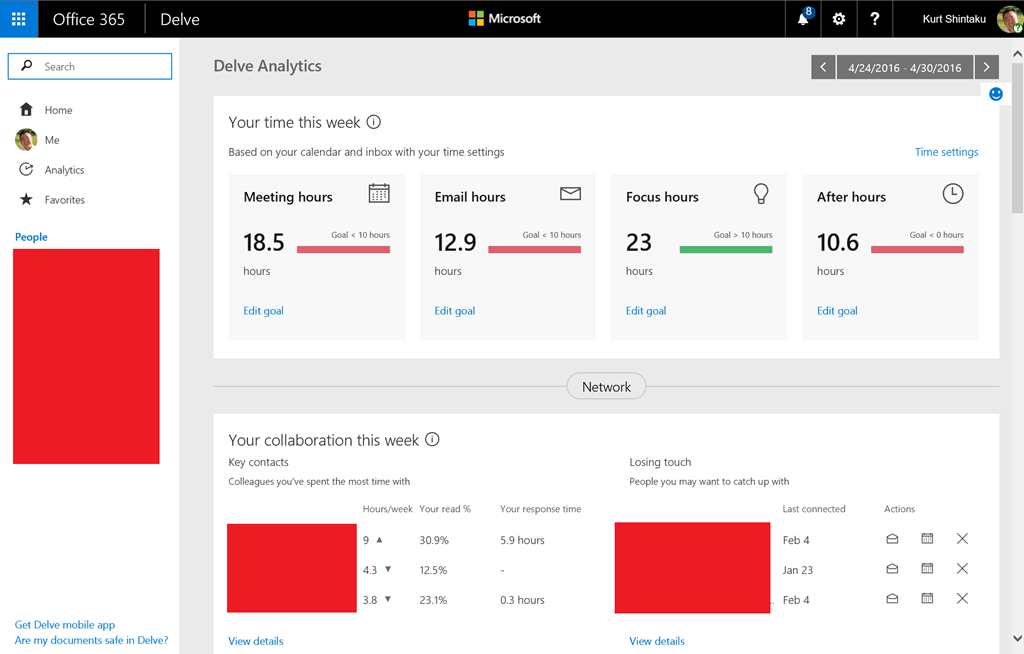
Delve Analytics is wicked cool.  It provides end users with the ability to understand how you spend your time & maximize your productivity.

If you have Office 365, “Delve Analytics” can tell you:

  • Who you correspond with the most
  • How much time you spend on work relative to the rest of your activities
  • Who is reading your emails

image

Most analytics are available from an Office 365 web page for your organization, likely ending with something like “/_layouts/15/me.aspx?v=analytics”.  See the snapshot above to see a part of my personal analytics page.

Here’s a video that shows how it can help people monitor their usage of time to be more productive:

Meet Delve Analytics


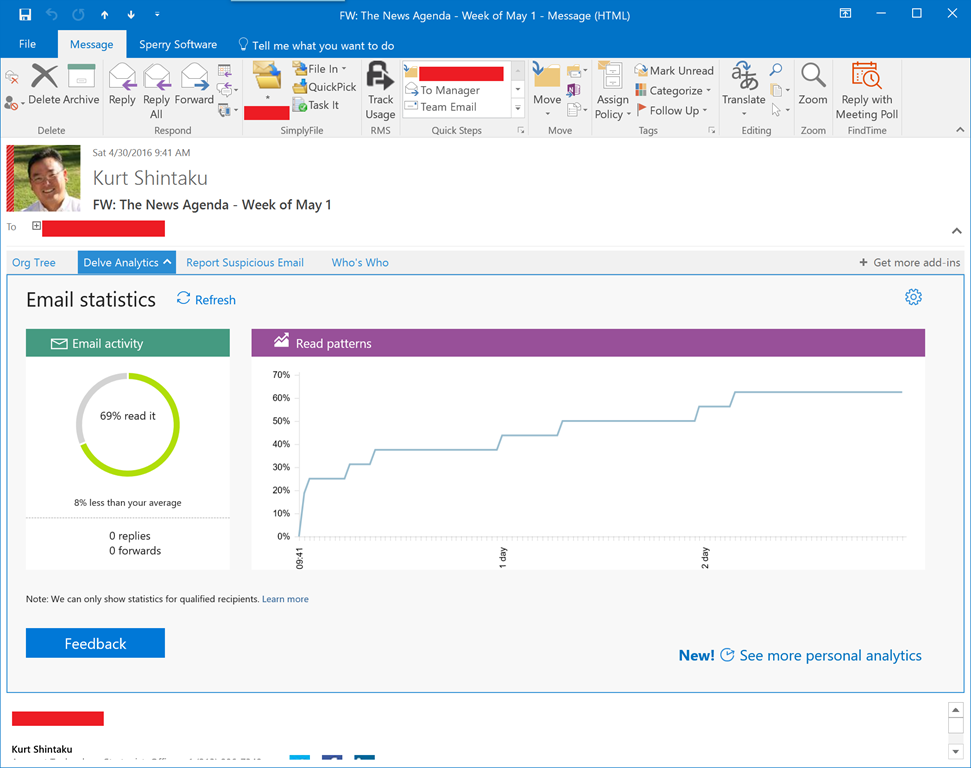
DELVE ANALYTICS OUTLOOK ADD-IN
imageAdditionally, here’s an example of the statistics that you can see about email that you’ve sent.  As you can see, reporting analytics is available directly within the sent email itself inside of Outlook.

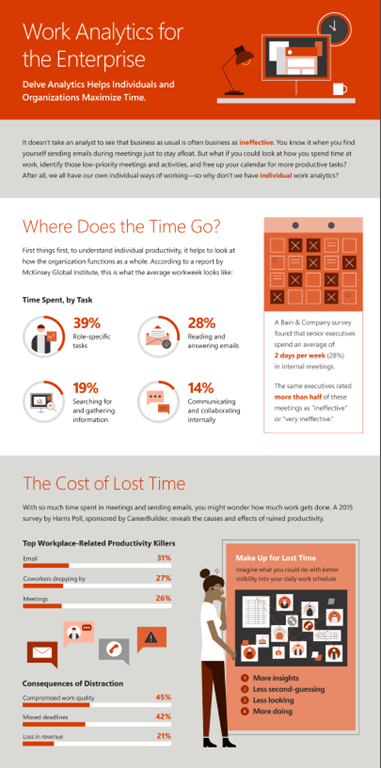
More descriptions of what Delve Analytics can empower the end user with are available in this Delve Analytics Infographic:

imageFor folks that are Office 365 Admins, here’s documentation on how to manage this feature for your users:

For a nice write up about Delve’s capabilities, check out this article from Windows IT Pro:

Posted by: kurtsh | May 3, 2016

INFO: Notes on Surface Pro Drivers from April 2016

If you’ve had a problem installing April’s Surface drivers or firmware, read on.

  • ISSUE 1
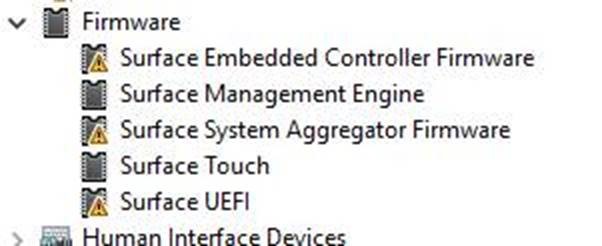
    To fix Surface component Devices that did not get updated correctly in April 2016 update: (and you can tell by going into Device Manager and opening the FIRMWARE tab as shown below) Follow instructions here  (ignore comment about latest drivers from 4/19 – there is a new set of drivers on 4/29 that we want to use below:
    (<ks> Additionally, if you have a docking station, disconnect your device from it & run off your power supply during this process.)
  • ISSUE 2
    Some people reported problems with sleep/resume  (30 seconds to resume with no indication, crashing during resume, etc.) that were fixed by this issue.
     
    Read "Mark Toronto" reply on this thread about 45% down the full page.
     
    Quick test for this issue?   (from Command Prompt) run  SFC /SCANNOW  .   If that command reports back no errors, then you are good.   Otherwise follow the procedure to fix it.

(Thanks to coworkers Dave Berger & Dave Derwin for these details)

image

Billions of documents are stored on SharePoint sites—making it the center of content management and collaboration for over a decade. Whether enabling students to work together or helping a company transform its entire intranet, we have continually evolved SharePoint to meet the changing needs of the digital workplace.

Join us for a live online event to celebrate the launch of SharePoint 2016 and our future vision for SharePoint and SharePoint Online. Hear Microsoft CEO Satya Nadella and CVP for OneDrive and SharePoint, Jeff Teper outline the importance of SharePoint and OneDrive for Business and discuss the latest in cloud innovation.

You will get an inside look into the new innovations coming to SP and ODB along with sneak peek demos of what’s coming. Whether you are an executive, IT pro, developer or SharePoint user, we have a lot to share and hope you’ll be part of this historic moment.

Take a moment to register for this event today.

  • FEATURED SPEAKER:
    Jeff Teper
    Corporate Vice President, OneDrive and SharePoint, Microsoft

imageRecently we wrote this post about our support for BOTH the Democratic & Republican conventions.

We were very clear about goal of providing bipartisan support to both party’s conventions.  In the post, we stressed: (reformatted for clarity)

First, we act in a bipartisan manner and provide similar levels of support to both conventions. 

Second, we make a special effort, as do many companies in our industry, to provide the conventions with technology tools to help enable this part of the American democratic process to operate efficiently and accurately.

And third, we do not endorse either political party or its nominee.

We also explicitly outlined what we’ve committed to each party:

Based on our conversations with the Republican National Convention’s host committee and committee on arrangements, we decided last fall to provide a variety of Microsoft technology products and services instead of making a cash donation

For the Democratic National Convention, we’re providing access to similar Microsoft technology as well as some sponsorship of host committee activities.

The Microsoft technology for both conventions includes Office 365, Azure, Surface and other products.

For more on our support, visit our On The Issues blog post below:

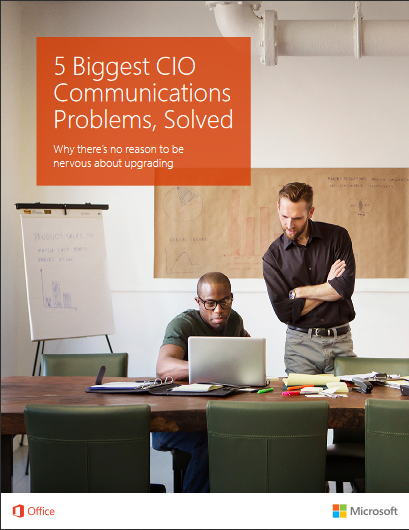
imageMore and more, employees are connecting inside and outside their organizations. IT infrastructure, however, isn’t always scaled to meet their needs.

This short guide provides answers to the biggest communications challenges CIOs face today.

You’ll find out how to:

  • Manage disruptive technology
  • Address time/money implementation challenges
  • Reconcile product and service incompatibility
  • Balance risks and benefits
  • Solve for unique team needs

Download the guide, and get your teams started toward better collaboration—and greater productivity.

UPDATE 4/30/16:
I’m told that the article is behind a paywall to TechProResearch.  I subscribe to TechProResearch so it’s not surprising that I wouldn’t notice that it’s a “pay-for” article, but I’ve also heard others able to access the post without paying for a subscription so YMMV on access.

—————-
ORIGINAL POST:

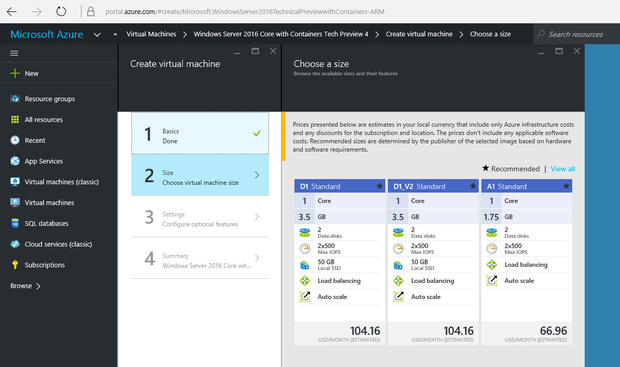
imageI don’t often do this but I really have to point out a great post that Ed Bott wrote.  It’s a really nice, succinct & practical “beginnger’s guide” to building your own Virtual Machine environment in the Microsoft Azure cloud.

And it costs new users NOTHING to get started.

Ed took advantage of the free $200 credit – with no commitment – that we give to anyone trying out Azure.  He specifically built a virtual network in our cloud with the following VMs running:

  1. Windows 10 desktop
  2. Windows Server 2016 Core with Containers
  3. Windows Server Essentials running on Windows Server 2012 R2

Even as a new user to Azure, Ed took only 30min to set up his entire “lab” environment. 

And before you ask, the machines run mostly idle if you’re not doing anything on them and thus run on pennies a day in this state.

Take a look at the article if you’ve never used Azure and want to see what it’s like for a complete beginner to set up their own Windows VMs & network in Microsoft Azure.

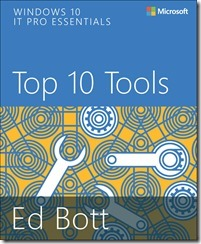
imageThis 165 page book is one of the coolest downloads you’re gonna make a in a while.  Why?  Check out some of the chapter heading:

  • Chapter 7: Sysinternals Suite (pg 93)
  • Chapter 8: Diagnostics and Recovery Toolset (pg 109)
  • Chapter 10: Hyper-V (pg 131)
  • Chapter 11: Microsoft Azure (pg 145)

Where else are you gonna get a primer on some of these topics?  And it’s FREE!

[description taken from the Microsoft Press blog]

Dive in to Windows 10 with award-winning journalist and Windows Expert Ed Bott in this highly curated free eBook covering the top apps, accessories, and utilities included in the box with Windows 10.

The sheer volume of Windows programs and accessories says a lot about the power and complexity of Windows—a fact that every IT pro knows from firsthand experience. There’s a tool for nearly every task, and a large part of the process of becoming a Windows expert is knowing how to find the appropriate one when you need it.

This eBook contains descriptions and hands-on advice to help IT Pros work faster and smarter. Some of these tools are for everybody—end users and experts alike—whereas some are strictly for professionals. A few are so specialized that you’ll only need them once in a blue moon. Collectively, though, they make up a toolbox that can save you (and your company) time and money.

image

[taken from the MSPress blog]

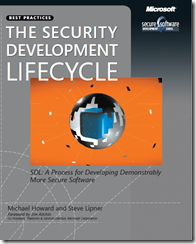
Hello, Michael Howard here, from the Microsoft Cybersecurity team. It’s hard to imagine that Steve Lipner and I wrote The Security Development Lifecycle: A Process for Developing Demonstrably More Secure Software (Microsoft Press, 2006) a decade ago. Even though much has changed in the intervening years, it’s amazing how the simple fundamentals still hold true.

In the book we talk of “banned functionality,” or functionality that is dangerous and should never be used, and we still talk about the topic today, even though some of the specifics are a little different. Threat modeling, which has a dedicated chapter in the book and which is a cornerstone of the Microsoft Security Development Lifecycle (SDL), is a critical component of any application architecture today.

Read more here:

Download the books here:

« Newer Posts - Older Posts »

Categories