imageHave you ever found yourself stuck at the Outlook load dialog, where all it says is “Processing” forever, no matter how long you wait?

Try the following, which should load Outlook without addins and get your OST open:

  1. Right-click the Start button, and click Run.
  2. Type Outlook.exe /safe

Assuming it opens, close Outlook again and let it close your Outlook data files properly by waiting.  Then run Outlook again normally.

imageArtificial intelligence/visual cognition can learn & identify similar objects with differing characteristics to most-specifically classify them based on a large enough dataset.

…in other words, at Microsoft Cognitive Services, we can start recognizing what breed your dog is.  Take a look at “What-Dog.net” as an example.

Read more here:

Posted by: kurtsh | October 18, 2016

EVENT: Microsoft Azure Camps & Events

AzureLogoInterested in Azure IT Camps, Azure Dev Camps, Azure Community Events and more? Check out what’s happening in your area.

For local meetups in your area around Azure, visit:

image

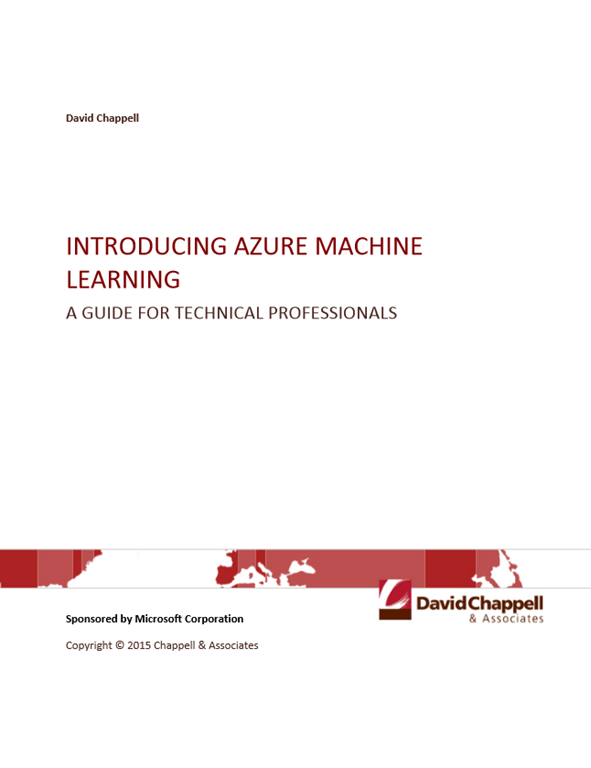
This guide breaks down the “why” and “how” for scenarios suited to the cloud with a focus on building apps using platform services available in Microsoft Azure.

The second half of the guide showcases the breadth and depth of the Azure platform and services designed to help developers make truly competitive and differentiated applications.

The intended audience for this guide includes:

  • Developers wanting to understand why Azure is the best cloud platform for creating applications and how to get started quickly based on the app you want to build today.
  • Technical leaders considering Azure to support new or existing application development.

Get the book here.

Posted by: kurtsh | October 18, 2016

INFO: Microsoft Government Cloud Eligibility

imageAt Microsoft, we’ve made a strong commitment to the U.S. Public Sector by delivering a complete Government Cloud solution that includes Azure Government, Office 365 Government, and CRM Online Government.

Our cloud, which we’ve named Microsoft Government Cloud, provides screened U.S. personnel, physical isolation, and assurances to Public Sector compliance. We are committed to maintaining appropriate validation criterion for our cloud to help protect the community.

This document provides an overview of our criteria and how it currently applies to our different cloud service offerings. As technology and compliance requirements change, we may update it.

Posted by: kurtsh | October 17, 2016

DOWNLOAD: “Contoso in the Microsoft Cloud poster”

The Azure team has released a poster that shows how the Contoso Corporation, a fictional but representative global organization, is embracing a cloud-inclusive IT infrastructure that includes all of Microsoft’s cloud offerings:

  • Microsoft Azure
  • Office 365
  • Dynamics 365
  • Microsoft Intune

image


  • An overview of the fictional Contoso Corporation, its three-tier design for its offices, and key elements of Contoso’s implementation of the Microsoft cloud.
  • A review of Contoso’s on-premises IT infrastructure and how its business needs map to Microsoft’s cloud offerings, including opportunities for Azure PaaS and IaaS.
  • Contoso’s private WAN infrastructure, its app design for its offices, its use of Azure ExpressRoute Premium, and its step-by-step path to cloud networking readiness.
  • Contoso’s on-premises Windows Server Active Directory (AD) forest, how it geographically distributes authentication traffic, and how it uses Azure IaaS to provide authentication infrastructure redundancy for the 15,000 workers in its Paris headquarters.
  • Contoso’s structure for Microsoft cloud offering subscriptions, licenses, its common Azure AD tenant, and user accounts synched with Azure AD from its on-premises Windows Server AD forest.
  • Contoso’s security requirements in the cloud, its data sensitivity classification and mapping of cloud features to each level, and its step-by-step path to cloud security readiness.

See the entire poster online here.

Download the poster here:

Read the announcement for the poster here:

image

Just released: Free MSPress eBook, “Introducing Microsoft SQL Server 2016”

Microsoft SQL Server 2016  delivers breakthrough in-memory performance, unparalleled security, end-to-end mobile BI and advanced analytics. We want you to see for yourself why Microsoft is recognized as an industry leader across the data platform, with Gartner Magic Quadrant leadership in Operational DBMS (ahead of Oracle, IBM, and SAP), BI, and Analytics and Data Warehousing.

Download this free nine-chapter ebook today to learn from expert authors Stacia Varga, Denny Cherry, and Joseph D’Antoni, who describe the features and enhancements that make this release of SQL Server 2016 the best ever:

  • Mission-Critical Performance: Chapters cover faster queries, better security, higher availability, and the improved database engine.
  • Deeper Insights Across Data: Chapters cover the broader data access, increased analytics, and better reporting in SQL Server 2016.
  • Hyperscale Cloud: Chapters cover the improvements in Azure SQL Database and how to expand your options with SQL Data Warehouse.

Download the new free ebook to get hands-on guidance for SQL Server 2016.

imageWith the September 2016 update to Office 365 ProPlus, we’ve released a new set of features – as we have every month.

If you’re wondering “what’s new” in each of the products in the Office 365 ProPlus suite, check out the following sites:

There’s more available on the support site for Office 365:

Posted by: kurtsh | October 12, 2016

NEWS: Windows Announcements from Microsoft Ignite 2016

Windows EnterpriseIn case you missed it, here’s the major Windows announcements made at Ignite 2016.

Be sure to watch the Ignite keynotes, overviews, deep dives, and more at: https://myignite.microsoft.com/videos

Posted by: kurtsh | October 12, 2016

TOOL: Windows 10 Enterprise Value Calculator

Windows Enterprise_thumb[1]We produced an online tool with a partner called Alinean, called the “Windows 10 Enterprise Value Calculator” (aka Benefits Estimator) to enable people to see how Windows 10 can provide savings to their businesses.

WHAT IS THE CALCULATOR?
The Windows 10 Enterprise Value Calculator will help organizations assess the return on investment (ROI) and total cost of ownership (TCO) of implementing Windows 10 Enterprise.

image

BEST PRACTICES IN USING THE CALCULATOR
When going through the calculator and entering plans, remember that predictions are inherently uncertain, therefore we recommend that you create at least 3 different calculations with different scenarios: An Expected Case, a Low Case, and a High Case.  Use the calculator 3 separate times and produce a report for each scenario.

Business cases should be conservative.  When you enter the assumptions, profiling data and statements in the calculator, overstate costs and understate benefits

Soft cost like productivity gains should be included as a scenario in the business case.

When you evaluate the ROI and TCO from the report, compare the calculated ROI to your organizations hurdle rate, for example your internal rate of return (IRR).

TRY IT
To start using the calculator, register at the following site and begin.

More information on Windows 10 Enterprise can be found at:

« Newer Posts - Older Posts »

Categories