In November 2015, we opened the Cyber Defense Operations Center (CDOC) to bring together the company’s cybersecurity specialists and data scientists in a 24×7 facility to combat cyber adversaries.
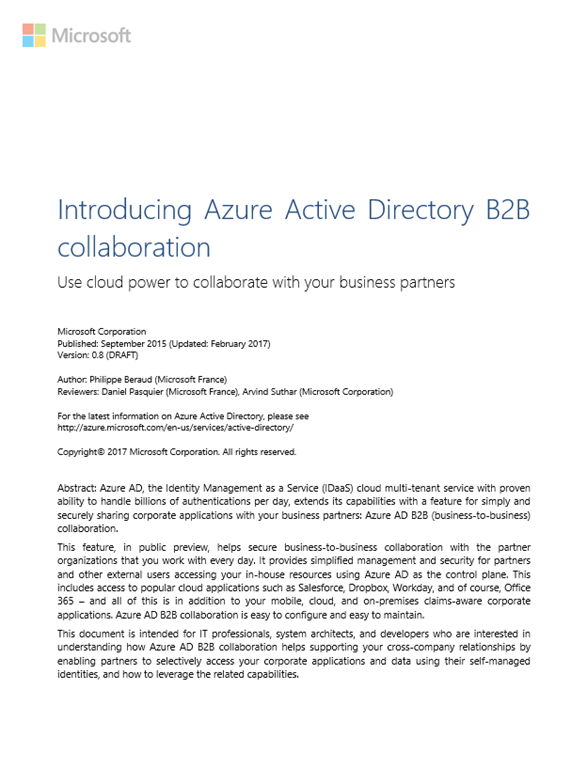
In the year since opening, we have advanced the policies and practices that accelerate the detection, identification and resolution of cybersecurity threats, and have shared our key learnings with the thousands of enterprise customers who have visited the CDOC. Today, we are sharing a Cyber Defense Operations Center strategy brief that details some of our best practices for how we Protect, Detect and Respond to cyberthreats in real time.
Read more about Microsoft’s Best Practices for CyberSecurity here:
Earlier this month we released the Power BI report web part for SharePoint Online.
This is an out-of-the-box web part for SharePoint Online that enables SharePoint authors to embed Power BI reports directly in SharePoint Online pages with no code required.
Integrate Power BI reports in SharePoint Online
Taken from the announcement page:
The way the feature works is simple. Follow the process below to use this feature.
Publish your Power BI report to your Power BI account
Get the URL to the report
Add the Power BI (preview) web part to your SharePoint Online page
Paste the URL of the report when prompted
To finish, save and publish your page!
What makes the web part special is that it does a number of things from a security & authentication standpoint:
The user’s account must have access to both the SharePoint site and the Power BI site.
The user’s security context is used to load the data from Power BI. Only data that the user has access to is displayed.
Note: The Power BI report web part requires all the viewers to have a Power BI Pro license.
For more on this feature, including the link to the TechCommunity, go to the blog announcement:
Windows has evolved. Simplify Windows 10 management and lower the Total Cost of Ownership (TCO) with the Microsoft Cloud.
See how Enterprise Mobility + Security (EMS) and Windows 10 can be used together to ease procurement, simplify provisioning and lower TCO through modern management & security, and deliver cloud-based updates without the need for an on-premises infrastructure.
This event will deliver a combination of thought leadership content and technical knowhow – intended to educate and foster collaboration across the IoT ecosystem – hardware manufacturers, distributors, packaged software providers and software integrators.
Why attend?
Understand what it takes to build a world-class IoT solution – IoT in Action!!
Walk away with actionable knowledge around: Microsoft technologies, cloud economics & the business value of IoT solutions, device to cloud security
Hear from our panel of industry experts on how they have successfully built and monetized scalable IoT solutions
Connect and collaborate with representatives from across the IoT ecosystem who are looking for partnerships and investment opportunities across retail, industrial automation, healthcare, smart buildings, energy, security & surveillance and more
Who should attend?
This event is tailored for TDM’s (CTO, IT director, Product Managers) & BDM’s (IoT Strategist, Product/Service GM/VP/Director) across OEM’s, ISV’s, Distributors as well as Solution Aggregators (SA) and System Integrators (SI) who play a critical role in bringing point solutions together – will all gain immensely by attending this event.
DATE/TIME: March 21-22, 2017
LOCATION: Fairmont Hotel in San Jose, CA. Sleeping Rooms are available if you are traveling to San Jose for this program – please call the main reservation desk at +1 (408) 998-1900 or by visiting their Web site.
COST: IoT in Action with Microsoft is a complimentary event in partnership with Readwrite, and will be capped at capacity, so register early to reserve your spot!
We’re welcoming Power BI users from around the world to meet with the BI engineering team, attend sessions and network with fellow data enthusiasts. Find out more now and register on the Microsoft Data Insights Summit site.
Don’t look now, but Microsoft’s Business Intelligence & Analytics solutions just blew past Tableau.
For the second year in a row, Microsoft has been positioned furthest to the right for completeness of vision within the Leaders quadrant of Gartner’s 2017 Magic Quadrant for Business Intelligence and Analytics Platforms – the 10th consecutive year Microsoft has been positioned as a leader.
Imagine having a “bot” that anyone can ask questions of via Skype or any number of communications services, that’s based entirely off of an FAQ that you’ve already created?
QnA MAKER Check this out: You can now create your own Bot with the new “QnA Maker” – a wizard that simply asks you to name your bot, point to the URL of your FAQ (or a document with your questions & answers), and you’re DONE.
BUT… HOW? Using a combination of:
Microsoft Cognitive Services to consume & learn from your FAQ/QnA
Microsoft Bot Framework for creating the interactive service
For a training video on how to do the above steps, go to:
Basically, here’s the breakdown: Flow is free for 750 runs/user/month, with a frequency of once per 15min Usage of Flow is free however there are limits to it’s usage and there are certain capabilities that require premium payments.
More runs per month? Higher frequency? If you require more runs per month or a higher frequency of runs, you must get any of the other 3 plans (Office 365, Plan 1, Plan 2).
SLA? If you require an Service Level Agreement, you must get any of the other 3 plans (Office 365, Plan 1, Plan 2) which will grant you a 99.9% availability SLA.
Salesforce? Common Data Service? If you require any of these Premium services, you must get either Plan 1 or Plan 2.
On-prem Data Gateway? If you need to access data on-prem, you will need a data gateway and get any of the other 3 plans (Office 365, Plan 1, Plan 2).
Share & Edit Flows? If you want to collaborate on Flows, you must get any of the other 3 plans (Office 365, Plan 1, Plan 2).
Create environments to deploy your Flow in? View Flow usage overall? Policy enforcement for Flows? These are Enterprise features that require Flow Plan 2 explicitly.
Comments Off on INFO: Differences between each edition of Microsoft Flow (Free, Office 365, Plan 1, Plan 2)
You must be logged in to post a comment.