Join us to see what's next for Windows. mo_re100%

Join us on Thursday, June 24th at 8:00AM PT to see “what’s next for Windows”, where the we will unveil the next generation of Windows.

Everyone is invited to tune in for the livestream of this public event.

Follow at #MicrosoftEvent.

Golden VM images are good, but have you considered MSIX app attach?

imageTraditionally, a virtual desktop infrastructure (VDI) environment requires you to maintain multiple Virtual Machine (VM) images with different applications for your VDI users.

In this webinar, we will discuss a new application layering solution for Windows Virtual Desktop called MSIX app attach. This solution allows you to dynamically attach an application that is an MSIX package to a user session, which eliminates the need to maintain golden virtual machine images and simplifies IT management.

Join to learn about:

  • MSIX and how MSIX app attach technologies.
  • Benefits and considerations when using MSIX app attach.
  • Steps and best practices to successfully use MSIX app attach in Windows Virtual Desktop.

Register for the webinar here:

For more on setting up MSIX App Attach, visit:

FAQs:

imageJoin this Microsoft Viva ‘Ask Microsoft Anything’ on Wednesday, June 23, 2021, 9:00-10:00 AM PT!

Microsoft Viva – the first Employee Experience Platform (EXP) built for the digital era – brings together communications, knowledge, learning, resources and insights into an integrated employee experience that empowers people and teams to be their best, from anywhere.

Post questions and feedback about Microsfot Viva, and the four Viva Modules (Viva Learning, Viva Connections, Viva Topics and Viva Insights) during this AMA. Members of the Viva team will be on hand to respond between 9:00-10:00 AM PT.

An AMA is a one-hour online forum similar to “Ask Me Anything” on Reddit. There is not an audio or video component included. To post a question or comment, click on ‘Start a New Discussion’ in the Microsoft Viva AMA Space.

imageAre you an IT Professional wondering how you can help your organization drive digital transformation with peace of mind?

Join this session to learn how the Power Platform governance and security capabilities can help you strike the proper balance between faster solution delivery and safeguarding company data!

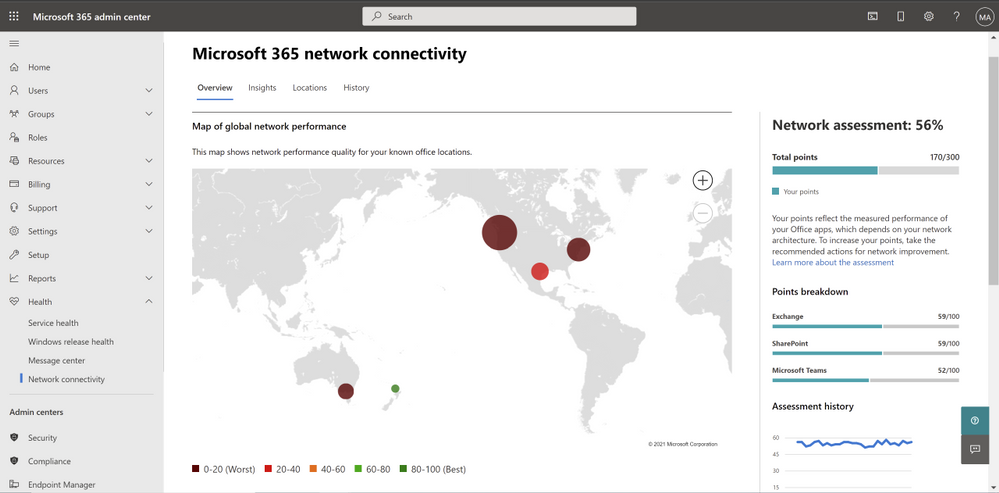
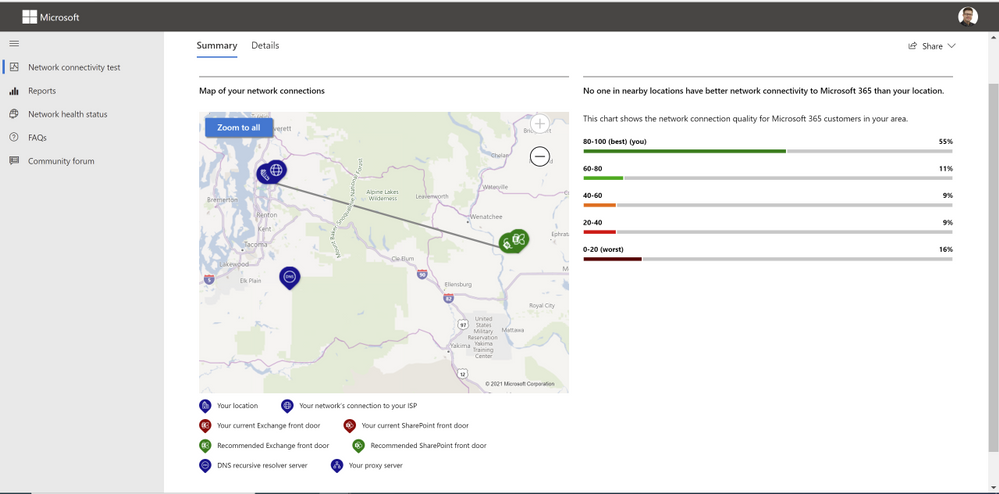
“Microsoft 365 Connectivity” in the Admin Center & “Microsoft 365 Network Connectivity Test Too” are now generally available!

imageWe frequently hear from customers that they are concerned whether their users are getting the best possible performance and experience with Microsoft 365, which is often determined by the quality of connectivity that their users have and how Microsoft 365 connections are handled by the networks and network solutions between the client and Microsoft.  Customers ask how they can measure and see the quality of network connectivity for their Microsoft 365 users and get insights how to optimize it further. That’s why we are excited to announce the General Availability of Microsoft 365 Admin Center Connectivity and the Microsoft 365 network connectivity test tool!

imageUsing existing network connectivity tests in Microsoft 365 can provide network assessments and insights. They are aggregated to represent the network connectivity of a work location in use by an Microsoft 365 customer. This can be very valuable in identifying potential network connectivity improvements that would improve performance and provide a better user experience for Microsoft 365 users.

Read more about these new tools here:

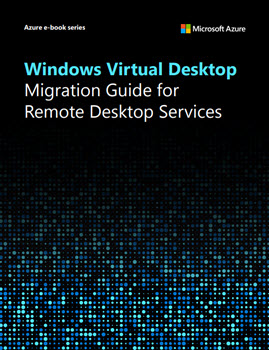
Learn how to simplify infrastructure management, improve security, and reduce cost with our Windows Virtual Desktop Migration Guide for Remote Desktop Services.

imageWindows Virtual Desktop Migration Guide for Remote Desktop Services
Simplify infrastructure management, improve security, and reduce costs by migrating your Remote Desktop Services environment to Windows Virtual Desktop. Explore the benefits of moving your virtual desktop infrastructure (VDI) to the cloud and learn how to migrate in seven steps. 

You’ll learn how to:

  • Spend less time maintaining your infrastructure by using a VDI managed service.
  • Take advantage of integrated end-to-end security for users, apps, and data. 
  • Optimize costs by using your existing licenses and paying only for what you use.  
  • Migrate to Windows Virtual Desktop with step-by-step guidance.

Sign up for the guide:

imageWe connected with our world-wide community and now we can start adapting, activating, and accelerating our businesses.

If you missed it, sign in to check out on-demand content from the event.

imageMicrosoft Cybersecurity Reference Architectures (MCRA) is updated and available for download.

The Microsoft Cybersecurity Reference Architectures (MCRA) describe Microsoft’s cybersecurity capabilities. The diagrams describe how Microsoft security capabilities integrate with Microsoft platforms and 3rd party platforms like Microsoft 365, Microsoft Azure, 3rd party apps like ServiceNow and salesforce, and 3rd party platforms like Amazon Web Services (AWS) and Google Cloud Platform (GCP).

The reference architectures are primarily composed of detailed technical diagrams on Microsoft cybersecurity capabilities, zero trust user access, security operations, operational technology (OT), multi-cloud and cross-platform capabilities, attack chain coverage, azure native security controls, and security organizational functions.

Download the file here:

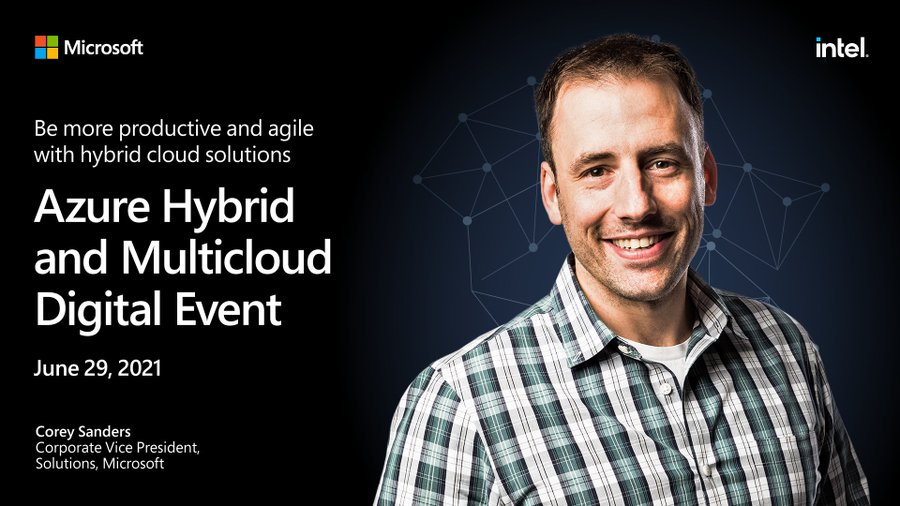
imageCorey Sanders, Microsoft Corporate Vice President, on June 29 to learn how to be more productive and agile with hybrid solutions.

Be more productive and agile with hybrid cloud solutions

Build your strategy for fueling innovation and productivity with comprehensive solutions from Azure—the cloud built for hybrid.

Register now for this free digital event to:

  • Get the latest announcements about Azure Arc–enabled data services as well as news about other Azure Arc and Azure Stack HCI offerings.
  • Hear customers discuss how they’re using Azure to achieve their goals and turn their hybrid strategies into reality.
  • Watch demos of Azure hybrid solutions being used in customer environments.
  • Learn how to get the most out of your hybrid investments with insights from Azure leaders, product experts, and partners.

You’ll also have the chance to get answers to your hybrid questions from product experts during the live chat and from Microsoft leaders during the live Q&A panel.

imageVersion 1.5.0 of the Terraform AzureAD provider lets you manage your Azure Active Directory resources using the Microsoft Graph API.

Microsoft Graph is a unified API for accessing Azure Active Directory and the Microsoft 365 productivity suite. In addition to the new Microsoft 365 functionality, it replaces the Azure Active Directory Graph API, which is scheduled to be deactivated in June 2022. Ahead of this timeline, we are pleased to announce support for Microsoft Graph in the Terraform AzureAD provider, offering immediate benefits to practitioners.

  • Microsoft Graph produces faster response times than Azure Active Directory Graph and completes asynchronous actions more quickly.
  • It returns more up to date information from Azure Active Directory, reducing the likelihood of consistency-related errors during a Terraform apply operation.

For more information, read the following:

« Newer Posts - Older Posts »

Categories