Posted by: kurtsh | June 7, 2021

VIDEO: Introduction to Microsoft Viva in 9 min

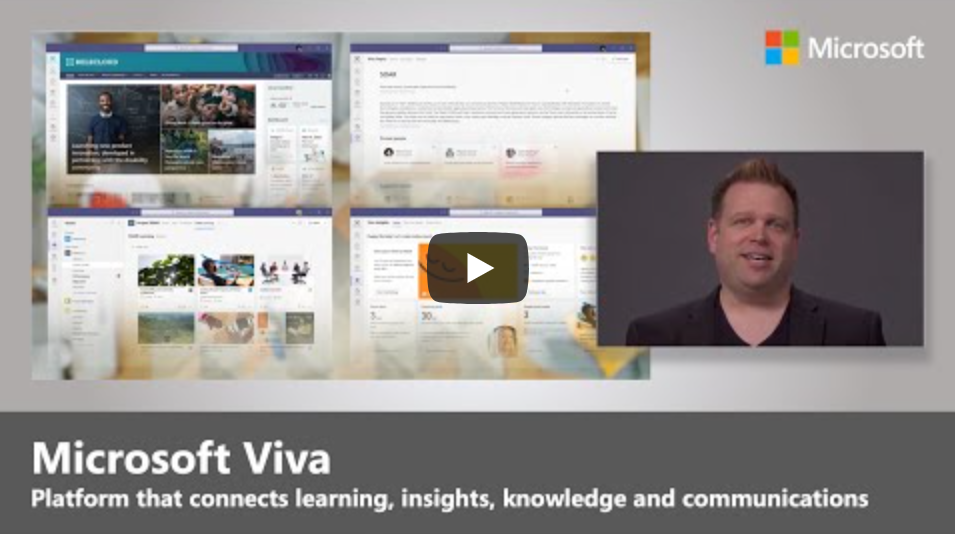
If you’re confused about what Microsoft Viva is, you’re in luck:  Jeremy Chapman & Microsoft Mechanics are not foolin’ around.  They did a simple 9 minute overview of the ENTIRE Viva platform.

imageTour Microsoft Viva, the new employee experience platform that connects learning, insights, resources, and communication. Viva is a unique set of curated and AI enriched experiences built on top of and integrated with the foundational services of Microsoft 365. Join Jeremy Chapman as he shares Viva’s capabilities, the underlying tech, and your core options for enabling and configuring Microsoft Viva as a team leader or admin.

Microsoft Viva’s 4 core modules:

  • Viva Topics – builds a knowledge system for your organization
  • Viva Connections – boosts employee engagement
  • Viva Learning – creates a central hub to discover learning content and build new skills
  • Viva Insights – recommends actions to help improve productivity and wellbeing

As an employee:

  • Get more time to focus and recharge – no matter where you’re working from.
  • Connect with others, stay informed and engage
  • Accelerate learning new skills, and balance your time at work.

At an organizational level:

  • Boost morale and retention and the overall success of your organization.
  • Foster a new culture of support for employees, so even when not physically together with colleagues, they feel connected to collective goals.
  • Employees can easily leverage the knowledge and connections of their work community to get things done and feel invested in their career growth.

► QUICK LINKS: 00:00 – Introduction 01:13 – Viva Topics 01:54 – Viva Connections 02:21 – Viva Learning 02:56 – Viva Insights 03:38 – Implementing Viva 04:18 – Upcoming highlights 05:49 – Privacy and security 06:50 – Platform extensibility 08:21 – Wrap Up ► Link References:
Watch the 9 minute introductory video here:

For deep dives on all the Viva modules, go to https://aka.ms/VivaMechanics

Posted by: kurtsh | June 7, 2021

INFO: Enabling Multi-Cloud Compliance

Did you know that your other cloud solutions & data services can take advantage of the rich set of Microsoft compliance solutions that you’ve invested in?

imageWe know that the vast majority of enterprise customers have multi-cloud strategies. Our customers want and need to integrate Microsoft compliance solutions – including Information Protection and Governance, Insider Risk Management, eDiscovery as well as Compliance Management – with their other existing security, compliance, and identity-related investments. That is why we are building our Compliance platform to be extensible and address our customers’ multi-cloud reality. To that end, we see extensibility as a horizontal capability and developers as a key enabler of this across all compliance solutions.

The article is broken down into 4 areas:

  • Multi-cloud data access
  • APIs for integration
  • Built-in Compliance for Microsoft 365-connected apps
  • Enhancements in Microsoft Graph APIs for Advanced eDiscovery

Read the article here:

Posted by: kurtsh | June 5, 2021

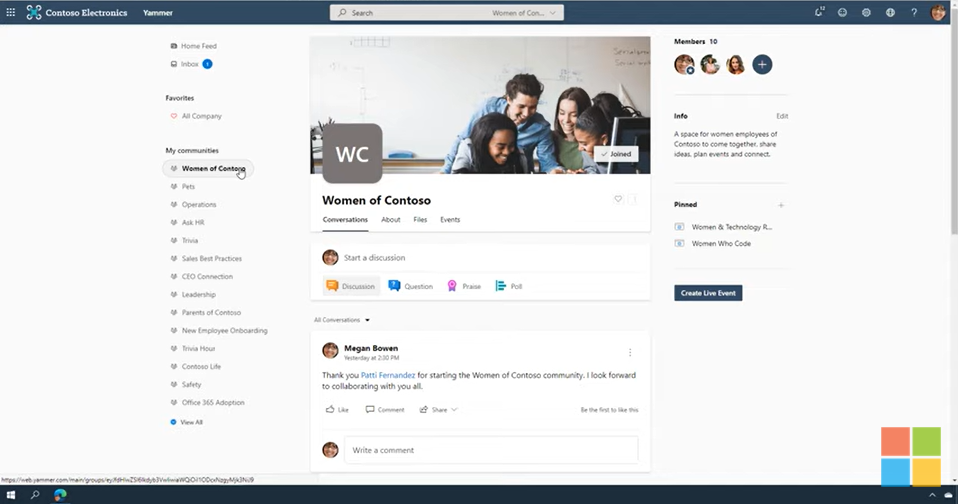
VIDEO: “Yammer Communities” overview

Watch this short 4:30 video on Yammer communities. Learn how to:

  • Create and brand a community
  • Post an announcement
  • Moderate conversations
  • Host a virtual event
  • Review analytics and insights for the conversations, questions, and events

imageIn this video tutorial, you’ll learn the building blocks of creating a community in Yammer. As a community owner, you have the ability to make announcements, pin posts, and brand the community. You’ll learn a few tips for engaging your community like hosting a live event. We also walk you through how to see the analytics of your community so that you can better understand the engagement of the conversations, events, questions, and members. Learn more: https://adoption.microsoft.com/yammer/

Watch the video here:

Interested in providing remote development solutions for your developers to create resilience & continuity in your DevOps processes?

Learn how you can enable devs to code, collaborate and ship securely… from anywhere.  Download “Remote Development: A Guide to Building Resilience”.

imageKeep developers productive while working remotely

Help developers code, collaborate, and ship software securely—from anywhere—with cloud-hosted environments and remote-capable tools. Maintain and even increase productivity with an end-to-end developer cloud platform that meets all the engineering needs of a distributed team.

imageWe make it easy to migrate your files – cloud-to-cloud – to the leading commercial file cloud service OneDrive.

We’ve highlighted the “Mover” migration tool previously.  Today, we are announcing the updated “Migration Manager” administration tab, designed to manage all file content migrations into Microsoft 365, specifically OneDrive, SharePoint & Teams.

Read more at the announcement here:

imageThe Microsoft Learn team (who infamously doesn’t describe what they’re actually planning on talking about in the captions or titles of their videos (ahem), actually did so for once with their recent Ask the Expert live event they called, “Ask the Expert: Power BI for BI pros and Data Engineers”

Featuring Priya Sathy & Christian Wade, they talk about Automatic Aggregation in Power BI for analyzing multi-petabyte volumes of data.  They talk about timing for release (it’s in private preview now but it’s coming REALLY soon), and the items to watch at Build 2021 at https://mybuild.microsoft.com.

Watch the recording here:

imageWe are very excited to announce a Low Code Application Development AMA!

The AMA will take place on Tuesday, June 8, 2021 from 9:00 a.m. to 10:00 a.m. PT in the Azure AMA space. Add the event to your calendar and view in your time zone here.

An AMA is a live text-based online event similar to a “YamJam” on Yammer or an “Ask Me Anything” on Reddit. This AMA gives you the opportunity to connect with Microsoft product experts who will be on hand to answer your questions and listen to feedback.

The space will be open 24 hours before the event, so feel free to post your questions anytime beforehand during that period if it fits your schedule or time zone better.

In CY21H2, Microsoft 365 admins will be able to enrich Microsoft 365 profile properties from HRMS systems like SAP SuccessFactors, Workday, Oracle HCM, etc. using Microsoft Graph connectors.

Check out our demonstration video here for clarification:
https://youtu.be/OxeXiw0FwU8.

imageOn the profile card in Microsoft 365, you can find information about users that is stored and maintained by your organization, for example Job title or Office location, but what if you don’t know what you don’t know?  Sometimes what we’re looking for can be as simple as a Job title or Office location, but what if the information we need is more complex or outside of the boundaries of Microsoft 365? Often you would need to search across multiple systems and know what systems that information is in. What if you could find all the information about a person, even that information which is unique to your company, right in the context of the person?

This is where customization of people experiences in your organization helps. You can already customize some parts of people experience by surfacing AAD data on your profile cards. However, today we’re excited to announce new capabilities in profile enrichment where as an Microsoft 365 administrator you can directly enrich user profiles with information from HRMS systems like Workday, SAP SuccessFactors and more using Microsoft Graph connectors. With these capabilities, you can now find more information you need about a person right in a person’s context, in less time and in fewer places.

Read the announcement on the coming “profile enrichment” for Microsoft 365 users here:

Posted by: kurtsh | June 4, 2021

DOWNLOAD: Yammer Launch & Adoption Playbook

imageUse the Yammer Adoption Playbook to help you prepare a Yammer strategy for adoption and engagement at your organization.

We want you to be successful, so here is a roadmap to help you make a successful and thriving network. While it’s not required to have all of these roles or questions answered, we’ve found that the most successful networks invest in roles that include these responsibilities.

By having specific roles and responsibilities and clear guidelines of expectations, members of the community know where to turn to when they need help.

Getting started
A great network starts with a great plan. Follow these five steps to make sure you’re ready for launch

Introducing Yammer to your organization
Starting with your champions, all the way up to the leadership team, get everyone on board and excited to use Yammer in four simple phases.

Keeping the conversations going
Now that you’ve launched, check out three ways to provide support and set up your Yammer network for success.  

Download the playbook here:

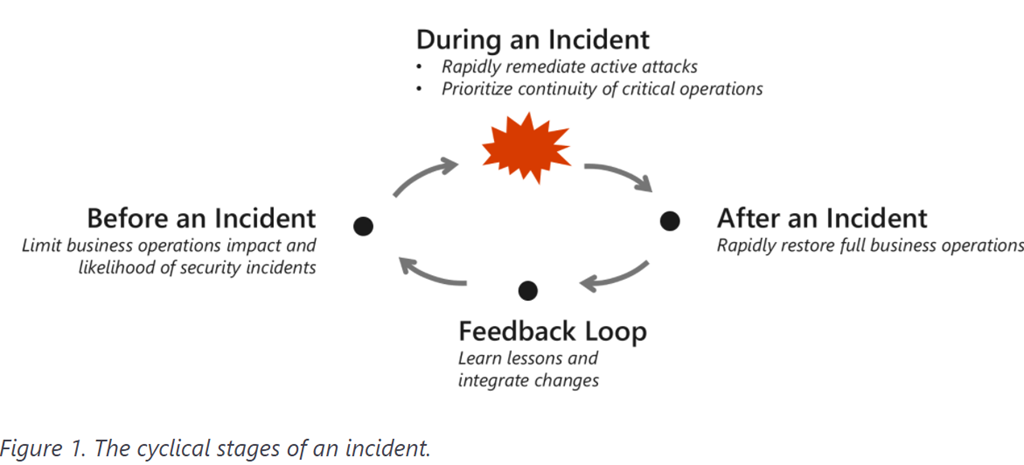
imageThis is part 4 of the Cybersecurity Architect series “Becoming resilient by understanding cybersecurity risks”

As businesses begin reimagining their future in a post-pandemic world, most are pivoting to a digital-first approach to take full advantage of technological innovation (much of which was adopted in haste). The pandemic has accelerated three existing trends and the tension between them: how to remain relevant against a backdrop of consumer and market demands, how to react and respond to evolving cyber threats, and how to do this reliably while reducing complexity and cost.

Becoming a resilient organization requires collaboration between business and security leaders and a lifecycle approach to continuous improvement.

In this blog, we delve deeper into specific themes in recent cyberattack trends—how and why they work so effectively—and strategies to mitigate them.

Parts 1-3 of the series are available here:

« Newer Posts - Older Posts »

Categories