Posted by: kurtsh | April 17, 2012

NEWS: MMS 2012 available via streaming on-demand!

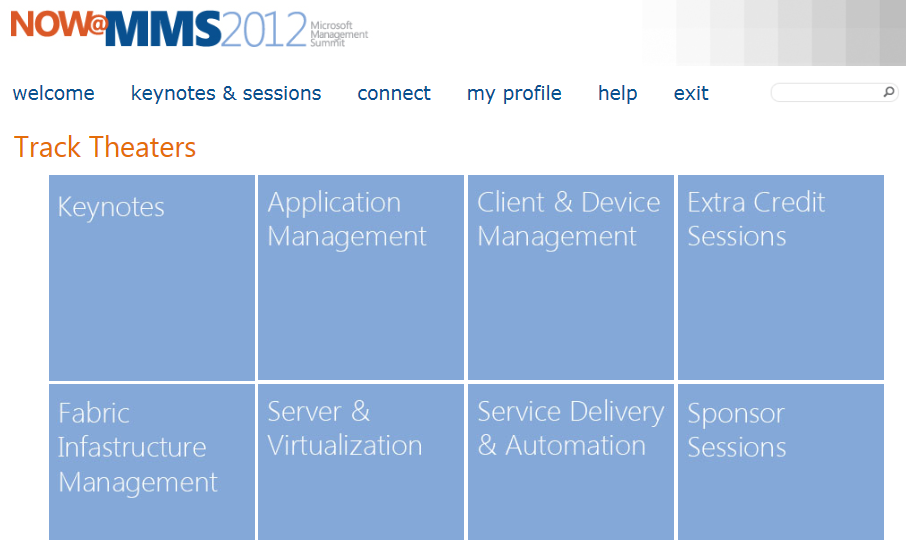
imageWOW.  This is a first.  We are making Microsoft Management Summit (MMS) 2012 content available for free to anyone that registers online to our “Digital MMS” site.

There are over 175 sessions and categories of recorded sessions include:

  • Keynotes
  • Application Management
  • Client & Device Management
  • Extra Credit Sessions
  • Fabric Infrastructure Management
  • Server & Virtualization
  • Service Delivery & Automation
  • Sponsor Sessions

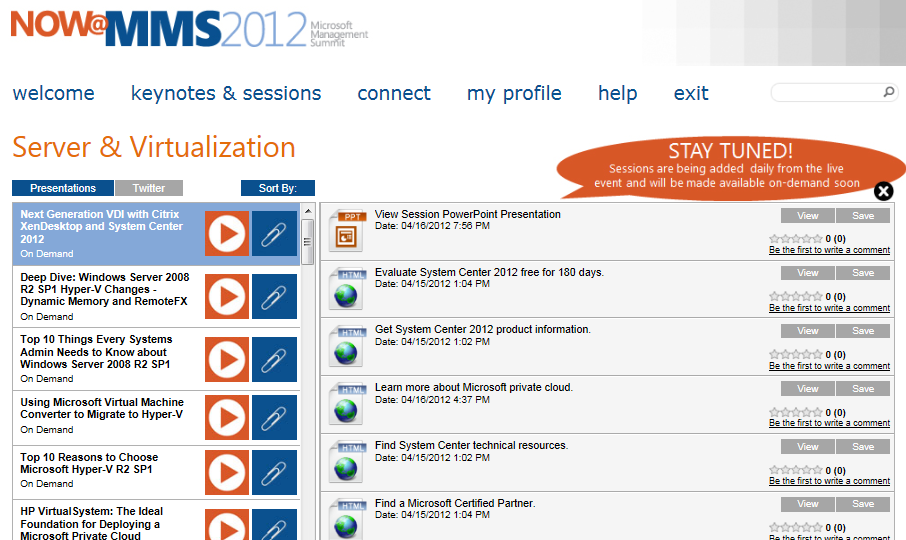
The full session video recording is available via streaming-on-demand as well as all the associated documentation for the session – including the PowerPoint document which is freely downloadable.

imageimage

SESSION CATALOG:
The session catalog for all sessions being delivered is available online at:
http://www.mms-2012.com/topic/list

REGISTRATION:
To register for “Digital MMS” go to:
http://www.mms-2012.com/digitalmms

Posted by: kurtsh | April 13, 2012

WEBCAST: Manually Removing Viruses & Malware

image

Mike Halsey, Microsoft Windows MVP, did a VERY GOOD presentation online about getting rid of malware in the event you or a user of yours is infected.

The sections about strategies for removing malware and tools for malware removal are the most interesting sections.

This presentation is particularly useful because it’s from a 3rd party –i.e. a non Microsoft employee – so he’s comfortable about advocating the use of Ubuntu boot disks, referencing McAfee tools, editing the registry, etc. in addition to highlighting the capabilities of Microsoft System Sweeper BETA.

Available until July 5th, 2012.

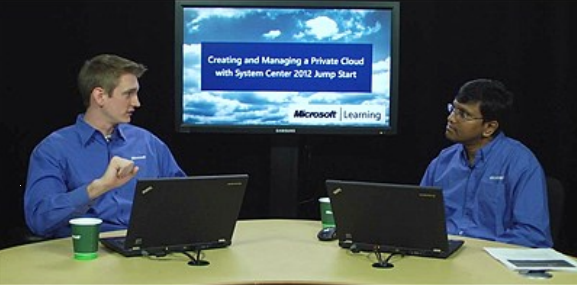
imageWe just posted the video recordings of a two-day course that was done for 3000 IT professionals around Microsoft Private Cloud implementation.  As announced by the Microsoft Born To Learn blog, the course was done Feb 21-22 and was a tremendous success.  Please enjoy these video recordings!

Creating and Managing a Private Cloud with System Center 2012 Jump Start
This course makes it clear why Microsoft’s new private cloud solutions, based on System Center 2012 and Windows Server, have garnered so much attention. This 300-level course targets IT Pros and was delivered via live virtual classroom. The HD-quality videos are available now on TechNet Edge, MS Showcase, iTunes and Zune.

imageWhy is this Jump Start a good time investment? Who should watch the video recordings?
This accelerated Jump Start is tailored for IT professionals familiar with Windows Server technologies, Hyper-V virtualization, and the System Center management solutions. The course is designed to provide a fast-paced and technical understanding of how and why Microsoft’s approach to the private cloud delivers scalability, security, flexibility and control. Here are few unique benefits of this course:

  • Students have the opportunity to learn from and interact with the industry’s best cloud technologists!
  • This high-energy, demo-rich learning experience will help IT Professionals understand why Microsoft private cloud solutions are making a splash in the industry.
  • Students will see with their own eyes how Windows Server 2008 R2 and System Center 2012 work together to provide the best combination of security and scale.

COURSE OUTLINE

Day 1: Deployment & Configuration
– Module 1: Introduction to the Microsoft Private Cloud with System Center 2012
– Module 2: Configure & Deploy Infrastructure Components
– Module 3: Configure & Deploy the Private Cloud Infrastructure
– Module 4: Configure & Deploy Service Delivery & Automation
– Module 5: Configure & Deploy Application Management

Day 2: Management & Operations
– Module 6: Monitor & Operate Infrastructure Components
– Module 7: Monitor & Operate the Private Cloud Infrastructure
– Module 8: Monitor & Operate Service Delivery & Automation
– Module 9: Monitor & Operate Application Management

What’s a “Jump Start” Course?
Training specifically designed for experienced technologists whose jobs demand they know how to best leverage new, emerging Microsoft technologies. These advanced courses assume a certain level of expertise and domain knowledge, so they move quickly and cover topics in a fashion that enables teams to effectively map new skills to real-world situations.

Original post at Born to Learn:
http://borntolearn.mslearn.net/btl/b/weblog/archive/2012/04/04/new-videos-released-private-cloud-jump-start.aspx

image

Wow.  A refurbished Vallhalla chipset-based Xbox 360 SLIM for $139.

Includes:

  • 4GB overheat resistant console (Vallhalla chipset)
  • Both Composite & HDMI cables
  • Xbox Audio/Microphone Live
  • Headset Single Black controller.

This is a DEAL.

  • Part Number: XB360-S4GH
  • Processor Type: 3.2 GHz Triple Core IBM PowerPC
  • Installed RAM: 512 MB GDDR3 SDRAM
  • Optical Drive Type: DVD-ROM 12x – Tray
  • Compatible Format: MP3, WMA, DVD Video, JPEG Photo CD
  • Graphic Processor: ATI Xbox 360 – 256-bit – graphics acceleration
  • Video Memory: 10 MB
  • Max. Resolution: 1920 x 1080

Get it from NewEgg.

imageWe’ve all been there.  You have a ton of carefully crafted, exhaustively complete Outlook rules configured and stored server-side in Exchange.  Then one day… you attempt to add one more rule and… you’re out of rules storage.  You might even be unlucky enough to have some of your Outlook rules deactivated.

What happened?
It turns out that there is a limited amount of memory that is allocated for each mailbox’s server-side rules.  The default for most Exchange implementations is 32k.  This can be adjusted up to 256k but it also multiplies the amount of memory requires on the server to operate.  If your IT organization isn’t interested in buying more memory for their Exchange Servers to accommodate greater rules capacity in-memory… and you’re not interested in reducing your rules list size… you’re kinda hosed. 

Or are you?
Today, I learned a trick that will allow you to fit a lot more rules into your mailbox while accomplishing the same thing.  Instead of using the condition sent to people or public group, if you use the condition with specific words in the message header, and match to a short mail alias manually, you can fit a LOT more rules into your allocated server-side rule space.

For example, instead of:

Apply this rule after the message arrives
sent to
Windows Rights Management Champs
move it to the Windows Rights Management Champs folder

…you would create:

Apply this rule after the message arrives
with wrmchamps in the message header
move it to the Windows Rights Management Champs folder

The result would be a rule that accomplishes the same thing but individually takes up a lot less space.  Apparently it has to do with the fact that when you use the “sent to” condition, it uses an X.500 address for the target condition instead of just a small string and the difference in memory usage is dramatic.

Anyway, just thought I’d pass that along.

Posted by: kurtsh | April 12, 2012

NEWS: UCLA students are Imagine Cup US finalists!

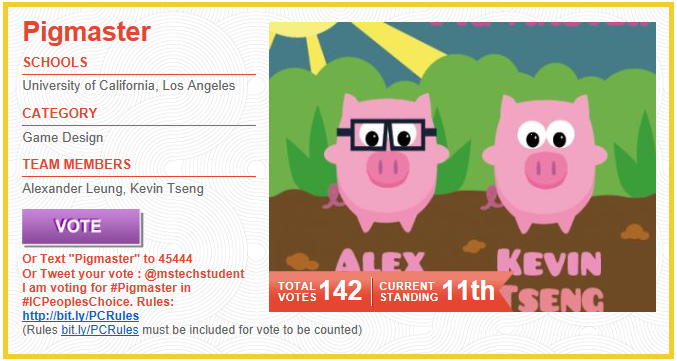
imageHundreds of thousands of students every year compete in the “Imagine Cup”, a competition put on by Microsoft to find great uses of technology.

We’re down to the finals of the competition and UCLA’s team has been selected as one of the final 22 teams!

UCLA’s project is “Word Hog”:

Word Hog is a kid’s game about a group of pigs who need the player’s help to write a paper for a school project. The player controls a trampoline where pigs bounce toward bubbles to collect items such as letters. The second part of the game is a puzzle where the pigs can use those letters to create words, shift the letters around, or discard letters.

Wanna support UCLA & see these students win the People’s Choice award? 

  1. Vote everyday for PIGMASTER in People’s Choice now through May 19th at http://aka.ms/PigMaster
  2. Text "Pigmaster" to 45444
  3. Tweet your vote :
    @mstechstudent I am voting for #Pigmaster in #ICPeoplesChoice. Rules:
    http://bit.ly/PCRules
    (Rules bit.ly/PCRules must be included for vote to be counted)

Here’s the announcement about the Imagine Cup finals:

Imagine a world where technology helps solve the toughest problems. . .

We asked students from all over the world to come up with innovative uses of technology that would make the world a better place. They stepped up to the challenge, and the Imagine Cup US 2012 competition was on!

Imagine Cup is a global technology competition, enabling students worldwide to use technology to transform the world we live in. Every year, Imagine Cup inspires eager students to shine, developing skills that will power their futures, and applying what they have learned to make a positive impact in the world and build a brighter future.

Last year, over 325,000 students participated in Imagine Cup. Today, 22 teams from across the country have made it to the Imagine Cup US finals, developing solutions and providing awareness to issues that address  environmental stewardship, the worldwide obesity epidemic, and the plight of children in war-torn Africa.

Now it’s up to you: These teams need your votes to win the Imagine Cup People’s Choice award. The team with the most votes by May 19, 2012 will travel to the Imagine Cup Worldwide Finals in Sydney, Australia this July. Vote now!

Your vote is powerful. By helping select the Imagine Cup People’s Choice winner, you’ll not only be raising awareness for critical social issues, you’ll also be supporting the future of technology innovation here in the US.

And of course there’s something in it for you, too. Every time you vote, you qualify to win prizes like a laptop, an Xbox, or a Windows Phone!

Visit the Imagine Cup US Facebook page to check out our US finalists and vote for your favorite—it’s fast and easy. And remember, the more often you vote, the more often you can win, so stop by every day!

I’m totally ripping off my friend Dave’s article about App-V Package Accelerators.  Somehow I don’t think he’ll mind. (NOTE THE CONTEST BELOW FOR A FREE UNLOCKED NOKIA WINDOWS PHONE!)

—————-
Virtualize Applications Faster with Microsoft App-V Package Accelerators

Dave Trupkin, Senior Product Marketing Manager, Microsoft App-V, Microsoft

Where do you start when you need to create package for a new application in Microsoft App-V? If you’re an App-V expert, maybe you dive right in and create the package yourself. If you’re just getting started, or even just trying to save time, maybe you’ll search the Internet to see if your peers have already packaged the same application. If they have, they may have shared the step-by-step process—the recipe—for creating the package. In App-V, this is a process known as sequencing.

Where can you find App-V recipes? A good place to start is the App-V Sequencing Recipe Forum. We’ve even provided a link to the Recipe Forum right inside the App-V Sequencer! Here you’ll find recipes for applications such as Microsoft Visual Studio 2010 and AutoCAD LT 2010. Other popular packaging-oriented websites and our own App-V Most Valuable Professional (MVP) community also frequently post App-V recipes in the forum.

Figure 1

Beginning with App-V 4.6 Service Pack 1 (SP1), we’ve made it even easier for the App-V community to share packaging knowledge with the introduction of App-V Package Accelerators. Package Accelerators help make App-V packaging easier, faster, and more predictable, taking most of the manual steps out of sequencing. One of the best explanations I’ve heard of Package Accelerators came from the App-V development team, which thinks of Package Accelerators as "dehydrated" App-V packages. When you use the App-V Sequencer to combine the Package Accelerators with the application’s original installation files, you’re "rehydrating" the App-V package.

Where can you find App-V Package Accelerators? You’ll find them in the App-V Package Accelerator Gallery. And, just like the Sequencing Recipe Forum, we’ve included a link to the Package Accelerator Gallery right inside the App-V Sequencer.

Figure 2

One of the best things about the App-V Package Accelerator Gallery is that it’s easy for you to share Package Accelerators that you create by uploading them to the Gallery!

Figure 3

Between April 5, 2012 and May 3, 2012 we invite you to create your best Package Accelerators, share them with the community, and possibly win an unlocked Nokia Windows Phone or an Xbox 360! We’ll pick the best two contributions and announce the winners in May.*

To help you get started, check out these videos on how to create an App-V Package from an App-V Package Accelerator, and how to create your own App-V Package Accelerator. You can also find more information in the App-V 4.6 SP1 Sequencing Guide and the online technical documentation for App-V. You can get App-V 4.6 SP1 if you are a MSDN subscriber or TechNet subscriber by downloading the Microsoft Desktop Optimization Pack 2011 R2 Language Update, or you can check out the App-V 4.6 SP2 Beta.

Happy sequencing!

* No purchase necessary. Open only to IT professionals 18 years of age or older. Game ends May 3, 2012. For details, see the official rules.

Dave Trupkin


Dave Trupkin is Senior Product Marketing Manager for Microsoft App-V, and is also responsible for Microsoft Enterprise Desktop Virtualization (MED-V) and Microsoft Advanced Group Policy Management (AGPM). When he’s not busy virtualizing applications, he likes to find great Italian restaurants and eat in them.

Posted by: kurtsh | April 6, 2012

RELEASE: Microsoft Security Compliance Manager v2.5

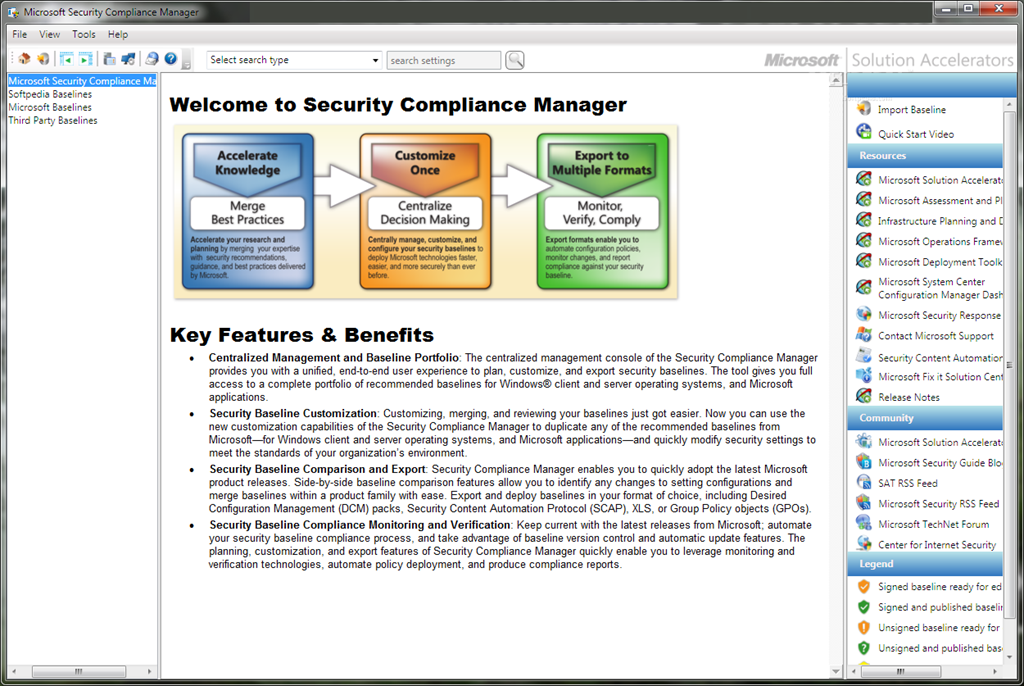
imageVersion 2.5 of the Security Compliance Manager (SCM) tool is now available for download! In addition to key features from the previous version, SCM 2.5 offers long-awaited new baselines for Exchange Server (2007 and 2010), along with several updated client product baselines! SCM 2.5 also enables you to quickly configure and manage computers and your private cloud using Group Policy and Microsoft System Center Configuration Manager. Learn more about new and updated features in the Springboard Series blog.

The Microsoft Security Compliance Manager is the next evolution of the Microsoft Security Compliance Management Toolkit Series. We’ve taken our extensive guidance and documentation—including the previously stand-alone product-specific security guides—and incorporated it into this tool, enabling you to access and automate all of your organization’s security baselines in one centralized location.

To access the security guidance for Windows client and server operating systems and Microsoft applications, simply download the tool, and select the "Attachments \ Guides" node within each product baseline tree.

Take advantage of the experience of Microsoft security professionals, and reduce the time and money required to harden your environment. This end-to-end Solution Accelerator will help you plan, deploy, operate, and manage your security baselines for Windows client and server operating systems, and Microsoft applications. Access the complete database of Microsoft recommended security settings, customize your baselines, and then choose from multiple formats—including XLS, Group Policy objects (GPOs), Desired Configuration Management (DCM) packs, or Security Content Automation Protocol (SCAP)—to export the baselines to your environment to automate the security baseline deployment and compliance verification process. Use the Security Compliance Manager to achieve a secure, reliable, and centralized IT environment that will help you better balance your organization’s needs for security and functionality.

Key Features & Benefits

  • Integration with the System Center 2012 Process Pack for IT GRC: Product configurations are integrated into the Process Pack for IT GRC to provide oversight and reporting of your compliance activities.
  • Gold master support: Import and take advantage of your existing Group Policy or create a snapshot of a reference machine to kick-start your project.
  • Configure stand-alone machines: Deploy your configurations to non-domain joined computers using the new GPO Pack feature.
  • Updated security guidance: Take advantage of the deep security expertise and best practices in the updated security guides and the attack surface reference workbooks to help reduce the security risks that you consider to be the most important.
  • Centralized Management of Your Baseline Portfolio: The centralized management console of the Security Compliance Manager provides you with a unified, end-to-end user experience to plan, customize, and export security baselines. The tool gives you full access to a complete portfolio of recommended baselines for Windows® client and server operating systems, and Microsoft applications. The Security Compliance Manager also enables you to quickly update the latest Microsoft baseline releases and take advantage of baseline version control.
  • Security Baseline Customization: Customizing, comparing, merging, and reviewing your baselines policy configurations just got easier. Use the customization capabilities of the Security Compliance Manager to duplicate any of the recommended baselines from Microsoft and quickly modify security settings to meet the standards of your organization’s environment.
  • Multiple Export Capabilities: Export baselines in formats like XLS, Group Policy objects (GPOs), Desired Configuration Management (DCM) packs, or Security Content Automation Protocol (SCAP) to enable automation of deployment and monitoring baseline compliance.
  • Available policy configuration baselines include Windows Server 2008 R2 SP1, Windows Server 2008 SP2, Windows Server 2003 SP2, Hyper-V, Windows 7 SP1, Windows Vista SP2, Windows XP SP3, BitLocker Drive Encryption, Windows Internet Explorer 9, Windows Internet Explorer 8, Microsoft Office 2010 SP1, Microsoft Office 2007 SP2, Exchange Server 2010 SP2 and Exchange Server 2007 SP3.

DOWNLOAD: Microsoft Security Compliance Manager v2.5 (33.9MB)
http://www.microsoft.com/download/en/details.aspx?id=16776

Posted by: kurtsh | April 5, 2012

RELEASE: Microsoft Log Parser Studio

Ever wish Log Parser 2.2 had a GUI front end?

imageAnyone who regularly uses Log Parser 2.2 knows just how useful and powerful it can be for obtaining valuable information from IIS (Internet Information Server) and other logs. In addition, adding the power of SQL allows explicit searching of gigabytes of logs returning only the data that is needed while filtering out the noise. The only thing missing is a great graphical user interface (GUI) to function as a front-end to Log Parser and a ‘Query Library’ in order to manage all those great queries and scripts that one builds up over time.

Log Parser Studio was created to fulfill this need; by allowing those who use Log Parser 2.2 (and even those who don’t due to lack of an interface) to work faster and more efficiently to get to the data they need with less “fiddling” with scripts and folders full of queries.

With Log Parser Studio (LPS for short) we can house all of our queries in a central location. We can edit and create new queries in the ‘Query Editor’ and save them for later. We can search for queries using free text search as well as export and import both libraries and queries in different formats allowing for easy collaboration as well as storing multiple types of separate libraries for different protocols.

Microsoft® Script Explorer for Windows PowerShell® (pre-release) helps scripters find Windows PowerShell scripts, snippets, modules, and how-to guidance in online repositories such as the TechNet Script Center Repository, PoshCode, local or network file systems and Bing Search Repository. Microsoft® Script Explorer enables:

  • Integrated community and Microsoft resources to help you unlock the power of Windows PowerShell.
  • Seamless searching across online repositories to locate script samples relevant to you
  • Establishing and searching local, network, and corporate script repository is easy

image


If you’re interested in downloading Script Explorer, visit this link:

This preview release is designed to enable the community to experience and review the preliminary designs and direction of key features in Microsoft Script Explorer and to solicit feedback before features are finalized. If you have additional questions, need help in troubleshooting issues, and other product features visit the Microsoft Script Explorer Forum on TechNet. Your feedback is important to us. Help improving Script Explorer by submitting bugs and suggestions to Microsoft Script Explorer Forum on TechNet.

« Newer Posts - Older Posts »

Categories