WHOA.  So, if you’ve been reading my blog, you know that I recently had some serious surgery done on my Samsung Series 9 1st gen laptop.  The entire front plate (the keyboard side) was replaced which is almost a 1/3rd of the actual laptop hardware.  It contained the following:

  1. Power supply jack
  2. Antenna
  3. Keyboard
  4. Touchpad
  5. Power switch

And more.  Our office tech did the surgery.  Meanwhile I went to the E3 Expo.  Yeah.  I live a charmed life.

THE SYNAPTICS DRIVER/CTRL-PANEL APPLET STOPPED WORKING
When I got back, the work was done.  I was surprised to find that all my mouse optimizations had disappeared.  If it even breathed on the touchpad, the mouse pointer moved as if I’d left clicked the mouse.  This of course made it virtually unusable again.

I investigated myself and discovered that when I looked at the SETTINGS for the Synaptics mouse in CTRLPANEL-MOUSE, there was nothing there – nothing specific to the Synaptics touchpad.  There were no configuration items to change.  It was as if all the settings checkboxes, sliders, etc. had just disappeared. 

I downloaded the Samsung touchpad drivers from the web site, ran the default driver setup, & rebooted.  No luck.  I talked to our tech and he didn’t know what to do but he mentioned that others had reported something about “ELAN drivers”.  This rang a bell because when I unpacked the Samsung touchpad drivers I saw a directory called “ELAN”.
image

DIFFERENT TOUCHPAD HARDWARE!

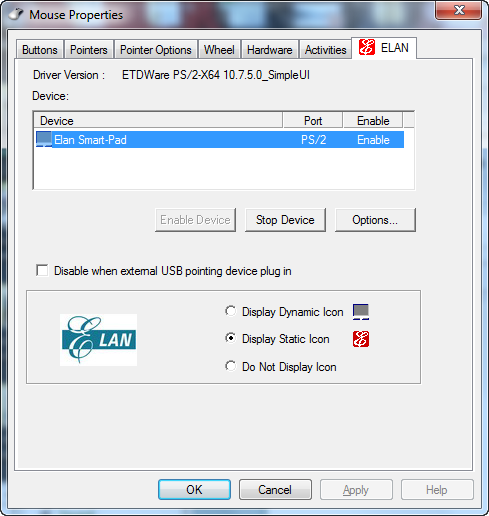
I navigated to the ELAN subfolder and explicitly installed JUST the ELAN drivers just to make sure and lo-and-behold:  It worked!

In other words, the Touchpad used to be a Synaptics TouchPad – but since it physically wasn’t there any more, the driver failed to install, as did the control panel applet.  Now, with the new ELAN Touchpad, it rejected the Synaptics driver.  Totally different manufacturer requiring a totally different TouchPad mouse driver.  Once I installed the ELAN drivers a completely new control panel applet appeared.  See to the snapshot to the right.

Again. the configuration screen is totally different and frankly, has a less configurable interface than the Synaptics… but the main optimizations are there:
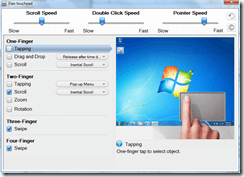
  1. imageI recommend that folks Disable TAPPING altogether for One Finger & Two Figure usage.  If you want to ‘select’ an object, click on the bottom left corner which will act like a left mouse button as you’d expect.  If you do this, you’ll never accidentally left mouse click which is what most people do with One/Two Finger tapping enabled.
  2. I also recommend you disable Inertial Scroll for Two-Finger scrolling.  Inertial scrolling IMHO may fly for touch screen devices but not for touchpads were we have an expectation of precision.
  3. And I recommend Unchecking Drag and Drop from One-Finger controls.  Personally, if I want to drag & drop something, I want to CLICK-&-HOLD on the left mouse button, drag the item using the touchpad, then RELEASE the left mouse button to drop.  I have no use for any other type of drag & drop, personally.

I also adjusted the pointer speed & scroll speed to my liking.  And I quickened the double click speed but that’s all really personal preference stuff.

To download the driver package for the Samsung Series 9 with BOTH the Synaptics drivers & the ELAN drivers in them, visit the Samsung support web site at:
Posted by: kurtsh | June 17, 2012

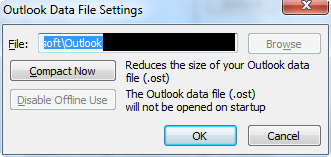
INFO: Why the heck is my Outlook .OST so big?

No, seriously.  Why’s my Outlook 2010 offline store file so massive?  I have 2.1GB in my mailbox – including calendar, email, contacts, yadayadayada… and the .OST file is a monstrous 7.5GB

imageYES, I ALREADY COMPRESSED THE DAMNED THING
7.5GB – 2.1GB = 5.4GB. Why do I have an extra 5.4GB in my .OST?  That’s the question I asked last night.  So I searched the Internet as you would expect and came up with basically nothing.  The typical, “you have whitespace in your .OST and need to compress it manually” is really the only thing I read – which I of course already did.

imageCULPRIT #1: OUTLOOK IS CACHING OTHER PEOPLE’S CALENDARS
One thing I did know however was that, in the corporate world, we open other people’s Exchange calendars to check their availability for meetings & conference calls.  And we do this a LOT. 

Some might ask, “why don’t you just use the data picker (free/busy)”, but to really get a sense of what people are doing, you kinda have to have their calendar open fully & visually.  For example:  Someone might be blocked at 1PM-2PM… but if the appointment is an hour away, they’re going to need time to drive to the location before and after and won’t be able to be present for meeting.  This is feasible in the Outlook meeting date picker however it’s less clear & easy to miss.

Well, it turns out that by default, when you open a person’s calendar, it syncs the calendar to your .OST.  It stores itself as a ‘checkbox’ on the left hand column of the calendar view and will remain there, continuing to sync in the background.  How much it syncs, I don’t know, but what I DO know is that if you open up 50 people’s calendars over the span of say 6 months, you may have 50 people listed on the left column of the calendar… and all these calendars are being cached & taking up space in your .OST.

The answer is to right mouse click each calendar and REMOVE them… then compress the .OST again and watch the file shrink dramatically. 

In my case, I deleted all the other people’s calendars in my list that I’d looked at once but never really looked at again… and easily cleared out about 2.1GB of space in my .OST resulting in a more reasonable 5.4GB file size.  I’m not kidding.

imageCULPRIT #2:  OUTLOOK IS CACHING OTHER PEOPLE’S SHARED FOLDERS
Keep in mind that even if you only keep the calendars of the people you frequently to look up, these calendars will be cached.  This can be a huge amount of storage.  Also if you have been delegated access to another mailbox – say an executive’s inbox/contacts/calendar/tasks – and at one point you access each of these ‘shared folders’, you’ll be caching ALL of that email, contacts, calendar & tasks data into your .OST by default. (This was a change made as of Outlook 2010)

To halt this behavior: (And get the 3rd party’s inbox information only when you’re online & not offline)

  1. Go to FILE – ACCOUNT SETTINGS –ACCOUNT SETTINGS.  The Account Settings dialog box will appear.
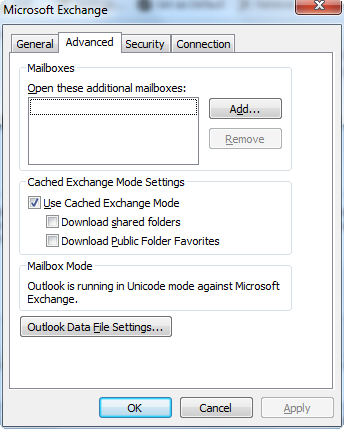
  2. Click the “Data Files” tab and DOUBLE-click your .OST file for cached content.  A “Microsoft Exchange” dialog box will appear.
  3. Click the “Advanced” tab.  You will see a checkbox group called “Cached Exchange Mode Settings”.
  4. Uncheck “Download shared folders”.  Click OK button. You’ll return to the Account Settings dialog box. (In the photo to the right, I’ve already unchecked the box.  Normally by default, it’s checked.)
  5. Click Close button.

By unselecting this check box, you effectively stop syncing the data from the other people’s mailboxes that you once viewed.  For example, if you ever open anyone else’s calendar, it won’t cache it to your machine.  If you are delegated access to another mailbox – like a shared mailbox that multiple people have access to – the mail won’t sync to your PC and you’ll only be able to view it while online.

This reduced my .OST’s size by 3GB to a reasonable 2.7GB.  I still haven’t figured out the remaining 600MB difference which could be anything from RSS feed content, to Windows Live Messenger contacts to anything else that may not be counted by my Exchange Mailbox folder size total, but I’m sort of satisfied with the above modifications (and the 4.9GB file size reduction) I made so I’m not going to spend any more time on this.

imageWell, that’s a wrap.  Microsoft TechEd North America 2012 is over and most of the 400+ recorded sessions are posted to Channel 9 – which I thought was interesting considering we normally host these via a separate site.

Taken from the Channel 9 blog:

Hey folks,

Tech Ed North America 2012 just took place in Orlando, Florida on June 11-14th and you can view all 427 Tech Ed North America sessions now! They are published on Channel 9 under the events section. We also have all Channel 9 Live sessions up and on demand.

If you missed Tech Ed North America it’s not too late to book your trip to Tech Ed Europe 2012 in Amsterdam for June 26-29th. See you all there!

Best,

C9 Team

As written in Forbes Magazine, Morgan Stanley analyst Kathryn Huberty upped her sales projections for the tablet computer market.  Huberty and the tech team at Morgan Stanley are now estimating shipments of 133 million tablets in 2012, up 57% from their original estimates; and 216 million tablets in 2013, up 112%.

The bold call: Microsoft will grab a substantial chunk of the market.  She argues that Microsoft will grab the number two spot in the market, after Apple iPad and ahead of tablets running Google‘s Android software, with the launch of Windows 8 later this year.

Read more at:
http://www.forbes.com/sites/briancaulfield/2012/06/01/bold-call-microsoft-to-pass-android-grab-no-2-spot-in-tablets-behind-apple/

[Normally, I write about this sort of thing on my other blog.  But this was sort of company-related so I thought… meh.  It’s my blog, and I’ll do with it as a I please.]

The other day, I saw something at E3 (the Video Game History Museum) that made me think about what computing was like when I was kid.  When I was growing up, I didn’t have much money.  Other kids I knew had computers that their fathers owned & meanwhile, I didn’t even have a handheld Mattel Football game.  So I’d go over to their houses and use theirs for hours.  And of course the computer everyone had was the Apple II.  Some had the II+ & later the IIe, but it was always the Apple.  (I lived in Apple’s backyard so it’s not that surprising)

I’d carry my one 5 1/4” Verbatim DS/DD floppy disk. (Hey, they were expensive for a 10 year old)  I punched a notch on the other side to use the flip side of the disk and stored everything I’d ever gotten on it.  SirTech’s Wizardry, Electronic Art’s Archon, Accolade’s Hardball, and who could forget Broderbund’s Lode Runner?  My favorite game however was, and remains, “Olympic Decathlon”, because of all the good memories my friends and I had playing it “multiplayer”.

imageLOADING UP “APPLEWIN EMULATOR”
So I looked into my stash of software on my PC (which I’ve kept for years on my hard drive in a single directory), and I dug up Tom Charlesworth’s “AppleWin”, the renown Apple II emulator for Windows.  It’s in its 1.20 revision today and still working like a champ.

I ran the ol’ AppleVision demo on the DOS 3.3 disk and had a thrill looking at something I hadn’t seen since the 6th grade.

OLYMPIC DECATHLON
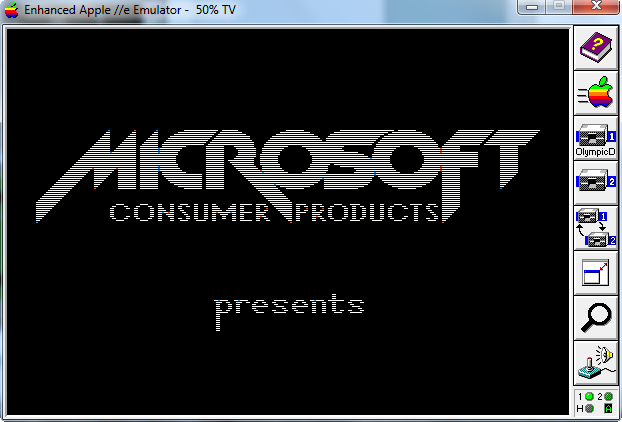
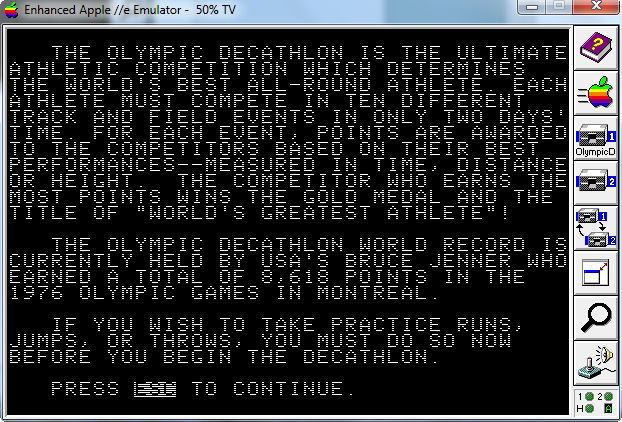
What does this have to do with Microsoft, you ask?  Well, I don’t know if you remember but Olympic Decathlon was a Microsoft product.  Here’s a snap shot of the boot up screen for “Microsoft Consumer Product’s Olympic Decathlon”:

image

There it is:  Our old logo.  I played the game on my Windows 7 x64 machine after having not touched Olympic Decathlon for more than probably 30 years.  And it plays like a champ in the AppleWin emulator.  I highly recommend it!

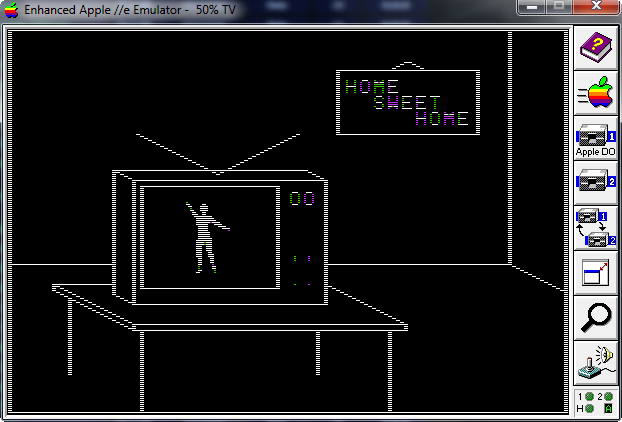
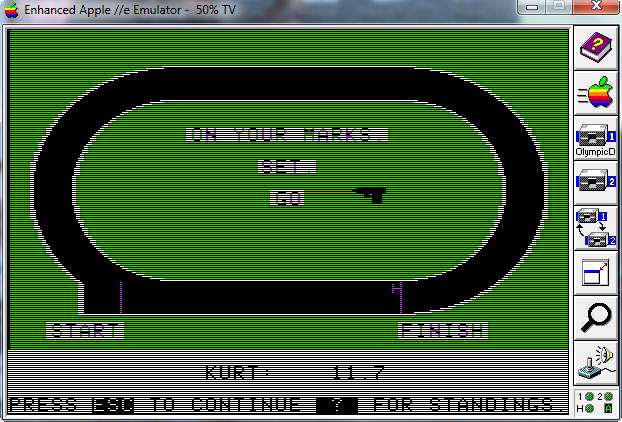
Here are some snapshots of the game as I played it.  And yes, hitting 1, 2, 1, 2, 1, 2… makes the dude go every bit as fast as it did when you used to hammer on the keyboard with your siblings.

imageimageimage

GETTING OLD APPLE II SOFTWARE
Here are some repositories & archives for old Apple II software kept for historical purposes (and let geeks like us swoon in reflection), including Apple DOS and ProDOS and all kinds of fun games & tools like Night Mission Pinball, Bank Street Writer, Visicalc, and Locksmith 5.0.

——————————-

imageAFTERTHOUGHT: THE FABLED QUADLINK
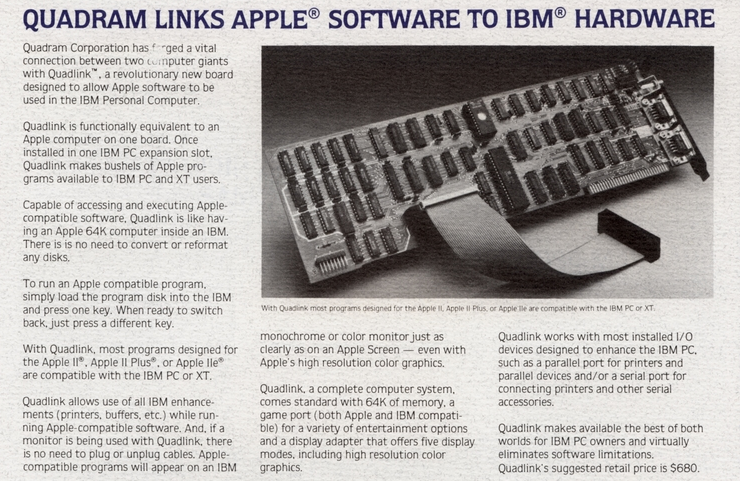
Back around 1984, I longed for something called the Quadram Quadlink, which was essentially an Apple II+ on a 16-bit ISA slot card for an IBM PC.  You’d hit a ctrl-key and it’d literally BOOT an Apple computer on your IBM.  It had the ROMs and all. 

The problem was the expansion card was $680 and I couldn’t afford it because it’s primary target was business looking to move from the Apple II to the IBM PC.  That’s why these emulators tickle me so.  I finally sort of got my Quadlink… but in a software format with AppleWin.  The only thing missing is the tell tale sound of that Apple disk drive booting…

BEEP!SHNICKrattatatatatatatataboosh…thuckthuckthuckthuckthuck.

Posted by: kurtsh | June 10, 2012

INFO: E3 2012 – My observations (Part 4)

Here’s some random photos & thoughts.

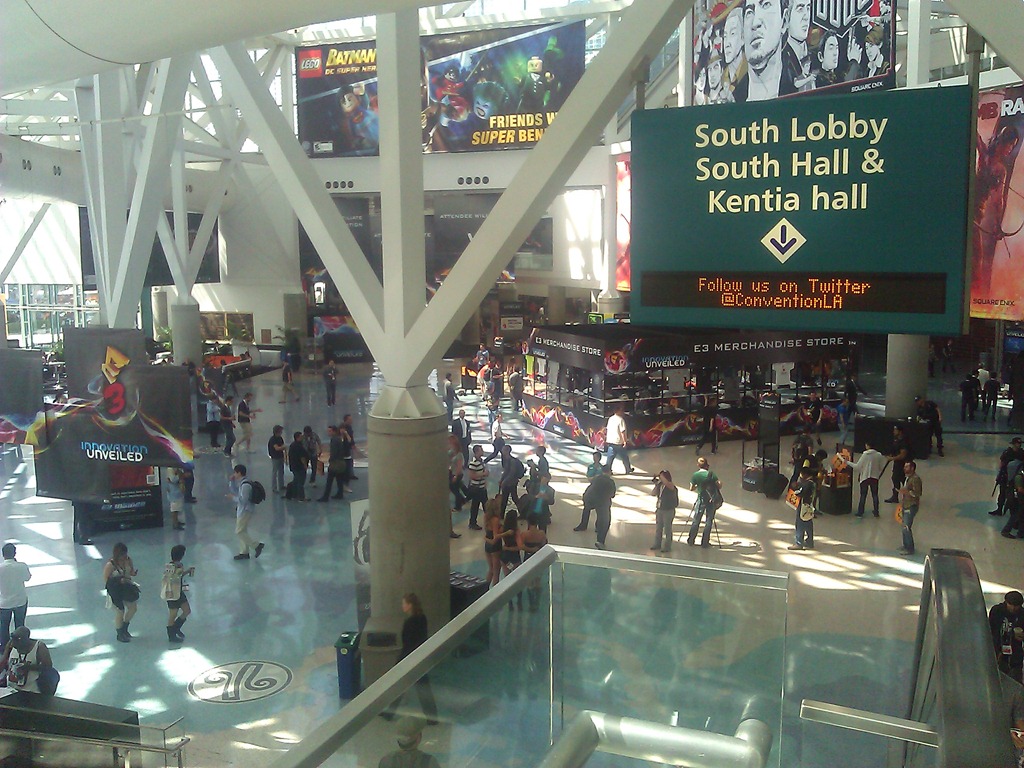
WP_000166If you’ve never been to E3, the one thing to know is that there is more geek per square foot than most conferences.  This photo doesn’t really capture it because it’s right outside the South Hall on the last day of the show but trust me when I say that there are tons of gamer geeks (and girls!) on the floor of the expo and while it’s buzzing with activity and a little chaotic, it’s still interesting to see all the business going on.

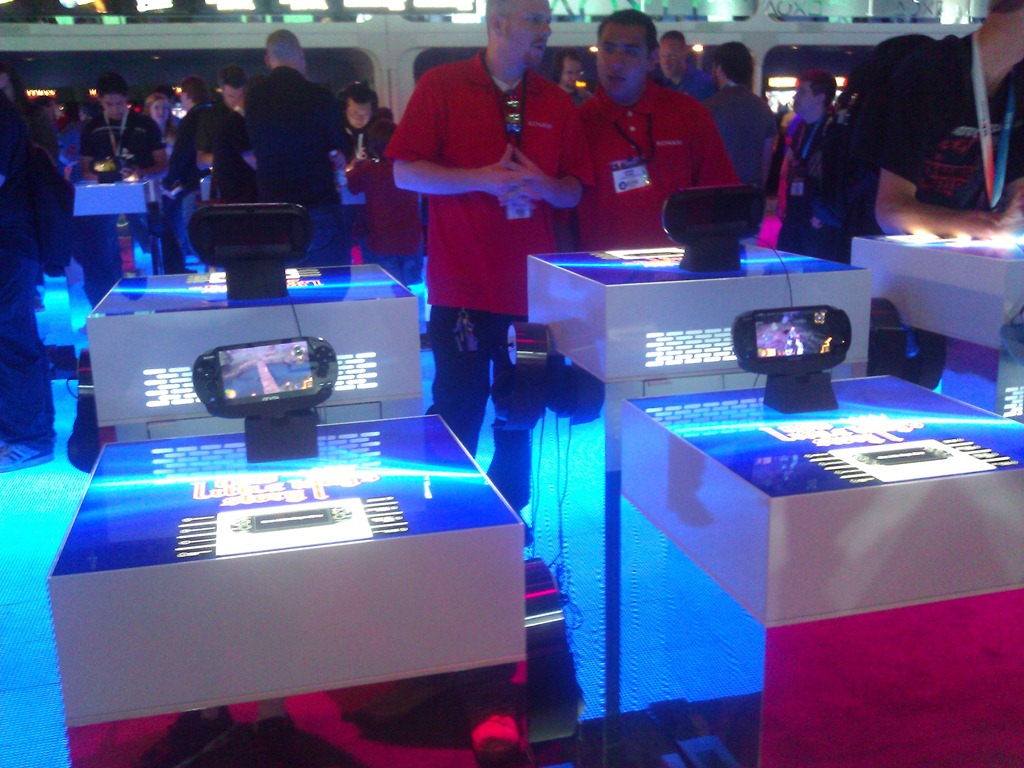
WP_000172While there was a lot of traffic in Sony in general highlighting mostly upcoming titles and not so much innovations in the PS3, there wasn’t that much for PS Vita while I was there on Thursday which I thought would have had more traffic.  Initially I thought that that couldn’t bode well for Sony but maybe it was just the fact that it was the last day of the event.  I can say this:  PS Vita looks really frickin’ cool when you play it.  It’s like the power of the console in your hands.  So big ups to Sony for building something like that.  If you’re a serious gamer, this is definitely your portable gaming device, no question.

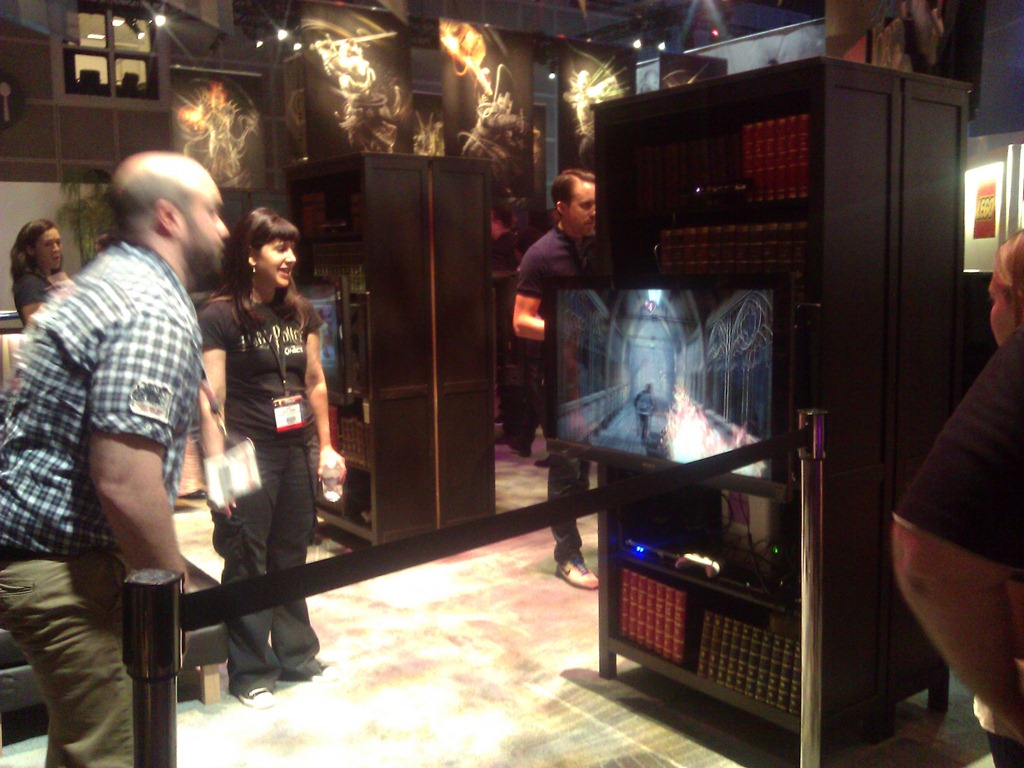
WP_000245Harry Potter for Kinect was in a very creative booth.  It was clearly funding deprived but in the middle of Warner Bro Interactive, it really felt like you were in the living room of Hogwarts.  The Kinect game integrated Kinect Voice and Kinect movement.  I don’t know much else except that the guy in the photo appeared to be having a lot of fun casting spells and fighting evil.


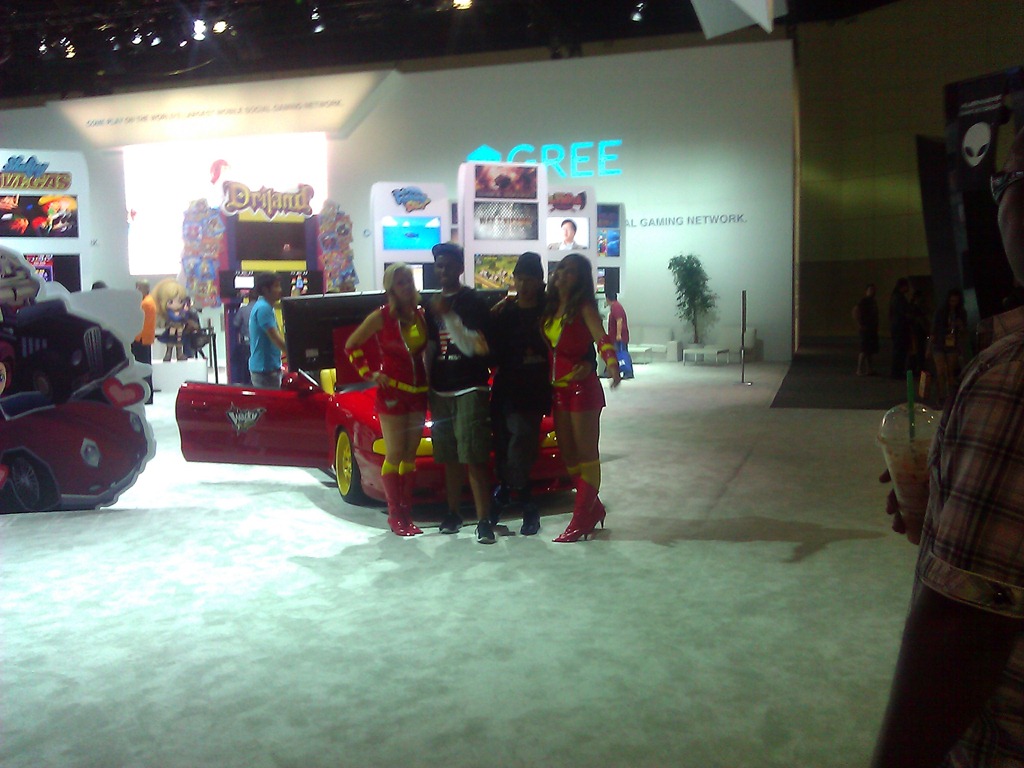
WP_000246Gree.  I hadn’t really heard much about them until I visited the booth.  They’re a mobile games vendor for iPhone and Android.  They do little games that are networked together using the Gree network I guess.  It was a little weird because their booth was massive but there wasn’t a lot of people.  I guess they’re much bigger in India, China, and other parts of the world… so they were trying to get more traction in the US.

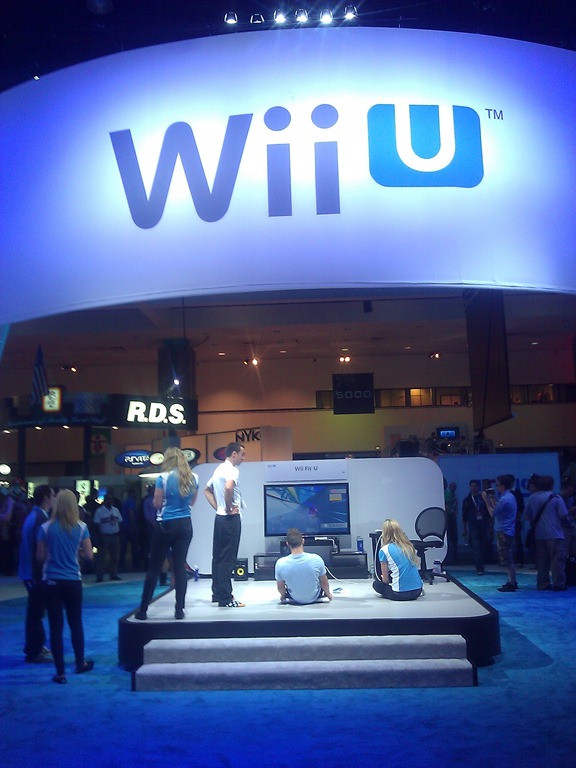
WP_000170Wii U.  Yeaaaaaaaah… I dunno about this.  I told one person that Wii U’s success beyond its marquee titles like Zelda, Mario, and Metroid, will be highly dependent on how great their launch games are because in order to get people to buy brand a new console with expensive controllers like the Wii U, you’re gonna need something really compelling.  I saw some 12 titles on display in the Nintendo booth and nothing really grabbed me.  Most Wii U games involved flicking my finger on the tablet interface of the Wii U controller and was ultimately kinda left me feeling “meh”.

But who knows.  They weren’t finished so maybe they’ll get better.  All I know is that they’re effectively competing against iPads, Windows 8 tablets, and anything that’ll work against Xbox 360.

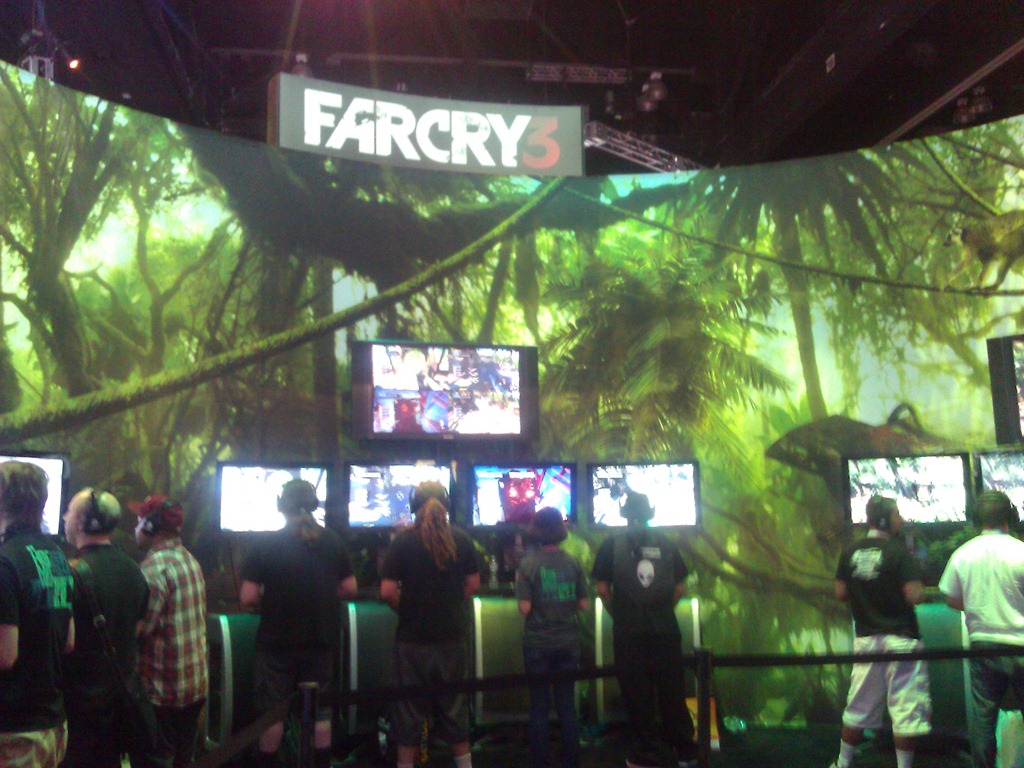
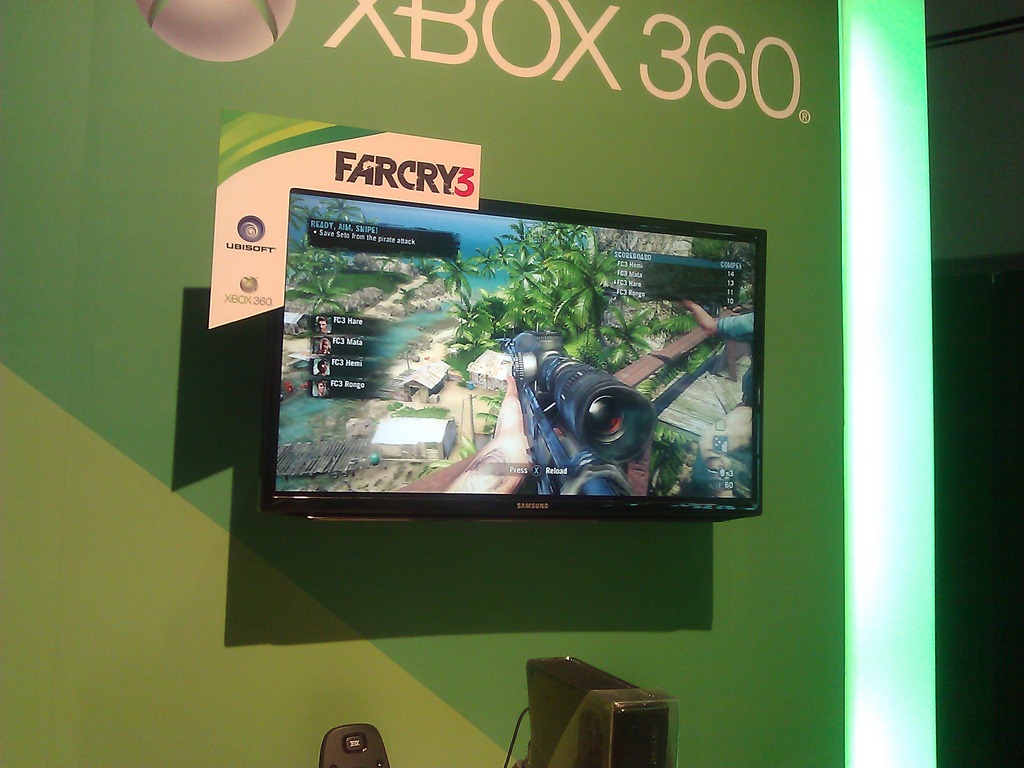
Far Cry 3.  It looked AWESOME in our booth and their own booth at E3 looked great too.  I wasn’t thrilled with Far Cry the original but FC3 looks really amazing.  The CryEngine 3 is really something and will make both Crysis 3 and Far Cry 3 a serious contender later this year.

WP_000236WP_000190

Posted by: kurtsh | June 10, 2012

INFO: E3 2012 – My observations (Part 3)

Here’s yet more of my observations from E3 this year.

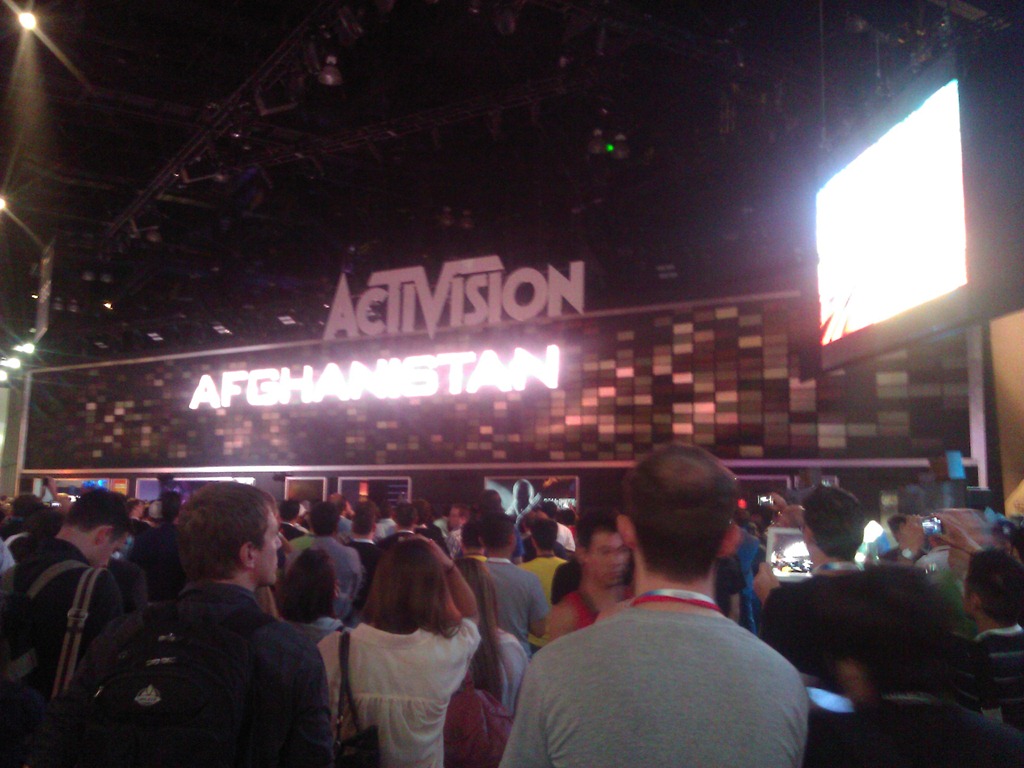
WP_000237ACTIVISION & COD: BLACK OPS II
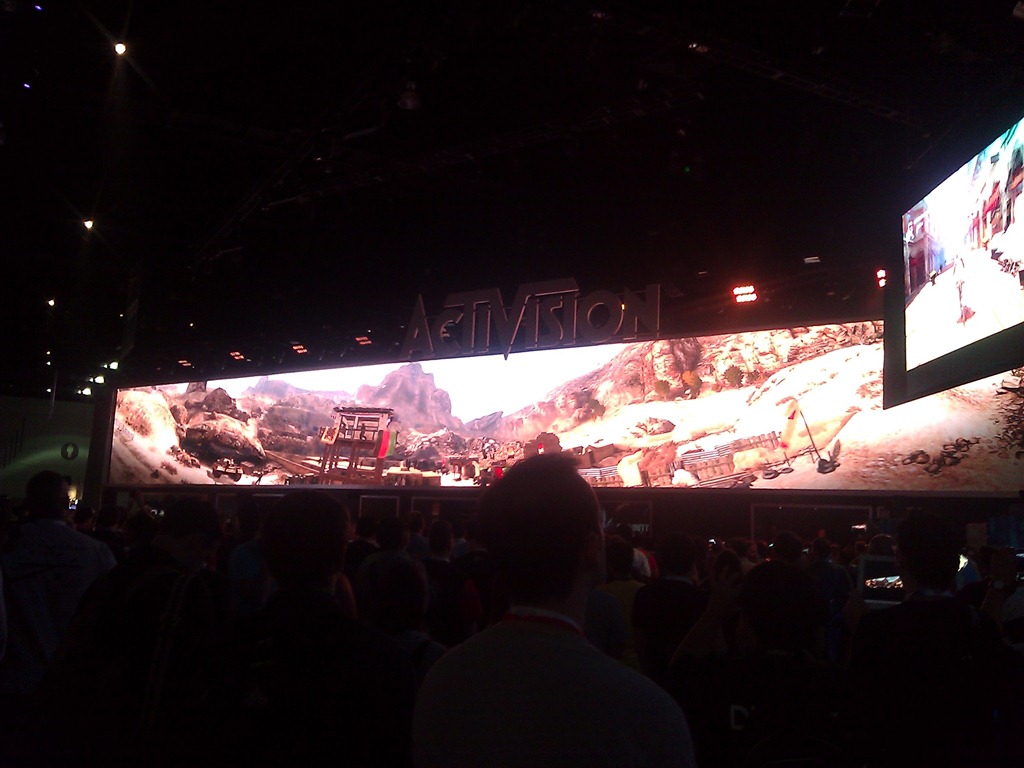
Activision win for most impressive booth and there’s only one reason:  That damned monster video screen.

Activision had this massive long video screen that showed a single video across it’s entirety that just had everyone captivated.  I have to admit, I’d never seen anything this impressive before – not event at CES.

WP_000238

They showed, at timed intervals, something of a video of the story behind Black Ops II and it was captivating, beautiful, and… well… EPIC.  Like an academy award winning movie.

As it started, the lights dimmed, the sound got louder and the massive, long video screen started to show stuff.  People wandering by the Activision booth just… stopped.  They stopped in the walkways, they stopped in the booth, they stopped in OTHER PEOPLE’S BOOTHS.  It was as if a massive alien ship was coming down out of the sky and people were just standing wherever they were and looking upward at this big video screen as the Black Ops II story played out.  People actually CLAPPED during the video.

And once the performance was over, the lights came on and everyone scattered like roaches.  And there was once again, a big empty area in front of the video screen… until the video started again.

WP_000242BETHESDA… NOTHING AGAIN.  ALMOST.
Every year, I go by Bethesda hoping to talk about Fallout’s future.  And every year there’s nothing to see and no one to talk to because they don’t let anyone into their booth unless you’re a business partner or you’re press. 

What you’re looking at at the right there is a photo of the only thing I could photograph of the booth.  The booth itself was two stories tall and completely surrounded by walls with no entry allowed for anyone just walking by. 

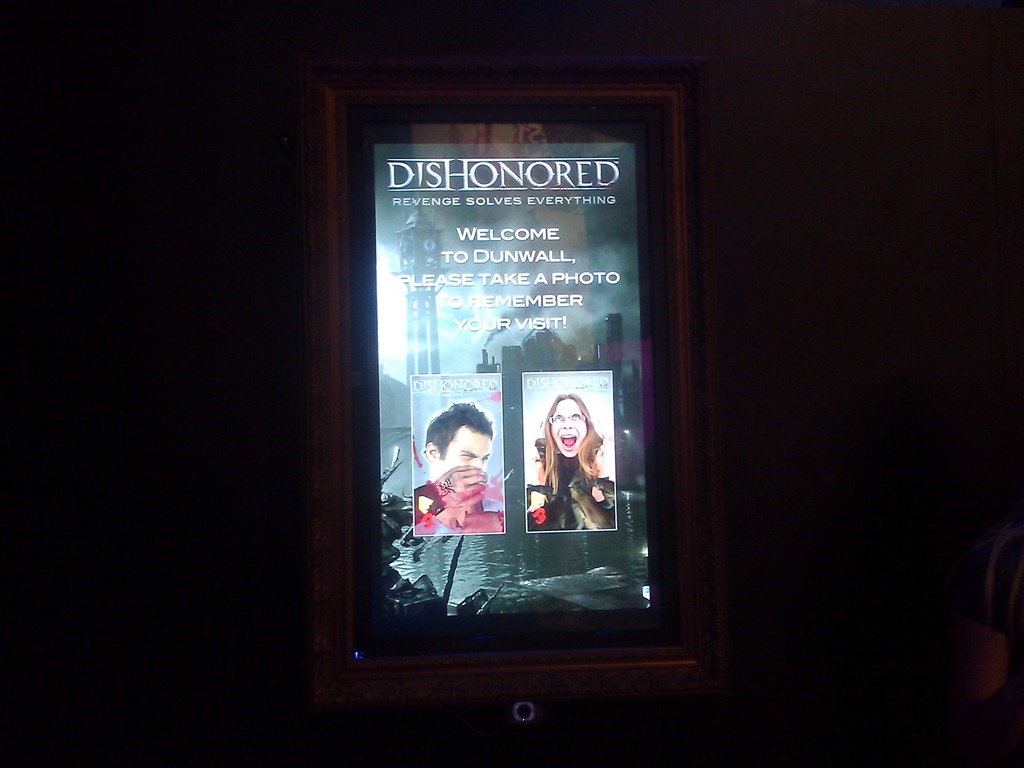
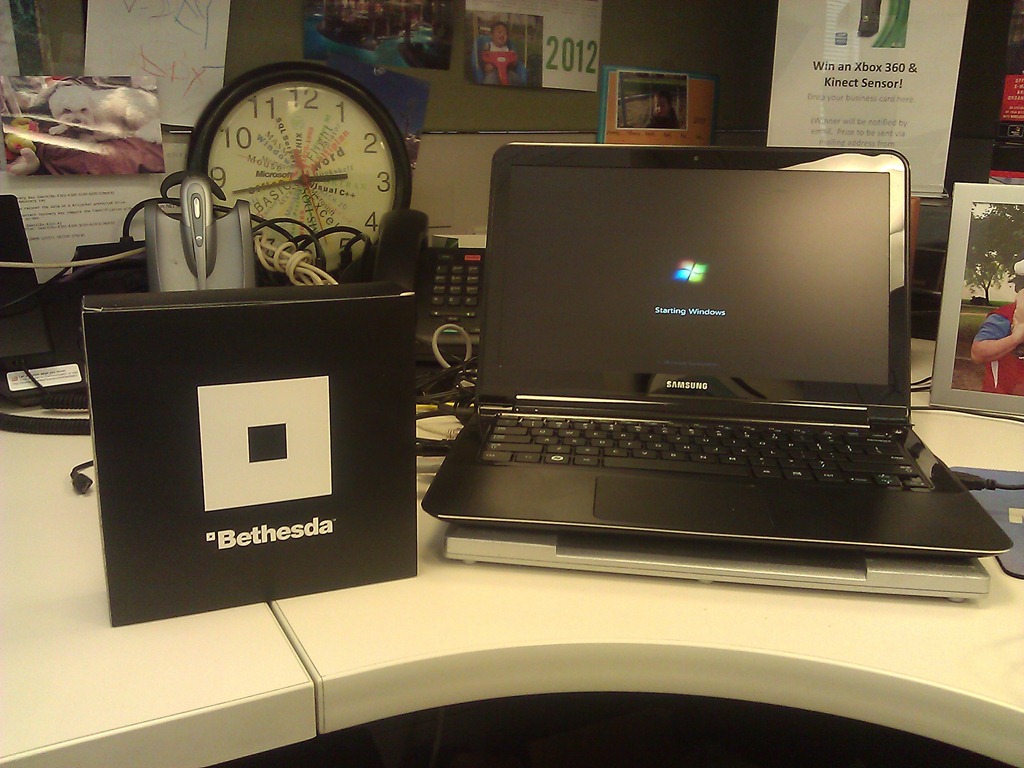
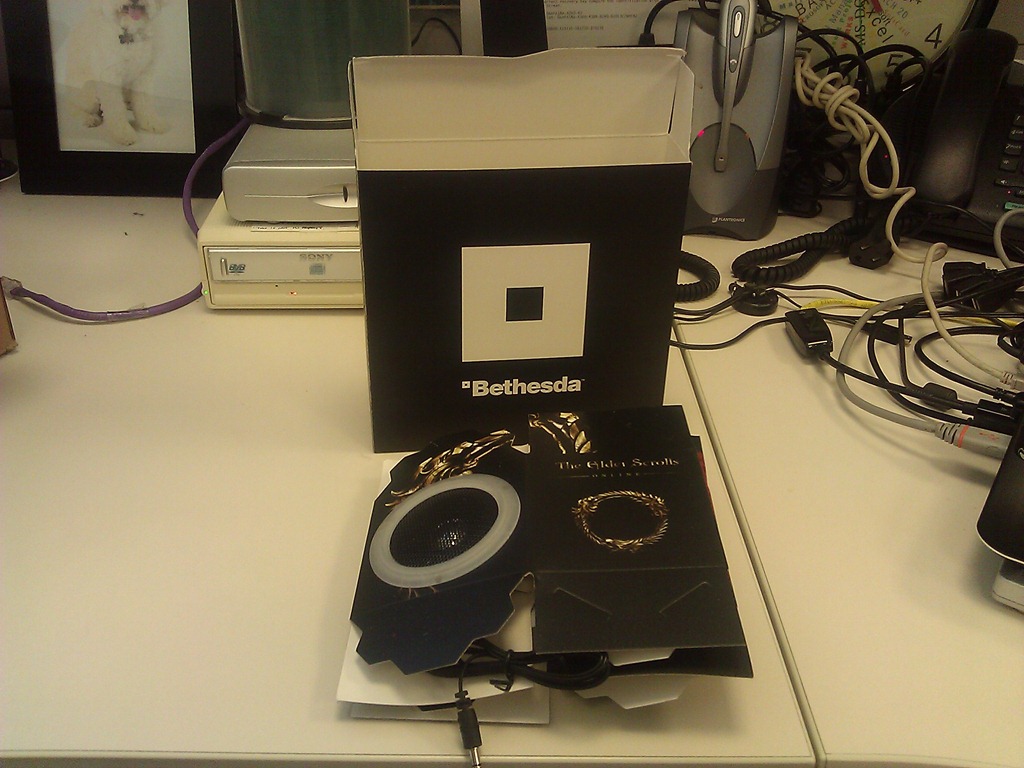
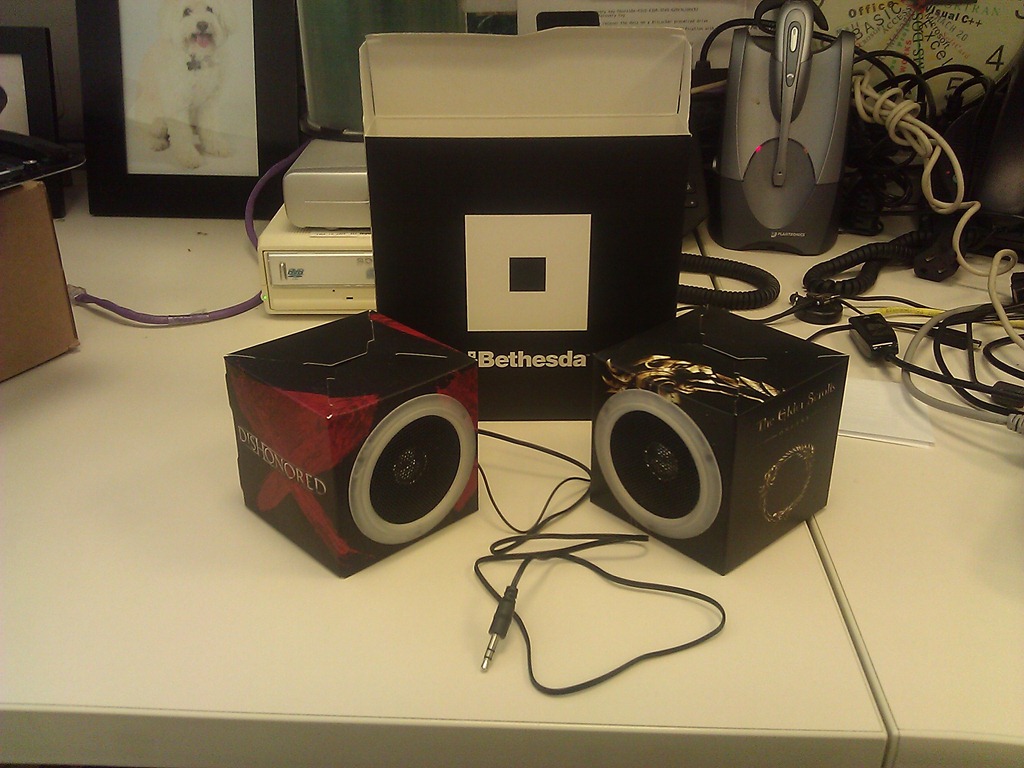
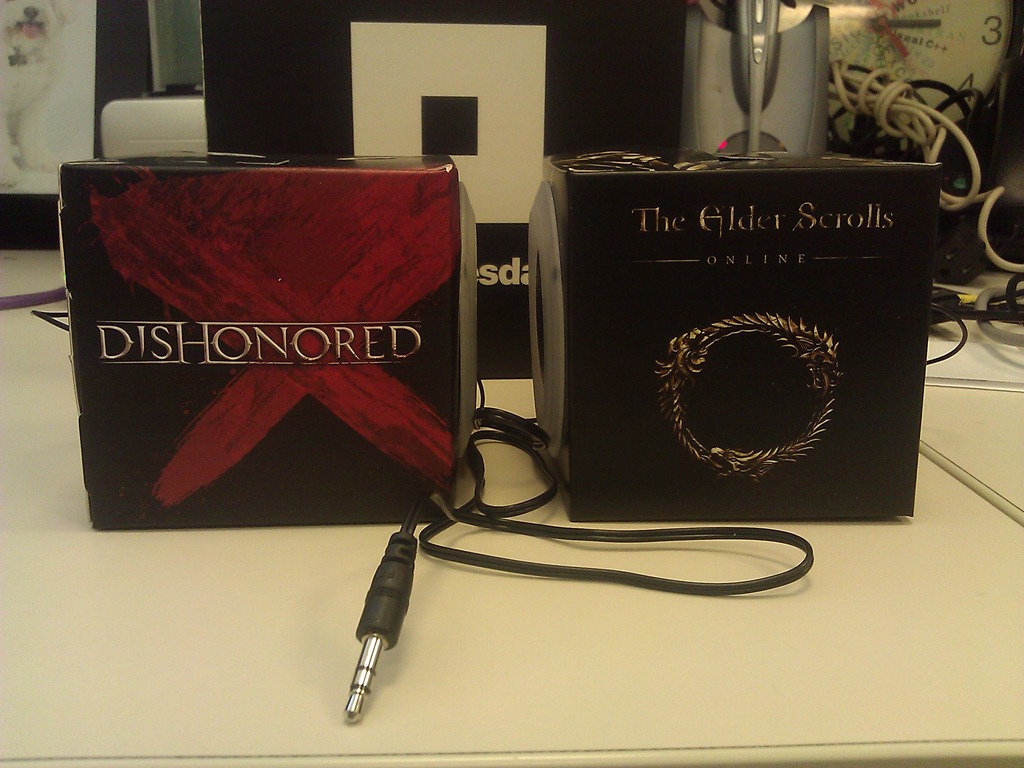
But this year, as I walked by a girl was stationed outside handing Bethesda boxes out.  I had no idea what it was so I just took it.  And lo and behold… they’re paper speakers for a PC! And they work – advertising Dishonored & the new Elder Scrolls Online.

It’s nice that Bethesda is throwing the rest of us E3 attendees a bone, even though we’re not media or partners.

WP_000251WP_000252WP_000253

WP_000254

Posted by: kurtsh | June 10, 2012

INFO: E3 2012 – My observations (Part 2)

Here’s more of my observations and photos from my quick perusal of E3.

WP_000184_thumbXBOX SMARTGLASS
A certain media pundit I know, slammed Xbox SmartGlass as “just another app – an improvement on something that already exists as Xbox Companion… just a better remote control”, and I thought to myself, “Wow dude. You may be considered an authoritative source or some technologies but console gaming is NOT one of them”

Yes, SmartGlass, at its basest form, is an app that runs on tablet & smartphone form factors running Windows 8, Windows Phone, Apple iOS iPads & iPhones, and Android-based Tablets & Smartphones. But what it provides is rich, touch-enabled, real-time interaction with your Xbox 360 gaming experience. Besides the obvious power behind enabling users to leverage the tablet/smartphone technology they already own with their Xbox 360, SmartGlass provides an amazing array of capabilities not experienced today, including:

  • VIDEO PROJECTION: Transfer a movie being streamed to your phone or tablet to the Xbox 360 – without missing a beat.
  • VALUE-ADDED INFO: Display relevant “background” information on the tablet/phone about the content being displayed on the Xbox 360. Interact using touch capabilities without interrupting the TV video experience.
  • MULTIPLAYER SEPARATION: Keep game time selections (such as football plays in Madden) between competing players separate, to prevent prying eyes from cheating.
  • INTUITIVE TARGET SELECTION: Rapidly target objects using touch instead of using the controller. Pick a wide receiver in Madden to pass to for example.
  • KEYBOARD TYPING: Leverage the soft keyboard to enter data into fields on your Xbox 360. Redemption codes, player names, etc.
  • INTERNET BROWSING: Use the tablet/phone as a soft keyboard as well as pinch-to-zoom & touch navigation to allow browsing on the Xbox using the newly introduced “Internet Explorer for Xbox 360.”
  • MUSIC SYNC: Obtain media content from Xbox Music service on your device and synchronize the content to your Xbox 360, keeping your catalog offline available on all your computing devices: PC, Mobile Companions, and Xbox 360.
  • MEDIA CONTROL: Leverage your tablet as the dashboard interface to the Xbox 360, eliminating the need for the controller when using the Xbox exclusively as a media access console, including for Amazon PRIME Video, Netflix, Xbox Live Marketplace, Hulu, YouTube, and the other 32 services available on the 360.

WP_000212[3]VIDEO GAME HISTORY MUSEUM
This was, honestly, one of my favorites at E3 this year and it had nothing to do with Microsoft.

It was the Video Game History Museum – a 30×30 booth in the back of the South Hall that was the brainchild of the guys that run the Classic Gaming Expo in Las Vegas.

They showcased a HUGE number of classic game systems from the Odyssey to the Colecovision, to the Intellivision, to the TurboGrafx. They showed classic WP_000209_thumbmemorabilia from the Pac-Man era as well as the original Activision era with Pitfall, etc. The availability of Electronic Arts classics like Super Boulderdash, Archon, Realm of Impossibility, Dr. J and Larry Bird Go One-on-One, and Hard Hat Mack kinda made me tear up a bit.

The museum is still an ‘idea’ that needs home but with time it could become a reality. They are looking for some place in Silicon Valley… and I saw a donation bin in clear plastic loaded with bills – many in $100 denominations.

I know I made a contribution.

Posted by: kurtsh | June 10, 2012

INFO: E3 2012 – My observations (Part 1)

As usual, here are my observations and photos from my quick perusal of E3.

WP_000174HALO 4
There’s no question, upon entering the Microsoft booth, who the big dog is.  Halo 4 featured a massive theatre showing gameplay demos of the upcoming title, featuring a new enemy – the Forerunners – the apparent creators of the Halo ring world network.  Two things stand out about the demonstration and the upcoming title:

1) The Halo engine appear to have had, WP_000178yet another, detail & frame rate upgrade.

2) Multiplayer is gonna be cwwwazzzzzy.

The line to get into the Halo 4 preview was around the booth and down the hall, with a wait time of more than 2 hours so regardless of what you read or hear about a lack of "attention” paid to Halo, I can assure you – there was a lottttttt of people waiting to see it.  So much so that I couldn’t get in.  Even when using my badge. Wah.

WP_000179DANCE CENTRAL 3
The undisputed ‘best’ dance-oriented game on the market is Harmonix’ Dance Central.  The introduction of 2 player dancing in the last release, Dance Central 2, provided multilevel fun with major Top 40 titles from Florida, Lady Gaga, and other high profile performers. 

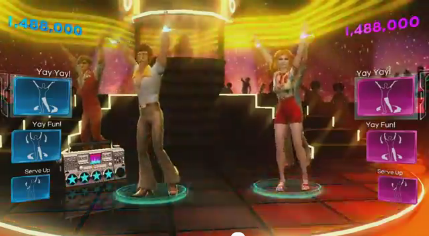
This year however, it’s clear that the emphasis is on improving the depth of the music in the catalog including what I think is exclusive license to much of Usher’s music and Usher’s dance moves.  There is also the introduction of the greatest dance hits from past eras going back to the 70’s, image80’s, 90’s, and 2000 decades.  They’ve also made some emphasis on changing the player avatar’s look and feel to embrace the era of the music being played.

I honestly wasn’t that enthused by the direction this title was headed until I heard the music they were showcasing and suddenly it made sense.  While other titles are double downing on current titles much like what we’re doing with Usher, we’re also grabbing rights to major floor hits like Gloria Gaynor’s, “I Will Survive”, “Doin’ the Butt”, & “Electric Slide”.  If you hear some of these songs, you can’t help but start tapping your foot.  You might not like Katy Perry… but you’ll like these songs & the proof is in the album sales.

Posted by: kurtsh | June 10, 2012

INFO: E3 2012 – Microsoft’s Keynote Announcements

Our official coverage is located at the Xbox E3 Web site at:
http://www.xbox.com/en-US/e3/

Microsoft E3 2012 Press Conference

Here’s the list of announcements we made at the keynote in case you’re interested:

HARDCORE GAMER STUFF:

CASUAL GAMER STUFF:

« Newer Posts - Older Posts »

Categories