There’s so many awesome Windows Phone apps out there that I decided to start publishing some of my favorites that I find throughout the week.

  • imageCamCard
    http://www.windowsphone.com/en-US/apps/3c3052ac-115d-e011-854c-00237de2db9e
    CamCard is a professional business card reader. Take a picture of a card with phone camera and contact information will be recognized via cloud based service. The contact information can be recognized automatically and saved in Card Holder. You can easily manage all cards in Card Holder by searching, sorting, editing and so forth.


  • imageAircharge
    http://www.windowsphone.com/en-US/apps/201dd3ee-1dd9-48d3-8816-563211c39c1d
    Turn your cell phone into a “sell” phone. AIRCHARGE technology enables you to perform credit card swiped and manual transactions right on your cell phone – no more declined credit cards or delayed payments. Accept credit card payments in your car, at trade shows, while traveling . . . anywhere your phone will go! The AIRCHARGE solution allows you to obtain real-time authorizations just about anywhere.


  • imageSeeIt!
    http://www.windowsphone.com/en-US/apps/89493cf2-e7eb-4563-bbd1-08d7adce839d
    Record videos w/o being noticed. Pics too! Similarly, you may take pictures in a really stealthy way without being noticed. Capture video and photos while looking at a text, black screen or photo. Start SeeIt! in stealth mode so if someone tries it on your phone, all they get is a note-taking app. Filter your files by using a date and time. Upload videos to SkyDrive easily. Automatic or manual picture capture with optional vibration feedback.

imageThis might seem trivial but it should serve as a reminder to everyone that everything in computers these days is configurable and that Bing’s capabilities are no exception.

One of the most important pages for Bing users to know is:
http://www.bing.com/account/web

This is where you can set:

  1. How many results you get per page?
    (The default is 10.  Do you really want to click next page, next page, next page… over and over again?)
  2. What language you want?
    (The default is “all languages”.  Do you care about Chinese language results if you don’t speak Chinese?)
  3. Open links in new browser window?
    (You leave your search results page if you click on a link.  Do you want to keep having to click the back button?)

Do it once & forget about it.

imageI’ve bought several laptop cooling pads & the best I’ve bought to date was the “Targus Dual Fan USB 2.0 4-port Chill Hub”, partially because I love that it’s a USB 2.0 hub, but mostly because it’s lasted me a long time.  Most of these laptop cooling pads run into 1 of 3 problems:

  1. NOISE – The fans get clogged with dust or just start to warp from heat and wear.  The result is buzzing, clicking, and otherwise annoying noises that you have to deal with while you work.  Dealbreaker.
  2. FAILURE – The fans STOP.  This has happened on the majority of the cooling pads that I’ve used over the past 20 years.  I have historically run powerhouse laptops that run very hot and I don’t know if it’s the head dissipation that gets them or just that their MTBF sucks but they usually eventually die in a year or two.  Dealbreaker again.
  3. OVERLOAD – These units consume power off your USB bus, and if the unit is also a USB hub, you can bet that the power drain off your USB will stack.  The only resolution for this is if the unit supports a secondary AC power adapter, which only makes sense being that you’re not gonna move from place to placed with this cooling pad.  But alas, most manufacturers don’t supply an AC adapter and depend purely on the USB port.

I have 5 laptops in my home, all running and most of the cooling pads I bought were cheap and failed.  Why am I not just buying a new Targus unit?  Well, it’s cooling capability – while functional – isn’t really very good.  And the cooler your laptop runs, the longer it operates… and the better actual speed & performance you see from it.  (Ask any gamer)

So here’s the results of my quest for a new laptop cooling pad standard:
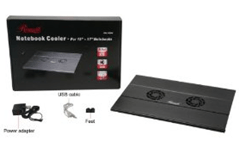
imageRosewill 15.4" – 17" Notebook Cooler with 4-Port USB Hub Model RNA-7600W ($39.99)
http://www.amazon.com/Rosewill-15-4-Notebook-Cooler-RNA-7600W/dp/B004PCB36E

While the unit can be powered directly off your laptop’s USB port, what’s interesting about the Rosewill is that it comes with an AC adapter to power the unit’s fans & backup the 4-port USB 2.0 hub.  Eff yeah.  No more "you’ve-plugged-in-one-too-many-USB-devices”.  It also comes with some rubber feet to ensure your laptop stays in place.  Nice touch.  The only thing is, the fan vents are clearly not very “open” and overall, the configuration, even with the USB 2.0 4-port hub is somewhat pricey.
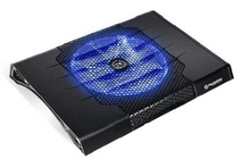
imageThermaltake Massive23 ST Notebook Cooler ($29.95)
http://www.amazon.com/Thermaltake-CLN0009-Massive23-Notebook-Cooler/dp/B002JM1RLS/

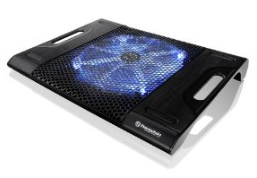
Thermaltake is a renowned name in the computer cooling industry so they know their stuff.  The unit has a massive fan under it to ensure maximum cooling.  This is clearly targeted at folks like me that have quad core laptops with the potential for significant heat build up.  And it has a glitzy blue neon light that emanates from the fan area, which can be disabled if it bugs you.  It doesn’t matter where the vent is on your laptop’s underside:  The Massive23 ST will aerate it.  A little pricier than most units but if you want top notch cooling, you’ll pay top notch prices.  My only concern is the noise generated from the fan but Thermaltake historically knows how to keep the fans quiet and the feedback on Amazon about it’s lack of noise appears to be very satisfactory.  One drawback is that the power cable does chew up a USB port since it’s USB powered.
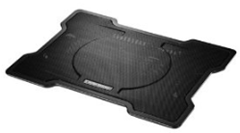
imageCooler Master X Slim Notebook Cooler (R9 NBC XSLI GP) ($16.23)
http://www.amazon.com/Cooler-Master-Slim-Notebook-XSLI/dp/B005C31HC0/

Cooler Master is the “other” big name in the cooling industry famous for their PC chassis fans and water cooling technology.  Again, their X Slim offering has a massive fan under it with a mesh layer beneath to ensure good airflow and maximum cooling.  Interestingly, I’ve read that despite it being MUCH cheaper than the Thermaltake, it cools better.  Several comments stated that this unit for whatever reason produces significantly greater air flow and overall better cooling so this may be a big factor for some.  One thing about this unit however is that it’s THIN and appears to be designed to provide a lower profile than other units.  And it comes with a USB 2.0 passthrough connector to power the fan so while it has to plug into a USB port, you don’t lose the port for use with something else like a mouse.
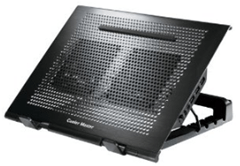
imageCooler Master NotePal U Stand with USB Hub ($40.99+$6.49 = $47.49)http://www.amazon.com/gp/product/
B005KQ3AFG/ref=ox_sc_act_title_1?ie=UTF8&m=ATVPDKIKX0DER

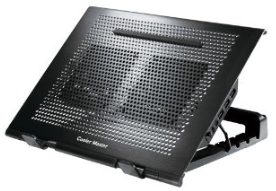
WHOA.  Now we’re talkin’.  This appears to be the big brother to the X Slim.  Definitely not as low profile but with a 4 port USB 2.0 hub off of it, who cares?  Equipped with TWO 100mm fans, the unit is barebones to maximize air throughput like the X Slim above but also has the trademark Cooler Master grill.  One thing that is a little annoying:  The unit does NOT come with an AC power adapter for the USB 2.0 4-port hub which isn’t technically necessary unless you are concerned about USB bus power – which I am.  Ultimately, this is a separate purchase at about $6.49 making the total a VERY pricey $47.49:
http://www.amazon.com/Premium-External-Adapter-2-5-inch-Enclosure/dp/B001PUSERA/ref=pd_bxgy_e_text_b
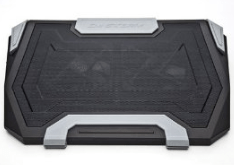
imageCooler Master Storm SF-19 19" Laptop Cooler with USB 2.0 (SGA-4000-KKNF1) ($49.99)
http://www.amazon.com/Cooler-Master-Storm-Laptop-SGA-4000-KKNF1/dp/B004G603E2/

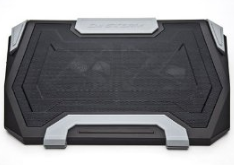
Again, another Cooler Master with a USB 2.0 hub on it.  What differentiates it is that it comes with the AC adapter for the hub while also adding on LED lighting similar to the ThermalTake unit above with user selectable colors and ambient glow effects.  Interesting.  And excellent all around reviews as well as the fans are replaceable and the whole unit seems to be quite modular.  However, its pricey at $49 and even with the AC adapter included, it prices above the Cooler Master Notepal U stand.
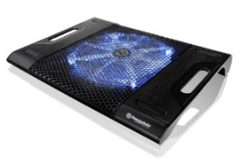
imageThermaltake Massive23 LX Laptop Notebook Cooler Oversized 230mm Blue LED Fan USB CLN0015 ($27.90)
http://www.amazon.com/gp/product/
B003ZUXXWO/ref=ox_sc_act_title_1?ie=UTF8&m=ATVPDKIKX0DER

I’m not going to write much about this other than to say that with only 2 USB ports on it, and some rather all-over-the-place feedback on it’s performance as an actual cooling system, I’m probably just going to pass.   It seems very similar to the Massive23 ST though.
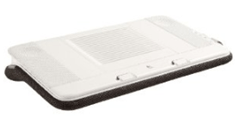
imageLogitech Speaker Lapdesk N700 ($97.99)
http://www.amazon.com/Logitech-939-000287-Speaker-Lapdesk-N700/dp/B0032ALZIQ/ 

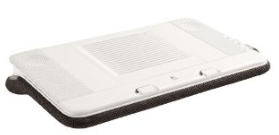
$100 for a laptop cooler:  Riiiiight.  But this is different:  It’s got a multispeaker digital sound system built into it for high quality audio.  Intrigued?  Tell you more?  I thought so.  The unit requires only a hidden USB cable to be connected to your laptop and you instantly get both USB-powered cooling as well as digital audio-over-USB sound, including a subwoofer at the base.  Nice.  And there are integrated volume & fan controls on the side.  The one big issues is that… it’s big.  It’s designed truly for LAPS and not really for seated office use.  I might still look into this though… at least for my wife who computes on the bed a lot.

—————————–

CONCLUSION
In the end, I picked up 1 unit of Cooler Master NotePal U Stand with USB Hub and 3 units of Cooler Master X Slim Notebook Cooler.  I will report back after I’ve put them into good use however based on the feedback I’ve read, I think I’m going to be running a lot cooler and worry a lot less.

A WORD ABOUT CLEANING THE HEAT SINK:
As a side note, the best tool you can get is a $5 can of non-chemically based compressed air to clear out the heat sink on your laptop.  A single cleaning of the heat sink on your laptop by blowing air into the air vent will take 5 seconds & for those that haven’t done it before, can drop heat retention & build up by a good 400%.  It’s astonishing how dust on the heat sink prevents heat dissipation.

imageOn Monday, July 2, 2012, Charlie Rose interviewed Bill Gates about his philanthropic work and The Gates Foundation.

The video is about 53 minutes long and is a good overview of the things that Bill has been working on recently.

And he talks a little bit about ‘tablets’.

Posted by: kurtsh | July 3, 2012

DOWNLOAD: Desktop background for the Surface geek

Awesome.

GotitWantit2

Posted by: kurtsh | July 3, 2012

NEWS: Microsoft to acquire Yammer for $1.2B

image

Well, this took a while but it’s finally public.  Microsoft is officially acquiring Yammer for $1.2B.

TL;DR
For the folks with short attention spans, here’s the quick version of some of the interesting distinctive features of Yammer that differentiate it from SharePoint:

  1. ONLINE SERVICE
    It’s a shared service that runs in the cloud.  It is delivered to customers from Yammer’s datacenter and accessed over the Internet, wherever they happen to be and can be stood up at a moments notice.  This is not SharePoint – there are no holes to punch in the firewall, and no reverse proxy to set up.  It is not SharePoint Online either.  There is definitely a huge amount of investment going into SharePoint Wave 15 in the social networking space but SharePoint is a MASSIVE platform for collaboration.  Social networking is just one piece of that platform & it shouldn’t at all be confused with what Yammer provides which is a social networking “pure play” that adds, among other things, the two elements below:
  2. CLIENTS
    There are numerous software-based clients for Yammer beyond the typical web browser interaction that enriches the experience for other platforms by reformatting the screen for different dimensions (phone, tablet, laptop, etc.), enabling device specific views & input interfaces (GPS for phones, interfaces that make room for softkeyboards on tablets) etc. to make the
  3. INTEGRATIONS
    The Yammer service has been provisioned to provide integration with some of the biggest products on the market – Microsoft or otherwise – that businesses use either in house or in the cloud.  Yes, this means that Yammer can be integrated with services on their local network, within a company’s Intranet like SharePoint, as well as with secured 3rd party cloud services such as Salesforce.com, SAP, and Microsoft Dynamics Online.
  4. CUSTOMER BASE
    Yammer is the single fastest growing social networking platform for business and part of this is definitely it’s cross-platform availability as well as it’s out-of-box integrations with the software & services customers want.  But because it’s so easy & uncomplicated to stand up for any given customer, I believe it has very broad use in customer segments that Microsoft traditionally hasn’t had a large user base in with regard to SharePoint on premise, SharePoint Online, & our current social networking technologies.

WHAT IS YAMMER?
Yammer is a hosted online service that provides social networking customized specifically for Enterprise companies.  Often called the “Facebook for the Enterprise”, Yammer delivers turnkey social networking capabilities for companies looking to rapidly bring their organization online with social network functions like microblogging, grouping, notifications, content sharing, discussions, commentary, etc. and it does so securely & without the hassle of managing the infrastructure.

CAN YOU GIVE ME AN EXAMPLE?
Sure.  Below is the URL for Microsoft’s own Yammer site.  You won’t be able to get into it without a Microsoft account, of course, but I thought I’d show the URL at least to drive home the point that it’s an ONLINE SERVICE.

What you see below is a snapshot of Microsoft’s own corporate Yammer social networking site in it’s early stages. (Highly redacted for obvious reasons)  Look familiar?  It should.  Yammer’s not called the “Facebook for the Enterprise” for nothing.

image

OKAY.  SO IT’S FACEBOOK-ISH.  SO WHAT?
And like Facebook, there’s a lot of ecosystem elements that are developed for it that save companies interested in social networking time & effort in implementation & support.  For example:

CLIENTS
There’s Yammer clients available for Windows Desktop, iPhone/iPad, Android, Windows Phone, & Blackberry.

image

INTEGRATIONS
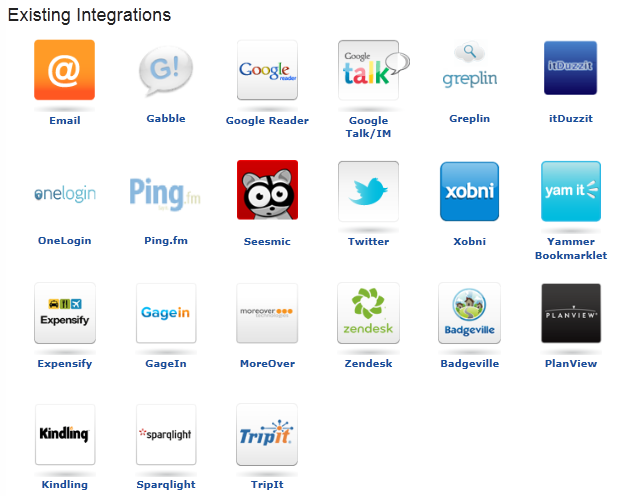
There’s Yammer integration technology that’s engineered & provisioned for more than 50+ applications – both online services & on-premise applications.  Here’s just a few of the more famous services integrations exist for:

  • Microsoft SharePoint®This collaboration software helps simplify business intelligence, content management, and search for intranets. Integrate Yammer feeds, notifications, activity streams, and more to get the most out of SharePoint.
  • Freeborders/SAPThis Enterprise Resource Planning (ERP) solution helps improve processes for finance, HR, sales, and other departments. Surface SAP activity in Yammer, where employees can easily discover and discuss it.
  • Directory SyncStreamline provisioning and de-provisioning of Yammer accounts. Directory Sync automatically synchronizes user additions and deletions with your existing company directory.
  • Salesforce.comThis Customer Relationship Management (CRM) tool helps sales organizations find and keep customers. Deliver updates on accounts, opportunities, campaigns, and more from Salesforce.com to Yammer.
  • Microsoft DynamicsThis line of ERP and CSM software applications helps improve business processes across departments. Aggregate Dynamics activity in Yammer for employees to track and share.
  • SpigitThis social innovation and crowdsourcing software helps organizations identify and manage good ideas from employees, customers, partners, and fans. Surface ideas from the SPIGITENGAGE premium product or the free ICON product in Yammer.

image

Posted by: kurtsh | June 21, 2012

DOWNLOAD: Audible for Windows Phone

6 of 8The long awaited Audible for Windows Phone is now available on the marketplace.  So go get it.  It’s free.  Go.  Now.  Why are you still reading this?
Audible.com, the internet’s premier provider of digital audiobooks and more, is now available for Windows Phone! This free app features the most comprehensive audiobook experience ever, including the ability to download from your Audible library, detailed listening stats, access to the Audible mobile store, and much more. Not an Audible member yet? We’ve included 8 excerpts from some of our favorite authors to get you started. Audible for Windows Phone features the best audio book listening experience and more:

  • Bookmarking, Sleep Mode, Button Free Mode, and Play as you Download
  • Earn badges and track your personal listening habits
  • Browse and discover 100,000+ digital audiobooks and more in the Audible mobile store; from best sellers to timeless classics, and everything between
  • Connect to Facebook and Twitter to let your friends know what you’re listening to
  • Get insider information about author events and more with the Audible Newsfeed

The best listening experience for audio books Supports Audible.com, Audible.co.uk, Audible.de

imageHere’s one config change that I forgot to do on my new Windows 7 laptop and just thought about documenting on the blog.

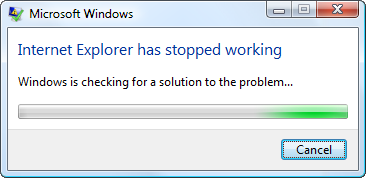
Are you tired of the phrase, “Windows is checking for a solution to the problem…”?

I never get anything out of this any more.  I always hit cancel so why not just disable it? 

It’s actually quite easy.  All you have to do is:

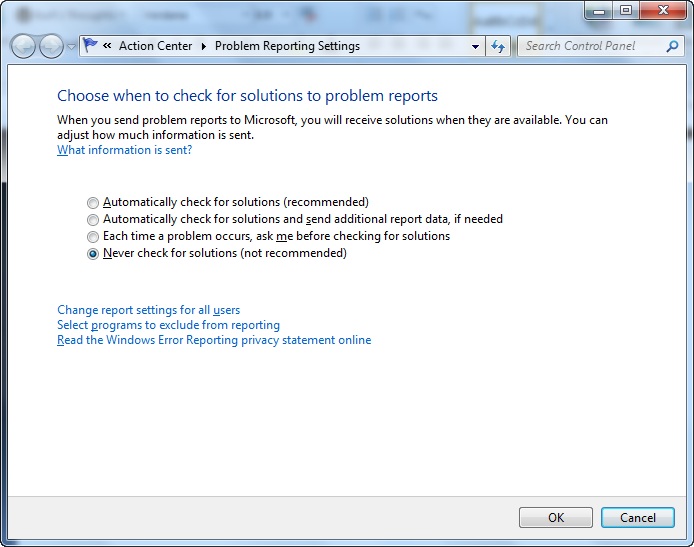
  1. Click on the Action Center icon on your taskbar (white flag) -> Change Action Center settings -> Problem reporting settings –> Select the “Never check for solutions” radio button
  2. Or, you can use the Windows search box by clicking START & typing “Choose how to report problems” into the search box.  This will take you directly to the screen below and allow you to select the “Never check for solutions” radio button.

image

Posted by: kurtsh | June 18, 2012

INFO: Searching Twitter & its search operators

imageTwitter has been something of a nightmare for me to search.  Maybe I’m just not very good at it but I rarely get good results when trying.  It’s one of the reasons I decided archive everything I ever get in my feed & everything I tweet into an Outlook 2010 .PST using TwInbox -  just to get some decent search indexing on Twitter content that’s important to me.

One thing I did find useful was when searching Twitter, there are a list of operators that you can use to provide better search targeting.  This list is below:

Posted by: kurtsh | June 18, 2012

RELEASE: Forefont Identity Manager 2010 R2

<stolen from the Microsoft Server & Cloud blog>

imageForefront Identity Manager (FIM) 2010 R2 is now generally available! FIM 2010 R2 adds many new capabilities to help organizations handle the growing complexity of managing identity and permissions across heterogeneous systems. We feel that 2010 R2 is the best FIM release yet – and wanted to review just a few of the new capabilities you’ll find inside.

Improved Self-service Password Reset
A cornerstone of the FIM 2010 experience has always been enabling end users to manage their own identity – a key part of which is making it possible to reset passwords. Password resets can be an incredibly expensive burden for helpdesks – with some studies showing the cost as high as $10 per reset! They also bring their share of user frustration, with password policies that vary across systems and delays in helpdesk response. First introduced as part of FIM 2010, Self Service Password Reset (SSPR) has been significantly improved for FIM 2010 R2. Now with an improved enrollment process, deploying SSPR is easier than ever. We’ve also extended the password reset portal to work with many of the most popular web browsers available (including Internet Explorer, of course!), and now support extranet-based reset experiences as well. Together, the browser-based reset and extranet support mean that your users can resolve password issues wherever they are, from nearly any device.

Role Based Access Control
Microsoft acquired BHOLD Software in 2011 as part of our ongoing commitment to deliver the comprehensive set of tools our customers need to tackle their identity challenges. As part of the FIM 2010 R2 release, the BHOLD software is extended to all FIM 2012 R2 customers. Any customer purchasing FIM 2010 R2, or currently under Software Assurance is now licensed to take advantage of the many capabilities within the Microsoft BHOLD Suite.
The Microsoft BHOLD Suite allows customers to easily define and manage access based on user roles. Roles are mapped to multiple permissions across many systems, simplifying access privileges from the user perspective. This capability also helps ensure that access rights are maintained over time – even during position, location, and responsibility changes. Once in place, the BHOLD Suite can be used to help demonstrate compliance with organizational and industry/governmental regulations, saving valuable time.

But Wait, There’s More!
In case that wasn’t enough, there are many other areas in which FIM 2010 R2 offers improved functionality.

  • In response to popular demand, we’re happy to say that we’ve made significant improvements to the reporting engine. FIM 2012 R2 now leverages the System Center Service Manager Data Warehouse to store and display reports. Since the System Center Service Manager Data Warehouse is built around SQL Server Reporting Services (SSRS), reports may be run through that interface as well.
  • To more easily connect your third-party business applications, we’ve made the new WebServices Connector available on the Microsoft Download Center. The WebServices Connector is used to connect to SAP ECC 5/6, Oracle PeopleSoft, and Oracle eBusiness. It is an optional component for FIM 2010 Update 2 and FIM 2010 R2 and can be used on either version.
  • You’ll also see lots of improvements in the areas of performance, simplified deployment and troubleshooting, better documentation, and more language support.

Hopefully I’ve conveyed just a bit about how excited we are about this latest release of FIM 2010 R2. Now that we’ve given you a snapshot of what to expect, please check out http://www.microsoft.com/fim for more information — and download an evaluation version of FIM 2010 R2!

« Newer Posts - Older Posts »

Categories