Posted by: kurtsh | November 8, 2012

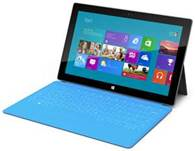
INFO: A primer on Surface… the basics.

image

For anyone that’s looking for a quick primer on Surface basics from this blog:

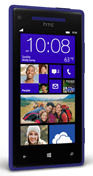
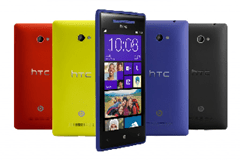
imageIn case you haven’t heard the comments from tech pundits & media journalists, Mary Jo Foley & Paul Thurrott about the HTC 8x, you’re in for a treat.  (FYI: Windows Weekly is the largest, most broadly distributed podcast for Microsoft technology in the world.)

Key quotes include:

  • Mary Jo Foley (ZDNET, All About Microsoft), on the HTC 8X
      • “I think this [HTC 8X] is my next phone.”
      • “It’s really nice… really light.  It just has been a really good experience using it so far.”
  • Paul Thurrott (Windows IT Pro Magazine, WinSuperSite), on the HTC 8X
      • “Yeah, this [HTC 8X] is also my next phone.”
      • “This phone is so beautiful… when you look at Windows Phone 8 in the past, the software’s always been excellent… the one area that’s always been lacking has been the hardware… The beautiful thing about this phone – the thing that really sets it apart – is that this is the most beautiful smartphone there is on the planet.  Including the iPhone 5.  It is BEAUTIFUL.  And you can put this right next to an iPhone 5 or an S3 or whatever… and this is the nicest looking phone… it’s an amazing achievement.”
      • “You used to put up with a bland phone that no one was ever going to question… with this phone though, people wanna know what this is. This is beautiful and people hold this and say “Oh My God, this is so awesome”.  It’s just so NEAT.”
Posted by: kurtsh | November 6, 2012

INFO: Microsoft’s Bluetooth Mice… avoid the dongle!

imageAttention Surface or Windows 8 / RT tablet owners: 
You have Bluetooth 4.0!  You have a mouse pointer on your device!  Why not use them both… and avoid the USB dongle?

Get a small portable Bluetooth mouse for use with your Surface or Windows-based Tablet!  I keep one with me all the time.  My all-time personal favorite is the Microsoft Wireless Notebook Presenter 8000 which we sadly do not sell any more, however the following mice are really nice alternatives, especially if you have a Windows Tablet!

All our mice – including Bluetooth enabled ones – are located here:

The Bluetooth mice that you will want to look at are the following:

clip_image002clip_image004clip_image006

Having the scroll wheel on your mouse is revolutionary when you start using it with Windows 8 / RT.  And when you’re seated, you can feel your productivity go into turbo when you’re using the mouse & keyboard instead of poking around.

I’ve used the Bluetooth Notebook Mouse 5000 for a quite a while.  It’s been around for a long while and is reliable as all heck.  The Bluetooth receiver on the mouse maintains a solid BT connection (unlike a lot of other mice) and so you will probably appreciate that.   The other two mice are brand-spanking new (less than a month old) and are designed for the next-generation of tablets & Windows-laptops so you can’t really go wrong.

Posted by: kurtsh | November 5, 2012

DOWNLOAD: Real-time Election Tracker for Excel 2013

image

Check this out:  It’s an Election Tracker template for Excel 2013!

This template contains an Excel app for Office that connects to real-time data. It allows you to track the 2012 US elections. It includes the presidential and Senate races, as well as popular polling. It uses predictions from PredictWise.com.

imageThe latest release from the Microsoft Assessment and Planning (MAP) team provides organizations with tools to accelerate their migration to the cloud.

Download the beta materials on Connect:
http://go.microsoft.com/fwlink/?LinkId=219165

Thanks for your ongoing interest and participation in the MAP beta review program. We hope you’ll take the time to preview and provide feedback on MAP 8.0 Beta.

Accelerate your Windows Server 2012 migration with Microsoft Assessment and Planning (MAP) Toolkit 8.0 Beta. This latest version of MAP adds new scenarios to help plan your environment with agility and focus while lowering the cost of delivering IT. Included in MAP 8.0 Beta are hardware and infrastructure readiness assessments to assist you in planning the deployment of Windows 8 and Windows Server 2012, preparing your migration to Windows Azure Virtual Machines, readying your environment for Office 2013 and Office 365, and tracking your usage of Lync.

Determine your Windows Server 2012 readiness
MAP 8.0 Beta assesses the readiness of your IT infrastructure for a Windows Server 2012 deployment. This feature includes detailed and actionable recommendations indicating which machines meet Windows Server 2012 system requirements and which may need hardware updates. A comprehensive inventory of servers, operating systems, workloads, devices, and server roles is included to help in your planning efforts.

Determine your Windows 8 readiness
MAP 8.0 Beta assesses the readiness of your IT environment for a Windows 8 deployment. This feature evaluates your existing hardware against the recommended system requirements for Windows 8. It provides recommendations detailing which machines meet the requirements and which may need hardware upgrades. 

Key benefits include:

  • Assessment report and summary proposal to help you understand the scope and benefits of a Windows 8 deployment
  • Inventory of desktop computers, deployed operating systems, and
    applications

Assess your environment for Office 2013 and Office365
MAP 8.0 Beta assesses readiness for Office 2013 and Office 365 and provides an in-depth assessment of client desktops for upgrading or migration. This feature also offers support for Office 365 features such as web apps, Exchange Online, SharePoint Online, or full Office 365 client support.

Migrate to Windows Azure Virtual Machines
MAP 8.0 Beta performs a comprehensive assessment of Windows Server and Linux machines to determine feasibility of a migration to Windows Azure Virtual Machines. MAP then provides suggested changes to prepare targeted machines for migration. This feature helps you reduce the operating costs of hosting on-premise servers, as well as estimating the required size and monthly network and storage usage required to migrate on-premise Windows and Linux servers to Windows Azure Virtual Machines using actual data from the targeted environment.

For a comprehensive list of features and benefits, visit the Connect site: http://go.microsoft.com/fwlink/?LinkId=219168

Tell us what you think!
We value your input. Download the beta on Connect and tell us what you think! Send your comments to the MAP team: MAPfdbk at microsoft dot com

Availability
This program is now open. The beta review period will run through December 14, 2012.

Tell your friends
To join the beta review program for Microsoft Assessment and Planning (MAP) Toolkit 8.0 Beta, visit Microsoft Connect at: http://go.microsoft.com/fwlink/?LinkId=217916.

Learn more
Visit the MAP home page: www.microsoft.com/map

Get the latest news straight from the MAP team: http://blogs.technet.com/mapblog

MAP works with the Microsoft Deployment Toolkit and Security Compliance Manager to help you plan, securely deploy, and manage new Microsoft technologies—easier, faster, and at less cost. Learn more at www.microsoft.com/solutionaccelerators.

Follow Solution Accelerators on Twitter to get the latest tips and updates: @MSSolutionAccel

One of the neat features of Windows Phone 8 is “Kid’s Corner” which essentially switches your phone into a children’s playground, presenting a custom START page of apps for your kid that you control.  I for example, only have Sesame Street, First Start, and Angry Birds apps on mine.  To switch out of this, you unlock the phone with your unlock PIN.

But how do you do that on Surface or Windows 8/RT device?

CREATING A ‘KID’S DESKTOP’
It’s quite simple really.  You create a new Microsoft Account for your kid, a new profile for your kid on your tablet using that new account, and switch to it when he/she wants to play.  This will allow you to:

  • Customize his/her START screen with it’s own background/colors
  • Present ONLY the apps you want him/her to use
  • Arrange the apps in an order that is easy for them use
  • Monitor their use using Windows 8/RT Family Safety

image

This is what my kid’s profile looks like on my Surface.

The way you do this is:

  1. Create a Microsoft Account for your kid at https://signup.live.com/. (Review the account at http://account.microsoft.com)  Follow the instructions and verify that you have the correct user name and password.
  2. Go to Charms Bar –> Settings –> Change PC Settings
  3. Click “Users
  4. Click “Add New User
  5. Enter the login ID of the Microsoft Account you created for your kid.
  6. Switch user accounts by going to the START page, clicking your name in the upper right, and selecting your kid’s account.
  7. Reconfigure the new profile to your heart’s content via Charms Bar –> Settings –> Change PC Settings.

ADDING YOUR PURCHASED GAMES/APPS TO YOUR KID’S PROFILE
Now, by default, your kid won’t see any of the apps you’ve purchased & installed on the device you’re using, so the trick is making your Microsoft Account purchased apps available to this NEW profile.  Remember that games (like Angry Birds Space) are present in YOUR profile on the machine using YOUR Microsoft Account, not other profiles like your kid’s – even if you’re both logging into the same machine.

image

Don’t worry – the process is simple.  All you have to do to make your purchased games from YOUR Microsoft Account appear on your kid’s profile is:

  1. Login to your kid’s profile then go to the Store.
  2. Open Settings by swiping from the right. 
  3. Click “Your Account”.  Your kid’s Microsoft Account should be listed as the currently logged in Microsoft Account.
  4. Click “Change User” & enter in your Microsoft account details.
  5. Click the ‘back button at the top.  (<—)
  6. Swipe down on the screen to reveal the “Your Apps” link.  Click “Your Apps”.  You should be presented with an list of all the Apps you own.
  7. Select the Apps you wish to have available in this profile & click “Install”.  Don’t worry – it won’t download & reinstall the apps.  It’ll only make them available in this profile so it’ll be really quick if they’ve already been installed in another profile.
  8. Pop out to the START screen and walla:  You now have your selected apps available in your kid’s profile.

SurfaceBash

UPDATE – AUGUST 5, 2013:
Well, my wife added to the Surface brutality.  She dropped it on concrete from about 4 feet and it landed on it’s corner.  This is the result.  Thanks honey.

And yes, it still works perfectly fine.

——————
UPDATE – AUGUST 1, 2013:

Looks like approaching a year later, my mishap continues to serve Microsoft as a testament to the Surface’s durability. 🙂

———————-
ORIGINAL POST – NOVEMEBER 4, 2012:
I wrote this up seeing as I’m sure many others have done something similar with their tablets:

image‎30 min ago, I left a pizza joint, freshly loaded w/ $37 in lunch for my family… and I left my Surface/64GB on the roof of my car.

I guess it stayed there for several blocks as I sped down a main thruway before I made a lane change on Westwood Blvd & it lost its grip, slid off the top, & careened off the side of my car into the middle turn lane. (sob)  Several onlookers watched in horror as the device toppled corner-over-corner finally resting a lane over from where I was.

Then a car going the opposite direction drove over it while making a left turn. (!!!)

Now as a pre-sales tech, I freaked.  The Surface was my personal unit & this was no “hey-let’s-test-drop-the-unit-from-4-feet-and-see-what-happens” on-stage demonstration:  This was a hardcore, real-life, on-asphalt, gutcheck test of the unit’s durability.  In a geekpanic, I stopped my car in the middle of the road and ran out to find it.  A pedestrian shouted its location having watched the whole thing happen, then asking, "Damn dude – is it okay?"

  1. WP_000856While it was ‘run over’, I don’t think the other car’s tires ever actually hit the unit since I didn’t see tread marks. (Thank goodness)
  2. Besides 6-7 hard nicks on the magnesium casing & lots of scratches to the backside paint (click photo to the right to see the detail of the damage) … THE GLASS IS FULLY INTACT & DEVICE COMPLETELY FUNCTIONAL.
  3. BTW: I’m an idiot.  And Surface rules.

EPILOGUE:
As I typed this post, Xbox Music SmartDJ in the background started playing this & I started lol-ing.  Man, that SmartDJ’s smarter than I gave it credit for.

“Bad Day” – Daniel Powter

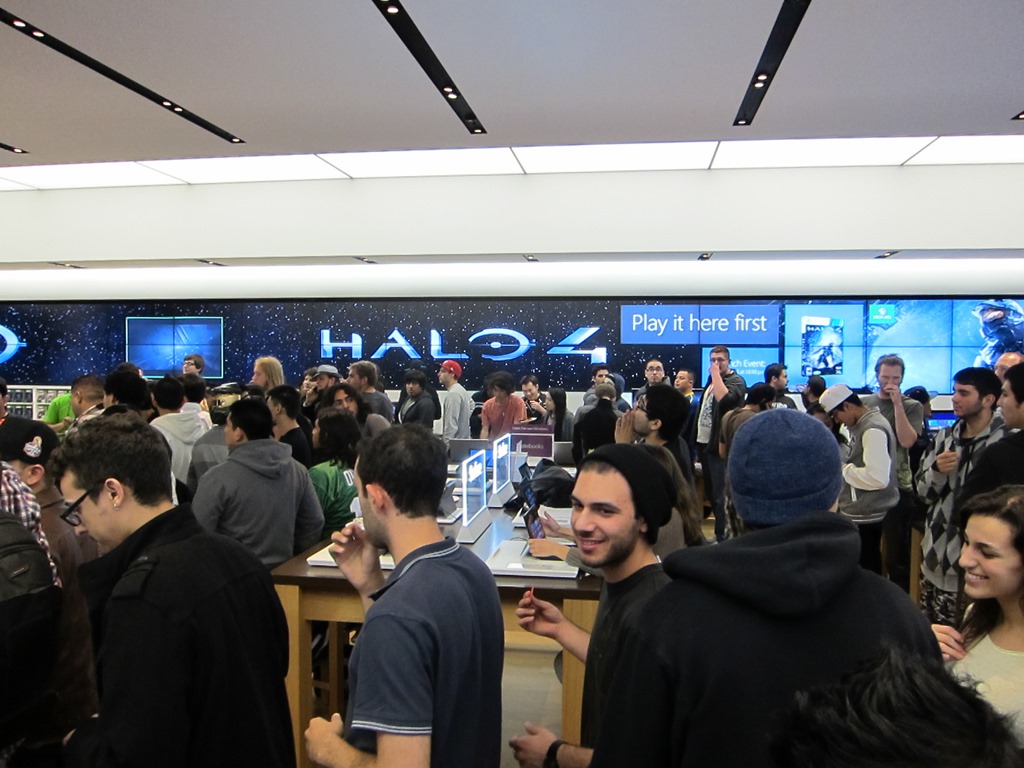
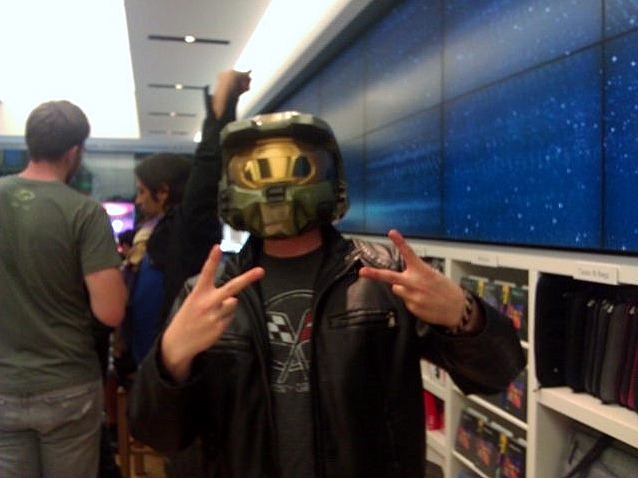
imageFor you Halo fanatics out there, there’s a midnight launch party at the Microsoft Store in Century City. 

Microsoft Store Los Angeles
(Westfield Century City)

10250 Santa Monica Blvd
Los Angeles, CA 90067
Phone: (310) 228-3550

Show up before 12:00Midnight, pre-order your copy of Halo 4 at the store when you get there (or beforehand), & get a $25 giftcard.

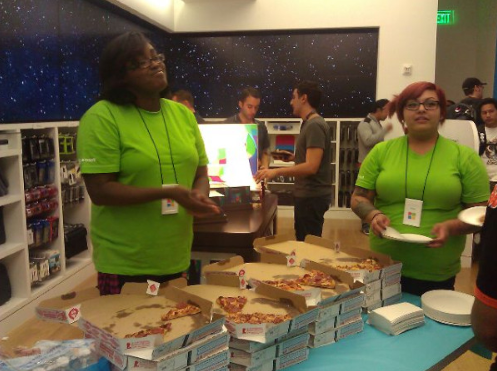
While you wait, get free energy drinks, free pizza, a Halo 4 tournament with prizes to the victors, the chance to game against other Halo fanatics, a DJ mixing up some great music, & all kinds of raffle swag & surprises…? 

Come get the “the most expensive game Microsoft has made”, according to Phil Spencer, Microsoft Game Studios director:

OH, BTW:  LIMITED EDITION AVAILABLE
imageOops, did I forget to mention the availability of the Limited Edition?  Better pre-order it while it’s in stock.

Limited Edition includes: 

  • War Games Map Packs:  Access to nine maps—three future competitive multiplayer map packs, each including three locations, available for download post-launch on Xbox LIVE.
  • Specializations: Receive early access to six Specializations, available at launch on Xbox LIVE, and use them, one at a time, to achieve higher ranks in your Spartan career. In addition to gaining access to new ranks, Specializations unlock new customization options.
  • The Special Edition of Halo 4: Forward Unto Dawn, a 90-minute extended version of the live-action digital series which will take fans back to the terrifying beginning of the Human/Covenant war, when the Master Chief inspired a young cadet who would eventually become a leader aboard the UNSC’s greatest vessel ever: the UNSC Infinity.

See you there!

Posted by: kurtsh | November 3, 2012

VIDEO: Halo 4: “Forward Unto Dawn"–Mini Series

If you’ve been living in a cave, you may not know about the live action mini-series that sets up the launch of Halo 4 (coming this November 6th) called “Halo 4: Forward Unto Dawn”. 

These episodes were released on a weekly basis until the launch.  Here is episode 1:

Halo 4: Forward Unto Dawn (Part 1)

Here are all 5 episodes of the series – each are roughly 20 minutes long, making the series in its entirety, the equivalent of a full length motion picture:

  • EPISODE 1: https://www.youtube.com/watch?v=BfJVgXBfSH8
    Hastati Squad, the newest batch of freshman cadets at the UNSC’s Corbulo Academy of Military Science, pays the price for cadet Thomas Lasky’s tactics.
  • EPISODE 2: https://www.youtube.com/watch?v=K56gSEJ6IGc
    Cadet Michael "Sully" Sullivan continues to decode the hidden ONI combat video as Lasky’s struggle with his place in the UNSC ignites with fellow cadet Walter Vickers. After a classroom confrontation with Captain Mehaffey and a challenge from Chyler, Lasky pulls Hastati Squad back from the brink…at a terrible physical cost to himself.
  • EPISODE 3: https://www.youtube.com/watch?v=WbBYG77VeCE
    Just as Hastati Squad is confronted by a video of secret ONI super-soldiers, their war and their whole universe are changed forever by a much more deadly surprise.
  • EPISODE 4: https://www.youtube.com/watch?v=FZ_xn889cSk
    While Corbulo Academy is being destroyed by the Covenant invasion, the surviving cadets fight bravely alongside their only hope: The Master Chief.
  • EPISODE 5: https://www.youtube.com/watch?v=gULQ5GFIkcA
    After a terrifying night of combat and loss, Lasky makes a life-or-death decision to help the Master Chief… but will it be enough to save them all from the Covenant?

imagePRE-ORDER NOW.  SERIOUSLY.
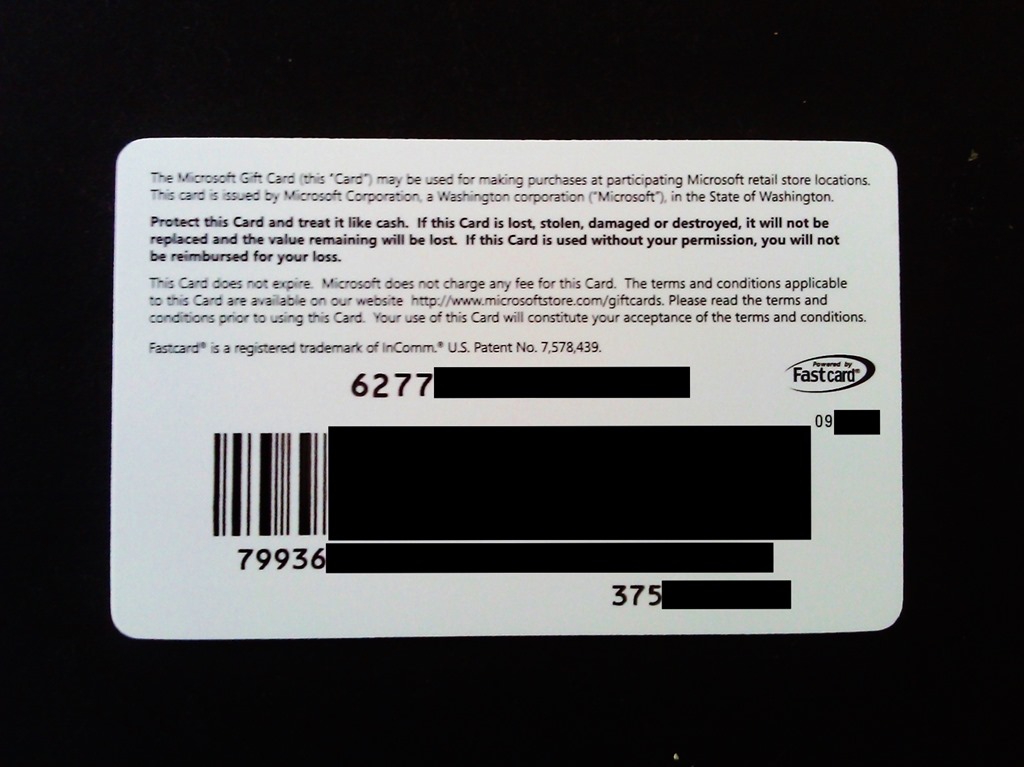
If you haven’t already preordered, I’d encourage you to visit your local Microsoft Store to pre-order NOW – not just because I’m a homer but – because if you do, you receive a $25 GIFT CARD with your final purchase.

The pre-order is $10 which goes to your final purchase of Halo 4.  When you pick it up, you’ll get the $10 as credit toward the purchase of the game PLUS, you’ll receive the $25 gift card, good on anything else in the store.  It’s one of the best deals you’ll find.

Here’s the Microsoft Press Announcement about Halo 4:
http://www.microsoft.com/en-us/news/features/2012/nov12/11-01HaloLiechtenstein.aspx

“MIDNIGHT MADNESS” LAUNCH FOR HALO 4 – NOV 5th, 10:00PM
Also, there’s a midnight launch party at the Microsoft Store in Century City. 

Microsoft Store Los Angeles
(Westfield Century City)

10250 Santa Monica Blvd
Los Angeles, CA 90067
Phone: (310) 228-3550

Want free drinks, free pizza, a Halo 4 tournament with prizes to the victors, the chance to game against other Halo fanatics, a DJ mixing up some great music, & all kinds of swag & surprises…?  Come to the midnight launch!  See you there!

Posted by: kurtsh | November 2, 2012

RELEASE: Microsoft Lync 2010 Adoption and Training Kit

    imageThe Microsoft Lync 2010 Adoption and Training Kit provides a one-stop shop for resources for IT pros, project managers, help desk agents, and trainers.

    The kit provides:

    • A workbook that provides step-by-step guidance for each phase of the rollout and adoption process

    • Adoption and training resources, such as primers, email templates, and templates for a custom Lync 2010 intranet site to help organizations successfully roll out Lync
    • Modular, reusable, rebrandable, and in most cases, customizable user education and training materials, including frequently asked questions, Quick Start guides, how-to videos, Work Smart guides, and training videos
    • Buzzworthy applications such as IM an Expert and learning tools such as the Lync How-to that you can use to generate user excitement and drive the adoption of Lync

    LINK: Microsoft Lync 2010 Adoption and Training Kit
    http://lync.microsoft.com/adoption-and-training-kit/Pages/default.aspx

    « Newer Posts - Older Posts »

    Categories