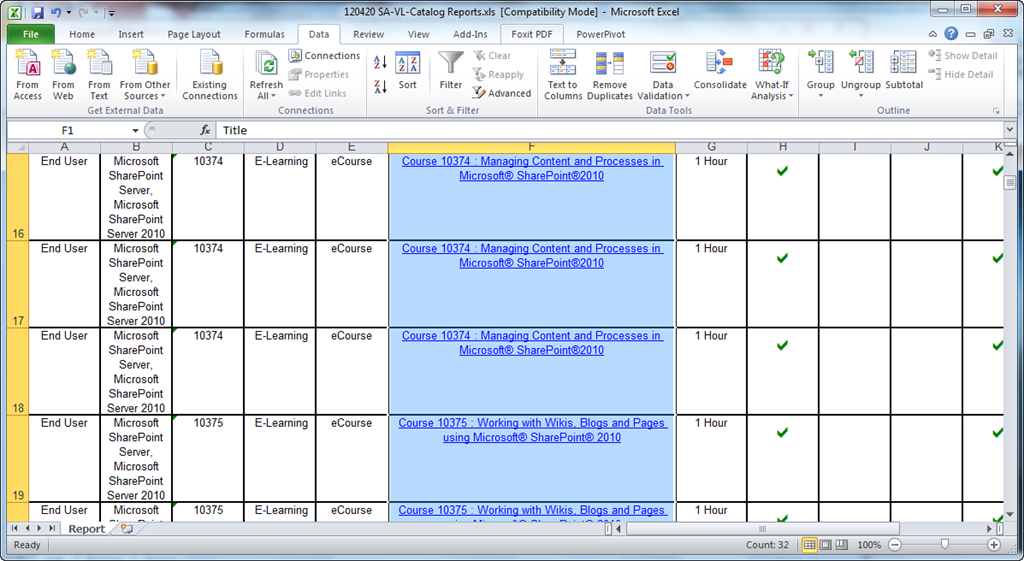
As of 11/14/2012, the following “current generation” or “previous generation” products are available for training via Software Assurance eLearning.
image

  • Course Collection 6338 : Updating your Windows Server 2003 Design Skills to Windows Server 2008
  • Course 6170 : Designing Network Access Protection in Windows Server 2008
  • Course 6171 : Designing Operating System Deployment and Maintenance in Windows Server 2008
  • Course 6173 : Designing High Availability in Windows Server 2008
  • Course 6179 : Designing AD DS Security in Windows Server 2008
  • Course 6182 : Designing web farms on Microsoft Internet Information Services 7.0
  • Course 6183 : Designing virtualization on Windows Server 2008
  • Course 6184 : Designing Terminal Services on Windows Server 2008
  • Course 6185 : Designing Security and Maintenance on Microsft Internet Information Services 7.0
  • Course 6226 : Designing Identity and Access Management in Windows Server 2008
  • Course 6227 : Designing Public Key Infrastructure in Windows Server 2008
  • Course Collection 6435 : Designing Network Infrastructure in Windows Server 2008
  • Course 6167 : Designing Network Infrastructure Connectivity in Windows Server 2008
  • Course 6168 : Designing Name Resolution in Windows Server 2008
  • Course 6169 : Designing Network Access in Windows Server 2008
  • Course 6170 : Designing Network Access Protection in Windows Server 2008
  • Course 6171 : Designing Operating System Deployment and Maintenance in Windows Server 2008
  • Course 6172 : Designing Shared Resources in Windows Server 2008
  • Course 6173 : Designing High Availability in Windows Server 2008
  • Course Collection 6436 : Designing Active Directory Infrastructure and Services in Windows Server 2008
  • Course 6174 : Designing AD DS Forest Infrastructure in Windows Server 2008
  • Course 6175 : Designing AD DS Domain Infrastructure in Windows Server 2008
  • Course 6176 : Designing AD DS Sites and Replication in Windows Server 2008
  • Course 6177 : Designing AD DS Domain Administrative Structures in Windows Server 2008
  • Course 6178 : Designing AD DS Group Policy in Windows Server 2008
  • Course 6179 : Designing AD DS Security in Windows Server 2008
  • Course 6180 : Designing AD DS Availability and Disaster Recovery in Windows Server 2008
  • Course 6181 : Designing AD DS Migrations in Windows Server 2008
  • Course 6226 : Designing Identity and Access Management in Windows Server 2008
  • Course 6227 : Designing Public Key Infrastructure in Windows Server 2008
  • Course Collection 6437 : Designing a Windows Server 2008 Applications Infrastructure
  • Course 6182 : Designing web farms on Microsoft Internet Information Services 7.0
  • Course 6183 : Designing virtualization on Windows Server 2008
  • Course 6184 : Designing Terminal Services on Windows Server 2008
  • Course 6185 : Designing Security and Maintenance on Microsft Internet Information Services 7.0
  • Course 6186 : Designing Windows Media Services and UDDI on Windows Server 2008
  • Course Collection 10271 : MCITP (Exam 70-647): Windows Server 2008 Enterprise Administrator
  • Course 6168 : Designing Name Resolution in Windows Server 2008
  • Course 6169 : Designing Network Access in Windows Server 2008
  • Course 6171 : Designing Operating System Deployment and Maintenance in Windows Server 2008
  • Course 6175 : Designing AD DS Domain Infrastructure in Windows Server 2008
  • Course 6177 : Designing AD DS Domain Administrative Structures in Windows Server 2008
  • Course 6178 : Designing AD DS Group Policy in Windows Server 2008
  • Course 6180 : Designing AD DS Availability and Disaster Recovery in Windows Server 2008
  • Course 6181 : Designing AD DS Migrations in Windows Server 2008
  • Course 6183 : Designing virtualization on Windows Server 2008
  • Course 6184 : Designing Terminal Services on Windows Server 2008
  • Course 6185 : Designing Security and Maintenance on Microsft Internet Information Services 7.0
  • Course 6227 : Designing Public Key Infrastructure in Windows Server 2008
  • Course Collection 10274 : MCITP (Exam 70-646): Windows Server 2008, Server Administrator
  • Course 6178 : Designing AD DS Group Policy in Windows Server 2008
  • Course Collection 10329 : MCTS (Exam 70-431): Microsoft SQL Server 2005 – Implementation and Maintenance
  • Course 4326 : An Introduction to Transact-SQL in Microsoft SQL Server 2008
  • Course 4327 : Querying and Filtering Data in Microsoft SQL Server 2008
  • Course Collection 10347 : Skills Trainings in SharePoint® 2010 for End Users
  • Course 10373 : Making Decisions using Business Intelligence in Microsoft® SharePoint® 2010
  • Course 10374 : Managing Content and Processes in Microsoft® SharePoint®2010
  • Course 10375 : Managing Content, Metadata & Information Policies in Microsoft® SharePoint® 2010
  • Course 10376 : Finding Content and People using Microsoft® SharePoint® 2010 Enterprise Search
  • Course 10377 : Connecting to People and Resources with My Sites in Microsoft® SharePoint® 2010
  • Course Collection 10348 : Skills Training in Microsoft® Project 2010
  • Course 10378 : Setting Up Projects in Microsoft® Project 2010
  • Course 10379 : Building a Project Schedule in Microsoft® Project 2010
  • Course 10380 : Tracking and Managing Projects in Microsoft® Project 2010
  • Course 10381 : Customizing and Sharing Projects in Microsoft® Project 2010
  • Course Collection 10349 : Skills Training in Microsoft® Access® 2010
  • Course 10382 : Beginner Skills in Microsoft® Access® 2010
  • Course 10383 : Intermediate Skills in Microsoft® Access® 2010
  • Course 10384 : Advanced Skills in Microsoft® Access® 2010
  • Course Collection 10350 : Skills Training in Microsoft® Outlook® 2010
  • Course 10293 : Beginner Skills in Microsoft® Outlook® 2010
  • Course 10385 : Advanced Skills in Microsoft® Outlook® 2010
  • Course 10524 : Intermediate Skills in Microsoft Outlook 2010
  • Course Collection 10351 : Skills Training in Microsoft® PowerPoint® 2010
  • Course 10295 : Beginner Skills in Microsoft® PowerPoint® 2010
  • Course 10386 : Advanced Skills in Microsoft® PowerPoint® 2010
  • Course 10523 : Intermediate Skills in Microsoft® PowerPoint® 2010
  • Course Collection 10352 : Skills Training in Microsoft® SharePoint® Designer 2010
  • Course 10387 : Creating and Customizing Websites using Microsoft® SharePoint® Designer 2010
  • Course 10388 : Managing and Controlling Documents Using Microsoft® SharePoint® Designer 2010
  • Course 10389 : Customizing Workflow Processes Using Microsoft® SharePoint® Designer 2010
  • Course 10390 : Working with Line of Business Data using Microsoft® SharePoint® Designer 2010
  • Course Collection 10357 : Skills Training in Microsoft® Word 2010
  • Course 10294 : Beginner Skills in Microsoft® Word 2010
  • Course 10391 : Intermediate Skills in Microsoft® Word 2010
  • Course 10392 : Advanced Skills in Microsoft® Word 2010
  • Course Collection 10358 : Skills Training in Microsoft® Excel® 2010
  • Course 10296 : Beginner Skills in Microsoft® Excel® 2010
  • Course 10393 : Intermediate Skills in Microsoft® Excel® 2010
  • Course 10394 : Advanced Skills in Microsoft® Excel® 2010
  • Course Collection 10359 : What’s New in Microsoft® Office 2010 Applications
  • Course 10395 : What’s New in Microsoft® Access® 2010
  • Course 10396 : What’s New in Microsoft® InfoPath® 2010
  • Course 10397 : What’s New in Microsoft® OneNote® 2010
  • Course 10398 : What’s New in Microsoft® Project 2010
  • Course 10399 : What’s New in Microsoft® Publisher 2010
  • Course 10400 : What’s New in Microsoft® SharePoint® Designer 2010
  • Course 10402 : What’s New in Microsoft® Visio® 2010
  • Course Collection 70125 : Skills Training in Microsoft® Visio 2010
  • Course 10356 : Beginner Skills Training in Microsoft® Visio® 2010
  • Course 10854 : Intermediate Skills Training in Microsoft® Visio® 2010
  • Course Collection 70143 : Essentials Collection for Microsoft Windows 8
  • Course 70144 : Microsoft Windows 8 Desktop Essentials
  • Course 70145 : Microsoft Windows 8 Start Screen Essentials
  • Course Collection 70146 : Essentials Collection for Microsoft Office 2013
  • Course 70147 : Microsoft Access 2013 Essentials
  • Course 70148 : Microsoft Excel 2013 Essentials
  • Course 70149 : Microsoft Lync 2013 Essentials
  • Course 70150 : Microsoft Office for Mac 2012 Essentials
  • Course 70151 : Microsoft Office Web Apps Essentials
  • Course 70152 : Microsoft OneNote 2013 Essentials
  • Course 70153 : Microsoft Outlook 2013 Essentials
  • Course 70154 : Microsoft PowerPoint 2013 Essentials
  • Course 70155 : Microsoft Project 2013 Essentials
  • Course 70156 : Microsoft SharePoint 2013 Essentials
  • Course 70157 : Microsoft Visio 2013 Essentials
  • Course 70158 : Microsoft Word 2013 Essentials
  • Course Collection 70198 : Essentials Collection for Microsoft Office 2013
  • Course 70147 : Microsoft Access 2013 Essentials
  • Course 10166 : Windows 7 Essentials I
  • Course 10167 : Windows 7 Essentials II
  • Course 10353 : Beginner Skills Training in Microsoft® OneNote® 2010
  • Course 10354 : Beginner Skills Training in Microsoft® Publisher 2010
  • Course 10355 : Taking Content Offline using Microsoft® SharePoint® Workspace 2010
  • Course 10403 : Beginner Skills Training in Microsoft® InfoPath® 2010
  • Course 10918 : Communicating and Collaborating with Microsoft® Office 365™
  • Course 10929 : Sharing and Working with Teams Using Microsoft® Office 365™
  • Course 70133 : Make the Switch to Access 2013
  • Course 70134 : Make the Switch to PowerPoint 2013
  • Course 70135 : Make the Switch to Lync 2013
  • Course 70136 : Make the Switch to Outlook 2013
  • Course 70137 : Make the Switch to Word 2013
  • Course 70138 : Make the Switch to Project 2013
  • Course 70139 : Make the Switch to Publisher 2013
  • Course 70140 : Make the Switch to Visio 2013
  • Course 70141 : Make the Switch to OneNote 2013
  • Course 70142 : Make the Switch to Excel 2013

You can access the full catalog via the web at the URL below.  The results are hyperlinked to the actual class posted on the Microsoft eLearning web site for your convenience.  You can also export the list if you wish as the list of classes available changes every month or so.

Also look at the following posts:

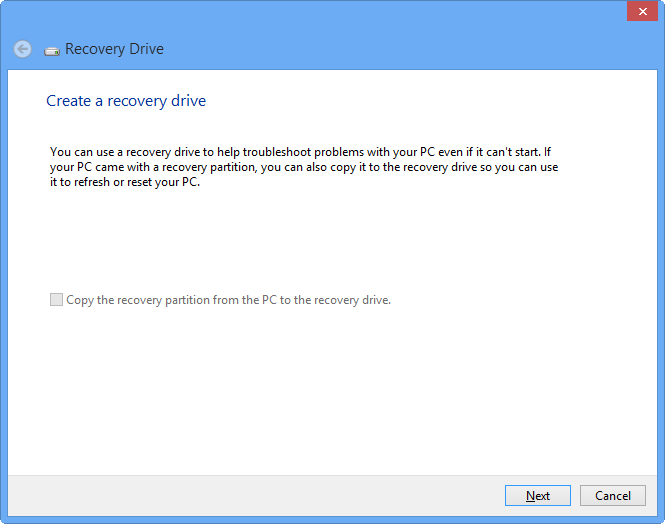
imageYour Surface has its OS on the local store along with its configuration and updates.  You didn’t install the operating system of course so you have NO install media to start from if your Surface storage gets corrupted, won’t boot, and you need to revive it.

Q: So what do you do if you need to “recover” your Surface if the system software is damaged & you can’t boot?

The answer is:

  1. Create a bootable USB driveUse the “Create a Recovery Drive” app on your Surface (Search apps to find this) to backup the Recovery partition beforehand to ensure you can always get back to a pristine device.
  2. Boot up on the USB drive when you need to recover.  To boot up on the Recovery drive:
        1. Hold “Volume Down” & simultaneously press/hold the Power button for 5 seconds
        2. Release the Power button but keep holding down the “Volume Down” button
  3. OPTIONAL:  Backup your Bitlocker Recovery Key so that you can crack the encryption on the storage drive when you need to completely recover the system partition.  Use “Manage Bitlocker” app on your Surface (Search apps to find this) and have the Bitlocker Recovery key saved to your new recovery USB drive.

The rest is pretty self-explanatory but I’d suggest reading ShinySurface.com’s post because they’re really good.

(Admittedly, this kinda pisses me off because I was halfway through writing a post on this exact topic but the guy at http://shinysurface.com did such a damned good job on the topic – including a video tutorial (!!!) – there’s really no point in me finishing mine.  Damn you, ShinySurface! Smile)

Posted by: kurtsh | November 14, 2012

BETA: Internet Explorer 10 for Windows 7 (Release Preview)

image

First of all, “Why IE10 on Windows 7?”

  1. Fast, full-screen browsing
  2. Flip ahead through content & Pin your favorite sites (Touch-optimized)
  3. More privacy w/ Do Not Track header support

Learn more at: http://windows.microsoft.com/en-US/internet-explorer/download-ie

Note: Internet Explorer 10 Release Preview is designed to optimize the power of your PC running Windows 7 with Service Pack 1 (SP1) or higher. If you’re using a different operating system, you won’t be able to install Internet Explorer 10 Release Preview.

So one of the big pink elephants in the room is:

“How do I sync files from the cloud to my Surface/Windows RT device?”

I’ve gotten this question more times that I care to admit.  The simple answer is that as of today, there is no facility/tool/app to synchronize files from generic cloud file services to local storage on your Surface/Windows RT device.

imageWHAT IS THIS “SKYDRIVE” APP FOR THEN?
This is what’s been confusing.  SkyDrive on Windows 8 Pro provides both online access through the Internet as well as a “sync client” to keep files synchronized between the device & the cloud and cached locally for offline access.

SkyDrive App does not provide this synchronization capability & there is no SkyDrive “sync client” for Surface/Windows RT…

…yet. 

Yes, like MANY THINGS for Windows RT, it’s under development.  It’s just not ready yet.  I know that for a device without a 3G/4G radio, this might seem weird but that’s just the way the dev cycles have worked out, I guess.  But don’t worry – as I understand it, it’s coming.

imageSO THERE’S NO OFFLINE ACCESS OF CLOUD STORED FILES?
Actually, there is some modicum of “offline access”.   In Office 2013, any file you’ve opened from SkyDrive or SharePoint has an offline version cached on your Windows RT device in something called the “Office Document Cache” which is kept by default for 14 days.  This of course means that even if you’re offline, you can edit that previously opened document up to 14 days later.

Once you come back online, the “Office 2013 Upload Center” handles the syncing necessary between your offline edits and the online copies like the SkyDrive sync client does.  The Office 2013 Upload Center sort of acts like SkyDrive in that you have the ability to view the cache and open documents directly from it for up to 14 days since being last opened.  (This expiration time can be changed to up to 30 days in the ‘Settings’ of the Office 2013 Upload Center)

To get to the cached Office files:

  1. Open the "Office 2013 Upload Center" by searching in Apps on the Start screen (click on the Upload Center to open)  You should see a list of files in the cache which you can directly open.
  2. Alternatively, you can open any Office application and click the files from the "Most Recently Used" list which will open the file from the cache.

2012-11-12-23-34-50

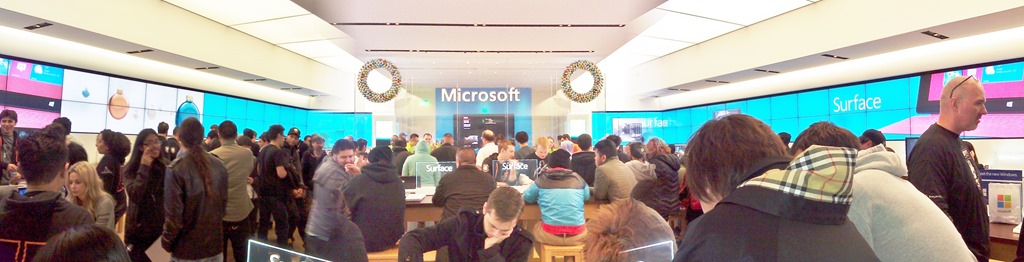
Treyarch invaded the Microsoft Store in Century City!  Alright, maybe that’s an exaggeration, but with the Activision Treyarch development team of Call of Duty: Black Ops 2 local to here in Los Angeles, we had a large number of developers on site signing autographs and generally having a helluva time as a team as their product successfully made it to market as likely one of the most highly anticipated Xbox 360 titles of this generation.

IMG_0407IMG_0418

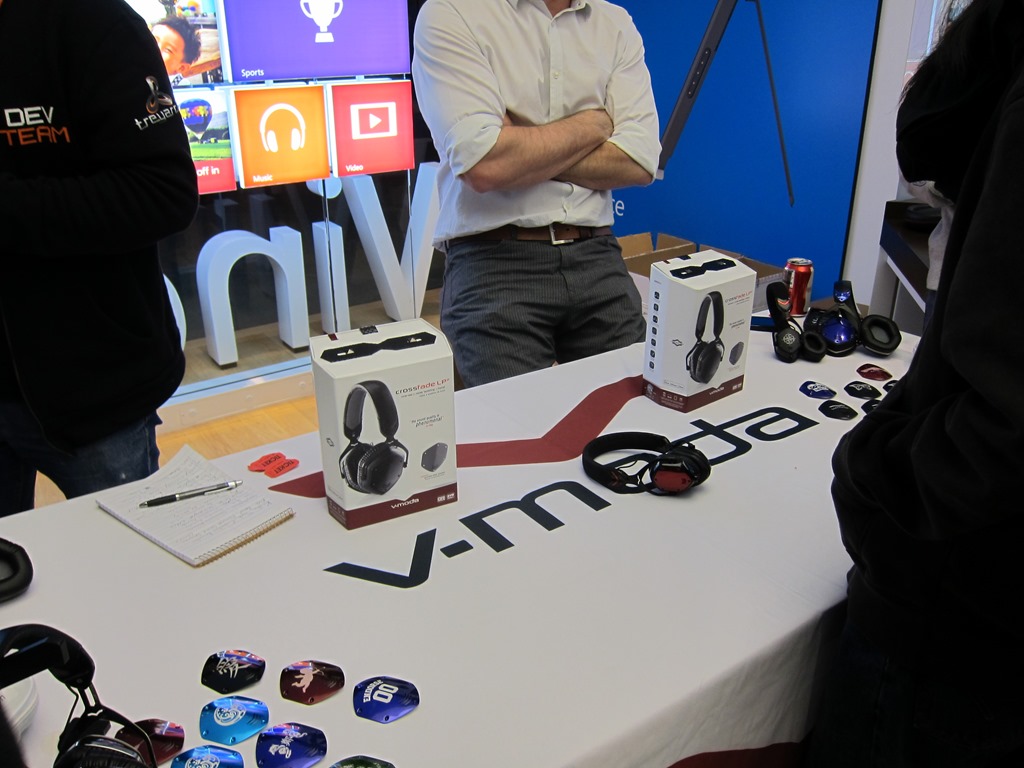
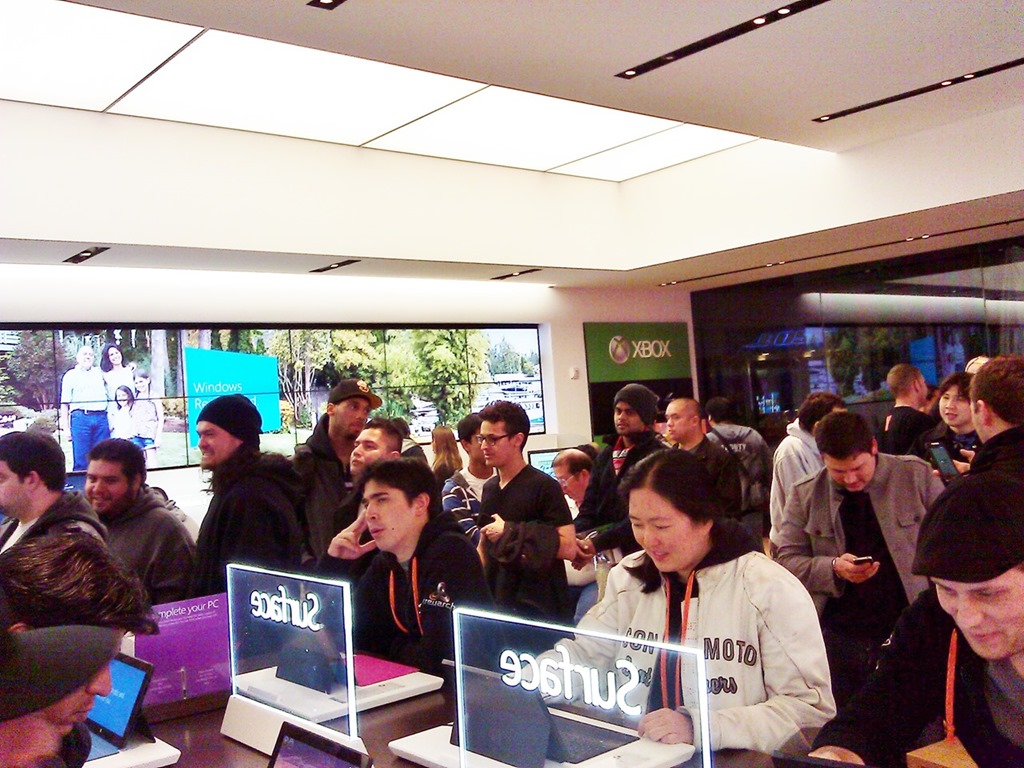
At the “Midnight Madness” launch of Call of Duty: Black Ops 2 at the Microsoft Store in Century City, over a 100+ people waited in line to get their copy of CODBO2 at the stroke of midnight, but also play the game for the first time on the Microsoft Store’s 105” screen and compete in a CODBO2 tournament, the winner of which got an Xbox 360.  Numerous prizes were given out via the event sponsor, V-Moda, high end audio equipment & peripherals provider for gamers & audiophiles alike.

WP_000897IMG_0417

Signing posters and game jewel box covers, the Treyarch staff made sure everyone knew that the makers of Call of Duty: Black Ops 2 were “in the house”.  It’s good to know that some companies still know how to party it up & play hard.

WP_000903IMG_0410

The crowd was around that of Halo 4’s launch but more importantly it was LOUD.  There seemed at times like there were twice as many people there due to the amount of sound emanating from the store.  I personally didn’t see him because I arrived late but I was told that earlier in the night, Bobby Kotick, CEO of Activision, stopped by to poke his head in and support his guys.  If this is true, well played, Bobby.

IMG_0414IMG_0420

Interestingly, Treyarch has introduced an exciting new “Zombie” scenario in Black Ops 2 where it’s a kill or be killed sort of game mode involving infections and your typical zombie apocalypse type of play… except with the distinction of CODBO2 flair, gamesmanship, & strategy.  In my observation, this new feature seemed to have several adhoc gamers intrigued even more than the campaign or the conventional multiplayer.

Congratulations Treyarch & Activision.  You guys were great launch partners & you made a disgustingly fun game.  I look forward to pwning you all on Xbox Live.
Smile

imageThis just in:

We invite you to download and try the MAP Toolkit 8.0 Beta:
http://go.microsoft.com/fwlink/?LinkId=219165

During the beta period, you can try the latest version of the MAP Toolkit and provide your valuable feedback to the MAP Toolkit engineering team. 

Once you download and try the MAP 8.0 Beta, you will have the opportunity to provide your feedback through a survey, which will enable you to earn a sweepstakes entry to win an Xbox 360 console with Kinect or other prizes!

It all starts with a simple download. Please take a minute to download the MAP Toolkit 8.0 Beta now and find out about the new features:

Key features and benefits of MAP 8.0 help you:

  • Determine your readiness for Windows Server 2012 and Windows 8
  • Assess readiness for Office 2013
  • Assess migration to Windows Azure Virtual Machine
  • Track Lync Enterprise/Plus users

We look forward to having you involved in our beta program and hearing your thoughts on the features we’ve added.

Sincerely,
The MAP Toolkit Team

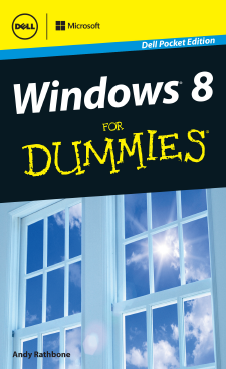
imageThe entire 147 page “Windows 8 for Dummies” (Dell Pocket Edition) is available for free via Dell’s web site.

10.67MB in size, this eBook is is actually a good primer for folks that are completely new to Windows 8.  And there’s a lot of folks that fall into this category.

  1. The New Start Screen
  2. The Traditional Desktop
  3. Storage: Internal, External, and in the Sky
  4. Working with Apps
  5. Engaging the Social Apps
  6. Getting Connected and Having Fun through the Start Screen
  7. Ten Things You’ll Hate about Windows 8 (And how to Fix them)

imageThis is my favorite use case of my Surface, and it’s something that people don’t think of:

SITUATION:

  • My wife likes Angry Birds. 
  • I like RSS feeds & Twitter. 

…but with Surface, we can do both at the same time on a single device with a large screen!

”SO HAPPY TOGETHER”

What makes this possible is that Surface can multitask two apps at the same time simply by splitting the screen using a mode called “SnapView”.  When we’re sitting at a coffee shop, my wife & I will both huddle around one Surface while we’re sipping our coffee:

  • She’ll use the majority of the screen for Angry Birds, launching birds at the pigs in ‘Angry Birds Space’. 
  • Meanwhile, I’ll use the minority of the screen for scrolling & reading through the RSS feeds aggregator that I use, which is usually an app called ‘Feed Reader’.

(See below for a snapshot of this.  Incidentally, I noticed that the division of screen real estate on the Surface is a lot like the allocation of space distributed in our master bedroom closet. :-))

MULTITASKING + MULTITOUCH = WINNING
The key here is that we both use one Surface at the same time.  Combine this with the fact that Surface also supports 5 points of touch on the screen simultaneously… both of us can interact with our respective applications on one screen at the same time. 

…and it works really well!  Give it a try!

Screenshot (11)

Angry Birds Space… & Feed Reader (RSS reader)

Screenshot (12)

Angry Birds Star Wars… and MetroTwit (Twitter app)

Posted by: kurtsh | November 12, 2012

INFO: Why not the ASUS VivoTab RT TF600T Tablet?

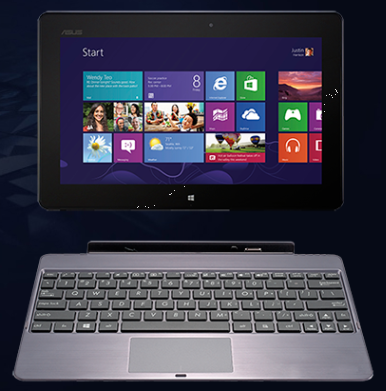
imageThe other day, I asked myself, “Why would anyone choose the ASUS VivoTab RT TF600T Tablet over a Microsoft Surface for Windows RT?  What, with the VaporMg chassis of Surface, the keyboard technology, the kickstand… why go anywhere else?

It turns out… there’s a LOT of reasons.  Here’s a list of capabilities that the ASUS VivoTab RT comes with for $599:

  • SonicMaster Audio 
    (Surface has basic audio)
  • 2MP front facing camera, 8MP rear facing camera
    (Surface as a sub-1MP front facing camera for both front & rear)
  • 1.19lb Weight
    (Surface is 1.49lbs)
  • KEYBOARD DOCK (INCLUDED):  Firm keyboard included
    (Surface’s keyboard is thin & light, but less rigid for on lap use)
  • KEYBOARD DOCK (INCLUDED):  Extended battery built-in
    (Dock doubles battery life to 16hrs; Surface kybd does not extend battery)
  • KEYBOARD DOCK (INCLUDED):  Extra USB Port
    (Surface keyboard does not provide USB port)

I certainly don’t think it’s as durable as Surface given that I have first hand knowledge of how strong the casing is, however if that’s a trade off you’re willing to make, the Asus may be a good choice for you.

Posted by: kurtsh | November 11, 2012

NEWS: Now available… Corporate merchandise from Contoso

image

Attention Contoso fans!  Have we got a line of fashionwear for you:

  • Men’s T-shirts
  • Women’s fitted t-shirts
  • Magnets
  • Coffee mugs
  • Magnets
  • Water bottles

Next up… Adventure Works branded gear?  Fabrikam stock certificates?  Windermere paraphernalia?  Oh wait a second… that last one is REAL

« Newer Posts - Older Posts »

Categories