image

Windows 8/8.1 support coming, among other changes.

Today we also announced the beta availability of Microsoft User Experience Virtualization 2.0 (UE-V 2.0) and Microsoft Application Virtualization 5.0 SP2 (App-V 5.0 SP2), two critical components from Microsoft’s Desktop Optimization Pack (MDOP) that give business customers access to all of their desktop and internal line of business applications, as well as personalized Windows environments from anywhere. UE-V 2.0 and App-V 5.0 SP2 will ship as part of a future version of MDOP but are available in beta versions now for download and support the Windows 8.1 Preview.

  • UE-V 2.0: Allows users to switch devices without reconfiguring their applications or settings. The beta adds support for Windows 8 and 8.1 applications, including Windows Store apps and customized line of business apps. It provides enhancements to how settings and applications sync across devices, including giving users more flexibility and control of their individual sync settings.
  • App-V 5.0 SP2: Gives IT pros the ability to deliver virtually any application, anywhere to users for a more flexible, integrated and powerful experience across virtualized applications. This beta builds on Microsoft’s long history of providing virtualization solutions for our customers, enriching the user experience by enabling virtual applications to behave as if they were locally installed on a device.

Read more here:

Posted by: kurtsh | July 1, 2013

VIDEO: BUILD 2013 session recordings now available

imageIn case you missed the 3-day developer conference, Microsoft’s BUILD 2013, all the sessions have been recorded for playback over the Internet.

The session for each session is viewable and the PowerPoint should be downloadable as well.

At Build, we’ll share updates and talk about what’s next for Windows, Windows Server, Windows Azure, Visual Studio, and more. Build is the path to creating and implementing your great ideas, and then differentiating them in the market. Join us for three days of immersive presentations delivered by the engineers behind our products and services, while networking with thousands of other developers getting the first look at what’s next.

Posted by: kurtsh | June 30, 2013

NEWS: Xbox 360 + Time Warner Cable = TWC App

image

Whoa.

In a landmark deal announcement for Xbox 360 and Time Warner Cable customers, we’re excited to share a new partnership that will deliver up to 300 of the most popular live TV channels to Xbox 360 for Xbox Live Gold members. This deal, which will bring more live channels than any other experience on Xbox 360, will offer Time Warner Cable subscribers with an Xbox Live Gold membership  the ability to watch their favorite shows from right from their Xbox 360 — including favorites like AMC, BBC World News, Bravo, Cartoon Network, CNN, Comedy Central, Food Network, HGTV and more. And unlike any other platform, you’ll be able to control your entertainment using your voice via Kinect for Xbox 360.

Read more here:

image

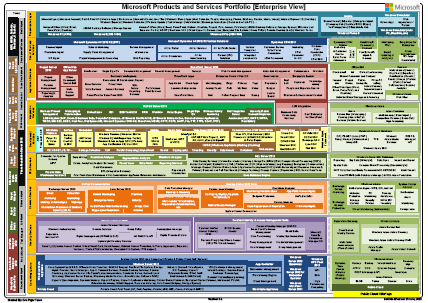
We’ve released version 3.1 of the Microsoft Product Portfolio, a.k.a. the OnePager.

The Product Portfolio is a hierarchical view of either all of Microsoft products & services or the ENTERPRISE view of our products and services.

Both are available as .PDFs or, if you’re a customer of mine, please contact me and I will provide the Visio diagram source for your editing.

Here’s the most recent changes:

  • Additions
      • Both views:
          • Backup & Recovery Manager under Windows Azure on the Core Infrastructure tier
      • All-up view:
          • Outlook.com
  • Changed:
      • All-up view:
        o    None
      • Both views:
          • Changed “Integration | Service Management” to Azure BizTalk Services on the Integration services tier
  • Removed
    • Messenger

Download the .PDF files here:

Posted by: kurtsh | June 26, 2013

NEWS: Live Blogging BUILD 2013!

imagePersonally, I’m sort of on a kick to help amplify coverage of any Microsoft event that has objective reporting.  So these are a few sites that I think are doing a good job of live blogging/covering the BUILD 2013 Conference going on right now in San Francisco sans the snark. 

Peeps listed below?  You’re doin’ it right!
Smile

Posted by: kurtsh | June 25, 2013

DOWNLOAD: “ABC News” for Windows Phone

image

YAY!  ABC News just launched on Windows Phone!

This app provides the ABC News experience beyond what the web alone provides by not just formatting the content for your Windows Phone’s screen and eliminating advertising (except for ABC’s own show ads) but also providing:

  • Award-winning coverage in story, video and slideshow formats
  • Live video & blogs for key events – including the Hourly News Pop, a video summary of up to the minute news published every hour
  • Trending stories to see what everyone is talking about
  • Breaking news alerts (Notifications on your Windows Phone)
  • Pin your favorite shows and sections for easy access:
      • Good Morning America
      • World News
      • Nightline
      • 20/20
      • This Week with George Stephanopoulos
      • U.S., International, Politics, Investigative, Health, Entertainment, Money, Technology, Sports and Travel
  • Tap & Share or use SMS, Facebook, Twitter or email

The live video is cool, especially the Hourly News Pop.  Note: I don’t know that the app has listed in the on-Windows-Phone app directory yet so load the app from the link below.

image

Welcome to Build Week
This week at San Francisco’s Moscone Center we will host developers and press from around the world for three days of immersive content, hackathons and demos during our annual Build Developer Conference. It all begins at 9:00 am PDT on June 26th.

Microsoft’s senior executives and top technical leaders will tell the Microsoft Platform Story through keynotes, supported with some incredible Microsoft product news, partner app announcements and compelling demos to show developers what they can do on our platform. We’ll go to the bare metal with over 160 deep technical sessions and around-the-clock hackathons. All of this delivered by the Microsoft Engineers and Evangelists behind our products. 

imageGet Involved and tune in…
If you are not attending Build:

  • Our Channel 9 Community will broadcast keynotes, top sessions and interviews live throughout the event
  • Developers and other customers will be able to submit their questions online.
  • Updates and announcements can be found on the Microsoft News Center.
  • All remaining sessions will be made available on-demand within about 24 hours of presentation time.

image

Keynote

Date/Time

Day One

June 26 – 9:00 AM PDT

Day Two

June 27 – 9:00 AM PDT

imageCloud Spectator, an independent research organization that monitors IaaS solution providers, recently ran tests across 5 major Virtual Machine hosters/IaaS providers.  Take a look at the comparisons of vendors for the following categories in this research report, published June 5th, 2013:

  • Performance
  • Price/Performance
  • CloudSpec benchmark

Excerpt:

  • “On average, the highest-performance provider over the test period is Windows Azure, and the lowest-performance provider is Amazon EC2. The difference in performance: Windows Azure scores 3 times higher than Amazon EC2 on average.”
  • “Windows Azure, the highest-value provider in this scenario, provides 5x more value than on average throughout the 5-day test period than the lowest-value provider, Rackspace.”

This is extremely telling.  And now, software developers with MSDN subscriptions can get access to the highest performing IaaS cloud solution on the market at no additional cost to them using their MSDN-granted Azure credits.

imageIgnite Online provides technical training for IT Professionals on the new Exchange, Lync, Office and Office 365. These guides feature new product capabilities and cover topics such as design, deployment and management of these technologies.

  • Office 2013
  • Office 365
  • Exchange Server 2013
  • Lync Server 2013

TRAINING: “Ignite Online” for Office & IT Professionals
http://officeignitelabs.cloudguides.com/

Posted by: kurtsh | June 19, 2013

RELEASE: Enhanced Mitigation Experience Toolkit 4.0

Just released:  The Enhanced Mitigation Experience Toolkit 4.0.

imageThe Enhanced Mitigation Experience Toolkit (EMET) is designed to help prevent hackers from gaining access to your system.

Software vulnerabilities and exploits have become an everyday part of life. Virtually every product has to deal with them and consequently, users are faced with a stream of security updates. For users who get attacked before the latest updates have been applied or who get attacked before an update is even available, the results can be devastating: malware, loss of PII, etc.

Security mitigation technologies are designed to make it more difficult for an attacker to exploit vulnerabilities in a given piece of software. EMET allows users to manage these technologies on their system and provides several unique benefits:

  1. No source code needed: Until now, several of the available mitigations (such as Data Execution Prevention) have required for an application to be manually opted in and recompiled. EMET changes this by allowing a user to opt in applications without recompilation. This is especially handy for deploying mitigations on software that was written before the mitigations were available and when source code is not available.
  2. Highly configurable: EMET provides a higher degree of granularity by allowing mitigations to be individually applied on a per process basis. There is no need to enable an entire product or suite of applications. This is helpful in situations where a process is not compatible with a particular mitigation technology. When that happens, a user can simply turn that mitigation off for that process.
  3. Helps harden legacy applications: It’s not uncommon to have a hard dependency on old legacy software that cannot easily be rewritten and needs to be phased out slowly. Unfortunately, this can easily pose a security risk as legacy software is notorious for having security vulnerabilities. While the real solution to this is migrating away from the legacy software, EMET can help manage the risk while this is occurring by making it harder to hackers to exploit vulnerabilities in the legacy software.
  4. imageEase of use: The policy for system wide mitigations can be seen and configured with EMET’s graphical user interface. There is no need to locate up and decipher registry keys or run platform dependent utilities. With EMET you can adjust setting with a single consistent interface regardless of the underlying platform.
  5. Ease of deploy: EMET comes with built-in support for enterprise deployment and configuration technologies. This enables administrators to use Group Policy or System Center Configuration Manager to deploy, configure and monitor EMET installations across the enterprise environment.
  6. Ongoing improvement: EMET is a living tool designed to be updated as new mitigation technologies become available. This provides a chance for users to try out and benefit from cutting edge mitigations. The release cycle for EMET is also not tied to any product. EMET updates can be made dynamically as soon as new mitigations are ready

The toolkit includes several pseudo mitigation technologies aimed at disrupting current exploit techniques. These pseudo mitigations are not robust enough to stop future exploit techniques, but can help prevent users from being compromised by many of the exploits currently in use. The mitigations are also designed so that they can be easily updated as attackers start using new exploit techniques.

Below is a summary of the features and changes that are included with the EMET 4.0 release:

  • Certificate Trust: considering the raise of PKI-related attacks, we decided to implement a configurable SSL Certificate Pinning to try to detect Man in the Middle attacks that leverage SSL/TLS certificates. The Certificate Trust feature in EMET is rule-based and allows to pin a specific SSL/TLS certificate to a trusted Root Certificate Authority.
  • ROP mitigations and hardening: in the last Technical Preview release of EMET, we introduced some mitigations to try to stop ROP-based attacks by implementing some of the winner ideas of the BlueHat Prize contest. With this new EMET release we hardened the ROP and other mitigations to detect and stop novel attack techniques.
  • Early Warning Program: this feature will allow EMET to send contextual data back to Microsoft, through the standard Windows Error Reporting channel, every time that an exploit has been detected and stopped. We are adding this feature to help us respond to new 0day exploits as soon as possible.
  • Audit mode: if an exploit is detected, EMET will not terminate the attacked process but it will just report the attack and let the process continue. This mode is only applicable to certain mitigations, for example the anti-ROP ones, that detect the attack when the process is not already in a crashed state. This feature is useful for enterprise customers for testing purposes and to spot false-positives and app-compat problems without compromising the user experience.

EMET 4.0 also includes bug fixes and UI changes to improve the overall user experience. Also, at the end of the installation, EMET will offer the user to automatically apply recommended settings to protect Internet Explorer, Microsoft Office, Adobe Acrobat/Reader, and Oracle Java, as well as a pre-defined set of rules for the Certificate Trust feature that will monitor the main Microsoft and other popular online services. More information are available in the User Guide, available in the EMET installation folder.

Please remember that EMET 4.0 requires .NET Framework 4, and in order to protect Internet Explorer 10 on Windows 8 you need to install KB2790907 – a mandatory AppCompat update that has been released on March 12th.

« Newer Posts - Older Posts »

Categories