image

This month, Yung Chou, Mitch Tulloch and Keith Mayer have published a new book on Hybrid Cloud Management with System Center 2012 R2 App Controller, titled Microsoft System Center: Cloud Management with App Controller. As part of a series of specialized guides on System Center, this book focuses on using App Controller to manage virtual machines and services across private and public clouds.

  • Introduction
  • Chapter 1: App Controller Essentials
  • Chapter 2: Managing Private Clouds
  • Chapter 3: Managing Public Clouds
  • Chapter 4: Managing Hybrid Clouds
  • Chapter 5: Automating App Controller
  • Additional Resources

Download the book here:

  • RELEASE: Free MS Press eBook, “System Center Cloud Management with  App Controller” (118 pgs)
Posted by: kurtsh | December 5, 2013

RELEASE: Enhanced Mitigation Experience Toolkit 4.1

imageThe Enhanced Mitigation Experience Toolkit (EMET) is a utility designed to help IT Professionals and users block attackers from gaining access to their systems through common attacks. EMET enables users to manage security mitigation technologies that help make it more difficult for attackers to exploit vulnerabilities in a given piece of software.

Current Version
The latest release, EMET 4.1, is available for download. The toolkit includes several mitigation technologies aimed at disrupting many of the current exploit techniques. The mitigations are also designed so that they can be easily updated as attackers start using new exploit techniques. The toolkit also provides a configurable SSL/TLS certificate pinning feature, called Certificate Trust, aimed at detecting Man in the Middle attacks leveraging the Public Key Infrastructure (PKI).

The previous release, EMET 3.0, will be available and supported until June 2014.

Posted by: kurtsh | November 24, 2013

DOWNLOAD: Kinect Voice Commands. A Printable Guide.

Master Kinect’s new voice commands with this Xbox One cheat sheet.

With Kinect voice recognition, you can control and interact with your Xbox One console by using voice commands. To engage your Xbox console, just say “Xbox.” A list of available commands appears on the screen. Then, say any of the commands that appear in the list. For example, say “Bing” to search using Bing.

You can also interact with your Xbox One console by saying “Xbox, Select.” When you say “Xbox, Select,” some features appear in green text. This lets you say just that word. For example, if you say “Xbox, Select” while you’re in Xbox Video, you can just say “Movies Stores.”

…

For more, visit http://support.xbox.com/en-US/xbox-one/kinect/voice-commands.

Posted by: kurtsh | November 22, 2013

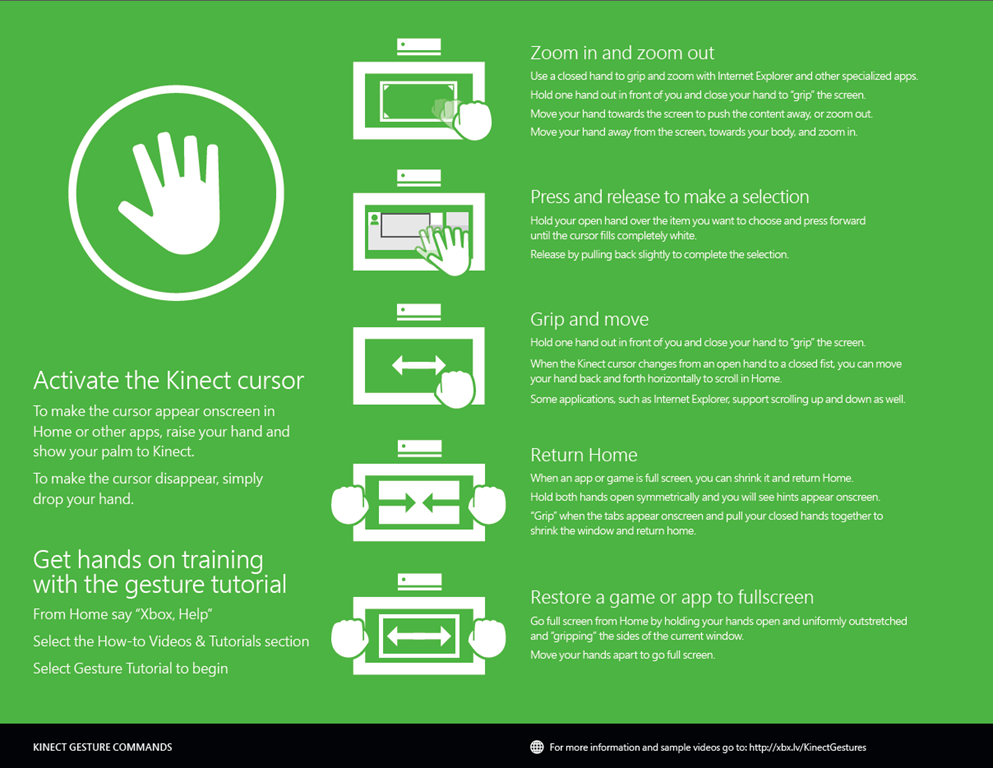
DOWNLOAD: Kinect Gestures for Xbox One. A Printable Guide.

Kinect Gestures for Xbox One.  A Printable Guide. Cool!

image

There are six common navigation gestures that you can use to get the best experience with your Xbox One and Kinect sensor.

You can review this information by going to Gesture Tutorial in the Help app on your console. To get to the console Help app, press the Menu button on your controller from Home screen, select Help, then select How-to videos & tutorials. You may have to scroll to another page to find the Gestures tutorial.

Note Your Kinect sensor must be set up and turned on for these gestures to work.

…

For more, visit http://xbx.lv/KinectGestures.

image

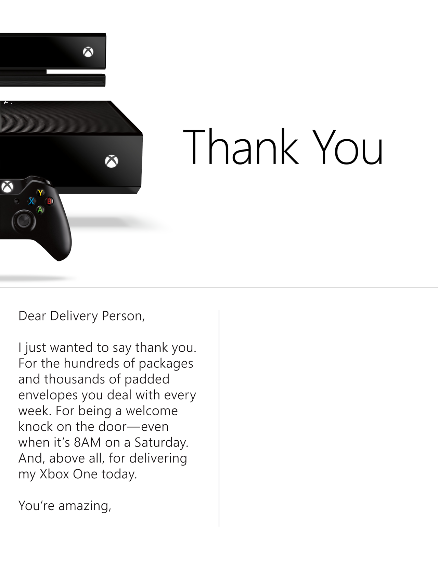
Download this image, then print, sign, and fold it to create your very own Xbox thank you card.

Dear Delivery Person,

I just wanted to say thank you.  For the hundreds of packages and thousands of padded envelopes you deal with every week.  For being a welcome knock on the door – even when it’s 8AM on a Saturday.  And, above all, for delivering my Xbox One today.

You’re amazing.


DOWNLOAD:
http://xbox.tumblr.com/post/67769146062/download-this-image-then-print-sign-and-fold-it

Posted by: kurtsh | November 22, 2013

DOWNLOAD: “Office 365 Admin” app for Windows Phone

Looks like we are shipping a new Windows Phone mobile app for Office 365 Administrators to enable them to monitor the health of the Office 365 service.

Check the service health of your Office 365 service on the go

Lawrence Chiu is a senior product manager on the Office 365 team.

As we discussed in a recent blog post,  Cloud services you can trust, "Transparency requires consistent communication."  We’re working to improve the transparency of the Office 365 service by continuously improving our communication with customers on changes that impact the Office 365 environment. Recently we deployed the improved Message Center, which delivers messages targeted to your organization. Now we’re introducing another communication tool, one that was recently demoed on the November 6 episode of The Garage Series– a new app for on-the-go service health checks.

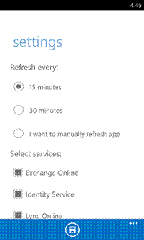
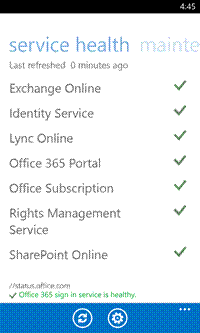
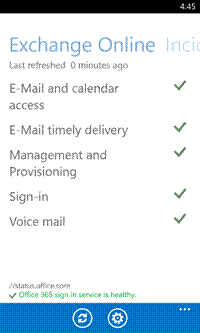
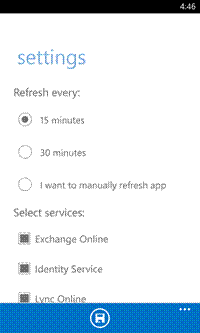
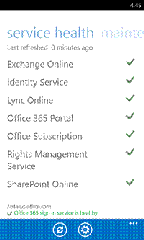
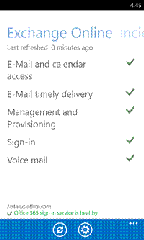
Starting today, Office 365 service administrators can connect to their organization’s Office 365 service status from wherever they are with the Office 365 Admin app. The new app enables administrators to view service health information and maintenance status updates from their mobile device. They can also filter information by service subscriptions and configure app data refresh intervals.
clip_image002clip_image004clip_image006

Administrators can use the Office 365 Admin app to check the overall health of their organization’s services, see the health of individual services, and set data refresh intervals.

To access service health data with the Office 365 Admin app, you must have an active Office 365 subscription with administrator user rights. Also, this app does not currently support Windows Azure Active Directory Multi-Factor Authentication.

The Office 365 Admin app is in the process of rolling out across multiple platforms, starting with Windows Phone 8 today and followed by Android (4.2.1 and up) and iOS 7 in the coming weeks. Stay tuned to this blog and your Message Center. You’ll be notified as soon as the app is available on Google Play and in the Apple App Store.

To access the frequently asked questions or to follow what the community has to say about the app, please click this link.

Download the app on the Windows Phone 8 Store.

(Taken from the Office 365 blog.)

Posted by: kurtsh | November 22, 2013

DOWNLOAD: Doctor’s Note for Xbox One Launch Day

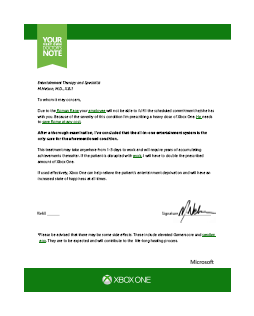
image

I have no idea where this came from being that I haven’t actually seen a link from Major Nelson himself.

That being said, it’s a pretty funny note “from your doctor” to explain your absence from work today, the day after the launch of Xbox One.

Enjoy.

(Hat tip to my coworker Mark McReynolds for passing this on)

Posted by: kurtsh | November 21, 2013

VIDEO: Plugging the Xbox One… into itself

Y’know, I kinda wondered about this. 

Q: What happens when you plug the HDMI OUT of the Xbox One… into the HDMI IN?

Plugging the Xbox One… into itself

Beginning Q1 2014, Office 365 E3/E4 customers will be getting Message Encryption at no-charge!  This is really awesome if you’re a business interested in sending secure messages to partners & customers.

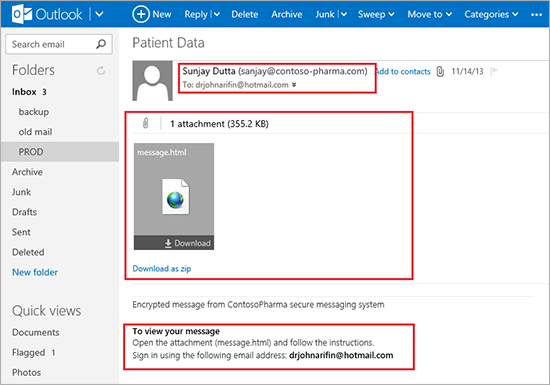
imageIntroducing Office 365 Message Encryption: Send encrypted emails to anyone!

We’re pleased to announce the upcoming release of Office 365 Message Encryption, a new service that lets you send encrypted emails to people outside your company. No matter what the destination-Outlook.com, Yahoo, Gmail, Exchange Server, Lotus Notes, GroupWise, Squirrel Mail, you name it-you can send sensitive business communications with an additional level of protection against unauthorized access. There are many business situations where this type of encryption is essential. We’ve listed just a few.

  • A bank sending credit card statements to customers over email.
  • An insurance company providing details about the policy to clients.
  • A mortgage broker requesting financial information from a customer for a loan application.
  • A healthcare provider using encrypted messages to send healthcare information to patients.
  • An attorney sending confidential information to a client or another attorney.
  • A consultant sending a contract to a client.
  • A therapist providing a patient diagnosis to an insurance company.

Office 365 Message Encryption is the new version of Exchange Hosted Encryption (EHE). This version includes all of the capabilities of EHE plus new features, such as the ability to apply your company’s branding to encrypted messages. Like EHE, Office 365 Message Encryption works with Office 365 mailboxes as well as with on-premises mailboxes that use Exchange Online Protection.

Here’s the added good news: Office 365 E3 and E4 users will get Office 365 Message Encryption at no extra cost. We’re including it in Windows Azure Rights Management, which is already part of E3 and E4 plans.  We’re also including it in the standalone version of Windows Azure Rights Management, without raising the price of that service. For $2 per user per month you can get a complete solution for internal and external information protection: traditional Rights Management capabilities like Do Not Forward for internal users, plus the new ability to encrypt outbound messages to any recipient.

…

Read more here:

Posted by: kurtsh | November 21, 2013

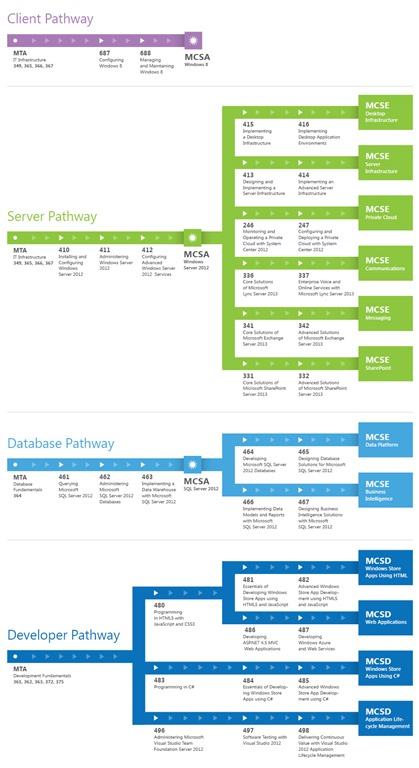
TRAINING: Microsoft Certification Pathway for MCSA, MCSE

My coworker, Lee Reese, posted this and I thought it might be worth sharing.  It’s a simple workflow of what tests are required to attain certain levels of certification such as MCSA and MCSE.

Remember that more information can always be found at the Microsoft Certification web site and the Microsoft Certification blog, “Born to Learn”.

Click on the image to expand.

MSL-CertificationPathways-Commercial-Nov2012_V3

« Newer Posts - Older Posts »

Categories