This is too cool a demo to not post. Check this out:
I’m buying one right now as I type this.
- Dell Venue 8 Pro (32GB, $299)
http://www.dell.com/us/p/dell-venue-8-pro/pd?oc=fncwv8p01h&model_id=dell-venue-8-pro
This is too cool a demo to not post. Check this out:
I’m buying one right now as I type this.
Comments Off on VIDEO: Dell Venue 8" Pro Tablet turned into a full desktop with the Plugable Dock
Posted in Uncategorized
Check this out: If you’re using Office 365, SharePoint Online will be presenting users with a touch-friendly interface very soon that will work across all supported touch devices.
Read more here:
Comments Off on NEWS: SharePoint Online for Office 365 goes “touch-enabled”
Posted in Uncategorized
On your marks… get set…
(FYI: Black Friday deals start Midnight EST, November 28th.)
Gaming
Tablets
Laptops
Visit:
(Thanks to coworker, Rob Fannon, for the heads up)
Comments Off on INFO: Black Friday Deals at the Microsoft Store (Starting Midnight EST, November 28th)
Posted in Uncategorized
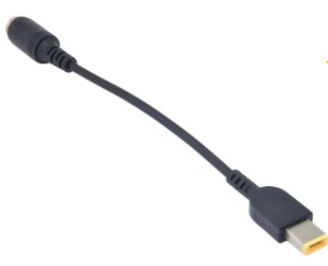
If you’re like me, you have a TON of those old “circular tip” shaped Lenovo Power Adapters. They were used for the ThinkPad laptops like the ThinkPad X201T convertible tablet/laptop.
I have 6 of these old adapters & as a result, I’ve been using these 3rd party adapters that convert these old style power adapters to the new interface used by the ThinkPad X1 Carbon Touch.
Here’s the listed specs. I don’t anything about this company. All I know is that I bought 4 of these and they all work beautifully with my old power adapters. Saves me a ton of money by reusing my old accessories on my new laptop. I leave them around at the office, home, and in my bag now.
Comments Off on INFO: Lenovo Power Converter Cable Adapter for Lenovo ThinkPad X1 Carbon (Touch)
Posted in Uncategorized
This has been floating around the Internet for years so it’s nothing new but for anyone that puts a premium on battery life on their Surface Pro (original or Pro 2) like I do (I specifically need to extend the battery because 90% of what I do with it is take handwritten notes using the stylus & OneNote) then this might interest you.
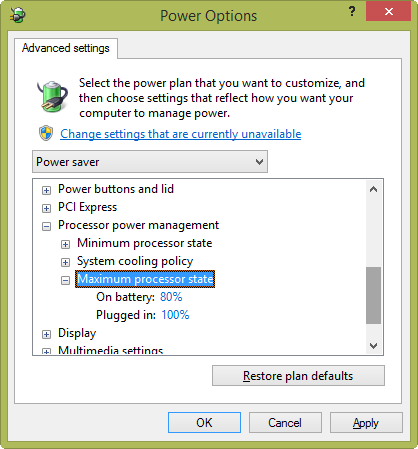
Adjusting Max Processor State in Windows 8
In order to extend the battery life a bit, all you have to do is change the the maximum processing power percentage assigned to the Power Options profile on your device from 100% to 80%. This provides a noticeable difference in battery life – some have reported up to 1-2 hours, & for most purposes like inking in OneNote or browsing, you’ll probably won’t see any change in performance.
To accomplish this:
I’m going to run some tests on how this affects the Surface Pro & Surface Pro 2 but the results have been promising so far. I suspect that with this setting, I may be able to get as much as 9 hours on my Surface Pro 2.
Comments Off on INFO: Extending Surface Pro (or Pro 2) battery life by adjusting the Power Plan “Maximum Processor State”
Posted in Uncategorized
We released another FREE eBook for folks to download. This is a shorter, 70pg, 6.0MB book targeting architects of .NET applications called “.NET Technology Guide for Business Applications”.
Select your architecture approaches and development technology based on your specific application’s priorities and requirements.
A single architecture and approach won’t work for every type of application. The Microsoft development stack and .NET are extremely flexible and offer many possibilities, but it’s essential that you choose specific approaches and technologies based on the kind of application—or even subsystem—you build. Each application will have very different priorities and tradeoffs that must be taken on different paths.
Business application modernization goes further than simply building mobile apps. Mobile applications must rely on and extend your foundational business applications.
To be successful, mobile apps must be built with deep integration into your current foundational business applications. Mobile business apps should be part of the larger enterprise ecosystem and substantially extend foundational business applications, whether the foundational systems are established legacy applications or new, large, mission-critical applications built with innovative, scalable, and elastic services.
Positioning your application or subsystem within a global patterns segmentation will help you to choose the right approaches and technologies.
It is fundamental to position your application/subsystem in the right segmentation area. The right approaches and technologies for each of the following application types could potentially be very different:
- Emerging application patterns
– Devices and services- Established application patterns
– Small and medium-sized business applications
– Large, mission-critical business applications
Read more here:
Comments Off on DOWNLOAD: Free Microsoft Press eBook, “.NET Technology Guide for Business Applications”
Posted in Uncategorized
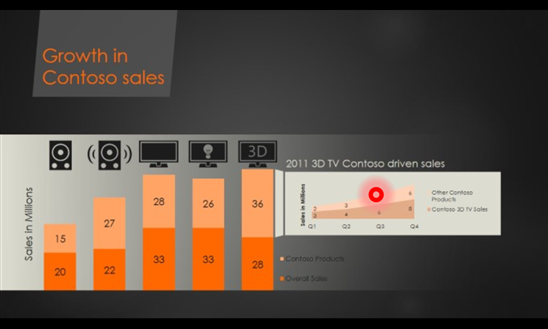
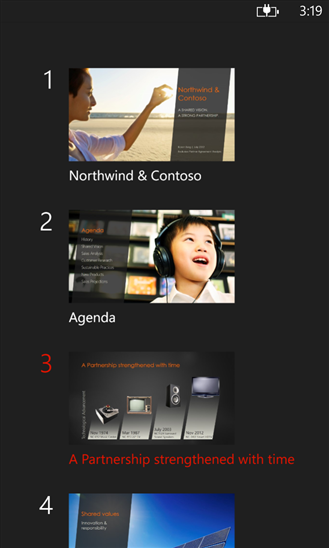
Office Remote turns your phone into a smart remote that interacts with Microsoft Office on your PC. The app lets you control Word, Excel, and PowerPoint from across the room, so you can walk around freely during presentations.
With Office Remote, you can start your PowerPoint presentation, advance the slides, see your speaker notes, and control an on-screen laser pointer with a touch of your finger — all from your phone. You can also navigate between Excel worksheets and graphs, and control data slicers from the palm of your hand. And you can scroll through a Word document or quickly jump to specific sections or comments.
App requirements:
- Microsoft Office 2013. This app does not work with Office 2013 RT or earlier versions of Office.
- Bluetooth on your PC
- The desktop add-in for Office Remote must be installed on your PC http://aka.ms/officeremotepc
Office Remote has the following features:
- PowerPoint:
- Jump to the next, previous, and last slide
- View slide thumbnails and jump to a slide
- View speaker notes on phone
- View presentation timer and slide numbers
- Laser pointer using touch on your phone
- Excel:
- Change worksheets by swiping
- Use Slicers, PivotTable, and Filters
- Jump to any named object in your workbook
- Move up or down the worksheet
- Change the zoom level
- Word:
- Jump to headings
- Jump to comments
- Screen up/down
- Line up/down
- Change the zoom level
Read more about it here:
Comments Off on DOWNLOAD: “Office Remote” app for Windows Phone 8
Posted in Uncategorized
This was a pretty interesting post so I decided to amplify it a bit.
Architect Update: Migrating Google Drive Content to Office 365
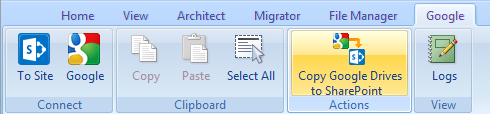
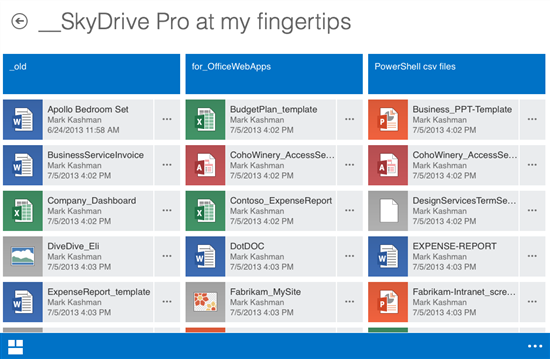
We’ve had many requests for the ability to quickly migrate content from Google Apps to Office 365 as companies make the decision to move to the Microsoft cloud platform. So we are pleased to let you know that there is now an easy way to bulk migrate the content stored in your enterprise Google Apps account to SkyDrive Pro used for an Office 365 tenancy.What you get is a simple interactive Wizard that once authenticated to access to your enterprise Google Apps account, will automatically discover Google Drives and SkyDrive Pro areas (note that the SkyDrive Pro accounts must already exist). You can then select the content to copy over, taking metadata and versions, as well as folder structures and permissions. It will also convert content from Google Docs format to Microsoft Office formats.
…
Interesting? Read more here:
(Thx Mary Branscombe for the great tip)
Comments Off on BLOG: “Migrating Google Drive content to SkyDrive Pro & Office 365”
Posted in Uncategorized
Midnight on 11/22 will mark the beginning of a new generation of games and entertainment with the arrival of Xbox One.
Over 9,500 retail locations will open at midnight for our fans to pick up their consoles.
An hour long TV special will be aired on Spike TV, Xbox Live and Xbox.com at 11pm EST on Thursday, Nov. 21st, featuring live performances by Macklemore & Ryan Lewis and Deadmau5, along with a variety of stunts that celebrate our games.
…begun, the console wars have…
Comments Off on EVENT: Xbox One World TV & Streaming broadcast special – November 21st, 11PM EST
Posted in Uncategorized
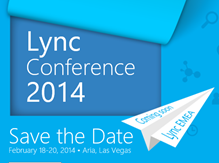
For those of you involved with Microsoft technologies, looking to budget & book for the upcoming year’s educational & networking events, this is my list of upcoming conferences, registration URLs, and their locations in order of executions based on my own knowledge:
The following events are not listed/unannounced:
Comments Off on EVENT: Upcoming Microsoft Conferences for 2013-2014
Posted in Uncategorized
You must be logged in to post a comment.