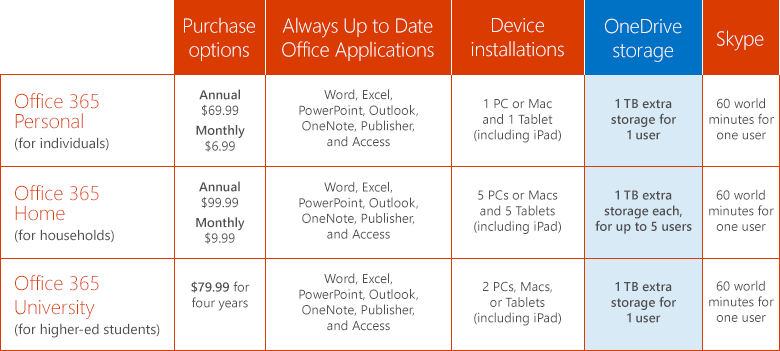
imageAs of July, you will be getting 1TB of OneDrive storage if you subscribe to any of the following consumer subscriptions:

  • Office 365 Home
  • Office 365 Personal
  • Office 365 University

This new announcement reiterates our commitment to the cloud and our customers that have invested in Microsoft’s cloud technologies & services.

GETTING 1TB OF STORAGE FOR EACH FAMILY MEMBER
What’s missing in all of this is that you can share your Office 365 Home subscription with up to 4 other family members.  What this means is that each family member will get:

  • Access/usage of all the Office 365 applications (For Windows: Outlook. Word, Excel, PowerPoint, Access, OneNote, Publisher… or for Mac: Word, Excel, PowerPoint, Outlook) while also getting
  • 1TB of storage in OneDrive for each user

That’s up to 5TB of storage and access to the world’s #1 Office suite all through 1 subscription.  It’s an amazing deal.  For instructions on how to do this follow this link:

Here’s the announcement from the Office Blog:

imageToday, OneDrive and Office are announcing a BIG change to that benefit for consumers, to the tune of 1 TB per user. That’s right–we’re increasing the OneDrive storage allotment included with Office 365 Home, Office 365 Personal, and Office 365 University from 20 GB to 1 TB. That’s a whopping 50 times, or 5,000 percent increase in storage–and it’s going to be here before classes are in session!

image

…

Read more here:

Three great videos summarizing the major themes of E3 from the men themselves, Phil Spencer, Larry “Major Nelson” Hyrb, & Dan Ayoub.

Expert Zone E3 2014: The Xbox Keynote & Phil Spencer Q&A


Expert Zone E3 2014: Major Nelson’s Q&A


Dan Ayoub of 343 Industries on “Halo: The Master Chief Collection”

imageStrangely, this Free eBook doesn’t seem to have gotten much publicity.

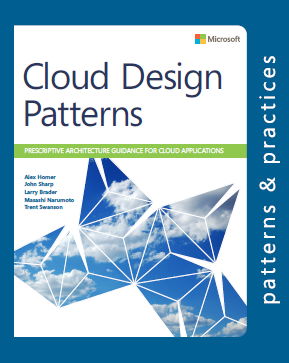
Now available free from Microsoft Press:  “Patterns & Practices: Cloud Design Patterns”

Containing twenty-four design patterns and ten related guidance topics, this guide articulates the benefit of applying patterns by showing how each piece can fit into the big picture of cloud application architectures. It also discusses the benefits and considerations for each pattern. Most of the patterns have code samples or snippets that show how to implement the patterns using the features of Windows Azure. However the majority of topics described in this guide are equally relevant to all kinds of distributed systems, whether hosted on Windows Azure or on other cloud platforms.

Additionally, there is sample code:

The example applications for use in conjunction with Cloud Design Pattern guide. It consists of 10 samples to show how to implement design patterns using the features of Windows Azure.
See the Readme for information about the sample code. Each sample has a corresponding readme for information about how to run the sample.
Note: The samples are simplified to focus on and demonstrate the essential features of each pattern. They are not designed to be used in production scenarios.

Posted by: kurtsh | June 19, 2014

INFO: Microsoft’s two free eBook libraries

image

We have two eBook libraries that folks should know about

Posted by: kurtsh | June 19, 2014

RELEASE: Office 365 Roadmap

One of the things that Microsoft has aspired to make available for all our products & services is a clearly defined roadmap for what capabilities we plan on releasing & when so that our Enterprise customers can plan, budget & set expectations appropriately.

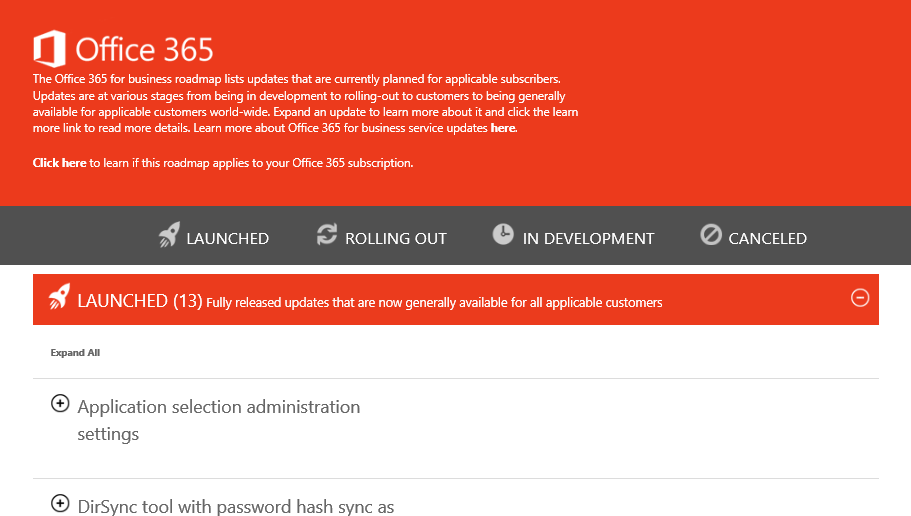
Today, we released the Office 365 Roadmap:

image

The Office 365 for business roadmap lists updates that are currently planned for applicable subscribers. Updates are at various stages from being in development to rolling-out to customers to being generally available for applicable customers world-wide. Expand an update to learn more about it and click the learn more link to read more details. Learn more about Office 365 for business service updates here.

For more information, visit:

imageThe Office Online Services description contains a wealth of valuable information for any organization deploying Office 365.  It provides IT with the information necessary to help explain the differences between Office Online and Office 365 Pro Plus.

For example:
Table: “Word, Excel, OneNote, and PowerPoint feature availability across offers”

image

Also:
Table: “Supported file types for Office Online”

image

For more information, read the following:

imageLooking for items to create buzz (posters, flyers, emails), how to prep help desk, etc.  We just provided some new adoption kits for your end users.

Quickstart to Office 365

This is the first download that has a plethora of materials to evangelize the service within your business:

  • Fast Track to Office 365 tips and best practices guide
  • Email samples
  • Policies and best practices templates
  • Presentations for introducing Office 365
  • Posters and other print communications
  • Help desk and support resources
  • End-user surveys
  • Videos

Interested?  It’s 99.4MB.

—————–

Office 365 Change Management Guide for the Enterprise
There’s also the Change Management Guide for the Enterprise, which describes a proven, four-phase process that organizations have used to drive up new technology adoption and maximize their return on investment. A comprehensive set of samples and templates let you build a customized set of project planning documents and user awareness materials based on your specific organization’s needs.  Included in this download package:

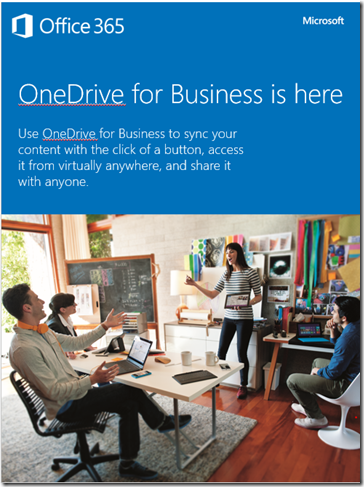
imageOffice 365 Change Management Guide for the Enterprise:

  • Change Management for the Enterprise guidance
  • Project planning workbook
  • Email samples
  • Policies and best practices templates
  • Presentations for introducing Office 365
  • Posters and other print communications
  • Help desk and support resources
  • End-user surveys
  • Videos

Interested in this one?  It’s 102.9MB.

—————–

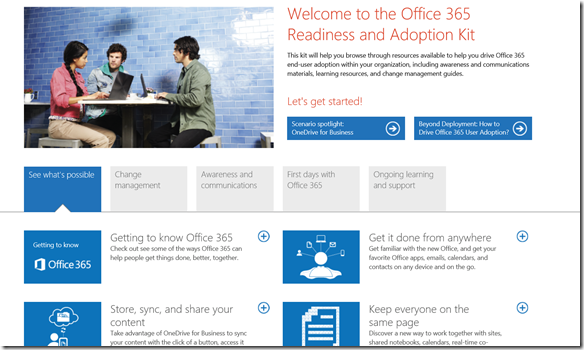
imageOffice 365 Readiness & Adoption Kit
Finally, this is a pre-bundled web site you can deploy on your intranet which contains all of the materials above in a nice neat web site package.

Posted by: kurtsh | June 17, 2014

RELEASE: Microsoft Desktop Optimization Pack 2014

image[I’m way late on posting this but I need to have it here for later reference.]

Today, we are excited to announce that Microsoft Desktop Optimization Pack (MDOP) 2014 is now available for download. For those of you who aren’t familiar with MDOP, it’s a suite of virtualization, management and security technologies available as a subscription for Software Assurance customers that helps maximize the benefits offered by Windows.

MDOP 2014 includes Microsoft BitLocker Administration and Monitoring tool (MBAM) 2.5, which represents a substantial update to our BitLocker management solution, as well as a spring update for Microsoft Application Virtualization (App-V) 5.0 SP2. This update is available for download here and includes a number of significant product innovations focusing on virtualized desktop scenarios.

For more detail on the improvements made in MDOP 2014, visit the Windows blog and the Springboard blog.

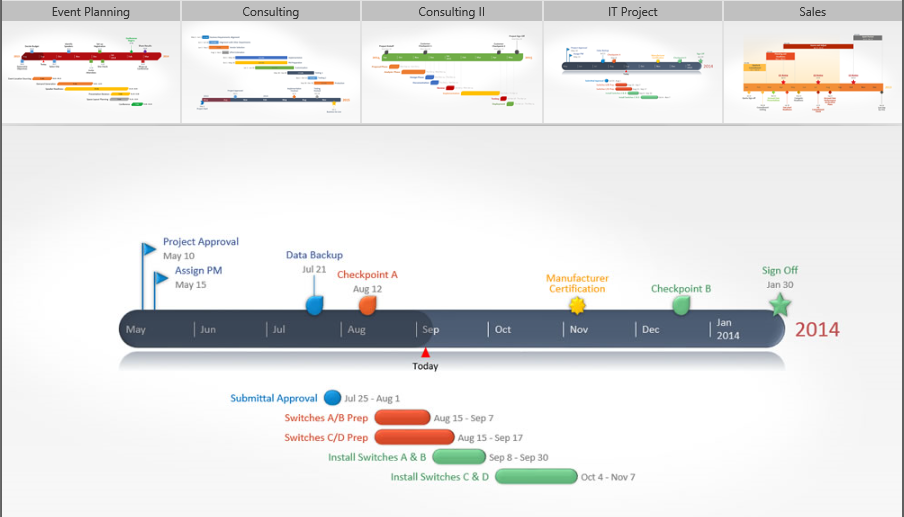
imageAre you in IT?  Do you have to prep PowerPoint’s that present, among other things, your project timeline?  Do you find yourself handcrafting Gantt charts and modifying them every time there’s a slip in schedule?

No longer!  Here’s a 3rd party tool that I use with PowerPoint 2013 (also works with 2007/2010) called “Office Timeline 2013”.  And it’s free.

image

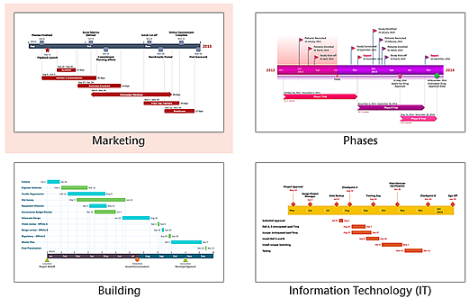
The above photo is an example of the kind of timeline you can generate and insert into your PowerPoint presentation through a quick wizard.  They have different templates, different chart types, different use cases, etc.

image

If you like it, you might want to copy & paste timeline data from Excel… and that’s where the “Plus” version comes in which is NOT free, however it’s probably going to be worth you dollar at $39 just to keep in your arsenal of secret IT professional tools.

In case you’re not familiar with RMS, here’s a quick overview of a little bit of the value it provides organizations:

Protecting an email & attachment with AD RMS


Due to increased regulation, the Consumerization of IT (CoIT) and the “Bring Your Own Device” (BYOD), the explosion of information with dispersed enterprise data, the Social Enterprise and its applications enabling new collaboration, analytics scenarios, etc. enterprises of all sizes are facing growing needs to protect sensitive information. At the same time, enterprises have a need to securely share that same information amongst appropriate employees and other individuals within and outside the corporate network.

The NEW Microsoft Rights Management service (RMs) offering (microsoft.com/rms) provides the capability to create and consume protected content such as e-mail and documents of any type. Such a capability is available as a standalone subscription (for your on-premises infrastructure with the Microsoft Rights Management connector) or is part of the Office 365 Enterprise subscription, natively integrated with Exchange Online, SharePoint Online, and Microsoft Office to apply persistent protection to the content to meet the business requirements of your organization.

The Microsoft Rights Management suite is implemented as a Windows Azure service. Beyond the available RMS enlightened applications on the market, it comprises a set of Microsoft Rights Management sharing applications that work on all your common devices, a set of software development kits, and related tooling. By leveraging Windows Azure Active Directory, the cloud-hosted Microsoft Rights Management service acts as a trusted hub for secure collaboration where an organization can easily share information securely with other organizations without additional setup or configuration. The other organization(s) may be existing Microsoft Rights Management service’s customers but if not, they can use a free Microsoft Rights Management for individuals capability.

The whitepapers available as part of this download covers the various aspects of the offerings and provide in-depth information to evaluate or use the Microsoft Rights Management service and its components. For an overview of the NEW Microsoft Rights Management service offerings, see the whitepaper NEW Microsoft Rights Management service.

The below five papers are offered:

  • Bring-Your-Own-Key-with-Azure-RMS.DOCX
  • Get-Usage-Logs-from-Azure-RMS.DOCX
  • IPC-in-Office-365-with-Azure-RMS.DOCX
  • Leverage-the-RMS-Connector-for-your-premises.DOCX
  • Share-protected-content-with-Azure-RMS.DOCX

DOWNLOAD:
http://www.microsoft.com/en-us/download/details.aspx?id=40333

« Newer Posts - Older Posts »

Categories