imageI think a lot of people have gotten weary over the term, “Internet of Things”.  Much like “Information Superhighway”, it’s gotten to be a bit of a joke when it’s used in conversation.

An “Internet of Things” (IoT) however is a real matter to be addressed as either a strategic advantage of a danger.  One important enough that companies should look into what their strategy is managing them or more importantly, how to take advantage of the concept.

As described at the beginning of the year, the Internet of Things refers to Big Data as applied to your own connected devices, each with its own sensors, and doing the following:

  1. Driving decision making based on this information
  2. Orchestrating changes on current device operation based on this information
  3. Choosing what data to collect & pay attention to, and what to ignore

Per Microsoft Vice President, Susan Hauser:

We’re all familiar with the challenge of big data – how the volume, velocity and variety of data is overwhelming. Studies confirm the conclusion many of you have reached on your own: There’s more data crossing the internet every second than existed on the internet in total 20 years ago. And, now, as customers deploy more sensors and devices in every part of their business, the data explosion is just beginning. This concept, called the “Internet of Things,” is a hot topic among my customer conversations. Many businesses are uncovering efficiencies based on how connected devices drive decisions with more precision in their organizations. A great example of this is leading German hospital Siloah St. Trudpert Klinikum, which built a system to integrate operating room devices, machines and data sources to improve patient care. However, equally important is ensuring businesses are analyzing the right data sets, absorbing some data in real-time and leaving other data at the device or allowing machine-to-machine communication. This strategy – understanding what data needs to be absorbed vs. ignored – is where “Internet of Things” becomes real. It will be a big deal in 2014.

Here’s more on Microsoft’s thoughts around IoT:

We are excited to introduce myBulletins, a new online security bulletin customization service that offers IT professionals a personalized list of the Microsoft security bulletins that matter most to their organization.

It is easy to use: simply visit myBulletins, log in to your Microsoft account, select the products and versions running in your environment, and a customized list of only those security bulletins is displayed.

image

imageYeah, I never thought I’d see this day.  This is an utterly incredible partnership to create solutions that connect salesforce.com’s CRM apps/platform to Microsoft Office and Windows.

In a nutshell, here’s what we can anticipate from the partnership:

  • Windows and Windows Phone 8.1 Salesforce apps
  • Office 365 & Salesforce interoperability
  • Office Mobile, Office for iPad & Office 365 access to Salesforce content
  • OneDrive for Business/SharePoint Online as storage options from Salesforce
  • Salesforce app for Outlook to provide PIM integration
  • Excel & Power BI for Office 365 connectivity to Salesforce data

Basically, customers using Salesforce.com today are going to love using Office 365 & the Office family of applications on Windows, Windows Phone, iPhone, Android & iPad.

Read more here:

Scott Guthrie, Executive Vice President, Cloud and Enterprise Group wrote the following post after Gartner announced their recent Magic Quadrants for the Cloud:

imageA little over a year ago, we announced the general availability of Azure Infrastructure Services. Since that time, we helped customers realize the power of “and” with Infrastructure Services and Platform Services, Windows and Linux, Oracle, SQL and soon SAP – all in one cloud – so customers get the speed, scale and economic benefits of the cloud no matter what they want to do. Today, I’m excited to share that Gartner has named Microsoft as a Leader in its 2014 Cloud Infrastructure as a Service (IaaS) Magic Quadrant report. This comes on the heels of Gartner recognizing Microsoft as a Leader in the Enterprise Application Platform as a Service (aPaaS) market in its 2014 Enterprise aPaaS Magic Quadrant – making Microsoft the only public cloud vendor to be named a Leader for both PaaS and IaaS.

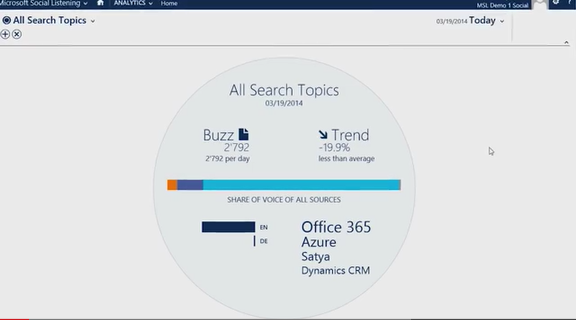
This is really cool… almost an early warning system for sales & marketers.  Ever wish you could identify if there’s positive or negative feelings about your brand both domestically and internationally without having to know the culture or language of other geographies?

That’s Microsoft Social Listening.

Microsoft Social Listening


imageI am incredibly excited to announce the availability of Microsoft Social Listening.  This powerful tool will enable your people to tap directly into the social conversation so your customer-facing employees can create amazing customer experiences.  Marketers can track sentiment related to your brand and understand how their marketing tactics are resonating.  Sales people can stay on top of the competition while watching for social buying signals.  Service teams can delight customers by providing real-time social care.  Because, that’s just it, we don’t think your social tool should be relegated to just a select few individuals in your organization, we believe the power of social listening should be given to everyone.  How do we do that?  By making it part of your current Microsoft Dynamics CRM Online subscription (for customers with 10 professional seats, MSL comes at no additional charge) and by making it super easy to use.

image

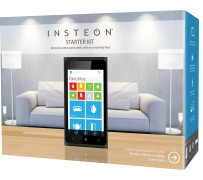
Yay!  Home automation hobbyists rejoice!  INSTEON has released their apps for Windows 8 & Windows Phone!

This means from any Windows 8 touch device, any Windows desktop, or Windows Phone, you can control the INSTEON home automation appliances, sockets, and devices in your home remotely over the Internet.

For INSTEON devices, check out the Microsoft Store here:

Here’s a description of the solution:

The new INSTEON Hub connects you to your home from any smartphone or tablet. Control INSTEON light bulbs, wall switches, outlets and thermostats. Receive email or text alerts from motion and water leak sensors while you’re away.

Download the INSTEON for Hub app, Connect your INSTEON Hub, Select your favorite INSTEON devices for your home and Enjoy!

The INSTEON Hub works in combination with your router and smartphone or tablet to control INSTEON devices in your home while you’re there, when you’re at work, or out of town.

imageThe INSTEON for Hub app works in concert with the Hub to automatically configure your Hub and router for remote access – so simple, anyone can do it.

  • Easy Device Scheduling
    Want to turn on your bedside lamp automatically to help wake you up in the morning? How about program the porch light to turn on and off automatically with the rise and fall of the sun? No problem.
  • Get Alerts
    Create alerts by adding water leak sensors, motion sensors, door/window sensors and more. The INSTEON Hub will send text and email alerts to you as well as anyone else you wish. The Hub also stores the status of these sensors, so you can easily check on your sensors from within the app at anytime.
  • Stay Connected
    Wonder what triggered the motion sensor or just want to check in on the kids or your pets? Add a wireless camera and you’ll see it all from your smartphone. The INSTEON cameras feature pan/tilt control and night vision. Setting up this camera within the INSTEON for Hub app is the easiest setup that you have ever seen!
  • Cloud-based Service
    The INSTEON Hub stores your homes configuration in the cloud which allows access from any number of smartphones and tablets you may own. Add another smartphone by simply downloading the app, sign in and enjoy.
  • NO MONTHLY FEES
    No monthly fees to view, control and monitor your home. Other systems on the market charge hundreds of dollars a year for services that you can enjoy for free with the INSTEON Hub.
Posted by: kurtsh | June 10, 2014

NEWS: Xbox E3 Media Briefing announcements

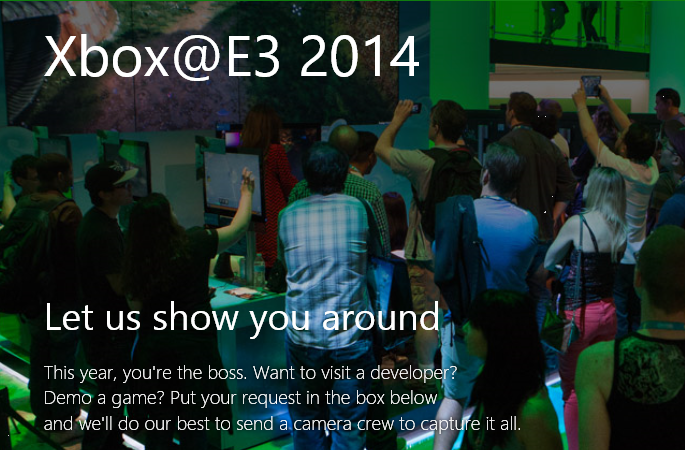
E3, the Electronic Entertainment Expo in Los Angeles, is off a to a great start with Microsoft’s keynote taking place on Monday 6/9/14.  imageI think Wired’s article says it all when it comes to Microsoft’s E3 kick off:

And with that, here’s a list of what was announced/shown:

imageDevs, are you looking forward to building apps with Kinect for Windows v2, launching this summer? In this Jump Start, explore the brand new Software Development Kit with experts from the Kinect engineering team. Learn about the new APIs and app model, see fascinating demos, and get samples (plus source code) for both desktop and Windows Store apps. Even if you don’t have a Kinect device, you won’t want to miss this entertaining event.

Date/Time:
July 15, 2014 9:00am–5:00pm PDT

Registration:
http://www.microsoftvirtualacademy.com/liveevents/programming-the-kinect-for-windows-jump-start

imageJune 9th.  From the Galen Center in Los Angeles, Calif. Xbox celebrates Sunset Overdrive, the next step for Halo and premieres upcoming games for Xbox One.  Nuff said? 

Pre-show at 9:00am PDT, Briefing at 9:30am PDT

Watch it live on:

clip_image001

Are you tackling BYOD? Windows 8.1 Update, Windows Server 2012 R2, and Windows Phone can help!

Find out how in this demo-filled, three-day Jump Start course with live Q&A. Plus, get the latest from the TechEd and Build conferences, and prepare for MCSE: Desktop Infrastructure and MCSA: Windows 8.1 certifications.

Seasoned experts share real-world experience as they explore the new feature set in Windows 8.1 Update. Dive deep into key enterprise scenarios around System Center Configuration Manager 2012 R2 and Windows Intune management and security, and explore virtual desktop infrastructure (VDI), disk deduplication and tiering, and the Remote Desktop app.

Windows 8.1 Update can simplify the management of tomorrow’s IT environments, while tangibly improving today’s end-user experience. Sign up for this fast-paced Jump Start, and find out more!

Course Outline:

  • Introduction
  • What’s New in Windows 8.1 for Users
  • What’s New in Windows 8.1 for IT Administrators
  • BYOD Challenges
  • Going Mobile: Usability and Flexibility
  • Going Mobile: Administration
  • Apps and Virtual Desktops on Every Device
  • Better Compatibility for Websites
  • Summary

Live Event Details

  • June 17–19, 2014
  • 9:00am–11:30am (PDT)
  • What: Fast-paced live virtual session
  • Cost: Free
  • Audience: Windows Administrators and other IT Pros
  • Prerequisites: This course will be useful to anyone implementing BYOD or charged with managing Windows 8.1 for the enterprise.

Registration
http://www.microsoftvirtualacademy.com/liveevents/windows-8-1-update-for-enterprise-jump-start

« Newer Posts - Older Posts »

Categories