Posted by: kurtsh | January 21, 2015

DOWNLOAD: Lync Server 2013 Resource Kit & Documentation

imageThe Lync Server 2013, Resource Kit Tools help to make routine tasks easier for IT administrators who deploy and manage Lync Server 2013. For example, the Web Conf Data tool can be used to easily control data that is uploaded by users during an online meeting. The SEFAUtil tool can be used to set up delegate call forwarding and answering for users. We encourage IT administrators to use these tools to more effectively manage Lync Server 2013.

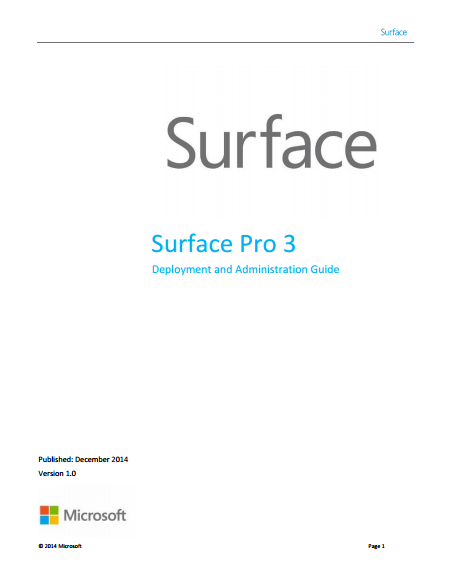
imageFor those responsible for Surface Pro 3 deployments in their Enterprises, this guide should be pretty helpful.

The guide was developed to show best practices for deploying Windows to Surface Pro 3 devices. This guide is organized in a way that minimizes the learning curve for you to understand how to deploy Windows to the Surface Pro 3 devices to your organization. It presents step-by-step procedures that provide essential building blocks for successive chapters. Therefore, it is a good idea to read the chapters in order. The deployment concepts discussed in this guide are valid for all Windows computers, but specifically targets scenarios for Surface Pro 3 devices.

Posted by: kurtsh | January 21, 2015

NEWS: Xbox on Windows 10

The Xbox experience is coming to Windows 10. Together, they’ll take your gaming further with the worlds greatest multiplayer community, the best of Xbox Live and more.

(Suddenly that Minecraft acquisition’s starting to make even more sense, ‘eh? Smile)

Xbox on Windows 10

Read more about all of this here:

Posted by: kurtsh | January 21, 2015

NEWS: Windows 10: A New Generation of Windows

By the way? We’re also… y’know… releasing a new version of Windows. In case you hadn’t heard. And it’s gonna be FREE.

Windows 10: A New Generation of Windows

Free Upgrade Offer
Great news! We will offer a free upgrade to Windows 10 for qualified new or existing Windows 7, Windows 8.1 and Windows Phone 8.1 devices that upgrade in the first year!*  And even better: once a qualified Windows device is upgraded to Windows 10, we will continue to keep it up to date for the supported lifetime of the device, keeping it more secure, and introducing new features and functionality over time – for no additional charge. Sign up with your email today, and we will send you more information about Windows 10 and the upgrade offer in the coming months.

Read more on the new Windows 10 page:

Posted by: kurtsh | January 21, 2015

NEWS: Introducing Microsoft HoloLens

imageIn case you hadn’t heard, we made a little announcement about some optics we’ve been working on.

Microsoft HoloLens–Transform your world with holograms

Imagine what this could do?

Microsoft HoloLens–Possibilities

Apparently, the press like what they see:

imageReminder folks… Registration for BUILD 2015 in San Francisco (Apr 29th-May 1st) begins 9:00am PST Thurs, Jan 22.

Yes, that’s TOMORROW.

Visit http://www.buildwindows.com for more information.

Posted by: kurtsh | January 21, 2015

NEWS: Introducing Microsoft Surface Hub

Introducing Microsoft Surface Hub

Perceptive Pixel 2.0?  Sure.  But much much more.  Take a look.

For more information on Microsoft Surface Hub:
http://www.microsoft.com/microsoft-surface-hub/en-us

In case you missed it, you can now video chat between Skype & Lync.  It does require Skype for Windows 7.0.x.100 so download the latest Skype for Windows client here:
http://www.skype.com/en/download-skype/skype-for-windows/downloading/

In 2013, we enabled Lync users to contact people on Skype using instant messaging, presence, and audio calling right from your contact list. I’m happy to say that we’ve now taken the next step by adding video calling between Lync 2013 and the latest Skype for Windows desktop client, available for download here. Now Lync users can conduct everyday business and collaboration “face-to-face” with customers, partners and suppliers who use Skype.

Skye Lync video

The screenshot above shows a video call from the Lync perspective. Whether you’re using Lync or Skype, it’s an easy, familiar experience—you make the video call the same way you make any other call, with the same options for starting, stopping, re-sizing and maximizing video.

Read more here:

For folks interested in cloud backup solutions for desktops & client systems, this announcement may be of interest.

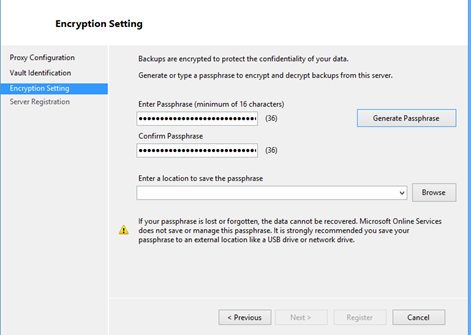
imageWe are excited to announce the support for backing up data to Azure from Windows 7, Windows 8 and Windows 8.1 machines, using Azure Backup. You can find more details on the supported client operating system versions, SKUs in KB3015072. By downloading this update, you automatically get all the capabilities released in the last few months, including:

This release opens up new scenarios for Azure Backup by enabling customers to back up their on-premises files and folders directly to Azure. Once the initial backup copy is completed, Azure Backup tracks the changes to the backed up files and efficiently transfers only the changed content over HTTPS.

…

Read the rest of the post here:

Posted by: kurtsh | December 16, 2014

HOWTO: Calibrate your Microsoft Band

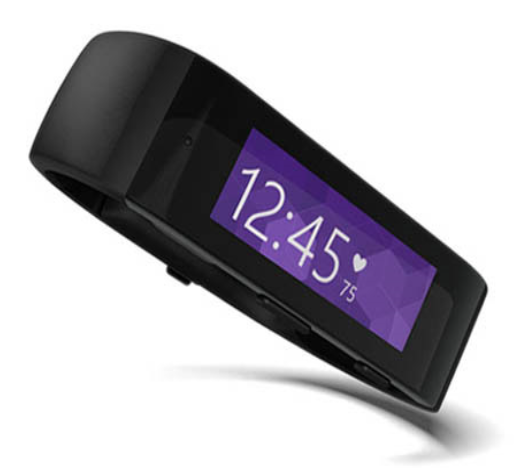
imageNeowin’s Brad Sams wrote an article that goes over the distance-per-step calibration process for the Microsoft Band and explains how it can be more accurate than other pedometers and what the Microsoft Band team says about it.

The tl;dr essentially involves using the “GPS” or “Run” function AT LEAST ONCE to gather information about the distance you walk versus the number of steps you’ve taken.  Once you do this, the Band will have some information to accurately measure your steps, distance, etc.

Read the entire article here for more details.

« Newer Posts - Older Posts »

Categories