If you are looking to leverage your Software Assurance Training Vouchers, and want to know what sort of training is available – eLearning, classroom, French, English, etc – go to the following reporting site: 

From here, you can generate a report that shows:

  • Different languages the training is offered in
  • What training is available in eLearning format
  • What training is downloadable as SCORM compliant modules
  • What training is offered in a classroom by an instructor from a Certified Training & Education Center
  • Sort by target audience: End user, IT Pro, & Developer
  • Identify which course are eligible for purchase through SA training vouchers versus not-available to SA training vouchers
  • A specific product(s) that you need training in

See the report below.  Notice the Windows 10, Skype for Business, and other courses “coming in Q4 2015”.

clip_image001

Posted by: kurtsh | September 30, 2015

BETA: OneDrive for Business “v.Next” sync client

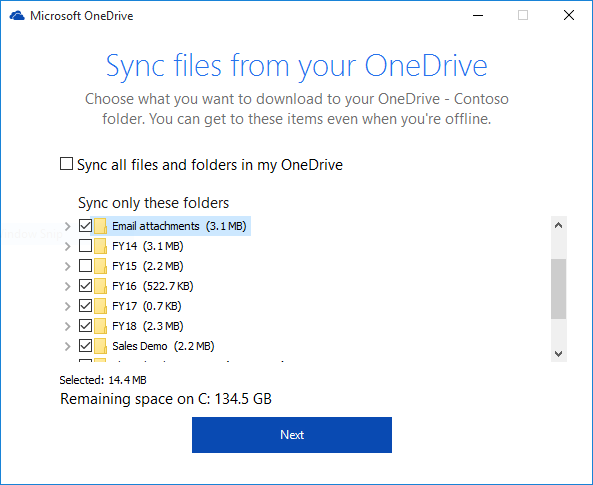
imageToday we’re releasing a preview of our new OneDrive for Business sync client for organizations and we wanted to share what this means for users and IT administrators alike. Based on your feedback, we’ve focused our innovation in three key areas: improving sync reliability, enriching the user experience and delivering greater IT control.

Read more here:

WANT A QUICK DEMO?
In this 2-minute demo, Jason Moore from the OneDrive engineering team highlights the new OneDrive for Business file sync client Windows and Mac OSX – from controls for selective folder sync to setup and IT management options.

OneDrive for Business: Sync client updates demo (2:29)


In this short demo, Reuben Krippner from the OneDrive team demonstrates updates to OneDrive for Business – from the new sync client to new for experiences in the browser and on mobile phones.

OneDrive for Business: Demo tour of updates to sync client, mobile and web (4:43)

image

Join Microsoft Windows Experts for a day of discussion and demonstration for Technical Decision Makers, IT Professionals and Developers. Come learn why Windows 10 is the best operating system for business use. We’ll share, demo and dig into new features built for businesses while giving you hands on experience to take back to your teams!

AGENDA

  • 9:30am Registration Opens
  • 10:00am Keynote
  • 11:00am IT Pro Breakout |  Developer Breakout
  • 12:00pm Lunch, Partner & Devices Showcase
  • 1:00pm IT Pro Breakout  |  Developer Breakout
  • 3:30pm Afternoon Break, Partner & Devices Showcase
  • 4:00pm IT Pro Breakout  |  Developer Breakout
  • 5:30pm Happy Hour! Ask the Experts, Partner & Devices Showcase

IT PRO/TECHNICAL DECISION MAKER TRACK
Join us for an exclusive keynote address followed by 300 level technical sessions led by Microsoft experts.

Protection Against Modern Security Threats

  • Learn how to implement new security features like Microsoft Passport and Windows Hello to deploy and use biometrics and multi-factor authentication to strengthen your identities.
  • See how Windows 10 delivers new ways to protect critical business information from leaks or theft using Enterprise Data Protection in Office.
  • Other Key Technologies: Device Guard, Office Single Sign On and Azure Active Directory.

Managed for Continuous Innovation

  • Understand how Windows 10 helps you reduces the cost and complexity of managing and deploying Windows devices.
  • Learn how to implement Windows as a Service in your business.
  • Other Key Technologies: Windows Update for Business, Dynamic Provisioning, and Office Deployment.

Be More Productive

  • Learn how to ensure your critical line-of-business apps keep working whether Win 32 or web based.
  • Understand new ways to manage and control apps with the Windows Store for Business, giving you the control.
  • Other Key Technologies: Enterprise Mode for Internet Explorer; Edge, Office, Bridges.

Next Gen Windows Hardware & Devices

  • See the latest Windows 10 hardware including Surface and OEM devices.

DATE/TIME:
November 5th, 2015, 9:30AM-5:30PM

LOCATION:
Hyatt Regency Orange County
11999 Harbor Blvd
Garden Grove, CA 92840
See map and/or driving directions

REGISTRATION: (Los Angeles)
https://www.microsoftevents.com/profile/form/index.cfm?PKformID=0x21889a48d

———————-

Note that this event is happening elsewhere in 12 cities  throughout the US – including New York, Seattle, .  Check this site to see if it’s coming to your neighborhood:

Posted by: kurtsh | September 28, 2015

RELEASE: Office 365 “Planner”

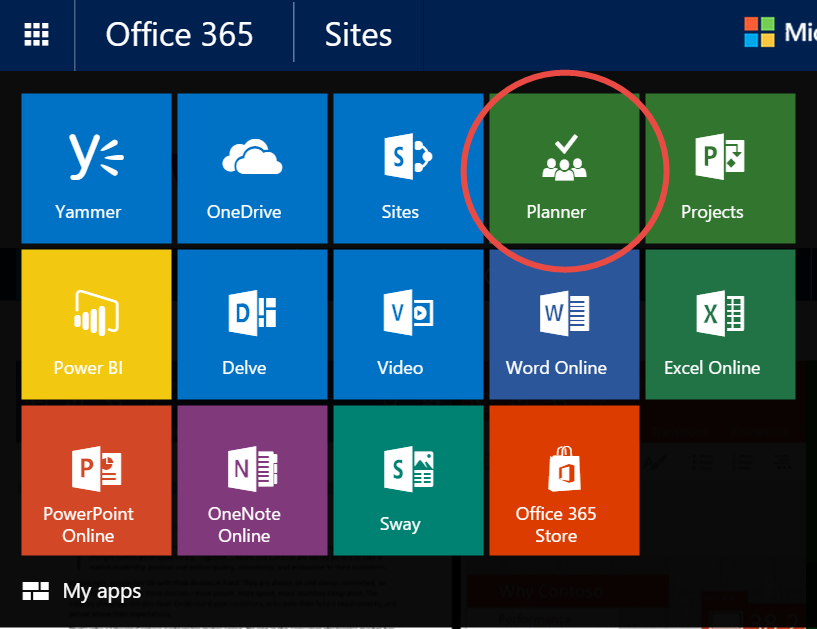
imageInterested in project planning for mere mortals?  If you have Office 365, Planner may be your answer.

Office 365 Planner

Here’s our announcement:

We are excited to introduce a brand new experience in Office 365—Office 365 Planner, which offers people a simple and highly visual way to organize teamwork. Planner makes it easy for your team to create new plans, organize and assign tasks, share files, chat about what you’re working on, and get updates on progress. Planner can be used to manage a marketing event, brainstorm new product ideas, track a school project, prepare for a customer visit, or just organize your team more effectively.

image

Teamwork Organized
One of the most valuable aspects of Planner is that it helps teams organize their work visually. Each plan has its own Board, and within each Board, each work item or task is represented by a Card that can have due dates, attachments, categories and conversations associated with it. Team members receive an email notification whenever they are assigned a new Card or added to a conversation.

imageEvery Card can have documents (or pictures) attached that automatically get rich image previews, so it is easy to understand what the Card is about at a glance. In addition, Cards can be organized on the Board into customizable columns called Buckets, which can be prioritized and tagged with colored labels.

Planner also gives you views to keep your work on track. The Hub view lets you track overall progress across all plans, while the “My tasks” view lets you filter down to see just what you need to do across every plan. In addition, the “Charts” view includes interactive charts for visualizing people’s progress against deadlines. Click a red segment on the histogram to quickly see which aspects of a plan are behind schedule and use the Board to rebalance work across the team. With Planner, everyone is always on the same page. A single glance of the Charts view is all it takes to know where things stand.

The login page for Planner is: https://tasks.office.com/

Read more here:

image

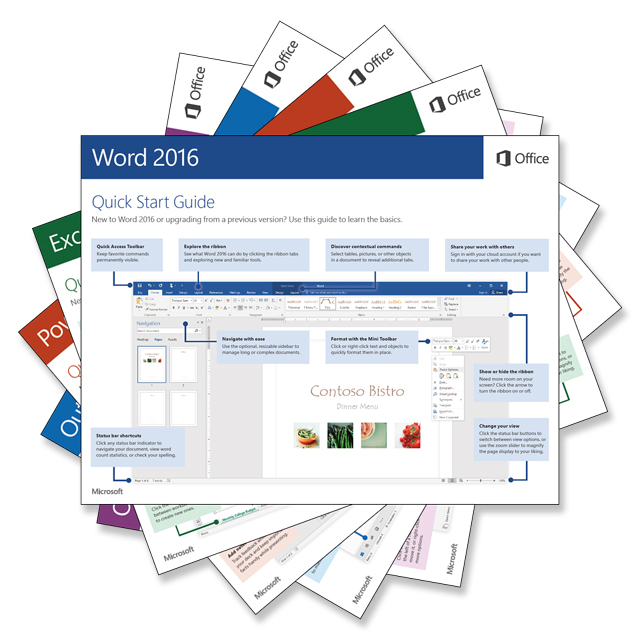
Go download our Quick Start guides for Office 2016 and get teamwork going amongst your user community!

  • Office 2016 for Windows
    Visit Office 2016 Quick Start Guides to download guides for the desktop versions of Word 2016, Excel 2016, PowerPoint 2016, Outlook 2016 or OneNote 2016 on any recent version of Windows.
  • Office Mobile for Windows 10
    Visit Office Mobile Quick Start Guides to download guides for the modern versions of Word Mobile, Excel Mobile, PowerPoint Mobile, or OneNote on Windows 10.
  • Office 2016 for Mac
    Visit Office 2016 Quick Start Guides for Mac to download guides for the Mac versions of Word 2016, Excel 2016, PowerPoint 2016, Outlook 2016 or OneNote 2016 on Mac OS X Yosemite or El Capitan.

Read more here:

imageMay I solicit your help within the next 48 hours?

I would normally never do this on my blog however my dastardly & diabolical friend, Chandler, Microsoft Los Angeles’ reigning “Goliath of Poker”, has entered Adrian Paul’s 2015 Peace Fund Celebrity Poker Tournament sponsored by Microsoft (see here, here, and here) with the goal of busting Bai Ling, Bruce Buffer (UFC), Tara Reid, Lou Diamond Phillips and Carl ‘Apollo Creed’ Weathers… laying waste to the field of competitors.

He must be stopped.

sucks2‘DAVID’ ENTERS THE RING
So this Saturday, I’ve entered my name into the tournament with the expressed goal of defeating him.  Like the ancient & legendary evil that he is, my pal Chandler looks to destroy all that challenge him with his years of poker room-sharpened, dragon-style poker-fu & his unnatural dark magicks with playing cards.  (I wouldn’t put a bit of rule-smudging past him either.  He is after all a USC Trojan alum.  I am, for the record, a UCLA alum.  Go Bruins.)

Let me be clear:  I am not a professional poker player.  I’ve done okay at company tournaments but nothing to write home about.  Meanwhile, he has played in some of the larger poker rooms in Las Vegas.  I do not have his experience.  Sure I’ve gone through Phil Hellmuth’s book enough that I know the Top 10 hands and the Majority Hands by heart.  And I’ve read one of Doyle Brunson’s books enough know the variables of play & the general odds calculations.  It ain’t gonna be enough. 

There is however only one externality that is out of Chandler’s control.  My in-tournament bankroll.

ALL DONATIONS GO TO CHILDREN IN NEED
A strong bankroll will obviously help me bully my way to his table to ultimately drop the Halo Gravity HammerTM on him.

So please  consider making a small donation RIGHT NOW to my roll (the event is this Saturday, Sept 26th) & support my effort to defeat my good friend Chandler at this year’s Peace Fund Celebrity Poker Tournament 2015, taking place this weekend. 

(All kidding aside, the proceeds go to support children’s aid efforts around the world – a cause I believe in.  Read more here.)

Side note:  If you too worship at the unholy altar of Tommy Trojan, feel free to contribute to Chandler’s bucket of dread & foreboding.

image

Microsoft has partnered with 20th Century Fox to tap into the release of the film adaptation of “The Martian” as an opportunity for fans of all ages to learn more about Mars and space. It’s also a way to empower those around the world to embrace and imagine what life on Mars could look like.

Everything from the map of Mars that main character Mark Watney treads to a Skype discussion with Mars & exploration experts… read more about it here:

Additionally, for those of you would like to see “The Martian Ares 3 Mission Guide” from the movie, you can download it from here:

imageThe Ares space program represents the best of our aspirations, and its success will forever stand as an unforgettable reminder about what we can achieve with effort, imagination and teamwork.

Perhaps it’s the innate human desire to explore that propels us to venture so far from home, but I’ve always suspected that it has more to do with our innate desire to know who we are and where we come from that drives our actions.

Ultimately, that curiosity about where we’ve been is more about knowing where we’re headed.  

With that same sense of destination in mind, NASA will once again send a team of brave, dedicated explorers to Mars to further explore the past in the hopes of ascertaining our future.

By examining the Martian terrain and its geological history, we hope to learn more about why it wound up a desiccated, inhospitable world lest we find one day find our own planet on the same path.

image

Wanna learn about improving end user productivity through:

  • Greater teamwork & collaboration
  • Improved cross organizational interaction
  • Encouraging team creativity
  • Maximizing the use of Microsoft Office 2016 & Office 365

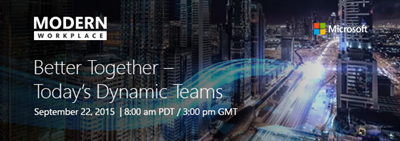
Join us live for Better Together – Today’s Dynamic Teams where master storyteller and presentation design expert Nancy Duarte and co-founders of “Working Not Working” explore actionable ways to dynamically inspire team creativity and productivity to help your business thrive.

Also be among the first to the see a live demo of the new Office, led by Jared Spataro, general manager of Microsoft Apps & Services Marketing.

Register and watch the live broadcast to:

  • Participate in live chat with Microsoft product specialists.
  • Get exclusive access to whitepapers, e-books, and more!

For more information, visit us at www.modernworkplace.com

clip_image002

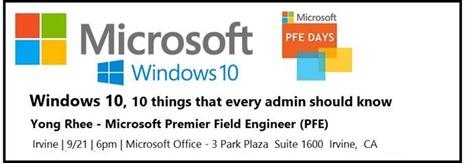
Please join us for “Windows 10,  10 things that every admin should know”  at the Microsoft Office in Irvine at 6:00PM on Monday, September 21st.

This session will provide Sysadmins with tips, tricks and real world experiences on how best to approach Windows 10 for their organization.  Bring your questions and your own experiences and we will do our part in making sure you leave with the information and tools to best deploy Windows 10. 

Speaker: Yong Rhee
Yong is a Windows Premier Field Engineer, who helps educate, deploy, maintain best practices and troubleshoot Windows Clients and Servers out of Irvine, CA.

Schedule:

  • 6:00 PM – 6:15 PM Eat and Greet
  • 6:15 PM – 6:30 PM Welcome
  • 6:30 PM – 7:30 PM Speaker – Yong Rhee in Irvine, CA
  • 7:30 PM – 8:30 PM Round table Q&A (bring your Windows 10 questions)
  • 8:30 PM – 8:45 PM Closing Announcements

Date/Time:
September 21st, 6:00PM-8:45PM

Location:
Microsoft Irvine
3 Park Plaza Suite 1600
Irvine, CA

Registration:
http://www.meetup.com/socalpfedays/events/224458032/

Posted by: kurtsh | September 17, 2015

INFO: Windows 10 Enterprise: FAQ for IT professionals

imageThis is an amazing FAQ around Windows 10 Enterprise for individuals deploying the new edition.

Here’s some of the questions this FAQ answers:

  • Where can I download Windows 10 Enterprise?
  • What are the system requirements?
  • What are the hardware requirements for Windows 10?
  • Are ISOs available for Windows 10?
  • Can I use the Windows 10 Enterprise Insider Preview as a member of the Windows Insider Program after July 29, 2015?
  • What languages is Windows 10 available in?
  • Where can I find drivers for my devices for Windows 10 Enterprise?
  • Are there any deployment tools available to support Windows 10?
  • Can I upgrade computers from Windows 7 or Windows 8.1 without deploying a new image?
  • Can I upgrade from Windows 7 or Windows 8.1 to Windows 10 Enterprise for free?
  • Where can I find out if an application or device is compatible with Windows 10?
  • Where can I find information about new features and changes in Windows 10 Enterprise?
  • How will my users have to adjust to using Windows 10 Enterprise after upgrading from Windows 7 or Windows 8.1?
  • How does Windows 10 help people work with applications and data across a variety of devices?
  • Where can I ask a question about Windows 10?

Go here to read the FAQ:

« Newer Posts - Older Posts »

Categories