We hope you’ll take a second to pause, listen, and share the voices of Microsoft employees and a local NYC youth choir as they share the spirit of the season.
Comments Off on Wishing you peace and harmony this holiday season.
Posted in Uncategorized
<taken from Major Nelson’s blog>
The Game Awards 2015 is happening next week and the Xbox team (including a few notable luminaries) will be there to support a number of our titles nominated for awards.
“Join the biggest names in entertainment to celebrate the best video games of 2015, plus get a sneak preview of what’s next. The Game Awards 2015 Presented by Go90 highlights the cultural significance of video games with awards, world premieres, musical performances and other surprises.”
Xbox Fan Celebration
Xbox is hosting an exclusive Xbox Fan Celebration for 200 lucky fans, who will also receive a ticket to The Game Awards 2015, happening immediately following the social. Enjoy an afternoon of food and drinks and meet special guests from the Xbox team before they open the doors to The Game Awards.
When: Thursday, December 3, 2015 (Exact times TBD – I’ll update this post once the times are confirmed)
Where: JW Marriott Los Angeles at LA LIVE (900 West Olympic Blvd, Los Angeles, CA 90015)
What: Access to the Xbox Fan Celebration and a ticket to the Game Awards (one per person, first-come, first-serve, must be 21+ years old or over). Please note, this is for a ticket to the event only – you are responsible for all other travel, lodging or miscellaneous expenses.
The Game Awards 2015
When: Thursday, December 3, 2015 – 6:00p PT
Where: Microsoft Theater (formerly Nokia Theatre L.A. LIVE), Los Angeles, CA (check ticket availability)
The Game Awards 2015 will be streamed on a number of platforms and apps including Xbox Live, Twitch and YouTube, so even if you’re not going to the event you can watch the show.
Basically the fan event is for the first 200 folks that show up. All those admitted will also get tickets to the Game Awards 2015 event as well.
Read more here:
Comments Off on EVENT: The Game Awards 2015 & Xbox Fan Celebration – Los Angeles, CA Thursday, December 3, 2015 (First come, first served)
Posted in Uncategorized
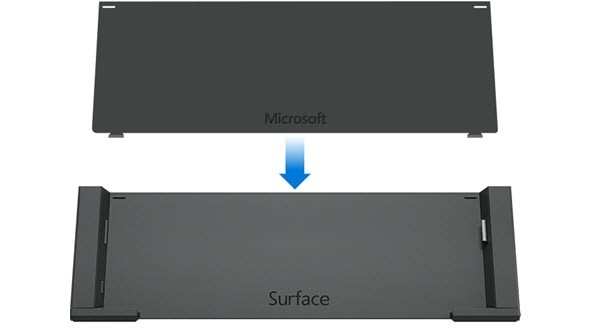
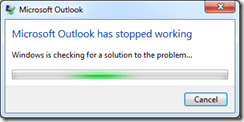
If Windows doesn’t start correctly when you turn on your Surface, here are solutions for some of the more common screens that might appear.
Comments Off on INFO: “Surface turns on, but Windows won’t start”
Posted in Uncategorized
Organization charts show reporting relationships and how employees are grouped into departments. Organizational charts are used as part of those processes related to coordinating people and job responsibilities within and between departments.
In this session, participants will learn how to create an organizational chart from a data source and Active Directory. This session would be beneficial for anyone in Human Resources, Operations, Project Management, Facility Management, and Information Technology who uses or would like to learn how to use Visio 2016.
Participants will also learn how to take advantage of the new Visio 2016 features to maximize productivity and collaborative securely with information rights management, data loss prevention, and multi-factor authentication. Visio 2016 all allows users to share diagrams across the enterprise utilizing SharePoint and Visio Services.
Comments Off on WEBCAST: “Creating Organizational/hierarchical diagrams with Visio 2016” – Dec 1, 2015
Posted in Uncategorized
Ever notice that there’s no selection for Hibernate under the Power button on Windows 10?
Hibernate’s a good way to ensure your PC uses as little power as possible between uses. If you want to quickly place, your PC (in my case, my Surface Pro 3) into the lowest power utilization mode possible without having to close your running applications & otherwise losing your desktop’s state, this how you can enable Hibernate:.
Comments Off on HOWTO: Enable Hibernate in Windows 10’s Start Menu
Posted in Uncategorized
Microsoft Ignite is headed to Atlanta, Georgia, on September 26–30, 2016.
Microsoft Ignite is for IT professionals looking for what’s next in technology and skill building across Microsoft’s technologies. Pre-register now and get ready for—
Pre-register now for the lowest price and claim your spot in Atlanta, September 26–30, 2016.
For those of you interested in learning more about Windows, Office, Azure or any other IT, developer or business technologies, join us at any of our upcoming Cloud Roadshows:
Comments Off on CONFERENCE: Pre-registration open for Microsoft Ignite 2016 – Atlanta, GA, Sept 26-30
Posted in Uncategorized
Watch the 2015 Virtual CIO Summit on demand now to learn how key trends, like IoT and Cloud, and new technologies, such as Windows 10, Office 2016 and Surface Book, can empower you and your business.
View the summit recording here:
Comments Off on VIDEO: Microsoft Virtual CIO Summit 2015 (On-demand)
Posted in Uncategorized
[taken from the Office blog]
Over the past two years, Microsoft’s legal department set out to create an internal tool that didn’t exist—a way to organize its legal matters and collaborate on documents within the familiar Office 365 tools attorneys use most. So last year our Legal & Corporate Affairs Group (LCA) shared its vision for an Office 365 Add-in that would do just that. Since then, LCA has worked to turn this concept into Matter Center for Office 365, an Office 365 Add-in currently in use internally at Microsoft, and is becoming available to legal professionals at law firms and in-house departments of all sizes.
In fact, we have already shipped Matter Center to IT solutions providers who specialize in serving the legal community. These Microsoft partners are now offering Matter Center on a limited basis, and will begin offering it broadly in the coming weeks. These partners include Epona, Handshake Software, LawPoint365, Perficient, Ubiquity Wave, Project Leadership Associates and the PayneGroup. Microsoft Services will also offer for-fee consulting and support services for Matter Center beginning in September. And finally, we’ll be making Matter Center available broadly through GitHub this calendar year.
Once installed, Matter Center allows people to create or view legal matters right from Outlook; tie Word, Excel, OneNote and other files to those matters; and securely collaborate with other legal professionals inside or outside their organizations. There are a few benefits that make Matter Center stand out:
- Access anytime, anywhere—Like Office 365, Matter Center is available across PCs, tablets and phones, across Windows, Apple and Android devices, and allows you to access matters and documents either online or offline using OneDrive for Business.
- Real-time collaboration—Using the automatic version control feature of Office 365, you can simultaneously edit documents with multiple people inside or outside your organization.
- Intuitive search and data visualization—You can easily search, preview and find matters and related documents across all cases directly within Outlook and Word. Power BI can be configured to visualize your matter data.
- Pinning and tagging—You can track or pin frequently used matters and documents and connect to Delve to provide personalized experiences about who on your team is working on them.
- Compliance with security standards—Matter Center allows you to control who can access, review or edit a document and provides all the same enterprise-grade security, management and administrative controls as Office 365.
- Better flexibility and control—By offering Matter Center through an open GitHub repository, customers and partners can build or extend the solution to meet specific customer needs faster.
Microsoft Legal & Corporate Affairs’ Matter Center for Office 365…
To review Microsoft’s Matter Center details, go to:
For more on the release, read:
Comments Off on RELEASE: Matter Center for Office 365
Posted in Uncategorized
Get hands-on experience with the latest Microsoft tools for commercial Windows 10 deployments. This lab covers in-place upgrade and provisioning scenarios plus traditional deployment methods and includes a downloadable lab environment and detailed lab guides.
The Windows 10 Deployment and Management Lab Kit includes everything you need to review the new in-place upgrade option plus traditional deployment methods and other management tools. This free kit features:
A complete lab environment*
The kit includes evaluation versions of:
- Windows 10 Enterprise
- System Center 2012 Configuration Manager Service Pack 2
- Windows Assessment and Deployment Kit for Windows 10
- Microsoft Deployment Toolkit 2013 Update 1
- Windows Server 2012 R2
*Lab environment requires 32 GB of available memory and 300 GB of free disk space. Lab expires January 29, 2016. A new version will be published prior to expiration.
Step-by-step labs
Illustrated lab guides take you through multiple deployment and management scenarios, including:
- Image creation
- Lite-touch and zero touch deployment
- Managing Windows 10 with Configuration Manager
- Code integrity
- Windows 10 provisioning
- In-place upgrade
Get your free kit by downloading from the link below:
Comments Off on DOWNLOAD: Windows 10 Deployment & Management Lab Kit
Posted in Uncategorized
If you have Office 365 Pro Plus (for businesses) or a Office 365 Home/University/Personal subscription, you’re about to see one of the benefits of having access to Microsoft continuous innovation from the cloud.
Introducing PowerPoint Designer & Morph: Two new features are now available in PowerPoint 2016 – only available to Office 365 Pro Plus or Home/University/Personal subscribers.
These PowerPoint innovations are just the highlights of new Office 365 exclusive value we are delivering this month. You’ll see new capabilities and improved usability across Office 2016 for Windows, including personal finance templates in Excel, new sharing options across Word, PowerPoint and Excel, and online video embedding in OneNote. Learn more about the November update here.
Read more here:
Comments Off on NEWS: Introducing PowerPoint Designer & Morph
Posted in Uncategorized
You must be logged in to post a comment.