image

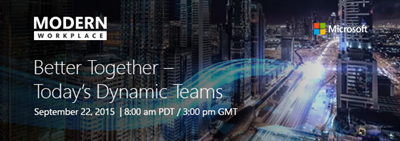
Wanna learn about improving end user productivity through:

  • Greater teamwork & collaboration
  • Improved cross organizational interaction
  • Encouraging team creativity
  • Maximizing the use of Microsoft Office 2016 & Office 365

Join us live for Better Together – Today’s Dynamic Teams where master storyteller and presentation design expert Nancy Duarte and co-founders of “Working Not Working” explore actionable ways to dynamically inspire team creativity and productivity to help your business thrive.

Also be among the first to the see a live demo of the new Office, led by Jared Spataro, general manager of Microsoft Apps & Services Marketing.

Register and watch the live broadcast to:

  • Participate in live chat with Microsoft product specialists.
  • Get exclusive access to whitepapers, e-books, and more!

For more information, visit us at www.modernworkplace.com

clip_image002

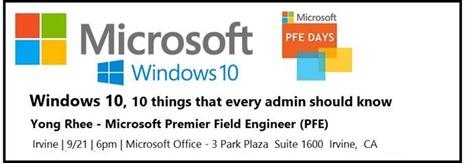
Please join us for “Windows 10,  10 things that every admin should know”  at the Microsoft Office in Irvine at 6:00PM on Monday, September 21st.

This session will provide Sysadmins with tips, tricks and real world experiences on how best to approach Windows 10 for their organization.  Bring your questions and your own experiences and we will do our part in making sure you leave with the information and tools to best deploy Windows 10. 

Speaker: Yong Rhee
Yong is a Windows Premier Field Engineer, who helps educate, deploy, maintain best practices and troubleshoot Windows Clients and Servers out of Irvine, CA.

Schedule:

  • 6:00 PM – 6:15 PM Eat and Greet
  • 6:15 PM – 6:30 PM Welcome
  • 6:30 PM – 7:30 PM Speaker – Yong Rhee in Irvine, CA
  • 7:30 PM – 8:30 PM Round table Q&A (bring your Windows 10 questions)
  • 8:30 PM – 8:45 PM Closing Announcements

Date/Time:
September 21st, 6:00PM-8:45PM

Location:
Microsoft Irvine
3 Park Plaza Suite 1600
Irvine, CA

Registration:
http://www.meetup.com/socalpfedays/events/224458032/

Posted by: kurtsh | September 17, 2015

INFO: Windows 10 Enterprise: FAQ for IT professionals

imageThis is an amazing FAQ around Windows 10 Enterprise for individuals deploying the new edition.

Here’s some of the questions this FAQ answers:

  • Where can I download Windows 10 Enterprise?
  • What are the system requirements?
  • What are the hardware requirements for Windows 10?
  • Are ISOs available for Windows 10?
  • Can I use the Windows 10 Enterprise Insider Preview as a member of the Windows Insider Program after July 29, 2015?
  • What languages is Windows 10 available in?
  • Where can I find drivers for my devices for Windows 10 Enterprise?
  • Are there any deployment tools available to support Windows 10?
  • Can I upgrade computers from Windows 7 or Windows 8.1 without deploying a new image?
  • Can I upgrade from Windows 7 or Windows 8.1 to Windows 10 Enterprise for free?
  • Where can I find out if an application or device is compatible with Windows 10?
  • Where can I find information about new features and changes in Windows 10 Enterprise?
  • How will my users have to adjust to using Windows 10 Enterprise after upgrading from Windows 7 or Windows 8.1?
  • How does Windows 10 help people work with applications and data across a variety of devices?
  • Where can I ask a question about Windows 10?

Go here to read the FAQ:

image

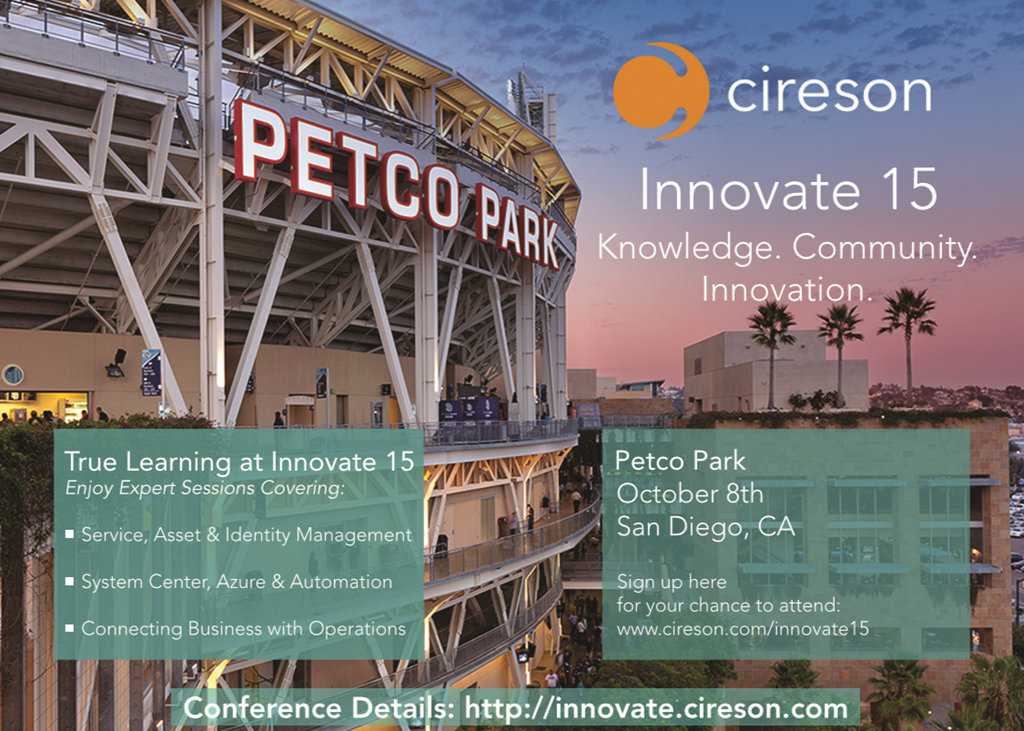
Cireson, a Microsoft System Center partner, is running an all-day event specifically for folks interested in System Center & Automation.  They highlight the following:

  • Service, Asset & Identity Management
    Discover the corners of Service, Asset & Identity Management. Learn business aligned best-practices around Service Catalogs and Life Cycle Management through participation in Microsoft System Center, Azure and Cireson focused workshops which will teach you how to take advantage of core features, customizations, practical use cases and the overall user experience.

  • System Center, Azure & Automation
    Uncover how other organizations are maximizing their investment in Microsoft System Center and Cireson by harnessing the private cloud (Microsoft Hyper-V and Azure Stack) and public cloud (Azure), taking process integration beyond IT, and automating processes to drive measurable ROI.

  • Connecting Business & Operations
    Learn how companies that incorporate DevOps practices with their business and operational goals & get more done. Understand how you can deploy software and services up to 30 times more frequently and benefit through faster delivery, improved customer satisfaction, and fewer failed deployments.

The event is $99 to attend.  Speakers, sessions & other highlights are available at the registration site:

Posted by: kurtsh | September 16, 2015

OFFER: Register for CES 2016 FREE until Sept 17th

imageAs some of you may know, CES 2016 is now $100 no matter what.  They enacted a rule that no longer provides free registration for the expo that has pretty much thrown a surcharge over your CES budget. Sad smile

Well, now it looks like CES is backing off this new “$100 charge” policy just slightly for alumni for 3 days.  If you went to CES in the past and want to go again as “alumni”, you can use the code below to get in for free – instead of coughing up the $100.  You have until Sept 17th to do so.

Since you are a valued alumni of CES, we are giving you a 3 day window to register for CES 2016 at no cost.

From Sept. 15-17, you can register for CES by clicking here and using the registration code ALUMNI when prompted. You will enter this code at the end of the registration process. After you apply the code, the $100 registration fee currently in effect will change to $0.

You can use this link to start your registration: https://ces.itnint.com/CES16/RegOnline/RegLogin.aspx

Something from our Application Development Manager, Kamran Bhurgri:

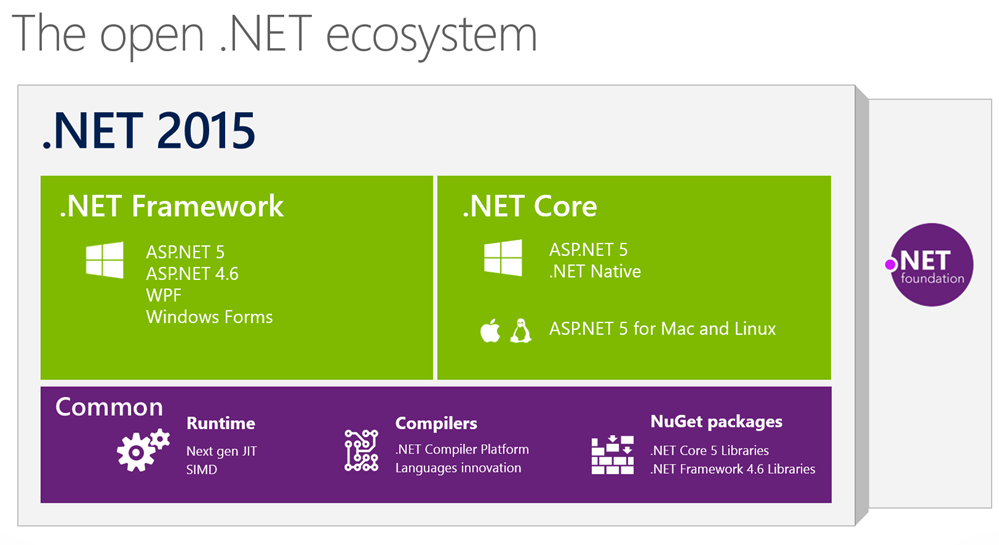
imageASP.NET5 Beta 7 is now available which includes native .NET execution environment for Mac and Linux. With this release, Microsoft has completely refactored ASP.NET into a cross-platform, open-source web framework… any app, any platform, any deployment.

Announcing Availability of ASP.NET 5 Beta7

ASP.NET 5 beta7 is now available both on NuGet and as a tooling update to Visual Studio 2015! This release also includes the first public preview of the .NET Execution Environment (DNX) for Mac and Linux based on .NET Core – no Mono required.

Source code is publically available at https://github.com/aspnet/Home

Read more at:

Posted by: kurtsh | September 14, 2015

INFO: Differences between the Surface & iPad Pro

imageFor folks interested in comparisons between Microsoft’s Surface & Apple’s recently announced iPad Pro:

image

Just tweeted by Panos Panay, the father & Corp VP of Surface at Microsoft:

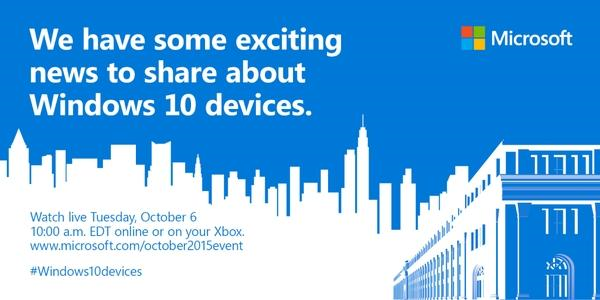
We have some exciting news to share about Windows 10 devices.

Watch live Tuesday, October 6, 10:00AM EDT or on your Xbox.

For those of you on the west coast, the event is 7:00AM-9:30AM PDT

See you online!

Posted by: kurtsh | September 14, 2015

HOWTO: Manually save a conversation in Skype for Business

[I originally wrote a following post for Lync 2013, and it still applies to Skype for Business]

imageTake a look at the snapshot to the right:  This is the new Skype for Business client.  (Formerly Lync Client)  Notice there’s no “gear-like” configuration icon?  There’s the “…” at the bottom of the screen but that doesn’t provide client UI configuration.

The point is, there’s no way to reveal a MENU BAR (File, Edit, Tools, etc.) like you used to with previous versions of Lync or even Office Communicator.

Q: So how do you manually save a conversation?

It turns out that the answer is “CTRL-S”.  This is the only way to do so without waiting for the client to ‘auto-save’ the conversation (if you have this set up.  There’s no FILE-SAVE CONVERSATION drop down any more.

For folks that haven’t used Skype for Business or Lync before, the imagesaved conversation will be found in a folder in Outlook called “Conversations History” off the root of your mailbox.

Why this isn’t documented in Skype for Business’ help, I don’t know.  And that’s why I’m typing it up here.

image

Join us for a FREE 2 two-day technical training event for IT professionals and developers that provides best practices and insight directly from the experts who build and run the cloud services across Office 365, Microsoft Azure, Windows 10 and more. Whether you know your way around the cloud or are just getting started, you’ll learn something new and walk away ready to apply your new skills.

I’m not gonna lie:  REGISTER NOW.  The agenda is massive – it’s like a mini-Ignite/TechEd event – but it’s completely FREE.  Here’s the subject areas addressed:

  • Productivity
  • Security
  • Networking
  • Big data
  • Storage
  • Unified communication
  • Identity
  • Web
  • Mobile
  • Collaboration
  • Hybrid Cloud
  • Containers
  • Devops
  • Open source
  • Management
  • Internet of things

And here’s a title list of EVERY ONE of the sessions being offered over the 2-day event:

Day 1:

  • Empowering Your Cloud Journey
  • Bring your communications to the cloud with Skype for Business
  • Build and deploy applications using Microsoft Azure
  • Deliver mission critical, highly available and secure data
  • Extend your datacenter to the cloud
  • Identity Integration is Easy
  • Increase productivity and security with enterprise mobility
  • Microsoft FastTrack: The customer success service
  • Modernize your datacenter
  • Office 365 Developer Overview
  • The Microsoft Information Protection Story Across EMS, Office 365 & Windows
  • Windows IT Pro Session (TBD)
  • Bring your communications to the cloud with Skype for Business
  • Add identity into your cloud-based apps
  • Automate application deployment and orchestration using Docker and containers
  • Bring your ideas to life with Visual Studio 2015
  • Create a dynamic datacenter with hybrid software-defined networking
  • Deploy virtual machines in the cloud part I
  • Getting Started with SharePoint in the Cloud
  • Getting Started with the Office 365 APIs
  • OneDrive for Business product recap and roadmap primer
  • Skype for Business Meetings – planning for the cloud
  • Tools and Tips for Administering Office 365
  • What’s New in Windows 10 Deployment
  • Bring the power of data to every user in your organization
  • Build always-on, hyper-scalable microservice-based cloud services
  • Build leaner, faster web applications with cross platform .NET
  • Built-in security and controls in Office 365 to stay protected
  • Deploy and manage Windows 10
  • Deploy virtual machines in the cloud part II
  • Getting Started with Office add-ins
  • Getting Started with mobile app development with the Office 365 APIs
  • Office 365 ProPlus – What’s new in 2016 and beyond
  • What’s new in Exchange Online

Day 2:

  • Build cross platform mobile applications
  • Build web applications for the cloud using open source stacks: LAMP, MEAN and more
  • Developing apps for the Internet of Things
  • Getting Started with SharePoint add-ins
  • IT Project and Portfolio Management in the Cloud
  • Make Internet of Things real in your organization
  • Manage and secure identities in a cloud and mobile world
  • Managing Change in an Office 365 Rapid Release World
  • Office 365 Groups Administration & Extensibility
  • Windows 10 & Office 2016: The Cloud Ready Desktop
  • Windows 10 Security
  • Advanced Office add-in Development with Outlook
  • Advanced Windows 10 development with the Office 365 APIs
  • Integrate business process and data into web & mobile applications
  • Modernize your IT management experience
  • Office Graph, Delve, and SharePoint Better Together
  • Simplify device management and secure email
  • Take enterprise virtualization to the next level
  • The Voice of Skype for Business – Cloud and Hybrid
  • Transform big data into intelligent action with advanced analytics
  • Understanding and Troubleshooting Office 365 end user Performance issues
  • What’s New in Windows 10 Management and the Windows Store
  • Advanced Web Development with the Office 365 APIs
  • Cloud Solution Provider partner program API integration
  • Deliver scalable, software-defined storage anywhere
  • Integrate, deliver and deploy continuously with cloud devops
  • Intelligent, Ready-to-Go NextGen Portals in Office 365
  • Leverage the full power of .NET 2015 in your apps
  • Optimize your Network for Skype for Business
  • Run Azure services in your datacenter
  • The Rise of Dynamic Teams: Modern Collaboration & Personalized Insights
  • Use secure files to improve sharing with customers and partners
  • Advanced Office add-in Development with Excel, Word, PowerPoint
  • Advanced Web Development using Angular with Office 365 APIs
  • Compliance & Transparency made easier in the cloud with Office 365
  • Deliver an elastic data warehouse as a service
  • Exchange Hybrid Deployment
  • Office 365 ProPlus deployment deep dive
  • Rapidly build Web and Mobile apps in the cloud
  • Secure anywhere access to Windows apps
  • Streamline security and management with a nano-sized operating system
  • Take your Linux solutions to the next level with Microsoft
  • Advanced SharePoint add-in Development
  • Deploy containers for consistency, scale and performance
  • Increase your value by learning automation
  • Migrate existing applications to Azure for developers
  • Rapidly diagnose and solve application problems
  • Secure the cloud
  • SharePoint and Office 365 Cloud Connected Hybrid Scenarios
  • The secret to successful Skype for Business deployments
  • Use relational database as a service
  • What Really Happens When There Is an Office 365 Service Incident and What’s My Role?

Breakfast & Lunch will be served.

« Newer Posts - Older Posts »

Categories