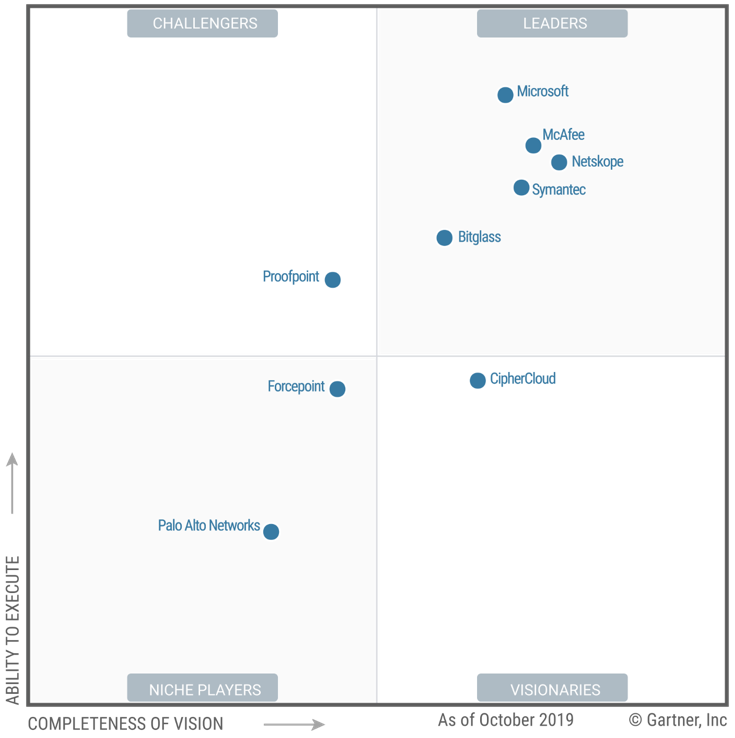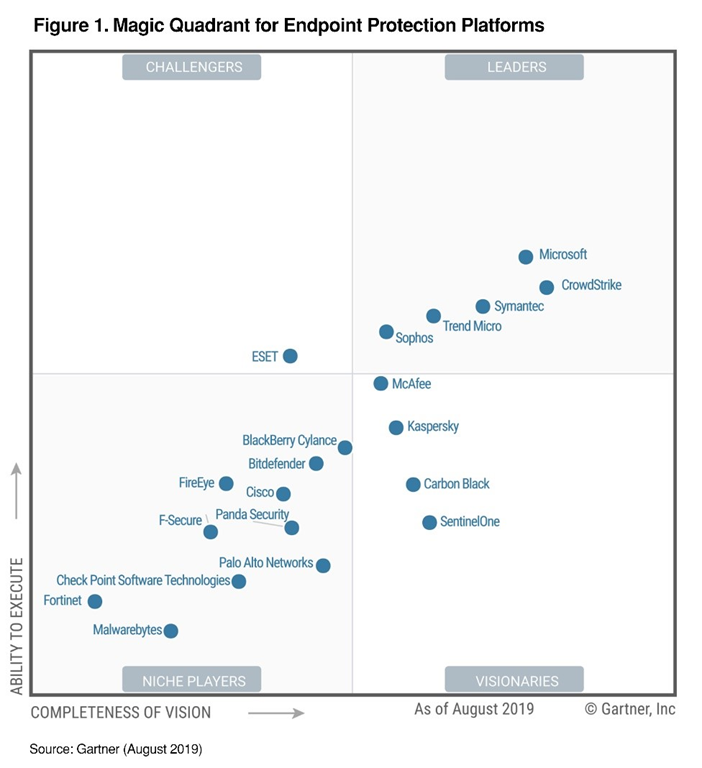
imageOur mission as a company is to empower every person on the planet to achieve more. We deliver on that mission through products that achieve the highest marks in the industry, which we believe is inclusive of Gartner’s Magic Quadrant. We have been on a journey for the last several years working hard to offer our customers leading endpoint protection so they can defend against increasingly sophisticated attacks across a variety of devices, which is why we are so proud to have placed in the Leaders quadrant for this year’s 2019 Gartner EPP Magic Quadrant and positioned highest in execution!

According to Gartner, “Leaders demonstrate balanced and consistent progress and effort in all execution and vision categories. They have broad capabilities in advanced malware protection, and proven management capabilities for large enterprise accounts.” Our latest product offerings prove that we’ve risen to the challenge that today’s threat landscape presents. This achievement represents our ability to provide best-in-class protection and deliver on innovations that learn and evolve just as attackers change their tactics.

Read more about why Microsoft was positioned so highly at the post here:

imageIn Gartner’s third annual Magic Quadrant for Cloud Access Security Brokers (CASB), Microsoft was named a Leader based on its completeness of vision and ability to execute in the CASB market. Microsoft was also identified as strongest in execution.

Gartner led the industry when they defined the term CASB in 2012. We believe their report points out a key fact for the market, that Microsoft currently has the largest customer base of all participating vendors. We believe that this, along with being ranked as a Leader, reflects our continued commitment to building the best possible solution for our customers and our goal to find innovative ways of helping them better protect their Microsoft and third-party cloud apps and platforms.

Read about why Microsoft was positioned so highly at the post written here:

imageAdvanced data security for SQL Servers on Azure Virtual Machines is a unified package for advanced SQL security capabilities.

It currently (in Public Preview) includes functionality for surfacing and mitigating potential database vulnerabilities and detecting anomalous activities that could indicate a threat to your database.

This security offering for Azure VMs SQL servers is based on the same fundamental technology used in the Azure SQL Database Advanced Data Security package.

For more information, visit:

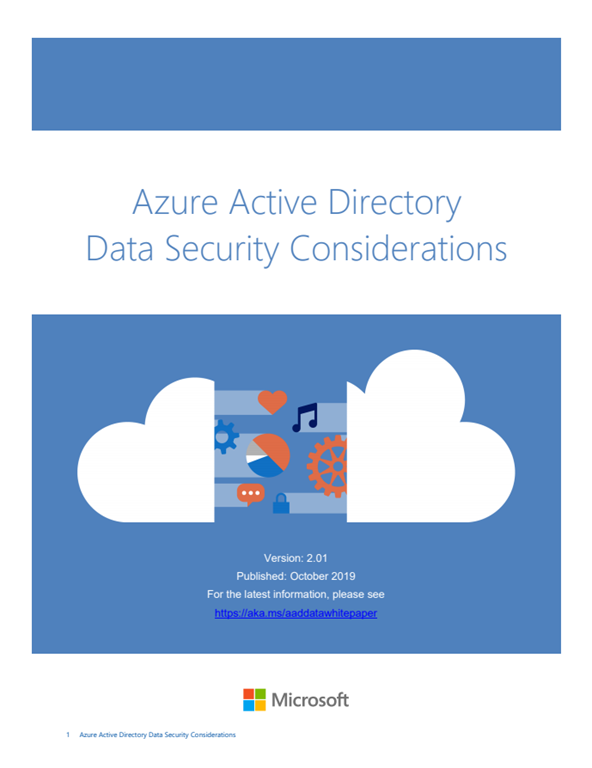
imageThis document explains the following aspects of Azure Active Directory:

  • Azure AD Components: What are the different components of Azure AD. This will help you to understand the later sections of the document.
  • Core Data and Location: What customer data is used by Azure AD and where is it located.
  • Data Protection: How is the directory data protected at transit and at rest.
  • Data Flow: How data from various sources such as on premises directories and applications flows to and from Azure AD.
  • Data and Operations: What data and operational procedures are used by the Azure AD engineering team to manage the service.

The target audience of this document is enterprise security evaluators, identity, and access management (IAM) architects, policy makers and regulators, as well as customers with compliance requirements or regulated environments.

If you have DFARS, ITAR, FedRAMP, CJIS, IRS and other regulatory requirements, and are trying to understand what Microsoft 365 service fits your company, this article is for you.

imageThis article is the second of a series in the Microsoft Tech Community Public Sector Blog and touches on several  key principles for compliance, including data residency versus data sovereignty.  For the first article in the series, please refer to History of Microsoft Cloud Service Offerings leading to the US Sovereign Cloud for Government.

We will focus on each of the US-based cloud offerings from Microsoft and compare the differences in compliance. 

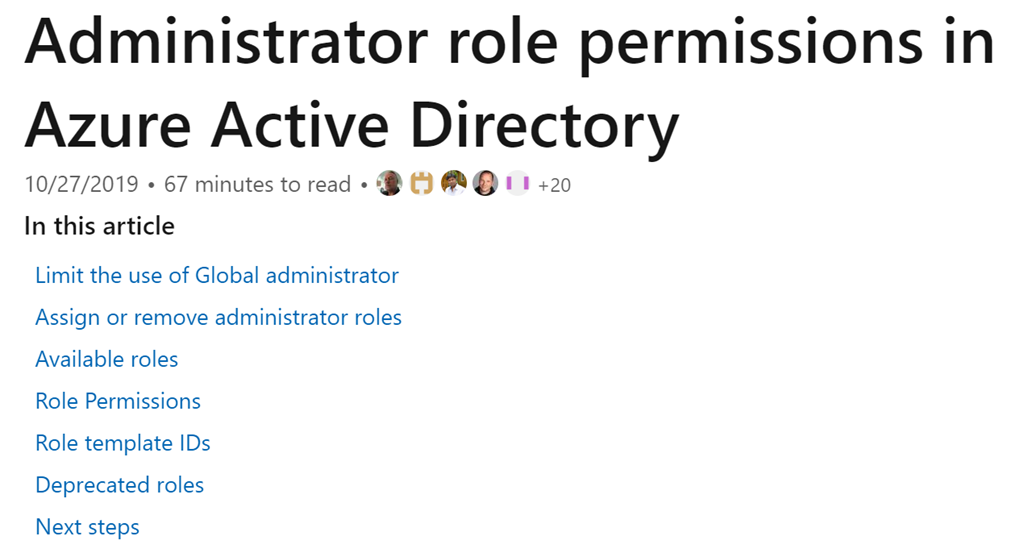
imageCorporations with 100,000+ users can operate with just 3 Global Admins.

One of the best documents Microsoft has shows the minimum permissions needed to perform a task in Azure Active Directory.

Here’s some interesting roles & their permissions requirements:

Learn how to take advantage of Azure virtual machines (VMs) to better manage your infrastructure and DevOps tools and pipelines.

imageDownload this white paper by International Data Corporation (IDC) to determine which factors you should consider when choosing virtual machines for your cloud computing needs.

This resource gives an overview of Azure VMs, which are available for every workload and use case, from entry-level test environments to high performance computing (HPC).

Discover how Azure not only offers competitive pricing, but also provides industry-leading security and hybrid capabilities. 

Download the whitepaper from the link below:

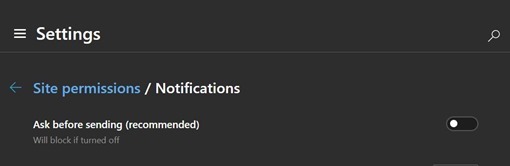
AUTOMATICALLY BLOCKING NOTIFICATIONS
Did you know that there’s an Edge Chromium setting to automatically block all website requests from sending notifications?

  1. Click “…” in the upper right hand corner
  2. Go to Settings
  3. Select Site Permissions
  4. Click Notifications
  5. Turn OFF the switch for “ask before sending”

EdgeDevNotificationSettings_thumb1

STOP VIDEO AUTOPLAY
There is a plug in you can install on Edge Chromium through the Chrome web store that will automatically stop video for auto-playing.

  1. Click “…” in the upper right hand corner
  2. Click "Extensions
  3. Turn ON the switch for “Allow extensions from other stores”
  4. Go to:
    https://chrome.google.com/webstore/detail/autoplaystopper/ejddcgojdblidajhngkogefpkknnebdh
  5. Click the Add to Chrome button

AUTO-DISMISS COOKIE WARNINGS
There is a similar plug in that works on Edge Chromium that dismisses Cookie Warnings.

  1. Follow the above steps 1-3 for STOP VIDEO AUTOPLAY
  2. Go to:
    https://chrome.google.com/webstore/detail/i-dont-care-about-cookies/fihnjjcciajhdojfnbdddfaoknhalnja
  3. Click the Add to Chrome button

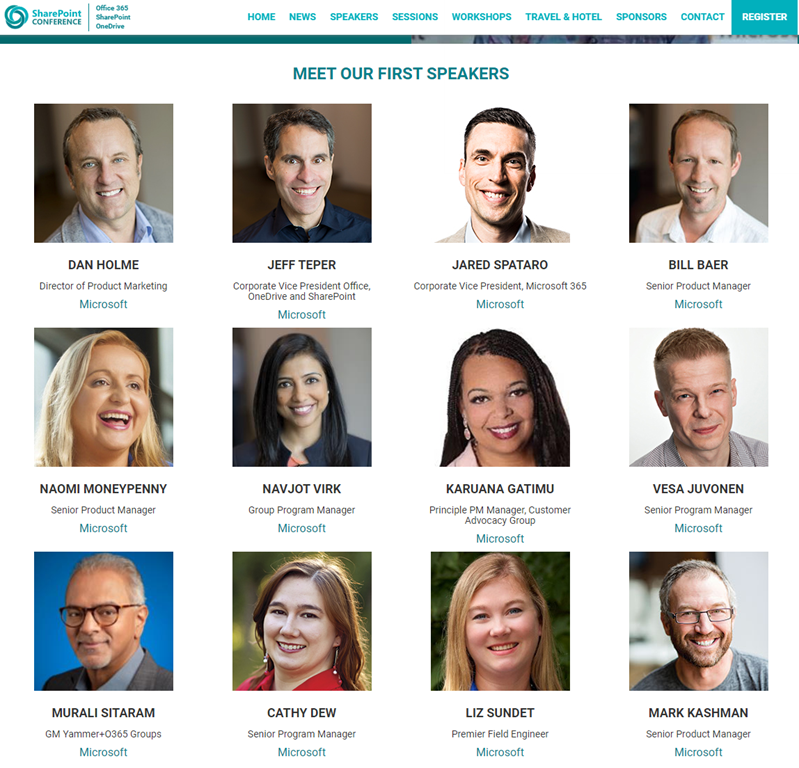
imageFrom the event site:

The SharePoint Conference returns to Las Vegas: the world’s biggest and most comprehensive event empowering you to achieve more in the modern workplace with Microsoft 365.

SPC is where business leaders, IT pros, developers, consultants come together to learn how technology can power teamwork, employee engagement and communications, and organizational effectiveness.

CONNECT with industry gurus, thought leaders and Microsoft’s product groups
COLLABORATE with peers to share best practices and insights
CREATE solutions to your business challenges
CELEBRATE the launch of Microsoft’s latest innovations and our diverse and vibrant community

SPC is packed with over 200 sessions, panels and workshops for everyone who works with SharePoint and Microsoft 365, presented by Microsoft’s leaders and experts from around the world.

For the first time, Microsoft is hand-picking sessions for people who are new to Microsoft 365.

For seasoned veterans, you’ll learn what’s coming to the suite, and dive deep into practical guidance to help you plan, architect, deploy, support, and extend Microsoft technologies to address your business objectives.

SPC embraces all of Microsoft 365: SharePoint, OneDrive, Microsoft Teams, Yammer, Microsoft Stream, Outlook, Office applications, PowerApps, Microsoft Flow and more.

SPC is an immersive, "actual reality" experience that brings the community together, from around the world. Don’t miss your chance to experience it! Register today.

Date/Location:
MAY 19 – 21, 2020
MGM Grand, Las Vegas, NV

Registration:

Posted by: kurtsh | October 28, 2019

NEWS: Microsoft acquires Mover, file migration solutions

Wow.  New acquisition.  Here’s the post from Jeff Teper, CVP of SharePoint & OneDrive:

imageI’m excited to announce that Microsoft has acquired Mover, a leading provider of cloud file migration, including admin-led and self-service offerings. As customer demand to move content to the cloud continues to grow, Mover will help make it easier than ever for customers to migrate files to Microsoft 365.

Read more here:

« Newer Posts - Older Posts »

Categories