Posted by: kurtsh | November 13, 2019

PREVIEW: Report-only mode for Conditional Access

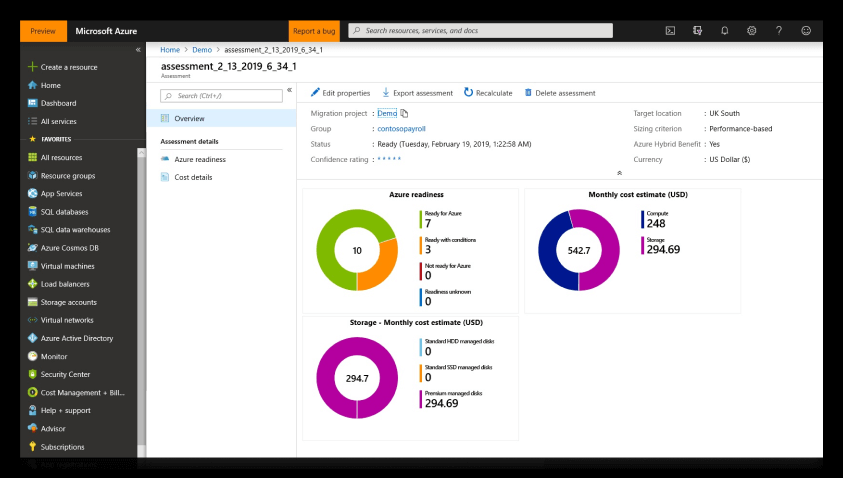
imageReport only mode for Azure AD Conditional Access is now in public preview… a low risk option for pre-flighting new policies before accidentally impacting user experience.
Report-only mode is a new capability that allows admins to evaluate Conditional Access policies without enforcing the grant or session controls. During sign-in, policies in Report-only mode are evaluated but not enforced, and the sign-in logs record the expected result. Additionally, customers with an Azure Monitor subscription can monitor the impact of their Conditional Access policies using the new Conditional Access Insights workbook.

Read more here:

imageSee how Microsoft Teams is built to ensure a secure and compliant collaboration environment, and how you can manage it with the controls you need, while keeping a great experience for your users.

We’ll share the newest security & compliance features such as data loss prevention, information barriers and new retention policies. And we’ll dig into new controls and tools, including network planner, Advisor for Teams, enhanced calling, and device management.

At Microsoft Ignite 2019, this was session THR2270: Microsoft Teams for IT admins: What’s new and what you need to know with Anne Michels.

image

All session content available publicly is located here

Want to download Microsoft Ignite 2019 sessions in bulk to view offline?  There’s a number of ways to do it:

Microsoft Bulk Session Resource download script
This is the "official" download script from Microsoft to download Microsoft Ignite sessions – also known as the “Bulk Session Resource download script”.

Get Microsoft event session information and contents
This is an alternate script written independently by Michel de Rooji to accomplish the same thing but with many tunable parameters:

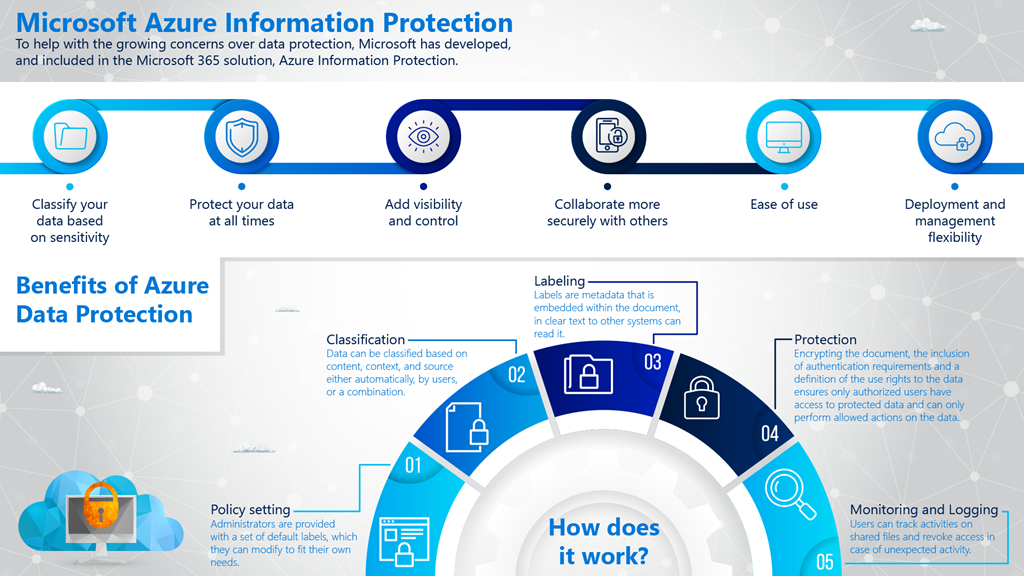
imageIgnite 2019 is now over and it was a huge event for Microsoft Information Protection this year.

Lots of announcements from all the major Microsoft Information Protection partners, that includes:

  • SharePoint online integration for labeling, consumption of protected documents, co-author in web view and eDiscovery support
  • Sensitivity label support for manual labeling in all Office 365 platforms
  • Sensitivity label support for automatic labeling in Office for the web and built-in Windows Office apps
  • New capabilities to discover and monitor your sensitive data in Office 365.
  • Machine learning based trainable classifiers for automatic labeling
  • PowerBI integration with sensitivity labels
  • Microsoft Edge integration to view protected PDF’s
  • Office 365 DLP improvements with sensitivity labels
  • and more…

We have published a blog that recap all the announcements and share links to the sessions, blogs and documentation that was just released last week.

Read more at:
http://aka.ms/MIP-Ignite2019

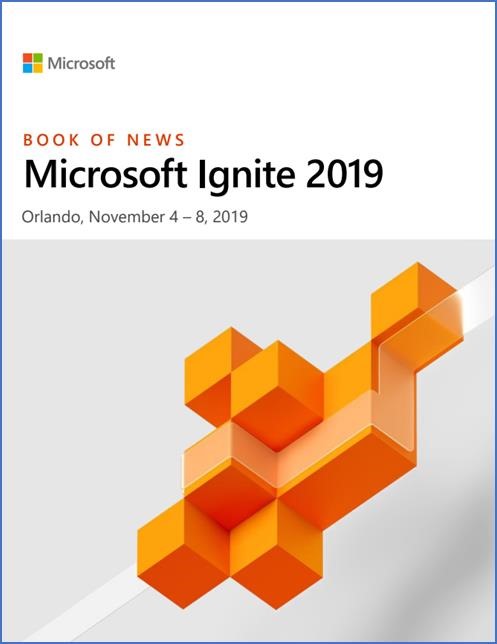
clip_image00287 pages of summaries & descriptions of announcements made at this year’s Microsoft Ignite 2019… all in one 1.2MB .PDF file.

“This second edition of the Ignite Book of News is your guide to all the announcements we’re making with all the detail you’ve come to expect since last year’s Ignite, when we first started doing this. Our goal was to make it easy for you to navigate all the latest information and get key details on the topics you care about. We’ve created a Book of News for several big events since then, and this Ignite 2019 edition is perhaps our most in-depth one yet.”

It’s so big, you will probably just need to jump to the sections most relevant to you via the Table of Contents.

Table of Contents:

  1. Azure
    1. Azure Infrastructure
    2. Azure Apps
    3. Azure Data & AI
    4. Azure IoT & Quantum
  2. Power Platform
    1. Power Automate
    2. Power Virtual Agents
    3. AI Builder Updates
    4. Power BI Data Security
  3. Security, Compliance & Identity
    1. Security
    2. Compliance
    3. Identity
  4. Microsoft 365
    1. Knowledge
    2. Core Productivity
    3. Management
    4. Developer Tools
    5. Microsoft Edge & Microsoft Bing

Download the Book of News here:

Posted by: kurtsh | November 2, 2019

RELEASE: The “new” Microsoft Project

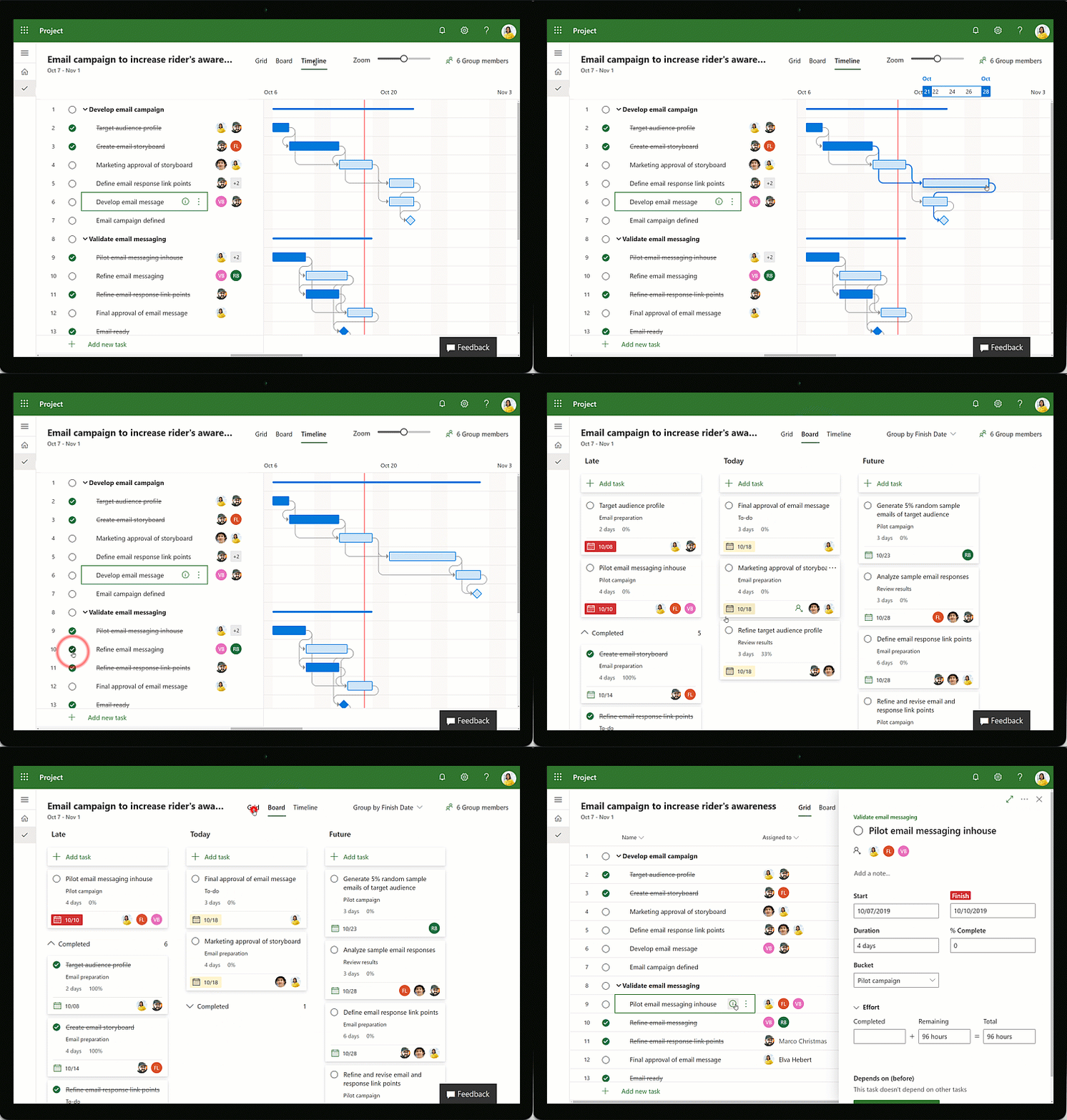
Animated image of a timeline being worked on in Microsoft Project.Today, we’re announcing the general availability of the new Microsoft Project along with a new subscription plan!
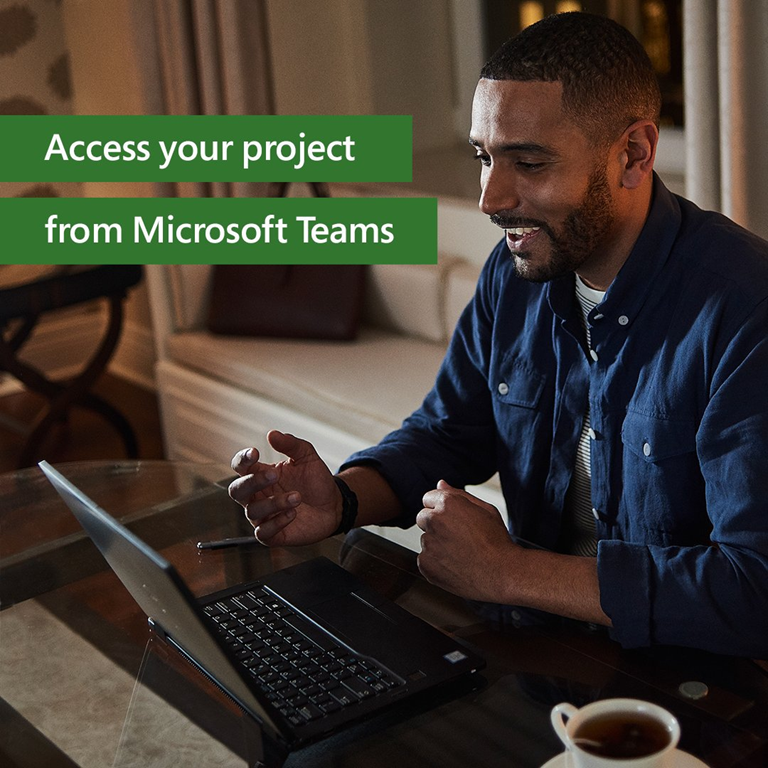
Collaborating in teams and projects has become an integral part of our work experience. Businesses increasingly rely on project teams to advance strategic initiatives, drive change, and solve tough problems. But keeping projects on track isn’t easy, especially when teams are working on multiple workstreams to achieve aggressive goals on tight deadlines.

The new Project is designed to be both simple and powerful, so anyone can get started quickly and take control of any project right away.

  • imageA fresh new experience – Alignment with the current Office 365 ProPlus
  • Collaboration made easy – Native integration with Microsoft Teams, new co-authoring support
  • Insights at your fingertips – PowerBI integration for visibility
  • Extensible Platform – Programmability using Power Apps & the Power Platform
  • NEW Project Plan 1 – Subscription plan for “the essentials” for as low as $10/mo

Check out the announcement below.  It includes an FAQ that answers questions like, “what about Planner” and “can I continue to use Project desktop”?

Protect your enterprise with a cloud-native SIEM.

imageGet smarter, faster threat detection and response with the cloud and AI. Gain access to intelligent security analytics and unlimited compute and storage with Azure Sentinel. Bring together security data from across your organization and start defending your entire enterprise—immediately.

Read the e-book, Cloud-Native SIEM: Quick Start Guide to Azure Sentinel. Learn how to:

  • Enable Azure Sentinel.
  • Connect data from all your sources for deeper security intelligence.
  • Use built-in dashboards and queries to view and analyze your data.
  • Reduce alert fatigue and false positives so you can focus on what matters. 

Download the eBook below:

Posted by: kurtsh | November 1, 2019

INFO: The Microsoft Teams Guide to Ignite 2019

Posted last week for Microsoft Ignite attendees:

imageMicrosoft Ignite connects over 25,000 individuals focused on software development, security, architecture, and IT.

This year attendees can choose from over 57 Microsoft Teams related sessions to learn the latest product capabilities, plan their deployments, drive end user adoption, and get the most from their investment in Microsoft 365. 

Here is a quick rundown of which sessions you don’t want to miss!

For the list, visit the following URL:

Posted by: kurtsh | November 1, 2019

RELEASE: Windows Virtual Desktop now generally available

imageWe finally released Windows Virtual Desktop – the highly scalable, available, and globally accessible remote desktop solution, delivered through Microsoft Azure.  Creating & managing both Remote Desktop Services as well as VDI/Virtual Machine-based desktops, Windows Virtual Desktop provides a great solution for Enterprises that need to stop managing & supporting the infrastructure required for a similar on-prem solution.

Today, we’re excited to announce that Windows Virtual Desktop is now generally available worldwide. Windows Virtual Desktop is the only service that delivers simplified management, a multi-session Windows 10 experience, optimizations for Office 365 ProPlus, and support for Windows Server Remote Desktop Services (RDS) desktops and apps. With Windows Virtual Desktop, you can deploy and scale your Windows desktops and apps on Azure in minutes.

Since we announced Windows Virtual Desktop last September, and through the public preview announced in March, thousands of customers have piloted the service and taken advantage of the Windows 10 multi-session capability—validating the importance of this feature as a core part of the service. Customers also represented, all major industries and geographies, helping us get feedback from different customer types and locations. As a result, as of today the service is now available in all geographies. In addition, the Windows Virtual Desktop client is available across Windows, Android, Mac, iOS, and HTML 5.

imageWatch the Microsoft Mechanics video on Windows Virtual Desktop’s general availability here:

Read more off the Microsoft 365 Blog from our Corporate VP, Brad Anderson:

Or from Jonathan Frederico, Sr PM for Azure:

Posted by: kurtsh | October 31, 2019

TRAINING: Microsoft Security Webinars for November 2019

imageInterested in Microsoft’s security technologies?

Please note that the registration links will be made available approximately two weeks before the webinar. Until then, all dates are tentative. 

Want to join our email list to be notified about future webinars?  Visit https://aka.ms/SecurityCommunity.


Upcoming Public Community Webinars:

Date & Time in PST

Product: Topic

Webinar Registration

Nov. 12, 2019 at 08:00

Azure Network Security: DDoS Protection

Link 

Nov. 13, 2019 at 08:00

Azure Sentinel: Post-Ignite | Understanding Azure Sentinel features and functionality deep dive

Link 

Nov. 14, 2019 at 08:00

Azure Network Security: Introduction to WAF

Link

Nov. 19, 2019 at 08:00

Azure Security Center for IoT: End-to-End security for IoT

Link

Nov. 20, 2019 at 08:00

Azure Sentinel: Cloud & on-prem architecture

Link

Dec. 09, 2019 at 08:00

Azure Advanced Threat Protection: Post-Ignite webinar deep dive

TBA

Jan. 22, 2020 at 08:00

Azure Sentinel: End-to-End SOC scenario

TBA

Jan. 29, 2019 at 08:00

Azure Sentinel: Threat Hunting – revisited

TBA


Recordings of Past Webinars:

Date & Time in PST

Product: Topic

Recording

Deck

Oct. 07, 2019 at 08:00

MCAS: Extending real-time monitoring & controls to any app

MP4

YouTube

Link

Sep. 24, 2019 at 08:00

AATP: Identity Security Posture assessments

MP4

YouTube

Link

Sep. 18, 2019 at 09:00

Azure Sentinel: Threat Hunting

MP4

YouTube

Deck 1


Deck 2

Sep. 16, 2019 at 07:00

AATP: Deployment and Configuration

MP4

YouTube

Link

Sep. 10, 2019 at 08:00

ASC: Secure Score

TBA

TBA

TBA

Aug. 05, 2019 at 08:00

ASC for IoT: ASC for IoT basics and latest announcements

MP4

YouTube

Link

Jul. 15, 2019 at 08:00

AATP: Detections part 2 of 2 

MP4 

YouTube 

Link

Jun. 24, 2019 at 08:00

AATP: Unified SecOps Portal 

MP4 

YouTube 

Link

May 23, 2019 at 07:00

AIP: Unified Labeling in AIP

MP4

YouTube

Link

Apr. 29, 2019 at 08:00

AATP: Detections part 1 of 2 

MP4 

YouTube 

Link

Apr. 18, 2019 at 12:00

AIP: MIP SDK | How to leverage the SDK

MP4

YouTube

Link

Apr. 16, 2019 at 12:00

MCAS: Automation and integration with Microsoft Flow

MP4

YouTube

Link

Apr. 11, 2019 at 12:00

AIP: Monitoring | Visibility into who is accessing data

MP4

YouTube

Link

Apr. 9, 2019 at 12:00

MCAS: Connecting 3rd party Applications

MP4

YouTube

Link

Apr. 4, 2019 at 12:00

AIP: Protection | Protect data at rest and in motion

MP4

YouTube

Link

Apr. 2, 2019 at 12:00

MCAS: App Discovery and Log Collector Configuration

MP4

YouTube

Link

Mar. 28, 2019 at 12:00

AIP: Classification | Label taxonomy and recommendations

MP4

YouTube

Link

Mar. 26, 2019 at 12:00

MCAS: Conditional Access App Control

MP4

YouTube

Link

Mar. 21, 2019 at 12:00

AIP: Discovery | Discover data at rest

MP4

YouTube

Link

Mar. 19, 2019 at 12:00

MCAS: Threat detection

MP4

YouTube

Link

Mar. 14, 2019 at 12:00

MCAS: Introduction | AIP basics and latest announcements

MP4

YouTube

Link

Mar. 12, 2019 at 12:00

MCAS: Information Protection

MP4

YouTube

Link


[taken from https://aka.ms/SecurityWebinars]

« Newer Posts - Older Posts »

Categories