Posted by: kurtsh | December 12, 2019

PREVIEW: Microsoft Teams is now available on Linux

imageStarting today, Microsoft Teams is available for Linux users in public preview, enabling high quality collaboration experiences for the open source community at work and in educational institutions. Users can download the native Linux packages in .deb and .rpm formats here. We are constantly improving based on community feedback, so please download and submit feedback based on your experience.

The Microsoft Teams client is the first Microsoft 365 app that is coming to Linux desktops, and will support all of Teams’ core capabilities. Teams is the hub for teamwork that brings together chat, video meetings, calling, and collaboration on Office 365 documents and business processes within a single, integrated experience.

For more on the Preview announcement, visit:

Posted by: kurtsh | December 12, 2019

HOWTO: License Extended Support Updates for Windows Server

imageRecently, I was asked how it was that Extended Support Updates (ESU)were licensed.  This is answered in the FAQ for ESU.

Can customers license just the virtual machine? For example, if a customer is running a Windows Server 2008 or 2008 R2 virtual machine on Windows Server 2012 or another host, do they need Extended Security Updates for the full server? What if the host is running Windows Server 2008 or 2008 R2, but none of the virtual machines are?

Customers cannot license individual Windows Server virtual machines. They must license the full physical server. Licensing requirements for Extended Security Updates on-premises align to the licensing requirements for the underlying Software Assurance coverage or subscription. Customers will only need to know their Windows Server license position for a given server, to know how many Extended Security Update licenses they need.

Customers who have covered all the underlying cores of the physical server with Windows Server Datacenter licenses should buy Extended Security Updates for the number of physical cores, irrespective of the number of VMs running on that physical server.

Customers who have covered all the underlying cores of the physical server with Windows Server Standard licenses should buy Extended Security Updates for the number of physical cores, but will only be licensed to run and update two virtual machines on the server. Customers who wish to run and update more than two virtual machines on a server licensed with Windows Server Standard must re-license all of the physical cores on the server with both Windows Server Standard and Extended Security Updates for each additional pair of virtual machines.

For more details on this, please read the FAQ:

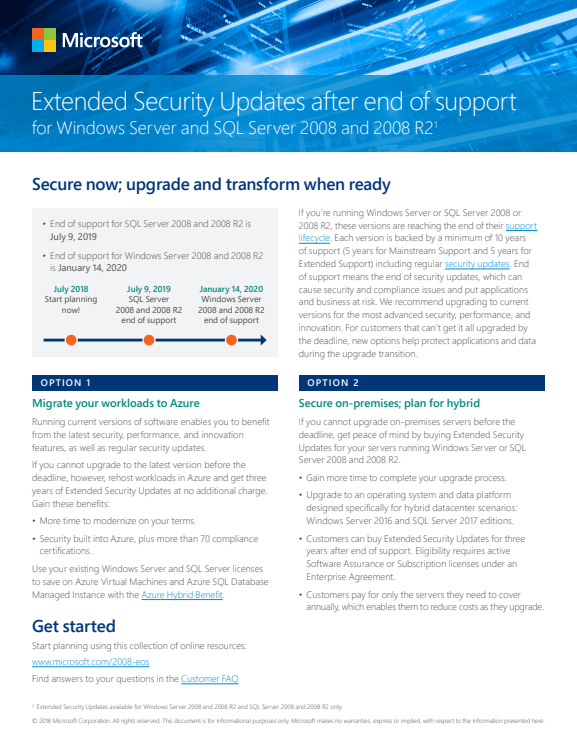
    imageExtended Security Updates are purchasable for Windows 7, Windows Server 2008 and Windows Server 2008 R2.  If you need them on systems before the January 14, 2020 end of life date, read the information below:

    Additional resources:

    Test your systems for security updates once ESU licenses have been purchased:

    imageEvery so often this question comes along:

    • “We need to install Office on a server to allow a server-side application to process Office documents."
    • “We want to install Word on our server to take .DOC files and export them to Adobe Acrobat .PDF".”
    • “Can we install Excel on a server to run macros to automate work on a server?”
    • “We have a server-based application that requires the installation of Office to use the Office libraries. How do we install it?”

    FYI using Office on servers is discouraged because the product isn’t designed for server-side processing with multiple CPUs & multiple simultaneous users / threads nor is it designed for secure, unattended operation.

    From our documentation:

    Microsoft does not currently recommend, and does not support, Automation of Microsoft Office applications from any unattended, non-interactive client application or component (including ASP, ASP.NET, DCOM, and NT Services), because Office may exhibit unstable behavior and/or deadlock when Office is run in this environment.

    If you are building a solution that runs in a server-side context, you should try to use components that have been made safe for unattended execution. Or, you should try to find alternatives that allow at least part of the code to run client-side. If you use an Office application from a server-side solution, the application will lack many of the necessary capabilities to run successfully. Additionally, you will be taking risks with the stability of your overall solution.

    Licensing Office for server-side use is also different. 

    Current licensing guidelines prevent Office applications from being used on a server to service client requests, unless those clients themselves have licensed copies of Office. Using server-side Automation to provide Office functionality to unlicensed workstations is not covered by the End User License Agreement (EULA).

    Details of the operational & licensing considerations are located here:

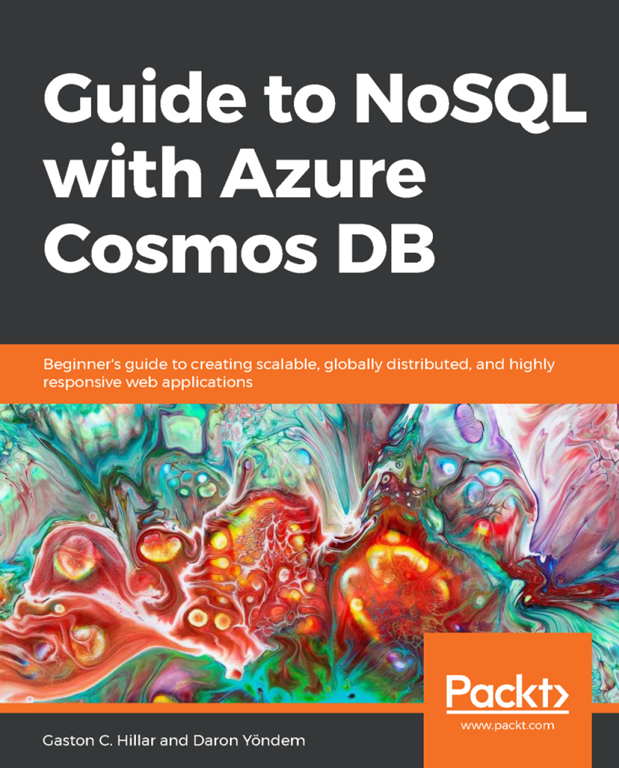
    imageEverything you need to get started building responsive, mission-critical apps is contained within the Guide to NoSQL with Azure Cosmos DB: Create Scalable and Globally Distributed Web Applications. Learn how to use multimodel NoSQL database capabilities in the cloud, build your app, and then take it global. Find Azure Cosmos DB tutorials and practical examples, plus tips and tricks for getting the most out of Azure, including how to:

    • Build, deploy, and manage highly responsive, mission-critical apps.
    • Use distributed databases to scale globally and enable low latency.
    • Set up multiple data models and popular APIs for accessing and querying data.
    • Implement comprehensive service-level agreements for throughput, latency, consistency, and availability.
    • Take advantage of data security best practices to detect, prevent, and respond to database breaches. 

    Download the ebook here:

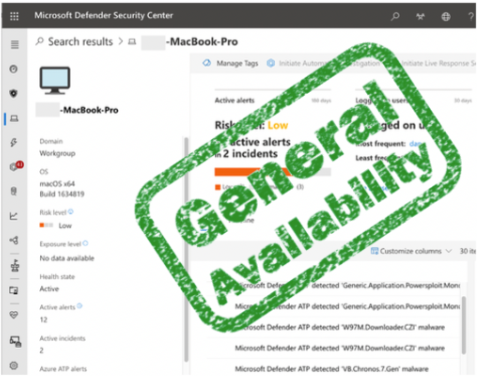
    imageWe are excited to announce that Microsoft Defender Advanced Threat Protection (ATP) endpoint and detection response (EDR) capabilities for macOS devices are now generally available. We are extending Microsoft Defender ATP capabilities into non-Windows platforms in line with our commitment to build security solutions not just for Microsoft, but also from Microsoft. Customers can expect the same familiar investigation experience, the same solid backend, and the same consistent progression of features coupled with excellent performance that have historically been Microsoft Defender ATP’s signature.

    Microsoft Defender ATP for Mac was designed and is continuously enhanced in collaboration with our customers. Getting customer feedback in our development process is critical to ensuring we create products our customers love. Our design partners, who influence our priorities, asked for competitive detection coverage with a unified investigation experience under strict performance requirements. With that in mind, the Microsoft Defender ATP team is now delivering core EDR functionality for macOS.

    Read more at the announcement post here:

    Posted by: kurtsh | December 9, 2019

    PODCAST: Automated Machine Learning

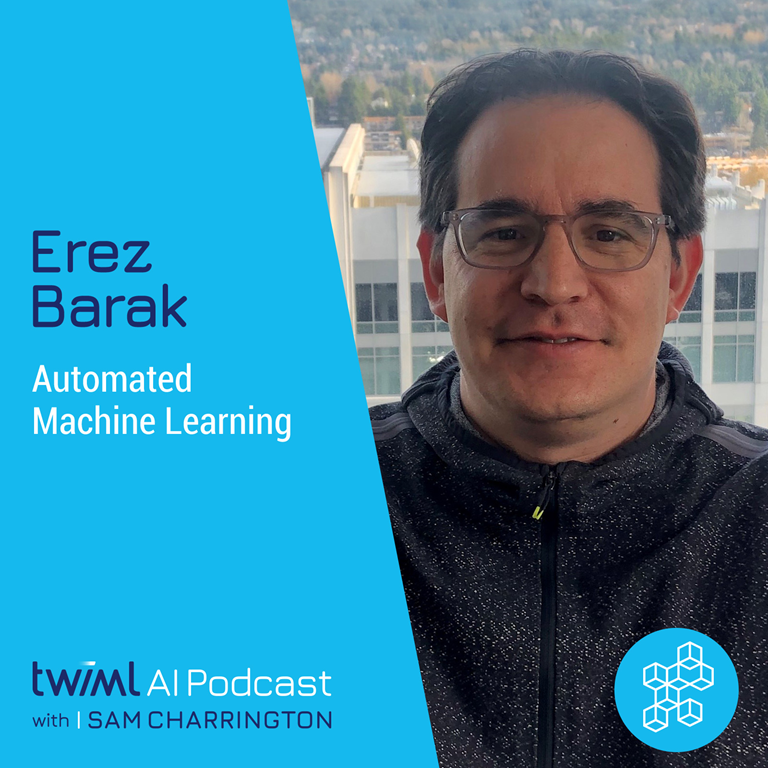
    imageAutomated Machine Learning empowers users of all skill sets to build and deploy models more efficiently and accurately, and it’s rooted in discoveries from Microsoft’s research labs.

    Erez’s group is currently focused on AutoML, and if AutoML is something you’re interested in, this is the talk for you. In our conversation, Erez gives us a full breakdown of his AutoML philosophy, including how he defines “true AutoML” and his take on the AutoML space, its role and its importance. We also discuss in great detail the application of AutoML as a contributor to the end-to-end data science process, which Erez breaks down into 3 key areas; Featurization, Learner/Model Selection, and Tuning/Optimizing Hyperparameters. Finally, we discuss post-deployment AutoML use cases and other areas under the AutoML umbrella that are generating excitement.

    Hear more in this episode of the TWIML Podcast episode:

    Posted by: kurtsh | December 6, 2019

    RELEASE: Azure AD Entitlement Management

    imageAzure AD entitlement management is now generally available—providing customers an important addition to Privileged Identity Management (PIM), Terms of use, and Access reviews to deliver core cloud-based Identity Governance capabilities.

    From the announcement post:

    Azure AD entitlement management is now generally available—providing customers an important addition to Privileged Identity Management (PIM), Terms of use, and Access reviews to deliver core cloud-based Identity Governance capabilities.

    For a truly complete solution, most organizations need a way to govern employee and business partner access to resources at enterprise scale. Azure AD entitlement management removes barriers to internal and external collaboration by automating employee and partner access requests, approvals, auditing, and review for Office 365, for thousands of popular SaaS apps like Workday, Google Apps, and Salesforce.com as well as any line of business app.

    With the rapid adoption of SaaS apps and cloud services by business units, many central IT teams don’t have the knowledge to know which access rights which users should have. They must delegate management of access approvals and review, for example, having someone in the sales department determine what access rights employees in the sales team needs while maintaining strong compliance and security policies.

    Read more at the announcement post here:

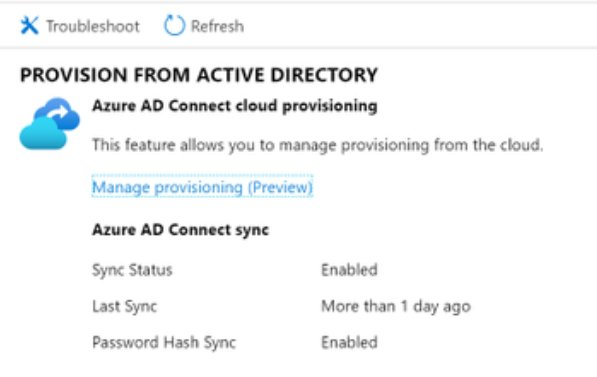
    imageToday’s news is big: We’ve made it way easier to manage company acquisitions and mergers with the public preview of Azure AD Cloud Provisioning – Easily sync from multiple on-premise forests to one AAD Tenant!

    From the announcement post:

    Today we’ve got some amazingly cool news to share.

    If you work in a large enterprise, you probably already know how big the challenges can be when your company makes an acquisition and you suddenly get asked to provide cloud identity services to an entirely new business group, usually one with their own set of Active Directory domains and forests.

    If this is a challenge you face, I’m excited to let you know about the public preview of Azure AD Connect cloud provisioning!

    With cloud provisioning, customers can easily provision identities from multiple disconnected AD forest to Azure AD. Azure AD Connect cloud provisioning moves the heavy lifting for provisioning from AD to Azure AD to the cloud with lightweight agents on-premises and provides the following benefits:

    • Helps with provisioning from disconnected AD forests to Azure AD—Organizations may have disconnected AD forests due to mergers and acquisitions or remote office locations. Whatever the reason may be, cloud provisioning allows you to quickly integrate these multiple disconnected AD forests into an Azure AD tenant.
    • Reduces on-premises footprint—The provisioning agent is a lightweight agent with the sync complexity (configuration and processing) in the cloud.
    • Enterprise grade high availability—Multiple provisioning agents can be deployed to ensure high availability for provisioning especially for password hash sync.

    Read more from the announcement post here:

    imageGartner has named Microsoft Security a Leader in five Magic Quadrants. This is exciting news that we believe speaks to the breadth and depth of our security offerings. Gartner places vendors as Leaders who demonstrate balanced progress and effort in all execution and vision categories. This means that Leaders not only have the people and capabilities to deliver strong solutions today, they also understand the market and have a strategy for meeting customer needs in the future. Microsoft was identified as a Leader in the following five security areas:

    • Cloud Access Security Broker (CASB) solutions
    • Access Management
    • Enterprise Information Archiving
    • Unified Endpoint Management (UEM) tools
    • Endpoint Protection Platforms

    For a review of all 5 Gartner Magic Quadrants, visit:

    « Newer Posts - Older Posts »

    Categories