imageRegister for this free, 60-minute online event to learn about strategies, insights, and technologies to optimize your hybrid cloud across on-premises, multicloud, and the edge. And, be among the first to hear about the latest innovations in Azure Arc and Azure Stack—two game-changing hybrid cloud offerings from Microsoft. 

Join us live and learn about:

  • The future of hybrid cloud from industry experts.
  • Ways to advance your hybrid strategies, including best practices and real-world examples.
  • Securing and governing virtual machines, containers, and data in hybrid environments.

You’ll also get to ask experts your questions about hybrid cloud during the live Q&A.

DATE/TIME:
Tuesday, March 31, 2020 8:00 AM–9:00 AM Pacific Time

REGISTRATION:
https://info.microsoft.com/ww-registration-azure-hybrid-virtual-event.html
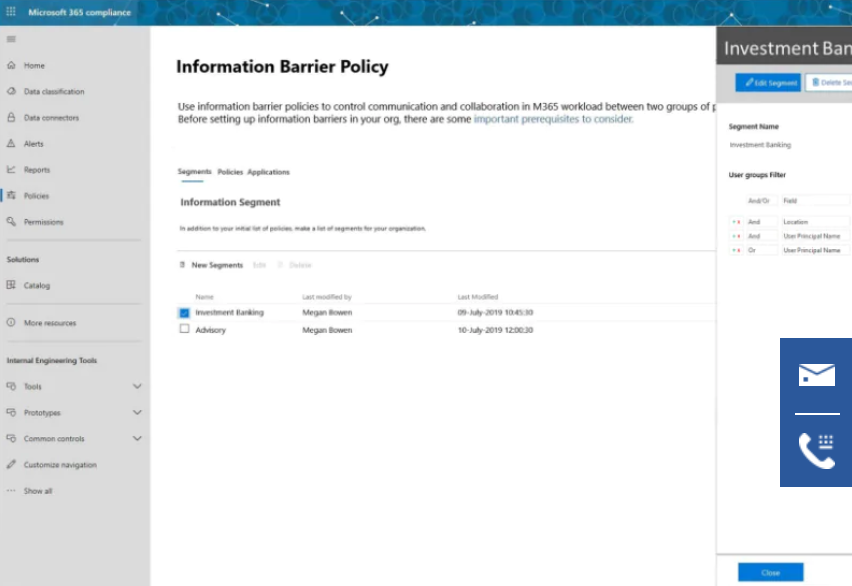
imageMicrosoft cloud services include powerful communication and collaboration capabilities. But suppose that you want to restrict communications between two groups to avoid a conflict of interest from occurring in your organization. Or, perhaps you want to restrict communications between certain people inside your organization in order to safeguard internal information. Microsoft 365 enables communication and collaboration across groups and organizations, so is there a way to restrict communications among specific groups of users when necessary? With information barriers, you can!

Information barriers are rolling out now, beginning with Microsoft Teams. Assuming your subscription includes information barriers, a compliance administrator or information barriers administrator can define policies to allow or prevent communications between groups of users in Microsoft Teams. Information barrier policies can be used for situations like these:

  • A day trader cannot call someone on the marketing team
  • Finance personnel working on confidential company information cannot receive calls from certain groups within their organization
  • An internal team with trade secret material cannot call or chat online with people in certain groups within their organization
  • A research team can only call or chat online with a product development team

For all of these example scenarios (and more), information barrier policies can be defined to prevent or allow communications in Microsoft Teams. Such policies can prevent people from calling or chatting with those they shouldn’t, or enable people to communicate only with specific groups in Microsoft Teams. With information barrier policies in effect, whenever users who are covered by those policies attempt to communicate with others in Microsoft Teams, checks are done to prevent (or allow) communication (as defined by information barrier policies). To learn more about the user experience with information barriers, see information barriers in Microsoft Teams.

Information barriers are rolling out now, and are included in subscriptions, such as:

  • Microsoft 365 E5
  • Office 365 E5
  • Office 365 Advanced Compliance
  • Microsoft 365 E5 Information Protection and Compliance

For more details, see Compliance Solutions.

imageInsider risk management is a solution in Microsoft 365 that helps minimize internal risks by enabling you to detect, investigate, and take action on risky activities in your organization. Custom policies allow you to detect and take action on malicious and inadvertent risk activities in your organization, including escalating cases to Microsoft Advanced eDiscovery if needed. Risk analysts in your organization can quickly take appropriate actions to make sure users are compliant with your organization’s compliance standards.

Managing and minimizing risk in your organization starts with understanding the types of risks found in the modern workplace. Some risks are driven by external events and factors and are outside direct control. Other risks are driven by internal events and employee activities that can be eliminated and avoided. Some examples are risks from illegal, inappropriate, unauthorized, or unethical behavior and actions by employees and managers. These behaviors include a broad range of internal risks from employees:

  • Leaks of sensitive data and data spillage
  • Confidentiality violations
  • Intellectual property (IP) theft
  • Fraud
  • Insider trading
  • Regulatory compliance violations

Read more at:

imageSAP is one of the largest providers of Enterprise Resource Planning (ERP) software in the market today, handling an enterprise’s business applications like accounting, sales, payroll, finance, production, human resources, etc. We are happy to announce the public preview of a new SAP ERP connector for Power Apps and Power Automate. The SAP ERP connector allows you to connect your flows and apps to an SAP ERP system – either SAP ECC or SAP S/4HANA.

It has the following functionality:

  • Allows you to create a connection to an SAP ECC or S/4HANA Server using either SAP authentication or Windows authentication
  • Allows you to invoke any BAPI and custom RFCs
  • Provides dynamic schemas for the input and output parameters for an RFC or BAPI

The SAP ERP connector can be used from a flow. You can also use it from a Power Apps canvas app, where you can invoke your flows. This abstraction helps in maintaining separation of concern between the complexities for connecting to SAP data, and the app development by Makers in Power Apps.

Check out this post by Sameer on the Power Apps blog to walk through how to get started with this new connector.

Now more than 300 connectors!

Besides SAP ERP, in the past two months we have added 18 new connectors – bringing the total to 315 connectors. We have achieved this milestone thanks to the great set of partners that have been contributing connectors for their services — and look forward to the next 300 connectors!

For a list of additional connectors, visit:

Posted by: kurtsh | March 6, 2020

PREVIEW: Microsoft Defender ATP for Linux

imageThe Microsoft Defender ATP team is thrilled to announce public preview of Microsoft Defender ATP for Linux and a sneak peek into our mobile threat defense capabilities for Android and iOS!

Ten months ago, when we first announced our plans for macOS, we made a promise of building security solutions not only for Microsoft, but from Microsoft. Many of our customers have time and again shared with us their difficulties in managing multiple security solutions to protect their unique range of platforms and products against multiple attack vectors. Their challenging reality of having to protect and manage heterogenous environments resonated with us. We heard feedback loud and clear that our customers are looking for complete cross-platform coverage from a single security vendor on an integrated platform.

Over the last year, we released preventive and EDR capabilities for macOS. Our macOS investments have been met with positive feedback from customers and a desire to learn more about our cross-platform roadmap. We’re extremely proud to share with you our Linux news and to give you a glimpse into where we’re going next.

Read more at:

imageMost organizations are profoundly challenged by the emergence of all types and sizes of disruptive actors in their markets and are forced to transform to survive. Improving agility and developing a culture of continuous change to become able to continuously redefine what is possible and be able to deploy new optimized operating models, is vital for those organizations. Those are the indispensable foundations to become able to better understand the customer expectations, to improve existing and create new customer experiences, to invent new business models and, ultimately, to generate new sources of revenue.

Digital transformation is therefore a key factor of growth, innovation and differentiation in a market with heightened competition. In this context, the increasing usage of the cloud by these organizations, the use of more and more varied types of device, and more and more mobility scenarios, present new challenges to provide adequate security, as part of the processing and data, that are now, de facto, outside the reassuring boundaries of the firewalls.

In light of the above, this white paper proposes to:

  • Revisit the term "Zero Trust" and what it covers in its structuring principles,
  • Describe how these principles apply to a computer environment to improve end-to-end security,
  • Discuss how to translate these principles concretely with Azure Active Directory (Azure AD) and Microsoft security services, products and technologies.

Download the whitepaper here:

imageProtect against increasingly sophisticated threats with a security information event management (SIEM) solution that brings intelligent analytics to your entire enterprise. AI and machine learning capabilities are built into Azure Sentinel, giving your security analysts the advanced tools they need to detect and respond to threats rapidly.

Read the e-book, Azure Sentinel: 3 Use Cases for Threat Detection and Investigation, to learn how to:

  • Use machine learning models to detect anomalies and attacks that traditional SIEMs might miss.
  • Easily identify significant issues among a sea of alerts using intelligent correlation.
  • Equip your security team with intuitive tools for investigating and responding to threats.

Download the eBook here:

Using Azure Active Directory authentication? Two factor authentication using FIDO2 keys is now in preview.

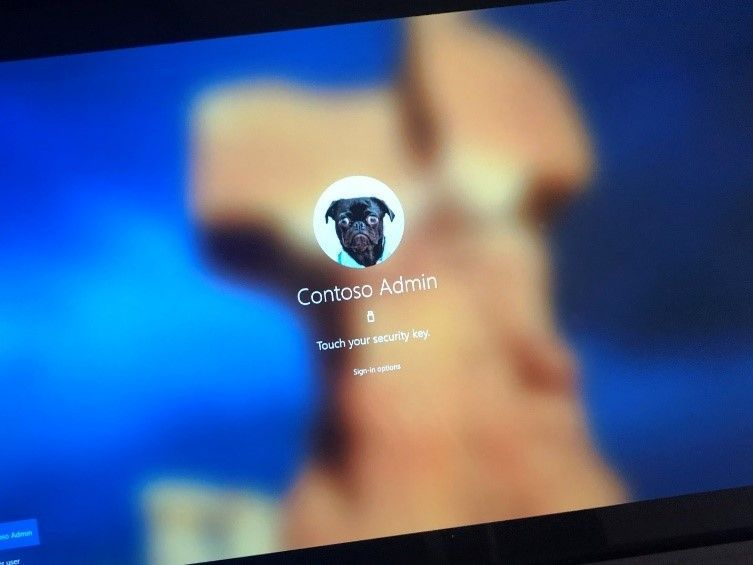
Iimage’m excited to announce the public preview of Azure AD support for FIDO2 security keys in hybrid environments. Users can now use FIDO2 security keys to sign in to their Hybrid Azure AD joined Windows 10 devices and get seamless sign-in to their on-premises and cloud resources.  Since the launch of the public preview of FIDO2 support for Azure AD joined devices and browser sign ins, this has been the top most requested feature from our passwordless customers.

Learn more here:

Today, we are making a free 6-month Office 365 E1 Trial, including Microsoft Teams, available. Microsoft is making this special E1 Trial license available in response to the increased need for employees to work from home (WFH) in response to the COVID-19 (coronavirus) outbreak.

This is available to all Microsoft managed customers with no limit to the number of trial licenses that can be requested in order to ensure Microsoft is helping our customers maintain business continuity during this situation.

Read the following for FAQs:

Posted by: kurtsh | March 3, 2020

TRAINING: Microsoft Technical Trainings

Are you an IT professional or a developer looking to skill-up on the latest technologies, add to your toolbox, or help drive change in your organization? Microsoft Technical Trainings are the must-attend events to help you achieve your goals.

Microsoft Technical Trainings are in-person events hosted frequently in a city near you—and they’re free to attend. You’ll have the opportunity to expand your skillset, get hands-on with the latest technologies, connect with Microsoft experts, and network with your peers.

Save your seat at an upcoming event and get ready to explore Microsoft Azure, Microsoft 365, Microsoft Dynamics 365, and more. Find out how Microsoft is your trusted partner in envisioning the future—and watch your organization transform.

Here’s a sampling of the topics:

  • Securing Your Organization
  • Developers Guide to AI
  • Azure Fundamentals
  • Power Platform: Overview
  • Fundamentals for Education
  • Migrating Server Infrastructure to Azure
  • Dynamics 365 Training Day

Events go out to May 28th.  Check out the list & register for the events you’re interested in:

« Newer Posts - Older Posts »

Categories