Microsoft pushed out this patch “out-of-band”, the day it was available, to all our clients & affected servers, and it required a mandatory reboot.

This is important.  Please review urgently.

The patch for the SMB compression RCE is released.

It applies to all Windows 10 version 1903 & 1909, and Windows Server version 1903 & 1909. Does not apply to Windows Server 2019, W10 LTSC, or any older OSes and versions.

Additionally, you will want to look at firewall best practices and configurations to enhance security and prevent malicious traffic from leaving computers or their network.

Here is guidance on how to accomplish this:

(Obtained from Ned Pyle.  Good thread here on the topic & background: 
https://twitter.com/NerdPyle/status/1238144361067511810)

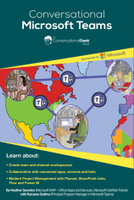
imageIf you’re finding yourself using Microsoft Teams a little more these days, this is a nice ramp up "Getting Started" 5-page PDF guide:

App templates are production-ready apps for Microsoft Teams that are community driven, open-source, and available on GitHub. Each contains detailed instructions for deploying and installing that app for your organization, providing a ready-to-use app that you can install and begin using immediately. The complete source code is available as well, so you can explore it in detail, or fork the code and alter it to meet your specific needs.

One such app is the “Company Communicator” – which sends targeted communications to employees on Teams and modernizes dissemination and consumption of employee announcements.

ex: COVID-19 alerts & notices

Here’s the description:

COMPANY COMMUNICATOR

imageThe Company Communicator app enables corporate teams to create and send messages intended for multiple teams or large number of employees over chat allowing organization to reach employees right where they collaborate. Utilize this template for multiple scenarios such as new initiative announcements, employee onboarding, modern learning and development or organization-wide broadcasts.

The app provides an easy interface for designated users to create, preview, collaborate and send messages.

It provides a foundation to build custom targeted communication capabilities such as custom telemetry on how many users acknowledged or interacted with a message.

Other app templates include:

  • Celebrations app
  • Company Communicator app
  • FAQ Plus Bot
  • HR Support Bot
  • SharePoint List Search app
  • Custom Stickers app
  • Icebreaker bot
  • Scrum Status bot
  • Crowdsourcer bot
  • Expert Finder bot
  • Book-a-room bot
  • Attendance app
  • Associate Insights app
  • Incentives app

Check out the App Templates below:

Yubico VP Derek Hanson shares how Microsoft’s FIDO2 GoPasswordless support for hybrid environments is a game-changer for Firstline Workers:

imageMicrosoft announced the FIDO2 passwordless support for hybrid environments. The integration of FIDO2-based YubiKeys and Azure Active Directory (Azure AD) is a game changer. It combines the ubiquity of Azure AD, the usability of YubiKey, and the security of both solutions to put us on the path to eliminate passwords in the enterprise.

Think about that for a moment. Imagine never being asked to change your password again, no more password spreadsheets or vault apps. No more phishing and password spray! Would it be too much to compare it to the moon landing? Probably. But it’s at least as monumental to security as the introduction of passwords themselves. Now think about how much passwordless authentication will improve everyday work for Firstline Workers.

Read more here:

imageFor Multi-factor Authentication to be effective, you also need to block legacy authentication. There’s no point in setting up MFA if people can simply use other means of authentication to bypass it.

The following is a critical step-by-step guide to blocking legacy authentication in your organization through the use of legacy authentication reporting, Azure AD Conditional Access, & disabling legacy authentication in your services.

imageIf you’re used to on-premises infrastructures, cloud platforms can seem daunting. But it doesn’t need to be.

This eBook written by the veteran IT consultant and trainer Paul Schnackenburg, covers all aspects of setting up and maintaining a high-performing Azure IaaS environment, including:

  • VM sizing and deployment
  • Migration
  • Storage and networking
  • Security and identity
  • Infrastructure as code
  • and more!

The first 5 chapters goes over the basics of Azure IaaS – perfect for those starting out – with chapters 6-11 covering more advanced skills targeted at seasoned Azure administrators. Chapter 12 goes one step further preparing you for future advances in the Azure IaaS platform.

Are you ready to blast off your IT skillset into the clouds? Download this free eBook today and buckle up.

imageOrganizations that would like to provide their work-from-home users with the ability to use Teams Conferencing as well can get temporary/trial licenses for 30 days.  If you’re a managed customer that has an account team, those licenses can be extended beyond 30 days.

The way to get Teams Conferencing for work-from-home users is to set up a trial for corporate “Office 365 E5” licenses in your company’s existing tenant. 

  1. Signing up for Office 365 trial licenses is easily done at the URL below:
    https://www.microsoft.com/en-us/microsoft-365/business/office-365-enterprise-e5-business-software?activetab=pivot%3aoverviewtab
  2. Once you’ve set up the trial, your account team will be able to extend it past 30-days.

This will enable work-at-home employees to use Teams Conferencing while they are “telecommuting” in addition to the rich collaborative capabilities of Teams.

(Note: Unfortunately, Microsoft employees can’t stand up the trial for you on your behalf.   The trial request has to be done by your work email address and applied by an Office 365 Administrator.)

imageUse this all-in-one guide to help you plan, test, and deploy Azure Multi-factor Authentication (MFA) in your organization.

  1. Awareness
  2. Training/Learning Resources
  3. End-user Readiness & Communications
  4. Planning & Change Management
  5. Testing
  6. Deployment
  7. Operations
  8. Support & Feedback

Download the kit here:

imageNeed to brush up on your knowledge around security in Azure?

Get started with our Microsoft Learn security module here:

Discuss the basic concepts for protecting your infrastructure and data when you work in the cloud. Understand what responsibilities are yours and what Azure takes care of for you.

In this module, you will:

  • Learn how security responsibility is shared with Azure
  • Learn how identity management provides protection, even outside your network
  • Learn how encryption capabilities built into Azure can protect your data
  • Learn how to protect your network and virtual networks
  • Learn about advanced services and features Azure provides to keep your services and data secure and safe

Get started here:

imageWe have more than just IT Professional training for Microsoft Teams.

Microsoft is excited to host a series of free, live, online training classes designed to get you up and running with Teams.  Whether you’re a business decision maker, admin, IT pro, or end user, you’ll find a class that’s right for you. Not sure where to begin? Take our Teams knowledge check. Join us to see Teams in action, get your questions answered, and interact with our live instructors. To view our training classes on your own time, visit our on-demand end-user training.

Visit the following to get signed up for everything from “Getting started…” classes to “Running effective meetings…” and get learning!

« Newer Posts - Older Posts »

Categories