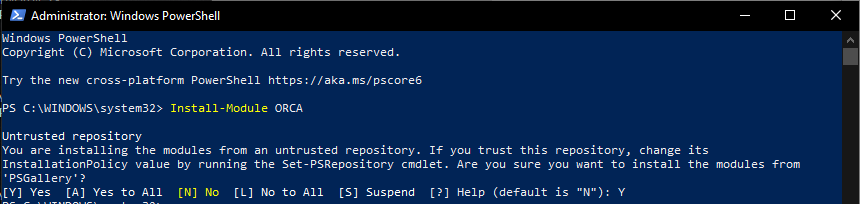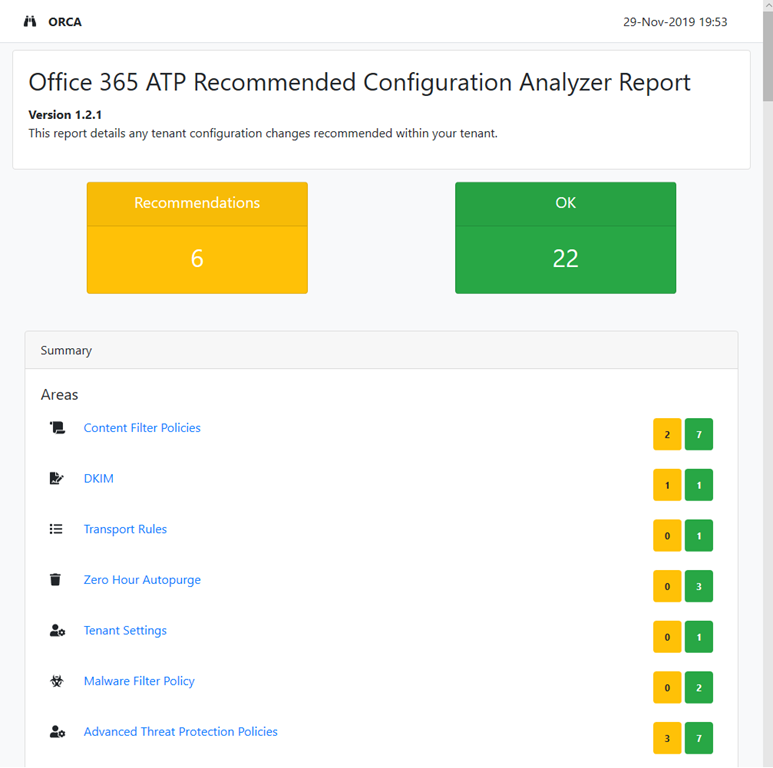
imageORCA is a report that you can run in your environment which can highlight known configuration issues and improvements for Office 365 Advanced Threat Protection (ATP).

ORCA looks at O365 ATP configuration and provides recommendations / guidelines on configuration that will cause issues with the deployment. Examples include highlighting whitelisting occurring within the tenant, not configuring the anti-phishing policy settings.

Microsoft Forms Pro was recently made available in the Government Community Cloud (GCC).

Forms Pro availability on US Government Community Cloud

The dependency services used by Forms Pro are available on US Government Community Cloud (GCC). Note the following differences in functionality for Forms Pro on GCC:

  • The format of survey responses on the Responses tab is slightly different when compared to non-GCC regions. The report can only display up to 50,000 responses. You can create a Power BI report and connect directly to Common Data Service to see all the responses.

  • By default, the anonymous sharing of surveys is disabled. A tenant administrator must enable anonymous sharing by selecting the Send a link to the form and collect responses check box under External sharing in the Microsoft 365 admin center. More information: Administrator settings for Microsoft Forms

  • Microsoft Forms Pro on GCC uses your Microsoft Exchange mailbox to send the survey. For information about Exchange mailbox limits, see Exchange Online limits.

Note: As a GCC customer, you must either have a Dynamics 365 enterprise license or a Microsoft 365 license.

For more information, view the documentation here:

imageJoin us to learn how to minimize the chance of multimillion-dollar security breaches threatening your organization. Register for this virtual event to hear three strategies for staying ahead of attacks across all of your resources—in Azure, on-premises, and even in hybrid and multicloud environments.

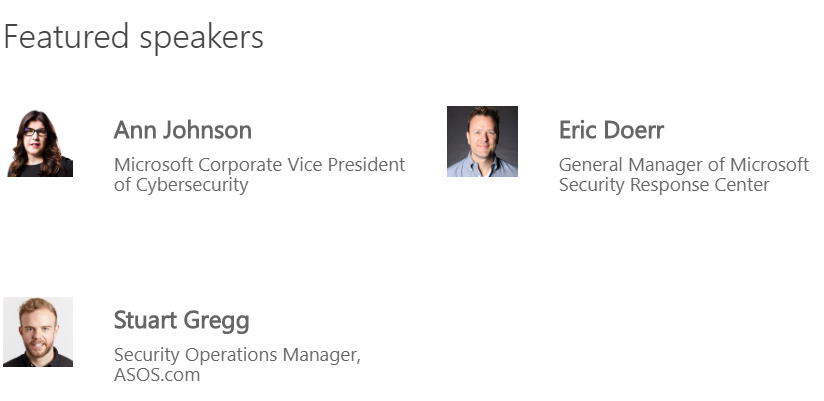
You’ll learn threat protection perspectives and best practices from Microsoft engineers, your peers, and Microsoft cybersecurity executives Ann Johnson and Eric Doerr.

In this information-packed hour, you’ll:

  • Hear Microsoft security experts discuss threat protection strategies using Azure Security Center and Azure Sentinel.
  • Watch customers share how they’re using Azure security services to protect their multicloud and on-premises resources.
  • See how you can use Azure Security Center to achieve multicloud threat protection for servers and virtual machines, cloud-native workloads, and data services.

And get expert answers to your security strategy questions during the live Q&A.

image

Date/Time:
Tuesday, June 30, 2020
10:00 AM–11:00 AM Pacific Time

Registration:

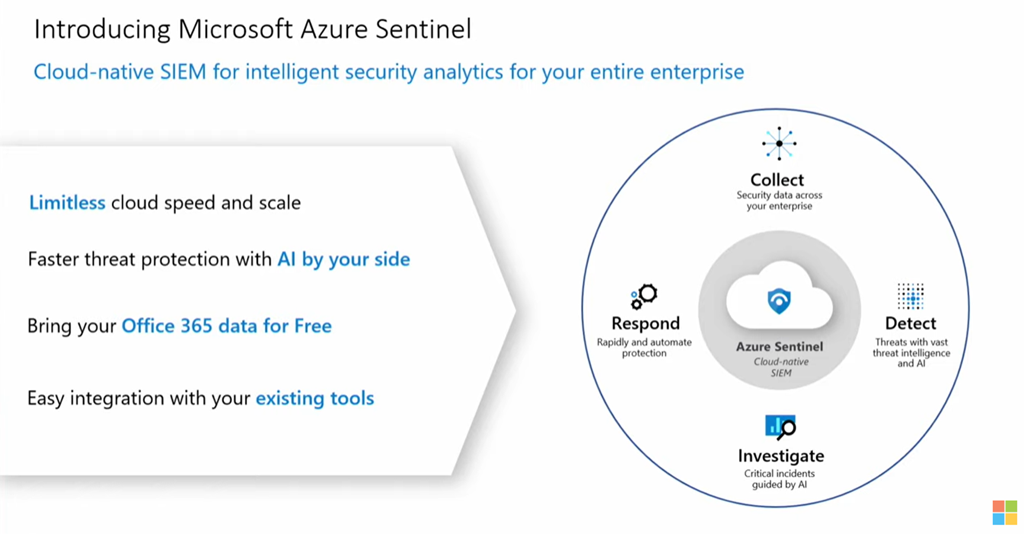
imageSee and stop threats before they cause harm, with SIEM reinvented for a modern world.

Azure Sentinel is your birds-eye view across the enterprise. Put the cloud and large-scale intelligence from decades of Microsoft security experience to work. Make your threat detection and response smarter and faster with artificial intelligence (AI). Eliminate security infrastructure setup and maintenance, and elastically scale to meet your security needs—while reducing IT costs.

  1. image“Get started with a cloud-native SIEM” – Azure Sentinel Part 1
  2. “Built-in AI to detect threats faster” – Azure Sentinel Part 2
  3. Investigate and automate threat responses” – Azure Sentinel Part 3

Here are 2 FREE eBooks/reports that provide more background information on Azure Sentinel:

imageCloud-native SIEM: Quick-start Guide to Azure Sentinel

Start using smarter, faster threat detection and response that connects data from all your sources with the cloud and Azure Sentinel.

SIEM analyst report

Track the latest market trends, including cloud adoption and AI within enterprise and midsize organizations, with this analysis from Enterprise Strategy Group (ESG).

For more learnings, visit:
https://aka.ms/LearnAzureSecurity

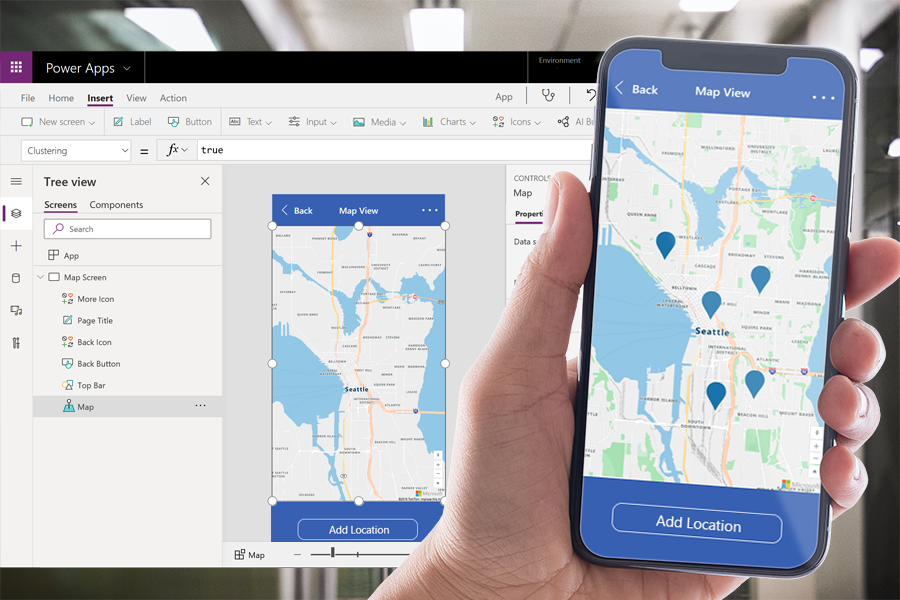
imageWe are excited to share that new geospatial features will be coming soon to Power Apps. With these new features, app makers will be able to quickly introduce location-based capabilities into their experiences and start to digitize workflows in physical space using tools they are already familiar with.

These new components are powered by Azure Maps services, but you don’t need to be a professional developer to take advantage of these features. You can add these components with the ease of drag-and-drop and low-code development.

Features include:

  • Interactive Maps
  • Address Suggestion

To sign up for a private preview & read more about the new capabilities, visit:

imageDo you need to create a web scale application, hosted on a secure cloud?

Get 6 free months of select Microsoft Power Platform solutions to support COVID-19 responses.

Respond quickly to changing organizational needs due to COVID-19 using the following Microsoft Power Platform applications—available to healthcare, governments, nonprofits, and educators free of charge for six months.*

The following is included:

POWER APPS
Quickly build and share custom, low-code applications.

Includes:

  • Up to 1,000 seats

POWER AUTOMATE
Streamline repetitive tasks and processes.

Includes:

  • Up to 100 seats

POWER APPS PORTAL
Offer external users secure access to your applications.

Includes:

  • Up to 50,000 views
  • Up to 20,000 logins

POWER VIRTUAL AGENT
Quickly build intelligent chatbots without having to code.

Includes:

  • Up to 200,000 sessions

Visit this site to enroll:

In response to COVID-19, organizations around the world rapidly adopted the remote work option as a necessary requirement for most of their employees.

Now that businesses are repivoting their operations, identifying and managing potential internal risks will continue to be critical to safeguarding each company’s data and reputation, while supporting a positive company culture.

In this interactive discussion, we will talk about the ways to minimize the risks and how to help employees stay healthy and productive, without compromising compliance.

Join our virtual conversation to talk with security and compliance experts from Microsoft and other companies about:

  • How the pandemic altered risk strategies for a two to three-year time horizon
  • Risks companies are encountering in this unchartered operating environment
  • Cost implications for adapting to new business processes and the consequent risks
  • How technology can help detect and prevent new risks and streamline work scenarios

image

Date/Time:
June 9, 2020 2:00 PM ET / 11:00 AM PT

Registration:
https://go.microsoft.com/fwlink/p/?LinkID=2130332&clcid=0x409&culture=en-us&country=US

Posted by: kurtsh | June 2, 2020

INFO: Useful keyboard shortcuts in Windows 10

imageHere are 6 of my favorite keyboard shortcuts for Windows 10 & Office 365 ProPlus.

  • Win+. :  Select emoji/display emoji picker dialog box (Winkey + Period)
  • Win+V : Paste from Clipboard Stack.  Paste up to 20 of the last things copied with Ctrl+C or Ctrl+X.
  • Ctrl+K : Insert hyperlink to currently selected text.  Bring up the hyperlink dialog box and add a hyperlink to any text currently highlighted.
  • Ctrl+. : Bulletize current line.  Add a bullet to the beginning of the current line and indent in Outlook, Word, OneNote. (Ctrl + Period)
  • Ctrl+Alt+H: Highlight currently selected text.
  • Win+Ctrl+Shift+B : Reset/restart the graphics driver on Win10 when you have a black screen, screen frozen, keyboard and mouse inputs don’t respond at all.

imageThere’s a misconception that the only difference between the Office 365 E1/G1 and E3/G3 suites  just the availability of the Office 365 ProPlus/Microsoft 365 Apps.

The following capabilities are not included in Office 365 E1/G1, compared to Office 365 E3/G3.

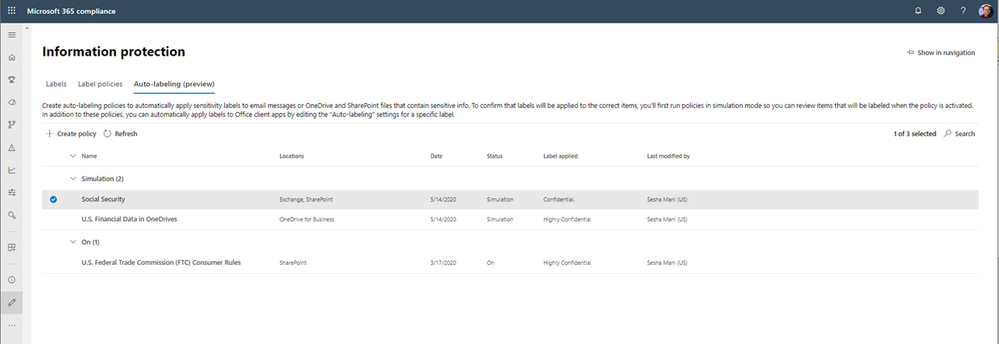
imageToday our Microsoft Information Protection story becomes even more complete with the GA release of service based auto labeling of sensitive labels for SharePoint Online, OneDrive and Exchange.

In addition this feature also contains Policy Simulator which helps you visualize the impact of a new automatic classification policy.

Read the announcement here:

« Newer Posts - Older Posts »

Categories