Posted by: kurtsh | February 27, 2021

TRAINING: Microsoft 365 Security Learning Hub

image

Have you tried the new learning hub on the Microsoft Defender portal?

This is a one stop shop for learning and training for all Microsoft Defender products:

  • How to Investigate Using Microsoft 365 Defender? (4 modules)
  • Microsoft 365 Defender Basic Training (4 modules)
  • Microsoft Defender for Endpoint Basic Training
  • Microsoft Defender for Office 365 Best Practices
  • Setup of Trial Labs for Defender, Defender for Endpoint, and Defender for Office 365
  • Short & sweet series – 71 different 5 min videos on a variety of common tasks for Defender, Defender for Endpoint, and Defender for Office 365

Have a look, send us feedback.

Posted by: kurtsh | February 27, 2021

EVENT: Azure at Microsoft Ignite – March 2-4, 2021

imagePlan your Microsoft Azure experience at Microsoft Ignite – March 2-4, 2021

Microsoft Ignite, our free digital event, starts next week and runs from March 2-4, 2021. We thought you might be interested to learn ways you can plan to experience the power of Microsoft Azure and connect with your worldwide data, infrastructure, applications, and hybrid communities like never before. Attendees will learn about new innovations, speak with Microsoft experts from around the globe, and continue your technical learning journey.

Register to gain full access to all Microsoft Ignite has to offer–it’s easy and at no-cost to you.

Create the perfect event schedule
Explore the session catalog to find expert speakers, interactive sessions, and more. After registering, get started on your journey at myignite.microsoft.com/sessions.

Below are seven featured sessions on Microsoft Azure you can’t miss:

Follow #MSIgnite 
Explore the latest event news, trending topics, and share your point of view in real time with your community. Join us on Twitter and LinkedIn by using #MSIgnite. 
Join today >

Connection Zone 
Only at #MSIgnite will you meet the engineers and partners who build and maintain our tools and get the answers to your toughest technical questions. Register for an Ask the Expert session at #MSIgnite.  
Connect today >

Learning Zone 
The Learning Zone is the center for training, development, and certification with Microsoft. Whatever your style of learning happens to be, you can find content and interactive opportunities to boost and diversify your cloud skills.  
Explore today >

One-on-one consultation 
Schedule your 45-minute, one-on-one consultation with Microsoft Azure experts in infrastructure, data and AI, and application development. 
Schedule today >

Continue your learning journey 
Find your way to deeper content, training options, communities, and certification details across all Microsoft cloud solutions from one place. 
Start exploring >

Posted by: kurtsh | February 27, 2021

INFO: Getting technical support for Power BI

imageFor those using free Power BI (no cost), the Power BI community is available to ask questions.  For paid Power BI users, direct technical support from Microsoft is available in the following manner:

For more on Power BI Support, please visit:

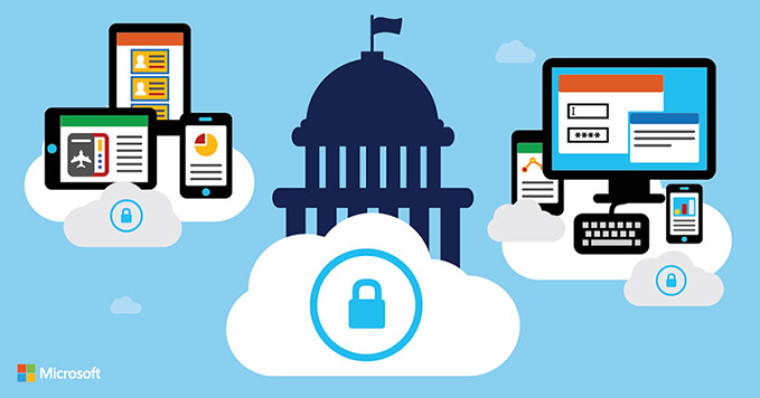
imageFor those attending Microsoft Ignite from Government institutions will be interested in the following Government specific sessions:

  • Reimagining government services with digital identity 
    We have seen governments modernize their technology and tools in response to COVID-19. They are re-creating their Digital Transformation strategies with a sharp focus on digital services that are no longer dependent on physical offices and face-to-face interactions. In this session learn how governments are deploying secure technology solutions for authenticating citizen requests and program delivery, via business methods that are not dependent on presenting documents.
    Date/Time TBD
  • Modernizing Security for Government Datacenters 
    Cyber is never a fair fight, especially in State and Local Government. As governments move to modernize their datacenters and re-imagine them in the cloud, there is an opportunity to level the playing field with attackers by deploying advanced security capabilities and automating many of the manual processes that slow or complicate cyber-response today. Hear how we enable resource constrained government customers to meet these challenges with Microsoft Cloud Security tools powered by Azure.
    Tuesday, March 2
    11:00 AM – 11:30 AM PST
    Duration 30 minutes

Review the sessions from this list here:

This is a case study our team recently published highlighting the use of Microsoft Teams at the Los Angeles Police Department.

imageFaced with the new reality of social distancing and limited personal contact, the Los Angeles Police Department (LAPD) needed a solution to allow the organization to continue to operate and share information vital to its mission of protecting the people of Los Angeles amid the COVID-19 health crisis. Beyond providing the meeting solution they needed, Microsoft Teams now enables officers to share almost real-time crime information, often just minutes after taking a report. From officers in the field to the watch commanders who oversee patrol operations in an area, Teams helps provide information to a wide number of users in record time.

View the case study here:

Posted by: kurtsh | February 26, 2021

HOWTO: Open Premier/Unified Support Requests

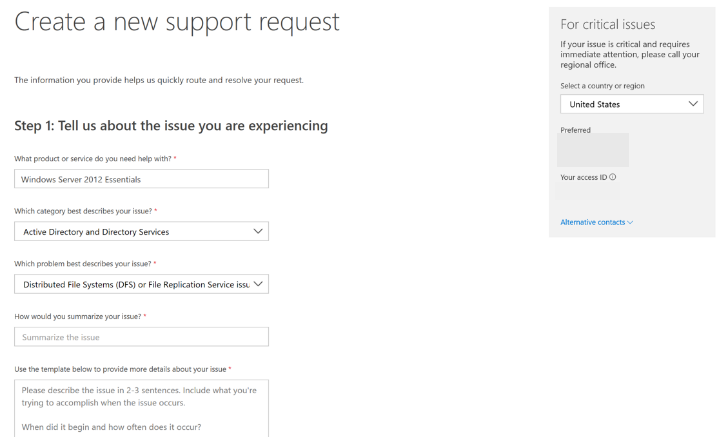
imageOne of the great benefits of having a Premier or Unified Support agreement is having access to the Services Hub.  The Services Hub provides, among other things, the ability to open Support Tickets for break/fix issues:

Accessing the Services Hub for either Premier or Unified Support customers is done from here:

For information about how to file a support ticket, through the Services Hub, visit the following:

For more details on Services Hub in general:

imageNeed to move resources across #Azure subscriptions or to a different resource group?

This guide will walk you through how to move Azure resources to either another Azure subscription or another resource group under the same subscription. You can use the Azure portal, Azure PowerShell, Azure CLI, or the REST API to move resources.

Both the source group and the target group are locked during the move operation. Write and delete operations are blocked on the resource groups until the move completes. This lock means you can’t add, update, or delete resources in the resource groups. It doesn’t mean the resources are frozen. For example, if you move a SQL Server and its database to a new resource group, an application that uses the database experiences no downtime. It can still read and write to the database. The lock can last for a maximum of four hours, but most moves complete in much less time.

Moving a resource only moves it to a new resource group or subscription. It doesn’t change the location of the resource.

imageWhat datacenter challenges are you facing?

Learn to build datacenter resilience with the cloud in this guide that goes over:

  1. Optimize IT costs and migrate with confidence
  2. Stay secure and maintain resilience across hybrid environments
  3. Scale your applications and infrastructure on demand

Get the eBook for free here:

imageWhen you sign in to your online accounts – a process we call authentication – you’re proving to the service that you are who you say you are. Traditionally that’s been done with a username and a password.

There’s a better way that almost all online services – banks, social media, shopping, and yes, Microsoft 365 too – have added a way for your accounts to be more secure. You may hear it called Two-Step Verification or Multifactor Authentication but the good ones all operate off the same principle.

Read more at:
https://support.microsoft.com/en-us/topic/what-is-multifactor-authentication-e5e39437-121c-be60-d123-eda06bddf661

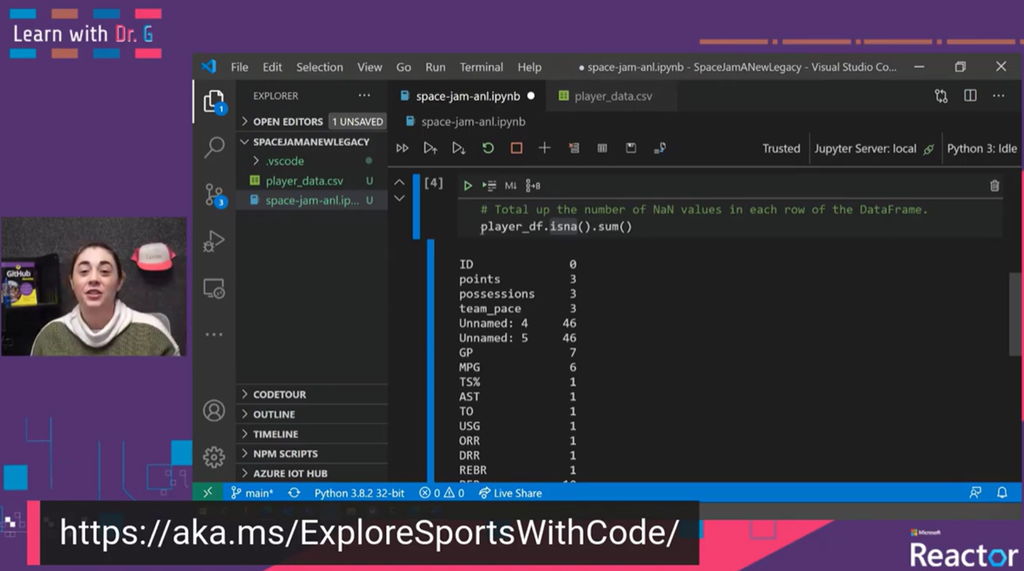
Dr. Sarah Guthals, creator of “Learning with Dr. G.”, did a really cool video that shows you how to use machine learning to create a model for assessing player efficiency.

imageBy using anonymized data from real and animated basketball players in the upcoming film "Space Jam: A New Legacy", Dr G will walk you through how to create a machine learning model to cleanse data to be used during games. Also, we will explore bimodal data distributions by using Python in Visual Studio Code. Explore the new Learning Path: https://aka.ms/ExploreSportsWithCode

Check out the entire 21min video here:

« Newer Posts - Older Posts »

Categories