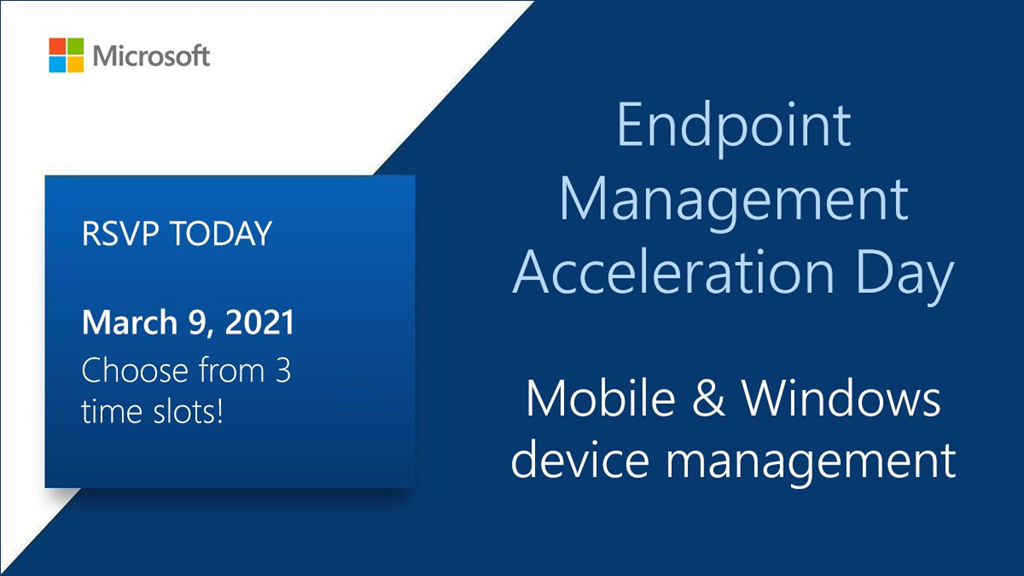
imageEndpoint Management Acceleration day is done but if you want to look at the slides or go back to Teams Live Events to watch the recording of any of the 6 sessions, go here: http://aka.ms/EMAD/decks 
  • How to Operate Microsoft Intune in the Real World
  • Deploying shared and FLW devices with MEM
  • Automate Common Microsoft Endpoint Manager Tasks
  • How to Secure your Endpoints with MDE MTD

We’ll keep the Teams Live Events live until we can post them, and the Q&A, in the VideoHub.

Discussion here:

imageBuild skills and resilience to navigate your cloud journey with confidence in this free, technical deep dive with Microsoft Azure experts and your IT community peers. Learn how to migrate and modernize your apps, databases, and infrastructure in the cloud quickly and efficiently with Azure.

Register for this digital event to:

  • Join workshops with step-by-step guidance on your specific workloads and migration scenarios.
  • Get expert guidance on topics such as choosing a cloud provider, assessing your migration readiness, and architecting your environment for scale.
  • Learn key considerations for successful migration decision-making and how to analyze workloads to decide which to move first.
  • Hear best practices and real-life migration success stories from customers.
  • Find out how to scale your apps to meet growing demand and build resilience to grow beyond the capacity of your current datacenter.
  • Test your knowledge and win swag when you visit virtual booths at the event.

We’ve got a brain trust of Azure engineering speakers that will be online, led by Jeremy Winter, CVP of Program Management for Azure.

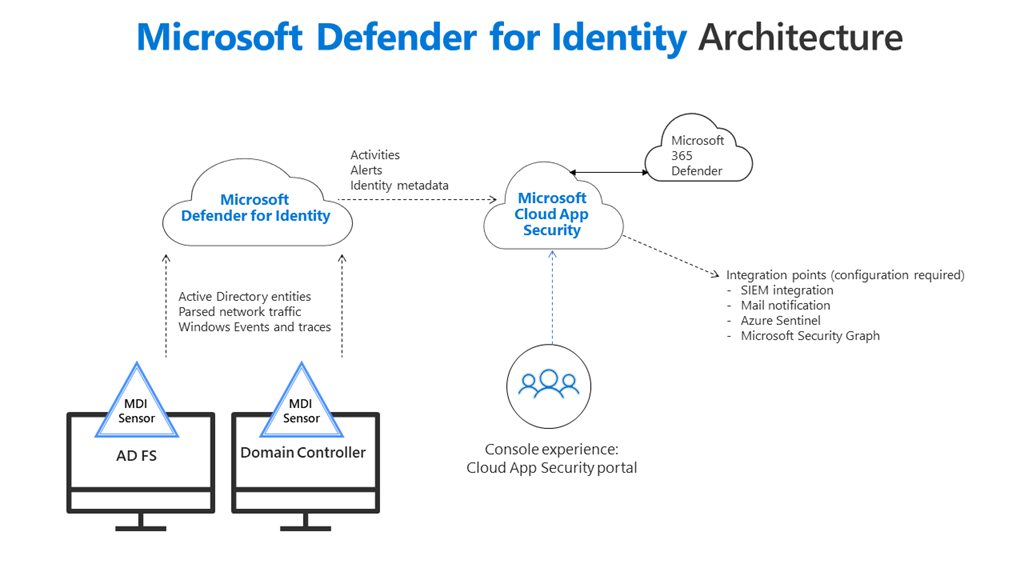
imageThe majority of organizations still use Active Directory as a major part of their identity infrastructure. As well as helping to protect against advanced attacks targeting your organizations’ on-premises identities, Microsoft Defender for Identity provides a host of assessments used to highlight legacy misconfigurations and any instances where the best practice may not be in place.

We delve into some of these assessments in this session and why they’re essential, mainly based on recent global security events.

imageThe need for visibility across organizations and flexibility to analyze deeper in your data is greater than ever. A unified, scalable, cost-effective data and analytics platform is the foundation of organizations’ digital transformation strategy. Yet many on-premises big data users struggle with its system complexity, unscalable infrastructure, and DevOps burden.

In this three-part webinar series, we will uncover why now is the time to modernize your big data platform and how Azure Databricks, Azure Synapse Analytics, and Azure Machine Learning can help organizations achieve 417 percent ROI and 10x the speed to insight. Additionally, we will go deeper into the use cases for financial services and retail industry customers.

  • Innovate faster by migrating from Hadoop to Azure Databricks
    March 11, 2021 at 2:00 PM Eastern Time (11:00 AM Pacific Time)
    Learn why now is the right time to migrate your on-premises Hadoop system to Azure. We’ll walk you through how to migrate Hadoop systems seamlessly while achieving your desired business outcomes more quickly.
    Register now
  • Maximize environmental, social, and governance impact in financial services

    March 18, 2021 at 2:00 PM Eastern Time (11:00 AM Pacific Time)

    Data has become the key competitive advantage for financial services institutions. In this session, explore how the ability to make sense of a wide range of data—particularly environmental, social, and governance (ESG) and alternative sources—is helping financial institutions manage risk, create new products, and compete against fintechs.

    Register now

  • Drive profitability in retail with data and AI

    March 25, 2021 at 2:00 PM Eastern Time (11:00 AM Pacific Time)

    Discover how Azure solutions are enabling retail organizations to have a real-time view of their supply chain and fulfill customer requests faster than their competitors. Learn how to use retail data to drive intelligent business decisions.

    Register now

Posted by: kurtsh | March 16, 2021

BETA: Windows Server 2022 — now in preview

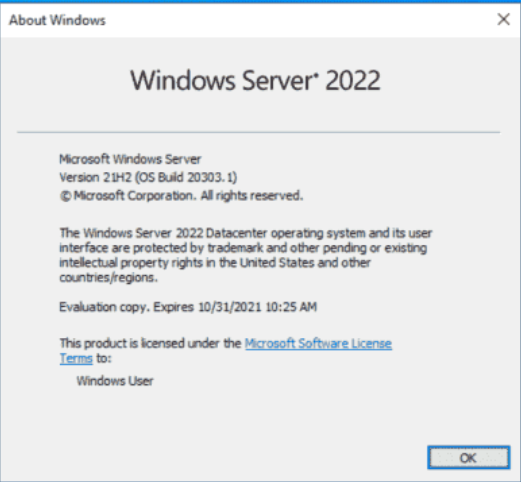
imageNew private preview available.

Today we are announcing that Windows Server 2022 is now in preview, the next release in our Long-Term Servicing Channel (LTSC), which will be generally available later this calendar year. It builds on Windows Server 2019, our fastest adopted Windows Server ever. This release includes advanced multi-layer security, hybrid capabilities with Azure, and a flexible platform to modernize applications with containers.

Read more here:

Posted by: kurtsh | March 16, 2021

HOWTO: Optimize Azure Costs

We’ve published a page & docs specifically to help our customers optimize their costs of Azure.

Training
The question I hear is, “Is there any training on how to leverage these cost optimization capabilities?” 

There are 2 means of learning how to cost optimize your Azure billing:

      • Gain visibility and draw cost insights using monitoring and analytics.
      • Maximize the efficiency of your cloud environment.
      • Provision resources that are optimized for cost.
  • Microsoft Ignite:
    “7 ways to Optimize your Azure Costs”
    https://myignite.microsoft.com/sessions/6c48f069-210d-4d0f-8f07-1cfff17bc7b3
    Are you getting the most out of your Azure investment? One of our biggest Azure customers used these 7 actionable techniques to optimize their Azure costs . . . and you can too. Maersk will join us as we learn the right and wrong way to keep within your cost constraints, aim for scalable costs, pay for consumption, right-size resources, and monitor your spend.

imageAzure Resource Mover, a new free service enables customers to move multiple resources across public Azure regions to support their ever-evolving business needs.

Azure Resource Mover greatly reduces customer time and effort needed to move resources across regions by providing a built-in dependency analysis, planning, and testing that ensures the resources are prepared to move and then successfully moved to the desired region.

Azure Resource Mover also provides a seamless and consistent single pane of glass experience that allows move orchestration for a range of Azure resources.

Q. What can customers do now that they couldn’t do before?

  • Azure Resource Mover now further simplifies the dependent resources analysis by validating and identifying all dependent resources in a single step. This reduces the multiple iterative steps previously required to discover all the resources in the environment, thus making planning for large scale even more seamless.
  • Customers from various industries such as Banking, Financial services or Healthcare may have sensitive data, which they encrypt using keys or certificates in key vaults. Azure Resource Mover now supports VMs encrypted using Customer Managed Keys (CMK) or Azure Disk Encryption (ADE) mechanisms.
  • We have heard from our customers that they needed a native experience within Azure Resource Mover that allows delete of source resources. We are now happy to announce that users can now delete multiple resources simultaneously using the delete source feature that provides full control and confidence with validations in place to ensure the delete is performed only after the move is completed.
  • VM replication health monitoring is now enabled once the ‘Prepare’ phase is complete, exposing any warnings and take corrective actions if there are any issues with ongoing replication.

Q. What is the pricing and/or licensing implications, if any, for this announcement?

  • None. Service is free, customers may incur ingress/egress charges.

For more information visit:

imageWe have added best practice guidance in Cloud Adoption Framework to support customers in their hybrid and multicloud journey.

This guidance walks through additional considerations for hybrid and multicloud that customers need to review and decisions they need to make as they navigate the different phases of their cloud journey. These include:

  • defining strategy and plan
  • configuring their cloud environments
  • enabling ‘unified operations’ to provide visibility and control of the resources distributed across on-prem, hybrid, multiple clouds or the edge platform through a single pane of glass

This content is available for free as part of the Cloud Adoption Framework for Azure.

For more information, Read the blog on “Implementing Hybrid and multicloud approach using Cloud Adoption Framework.”

Posted by: kurtsh | March 15, 2021

TRAINING: Introduction to Azure Security

Need to brush up on your Security in Azure? Get started with our 25min Microsoft Learn security module here:

imageSecurity, responsibility, and trust in Azure

Learn how Azure can help you protect the workloads that you run both in the cloud and in your on-premises datacenter.

Learning objectives:

  • Strengthen your security posture and protect against threats by using Azure Security Center.
  • Collect and act on security data from many different sources by using Azure Sentinel.
  • Store and access sensitive information such as passwords and encryption keys securely in Azure Key Vault.
  • Manage dedicated physical servers to host your Azure VMs for Windows and Linux by using Azure Dedicated Host.

Check out the modules here:

imageMicrosoft’s Store team hosts training sessions on-site at Microsoft customers or virtually. These come at no-charge for Microsoft managed customers.

These end-user centric training sessions are Level 100-200 and cover the following topics as of 3/12/21:

  • Microsoft Bookings
  • Microsoft OneDrive for Business
  • Microsoft Planner
  • Microsoft SharePoint Online
  • Microsoft To Do
  • Microsoft Lists
  • Microsoft Yammer
  • Microsoft Teams
  • Microsoft Accessibility
  • Windows 10
  • Power Apps
  • Power BI
  • Power Automate
  • Microsoft Teams – Level 100, 200
  • Microsoft Teams Meetings
  • Microsoft Teams Calling
  • Microsoft Teams as a Platform: Integrating Apps – Level 200
  • Microsoft Teams Live Events (Attendee)
  • Microsoft Teams Live Events (Organizer)
  • Word Level 100 & 200
  • Excel Level 100 & 200
  • Microsoft OneNote – Level 100 & 200
  • Outlook (Desktop & Mobile) – Level 100 & 200
  • Forms
  • Project for the Web
  • Tasks
  • Yammer

Training programs can be personalized for any industry & are customized around the customer’s unique needs and are hands on.  Students bring in their own devices and use the apps being trained on in the contexts of use that they require to get the most out of their Microsoft investment.

Contact your Microsoft Account Executive for more information on how to engage this program.

« Newer Posts - Older Posts »

Categories