Organizations that trust Microsoft 365 Copilot & Azure OpenAI Service can depend on Microsoft to not train any AI models with their data. The following are excerpts from Microsoft’s Data Privacy & Security documentation from both products with written statements addressing this concern.

(Note: The following statements exclusively address “Microsoft 365 Copilot” & “Azure OpenAI Service” & only apply to services obtained from Microsoft. They do not have any bearing on services obtained directly from OpenAI Incorporated.)

AI Security for Microsoft 365 Copilot
https://learn.microsoft.com/en-us/copilot/microsoft-365/microsoft-365-copilot-ai-security

Data, Privacy, and Security for Microsoft 365 Copilot
https://learn.microsoft.com/en-us/copilot/microsoft-365/microsoft-365-copilot-privacy

Data, privacy, and security for Azure OpenAI Service

  • Important:
    “Your prompts (inputs) and completions (outputs), your embeddings, and your training data:
    • are NOT available to other customers.
    • are NOT available to OpenAI.
    • are NOT used to improve OpenAI models.
    • are NOT used to train, retrain, or improve Azure OpenAI Service foundation models.
    • are NOT used to improve any Microsoft or third party products or services without your permission or instruction.
    • Your fine-tuned Azure OpenAI models are available exclusively for your use.
  • The Azure OpenAI Service is operated by Microsoft as an Azure service; Microsoft hosts the OpenAI models in Microsoft’s Azure environment and the Service does NOT interact with any services operated by OpenAI (e.g. ChatGPT, or the OpenAI API).”
    https://learn.microsoft.com/en-us/azure/ai-foundry/responsible-ai/openai/data-privacy

Additionally, Microsoft has always had a documented commitment that not only secures our customer’s private data for their use alone but also ensures that their data is never “used” by Microsoft or any 3rd party in any way. Microsoft does not use your tenant’s data or prompts to train public AI models, and your data is never exposed publicly. These protections are backed by Microsoft’s contractual Data Protection Addendum (DPA) and audited compliance programs.

  • Verification: Independent audit reports and certifications (SOC, ISO) are available in the https://aka.ms/SCPortal.
  • Tenant Isolation: Copilot for Microsoft 365 runs in a private, tenant-scoped environment and respects existing permissions.
  • No Public Model Training: Customer data is used only to deliver services, not for advertising or public AI training.
  • Compliance & Governance: Microsoft Purview DLP and related tools help prevent unauthorized sharing.
While Microsoft’s AI technology in Microsoft 365 Copilot & Azure OpenAI Service is based on the Large Language Models from OpenAI, both solutions have unique & explicit sets of guardrails that are used when generating content for users. Some of this is done through typical “system prompting” that pre-prompt inputs from users that ensure the safety of the content generated, however Microsoft’s approach is much more comprehensive to provide industry-leading content safety.

The following is an important excerpt taken from the Microsoft 365 Copilot documentation:

How does Copilot block harmful content?

Azure OpenAI Service includes a content filtering system that works alongside core models. The content filtering models for the Hate & Fairness, Sexual, Violence, and Self-harm categories have been specifically trained and tested in various languages. This system works by running both the input prompt and the response through classification models that are designed to identify and block the output of harmful content.

Hate and fairness-related harms refer to any content that uses pejorative or discriminatory language based on attributes like race, ethnicity, nationality, gender identity and expression, sexual orientation, religion, immigration status, ability status, personal appearance, and body size. Fairness is concerned with making sure that AI systems treat all groups of people equitably without contributing to existing societal inequities. Sexual content involves discussions about human reproductive organs, romantic relationships, acts portrayed in erotic or affectionate terms, pregnancy, physical sexual acts, including those portrayed as an assault or a forced act of sexual violence, prostitution, pornography, and abuse. Violence describes language related to physical actions that are intended to harm or kill, including actions, weapons, and related entities. Self-harm language refers to deliberate actions that are intended to injure or kill oneself.

Learn more about Azure OpenAI content filtering.

Read the original here along with Microsoft’s statements about other benefits of these controls within Microsoft 365 Copilot & Azure OpenAI Service, such as “Microsoft’s Copilot Copyright Commitment for customers“, “protected material detection”, “blocking prompt injections (jailbreak attacks)”, “a commitment to responsible AI”.

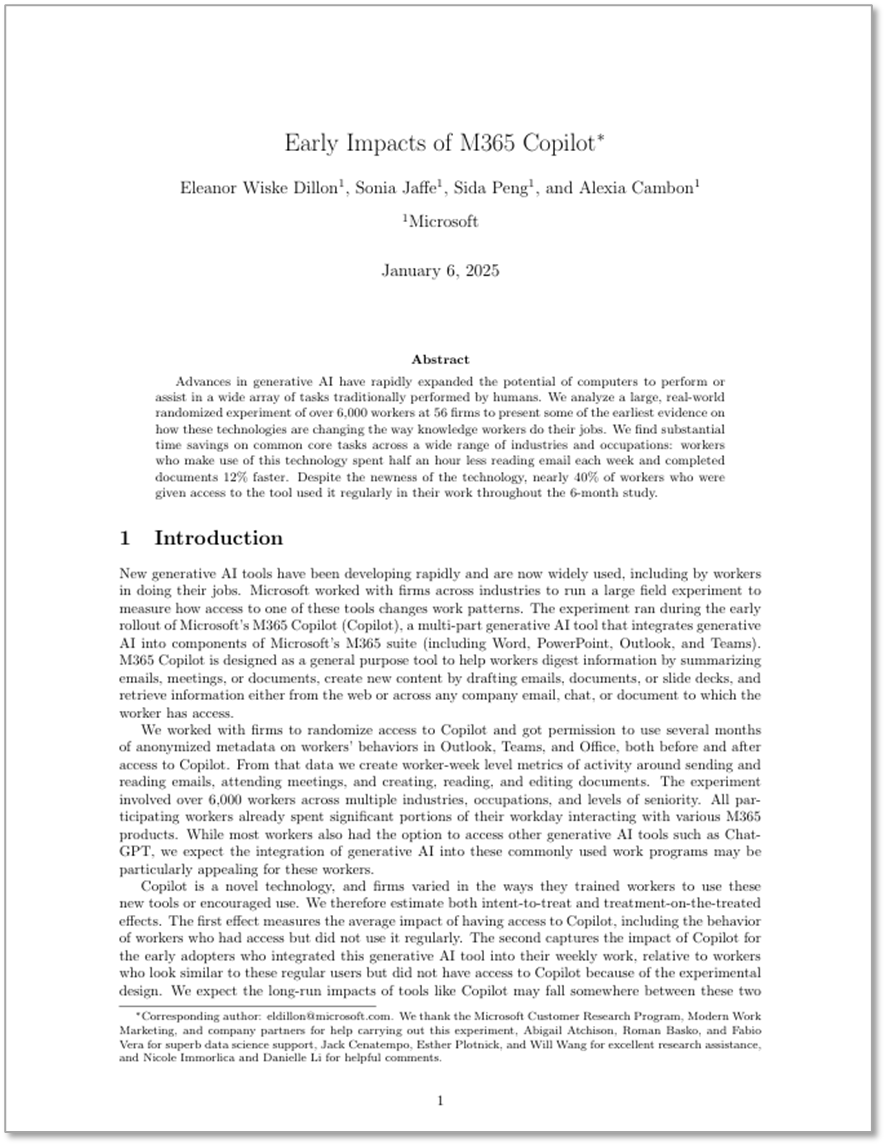
Advances in generative AI have rapidly expanded the potential of computers to perform or assist in a wide array of tasks traditionally performed by humans.

We analyze a large, real-world randomized experiment of over 6,000 workers at 56 firms to present some of the earliest evidence on how these technologies are changing the way knowledge workers do their jobs.

We find substantial time savings on common core tasks across a wide range of industries and occupations: workers who make use of this technology spent half an hour less reading email each week and completed documents 12% faster. Despite the newness of the technology, nearly 40% of workers who were given access to the tool used it regularly in their work throughout the 6-month study.

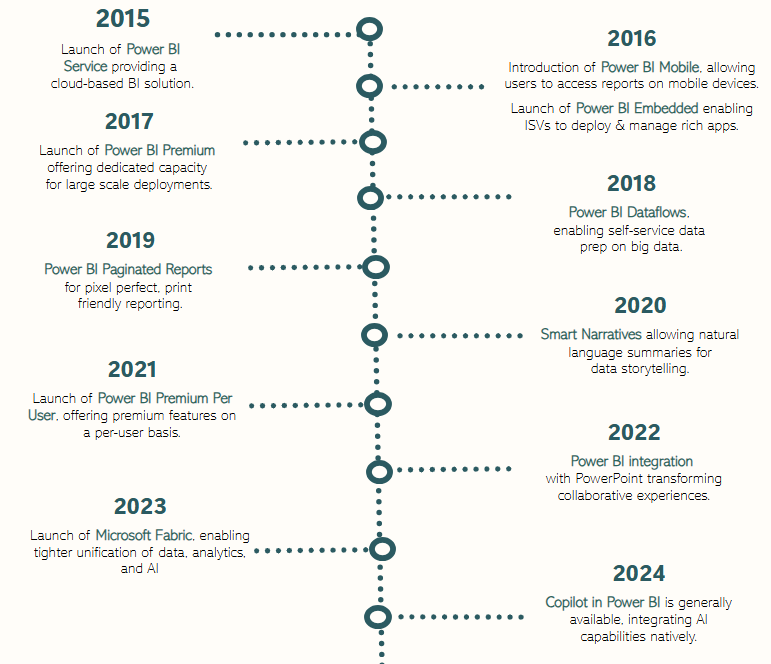
Party with Power BI’s own Guy in a Cube! Join us on YouTube for a special live celebration to hear about behind-the-scenes stories, product evolution highlights, and a sneak peek at what’s in store for the future.

Don’t miss the interactive Q&A, where you can ask your burning questions or just wish Power BI a happy birthday!

Microsoft is aware of active attacks targeting on-premises SharePoint Server customers by exploiting vulnerabilities partially addressed by the July Security Update.  These vulnerabilities apply to on-premises SharePoint Servers only.  SharePoint Online in Microsoft 365 is not impacted.  Updates for all supported products have been made available.

To fully address the vulnerability, customers should install the out of band update released July 20 (SharePoint 2019 and SharePoint Subscription Edition) and/or July 21 (SharePoint 2016).  In cases where the out of band update can’t be installed, we recommend that customers enable AMSI integration in SharePoint and deploy Defender AV on all SharePoint servers. This will stop unauthenticated attackers from exploiting this vulnerability.  AMSI integration was enabled by default in the September 2023 security update for SharePoint Server 2016/2019 and the Version 23H2 feature update for SharePoint Server Subscription Edition.  For more details on how to enable AMSI integration, see here.  In addition, Microsoft also recommends rotating SharePoint server ASP.NET machine keys and restart IIS on all SharePoint servers.

The Microsoft Security Servicing Criteria for Windows webpage describes the criteria the Microsoft Security Response Center (MSRC) uses to determine whether a reported vulnerability affecting up-to-date and currently supported versions of SharePoint Server may be addressed through servicing or in the next version of SharePoint Server.

We encourage our customers to practice industry-standard best practices for security and data protection, including embracing the Zero Trust Security model and adopting robust strategies to manage security updates, antivirus updates, and passwords. More information on Zero Trust Security is available at https://aka.ms/zerotrust.  Additional information is available at https://www.microsoft.com/en-us/security.

References:

Have you ever been told:

  • “Hey, I tried scheduling an in-person meeting with you but can’t see your calendar to know if you’re in the area & can make it.”
  • “Your calendar has a lot of “Tentative” appointments on it and I can’t tell if there’s any chance of you being able to attend.”

I’m a big proponent of people sharing the full details of their calendar or at least the “title/location” of the appointments on their calendar to help coworkers know if you can actually attend their meetings.

The way to do this is:

  1. Open Outlook & open Calendar
  2. Select “Folder” menu item
  3. Select “Share Calendar” & choose your Microsoft 365 Calendar
  4. Select “My Organization” in “Currently sharing with:” section
  5. Choose either “Can view titles and locations” or “Can view all details” in the “Permissions” section
  6. Click “Ok” to save the changes

Your coworkers should now at least be able to view the title/location details of the appointments your calendar so they know if you’re within driving distance of a meeting or if you can make a meeting even if you’re marked the time as “tentative”.

Notes:

  1. I provide my manager and those I’m closest to with “Can view all details” permissions to my calendar so they can see the details of the meetings I’m having.
  2. I set personal items like doctor’s appointments as “Private” which blocks everyone from seeing the details of the meeting regardless of permissions.
  3. If others can’t see your calendar’s free/busy, much less the appointment contents, see the following article: https://kurtsh.com/2019/01/16/howto-fix-the-problem-where-others-cant-see-your-free-busy-or-calendar-in-outlook/

With the recent rise in interest by organizations in migrating from VMware to Azure, I’ve discovered that Azure administrators & many VMware administrators aren’t familiar with “RVTools” & this quick overview may be valuable.

——————-

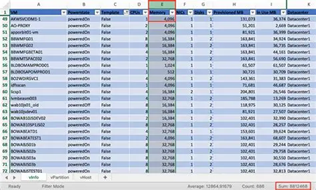
A valuable component of understanding the VM migration cost to Azure as well as the on-going monthly Azure service costs, is executing an “RVTools” export, a tool owned & managed by Dell.

What is RVTools?
Quoting Dell: “RVTools is a lightweight Windows application that gives VMware administrators instant, detailed insight into their virtual environments. With an intuitive interface and robust export options, it simplifies monitoring, managing, and reporting on virtual machines, clusters, datastores, and more. Designed to save time and drive smarter decisions, RVTools transforms complex data into actionable insights quickly and effortlessly.​”
(Note: RVTools stands for “Rob de Veij Tools”, the creator of the tools which were later acquired by Dell in October 2023.)

What details does RVTools provide?
RVTools exports can provide the following for cost & usage analysis:

  • Virtual machine inventory​: Displays names, power states, templates, and configuration details for all virtual machines.
  • CPU and memory allocation​: Shows the number of CPUs, memory size, and active memory usage for each VM.​
  • Disk and storage details​: Lists the number of virtual disks along with total capacity, provisioned storage, and used storage.
  • Snapshots: Provides presence and detailed data about snapshots to support backup and recovery planning.​
  • VMware tools status​: Highlights the version and running status of VMware tools, ensuring seamless OS integration and management.​
  • Network configuration​: Details NIC count, connected networks, IP addresses, and latency sensitivity.
  • Host and cluster association​: Identifies the ESX host name, cluster name, and resource pool associated with each virtual machine.​
  • Health and configuration flags​: Monitors critical metrics like heartbeat status, consolidation needs, HA settings, and fault tolerance state.​

To read more about RVTools and download the tools themselves, visit:

For guidance on executing the RVTools export for running an Azure assessment, check out the following pages:

A digital experience that is designed to accelerate your AI ambitions, from strategy to secure, scalable execution.

AI is transforming how businesses operate and compete. The Microsoft Cloud and AI Bootcamp has been designed to support business decision-makers, IT professionals and developers who are ready to move from exploration to scalable success. 

Curated by Microsoft experts, the practical sessions are grounded in what’s working now, so you can move forward with clarity and confidence.

  1. Discover what’s working now  – Gain insights from real-world success stories, expert-led demos and partner solutions that show AI in action.
  2. Accelerate AI innovation with an actionable plan  – Discover practical frameworks, architectures and best practices to scale transformative AI solutions using Azure’s latest tools, models and platforms.
  3. Turn data into a strategic asset – Explore ways to unify and prepare your data estate to feed into trusted, high-performing AI systems that drive results.

Explore the agenda below and get ready to witness AI’s extraordinary potential. Don’t miss out. 

Attend this event’s training sessions at no cost to you or your organization. Register for each session individually at:

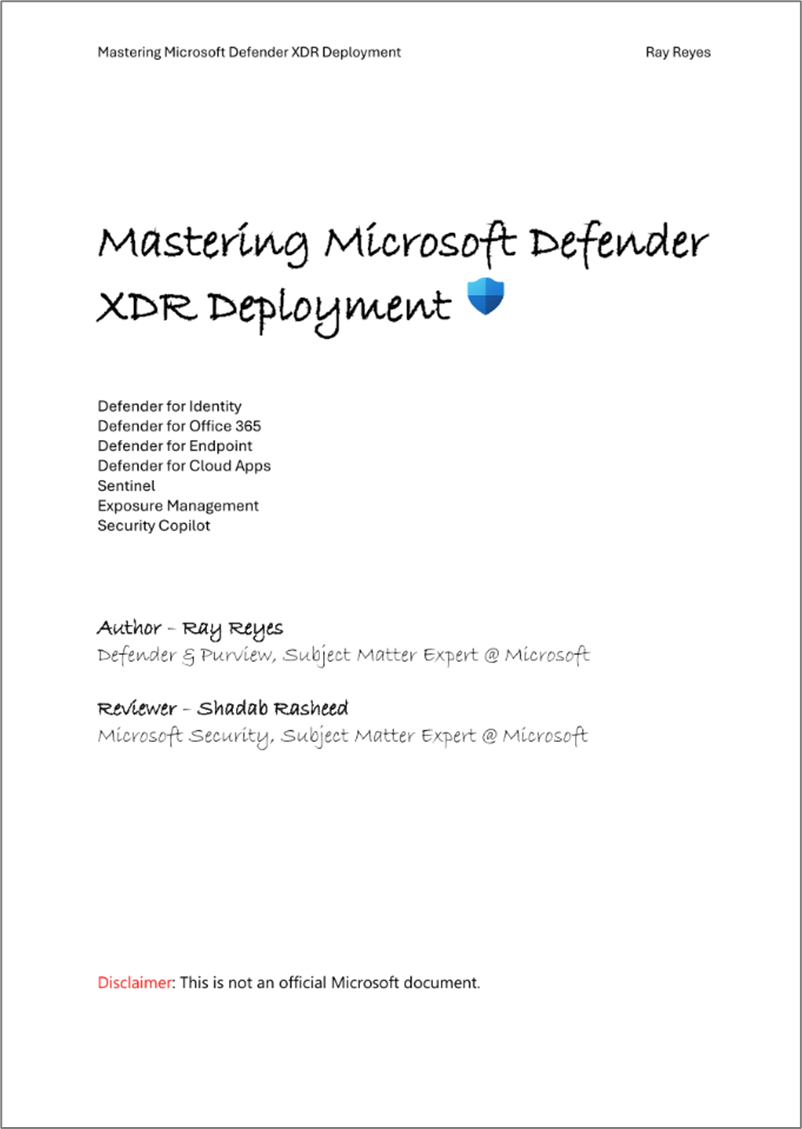
Ray Reyes, published his latest high-level guide to deploying Defender XDR and made it available for all to download, encompassing:

  • Microsoft Defender for Office 365 (MDO)
  • Microsoft Defender for Identity + Microsoft Entra ID Protection = (ITDR)
  • Microsoft Defender for Endpoint (MDE)
  • Microsoft Defender for Cloud Apps (MDA)
  • Microsoft Sentinel
  • Exposure Management

From Ray’s post on LinkedIn:

Here’s the latest version of my Microsoft Defender XDR Deployment guide. It’s been close to a year since I wrote the last version, so lots of new goodies on this guide and newly introduce features. What’s also new is I’ve included a mind map of roles and permission which is always a challenge for new customers.

A story goes a long way to support technical deployments. My role at Microsoft is to help
customers deploy our Defender and Purview products. One of the feedback items I had a while
back from a customer is not knowing ‘why they should’ turn things on, and this guide answers
the WHY. The WHY is what allows customers to re-think and visual what the product is capable
of. I work with customers daily across our Security Solutions, this guide is to help customers
find the easiest path to enabling our overall Microsoft Defender XDR and to answer two
common questions we get in my role.


‘Where do I start? What should I turn on first?

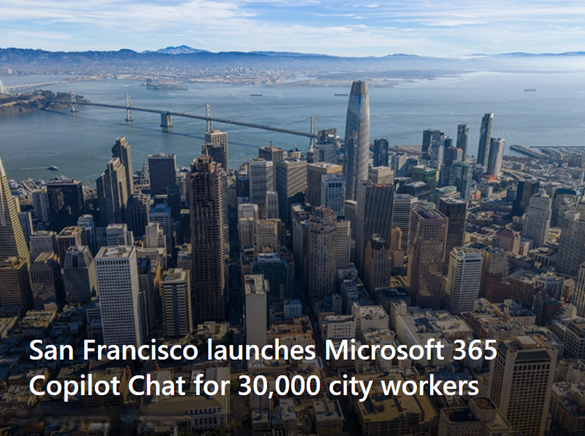
San Francisco is embracing the power of AI with Microsoft 365 Copilot Chat.

  • San Francisco Mayor Daniel Lurie announced that generative artificial intelligence will be available to 30,000 workers across the city government.
  • The city will use Microsoft 365 Copilot Chat, powered by OpenAI’s GPT-4o, for employees like nurses and social workers to improve city services.
  • City hall said the move will make San Francisco one of the world’s largest local governments to leverage AI.

We’re excited by how our work here at Microsoft is helping city workers with basic administrative tasks, giving them more time to respond to residents. Read about their deployment at:

For more information on Microsoft 365 Copilot Chat, visit:

#sanfrancisco #ai #copilot #microsoft #msftadvocate

« Newer Posts - Older Posts »

Categories