Unify your security for the AI era

Explore the latest solutions that can help you protect your data, cloud, and AI investments with an AI-first, end-to-end platform at Microsoft Secure. Learn how to recruit the right Security Copilot agents to harden defenses and boost your team’s efficiency, and how intelligent tools from Microsoft Security enables you to adapt to today’s threat landscape with limited resources.

At Microsoft Secure you’ll learn to:

  • Stop attacks across clouds and platforms, harden your defenses in a cost-effective way, and secure AI with Microsoft Security Copilot agents, Microsoft Entra, and Microsoft Purview.
  • Manage the total cost of your security toolset by consolidating with a platform approach.
  • Understand how a unified SecOps toolset—powered by Microsoft Sentinel and Microsoft Defender—gives you comprehensive, proactive threat protection.

Featuring:

  • Vasu Jakkal – Corporate Vice President – Microsoft Security Business
  • Dorothy Li – Corporate Vice President, Security Copilot – Ecosystem and Marketplace, Microsoft
  • Krishna Kumar Parthasarathy – Corporate Vice President – Sentinel Platform, Microsoft
  • Herain Oberoi– Vice President – Data and AI – Security Marketing, Microsoft
  • Scott Woodgate – General Manager – Threat Protection, Microsoft
  • Jeremy Dallman – Senior Director – Microsoft Threat Intelligence

This event will be broadcasted in multiple time zones, offering opportunities to join engaging conversations with leaders, get questions answered by subject matter experts, and connect at a time that suits you best when you register below.

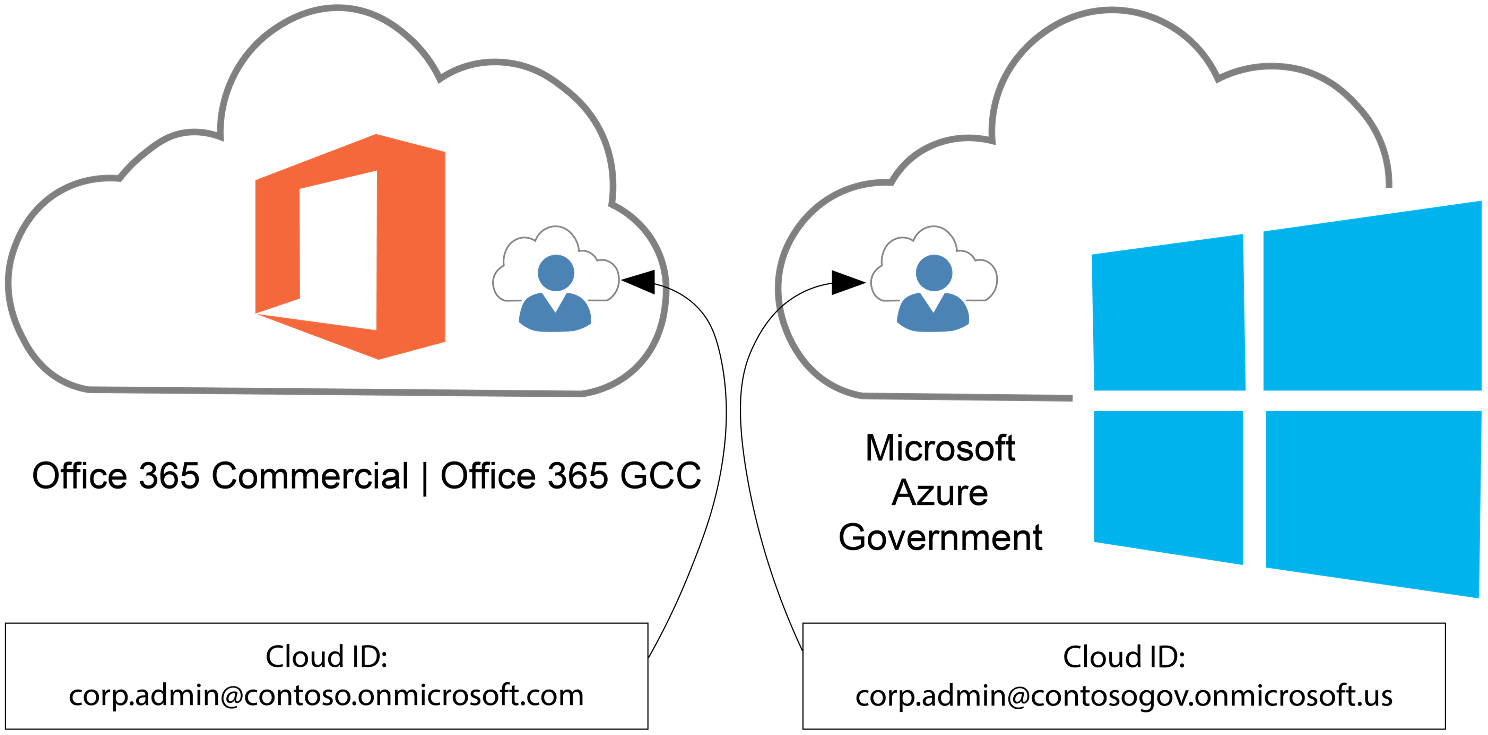
A common misconception is that you can administer & manage Azure Government using Entra ID Public/Commercial tenants/directories. You can’t. Only Entra ID Government tenants can administer & manage Azure Government cloud instances.

However, administering & managing Azure Government is a privileged role, usually isolated to a few administrator accounts:
Did you know end users with identities from Entra ID Public/Commercial (M365 GCC) can be authenticated & use applications hosted in Azure Government?

This is how your Microsoft 365 Commercial or GCC users can access applications in Azure Government using their Entra ID Public/Commercial user accounts, if the applications use (Entra ID-based) Modern Authentication.

Applications using modern authentication in Azure Government

Register an application with the Microsoft identity platform shows how you can use Microsoft Entra ID to provide secure sign-in and authorization to your applications. This process is the same for Azure Public and Azure Government once you choose your identity authority.

Choosing your identity authority

Azure Government applications can use Microsoft Entra Government identities, but can you use Microsoft Entra Public identities to authenticate to an application hosted in Azure Government? Yes! Since you can use either identity authority, you need to choose which to use:

  • Microsoft Entra Public – Commonly used if your organization already has a Microsoft Entra Public tenant to support Office 365 (Public or GCC) or another application.
  • Microsoft Entra Government – Commonly used if your organization already has a Microsoft Entra Government tenant to support Office 365 (GCC High or DoD) or are creating a new tenant in Microsoft Entra Government.

Once decided, the special consideration is where you perform your app registration. If you choose Microsoft Entra Public identities for your Azure Government application, you must register the application in your Microsoft Entra Public tenant. Otherwise, if you perform the app registration in the directory the subscription trusts (Azure Government) the intended set of users can’t authenticate.

Note:
Applications registered with Microsoft Entra-only allow sign-in from users in the Microsoft Entra tenant the application was registered in. If you have multiple Microsoft Entra Public tenants, it’s important to know which is intended to allow sign-ins from. If you intend to allow users to authenticate to the application from multiple Microsoft Entra tenants the application must be registered in each tenant.

The other consideration is the identity authority URL. You need the correct URL based on your chosen authority:

Identity authorityURL
Microsoft Entra Publiclogin.microsoftonline.com
Microsoft Entra Governmentlogin.microsoftonline.us

Read more here:

Posted by: kurtsh | September 23, 2025

TRAINING: Microsoft Planner & Project

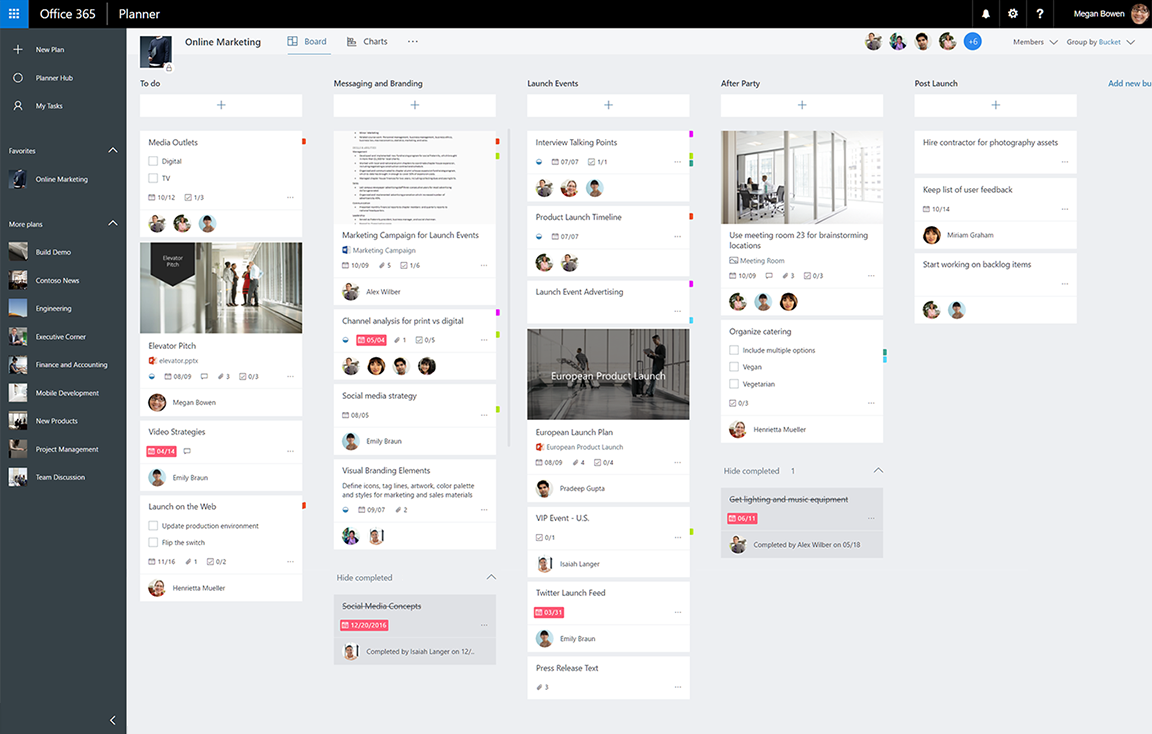
With the retirement of Project Online coming September 30, 2026, I’ve recently gotten a number of questions about Microsoft Planner, the lightweight planning & project management solution that integrates with Microsoft Project, included with Microsoft 365.

Here’s an index of resources to use when investigating the use of Microsoft Planner for your users:

  1. INTRODUCTION: Planner has several introductory resources for it.
  2. ADOPTION: Microsoft has an adoption site for Planner that contains videos and other guidance around the usage of Planner & it’s integration with Project. https://adoption.microsoft.com/en-us/microsoft-planner/?culture=en-us&country=us
  3. ONLINE TRAINING:
  4. NEWS:
  5. DOCUMENTATION:
  6. SUPPORT:
  7. DEVELOPMENT:
  8. SPECIALISTS: Microsoft discussions about Project/Planner are done through “Virtual Specialists”, 3rd parties designated by Microsoft as representatives for specific products. “Projility” & “OnePlan” are Virtual Specialist Partners for Project/Planner in the State & Local Government space.
    (They are dedicated to Project/Planner & also provide both Project/Planner professional services & training)
  9. TRAINING PARTNERS: Additionally, there are many Microsoft Learning Partners, companies that deliver Planner training for end users and IT.  Some examples include:
  10. UNIFIED: There are Unified Services “Cloud Solutions Architects” that deliver Project & Planner “workshops” that use Proactive Credits on your Microsoft Unified Services agreement, however customers need to talk to their Unified Services representative (Customer Success Account Managers or CSAMs) for what is available because this would likely be a custom engagement.

Microsoft’s Attack Simulation ‘training’ service is a Premium Defender security service customers subscribe to as part of the licensing for one of the following:

  • Microsoft 365 E5
  • Microsoft 365 E3 + Microsoft 365 E5 Security
  • Defender for O365 Plan 2

Phishing attacks for government customers are on the rise & organizations with one of the above should prioritize leveraging this service to help prevent phishing compromises. It’s essentially a service that among other things, creates & manages “fake phishing Exchange emails & Teams messages” in campaigns that get sent out to users that test their propensity to ‘click’ on attachments & links likely from bad actors & catalog the individuals the “click” on them – not to embarrass people, but rather to help educate people safely about the dangers of phishing.

Here’s a training video: 

Here’s the documentation:

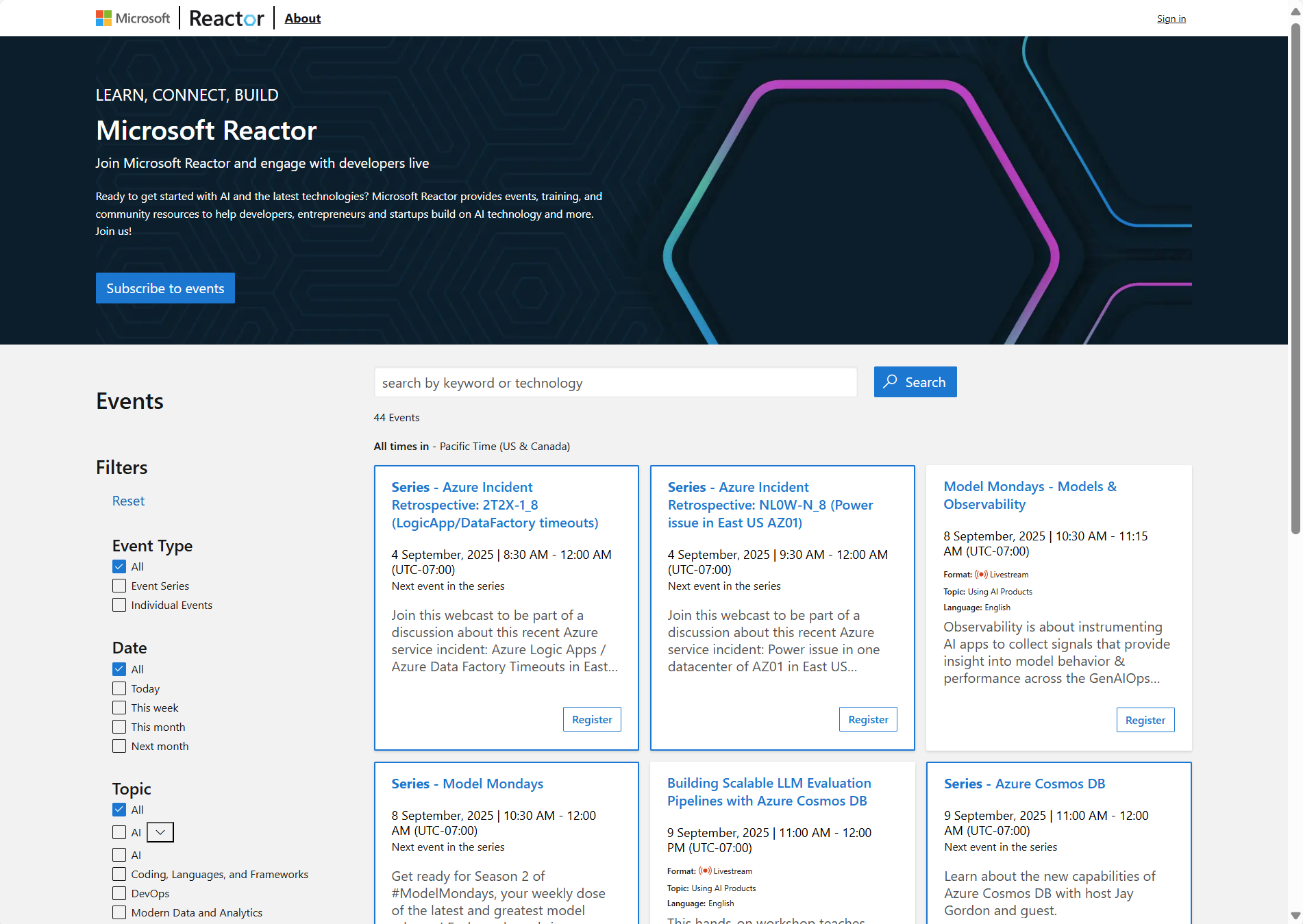
If you’re interested in freely available webinars, trainings & workshops from Microsoft, here’s a list of references I use to identify events relevant to my audiences:

Also, for those managed Enterprise & Government customers enrolled in the following:

  • Microsoft Enterprise Skills Initiative – For Enterprise Agreement customers that meet proper qualifications & have been nominated by their Account team for Microsoft’s professional “skilling” program:
  • Unified WorkshopPLUS – For customers with Unified Enterprise services contracts with Microsoft:
    • Available as Open Workshops (enroll in classes with other customers participating) pr Closed Workshops (private
    • Review the proactive workshops available at https://serviceshub.microsoft.com or see your Unified Customer Success Account Manager for details

The new =COPILOT() function in #Microsoft #Excel enables users to easily leverage AI directly within their spreadsheets to quickly populate cells with data or analyze columns with #AI.

For a 5min tutorial, visit: youtu.be/hjQitMNzSr0 or read the full blog post here:

Accessing =COPILOT() function for Excel
To access the new =COPILOT() function, you must have a #Microsoft365 #Copilot license (Business/Enterprise) & be a Microsoft 365 Insider Beta Channel participant for access which will be made available over the next month or so. Individuals without a Microsoft 365 Copilot license will see the following:

For those with Microsoft 365 Copilot licenses, visit https://aka.ms/MSFT365InsiderProgram for more information about participating in the Beta channel.

Details: (Gleaned from the above articles)

  • COPILOT function for Excel uses gpt-4.1-mini (2025-04-14)
  • Execution is model-grounded & does not currently leverage web-grounding or work-grounding
  • You can calculate up to 100 COPILOT functions every 10 minutes – up to 300 calls per hour
  • COPILOT function cannot calculate in workbooks labelled Confidential or Highly Confidential
  • The COPILOT function cannot calculate in workbooks labelled Confidential or Highly Confidential
  • Formula results may change over time, even with the same arguments. If you don’t want results to recalculate, consider converting them into values with Copy, Paste Values (select values, Ctrl + C, Ctrl + Shift + V).
  • Your prompts and data supplied as context will not be used to train AI models.

Data from documents processed within Copilot Chat by users that do not have a Microsoft 365 Copilot license are not collected or used for training Microsoft’s artificial intelligence models.  This is covered by our documentation on Copilot Chat & the commitments & controls of Enterprise Data Protection:

File uploads in Microsoft 365 Copilot & Copilot Chat are simply copies made to OneDrive for Business to a special folder called “Microsoft Copilot Chat Files”.

Consequently, as OneDrive for Business stored data, not only do uploaded documents never leave the fully-encrypted boundaries of the organization’s Microsoft 365 cloud instance, these files are not used to train AI models & are also covered by the same privacy & data protections afforded to Copilot Chat conversations through Enterprise Data Protection.

Posted by: kurtsh | July 29, 2025

DOWNLOAD: Power CAT Copilot Studio Kit

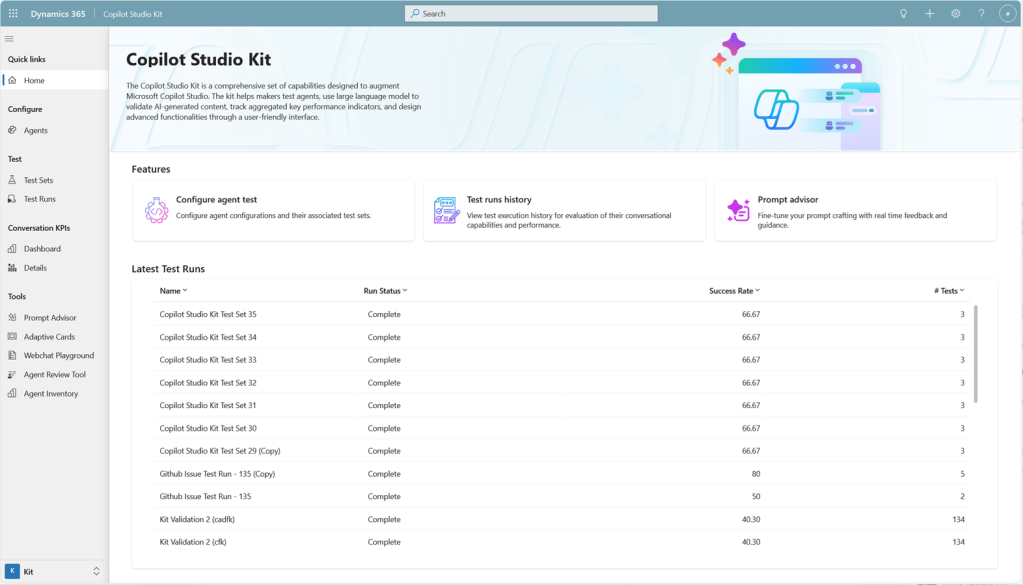
The Power CAT Copilot Studio Kit is a comprehensive set of capabilities designed to augment Microsoft Copilot Studio. The kit helps makers develop and test custom agents, use large language model to validate AI-generated content, optimize prompts, and track aggregated key performance indicators of their custom agents.

The Power CAT Copilot Studio Kit includes the following features:

  • Testing capabilities
  • Conversation KPIs
  • SharePoint synchronization
  • Prompt Advisor
  • Webchat Playground
  • Adaptive Cards Gallery
  • Agent Inventory (New!)
  • Agent Review Tool (New!)
  • Conversation Analyzer (New!) (Preview)
  • Agent Value Summary dashboard (New!) (Preview)
  • Automated testing using Power Platform Pipelines (New!) (Advanced)

Download the Power CAT Copilot Studio Kit here:

There are many resources available to learn about Azure Arc, Microsoft’s service to enable on-premises customers to take advantage of Microsoft’s Azure-based infrastructure management/monitoring services for servers they still keep in their own datacenter.

A secret source of information for me however is the Microsoft’s Global Black Belt “core” blog, a blog that hosts content from Microsoft’s most senior field-facing technology experts about Core Infrastructure topics. Evangelists for their lane of technology, the “GBBs” are famous for sharing insider implementation tips & wisdom you really can’t find anywhere else, in particular about:

  • Azure Virtual Desktop
  • Azure Local
  • Azure VMWare Solution
  • Azure Files & File Sync

Azure Arc from the Global Black Belts
Azure Arc is no different. Global Black Belts Kevin Sullivan & formerly John Kelbley are the GBBs that have written many posts & videos about Azure Arc. And what’s even better is they’re knowledgeable about & write about Azure Government use cases! (<jaw drop> I know, right? 😁)

Here are the Azure Arc articles they’ve posted:

For a list of GBB posts & videos that reference Arc, go to:

I got a question from a customer asking about whether Microsoft’s “Connected Experiences” are used in some way to “train AI models”. Ultimately, individuals that want an official answer from someone authoritative on issues like these that they can’t find in our online documentation, need to open an advisory ticket with Unified Services. (For customers with Unified Enterprise contracts, this is done via 800 936 3100, https://serviceshub.microsoft.com) Configuration impact & design definition is the domain of support engineering. (Note: If you open a ticket, be specific about whether you’re talking about Connected Experiences with Microsoft 365 Apps, Windows or Edge.)

My Thoughts on Connected Experiences and AI
That said, it’s my opinion that this is just an overarching question of ‘privacy’ & ‘compliance’ & Microsoft’s policies around how customer data is handled.  “Machine learning” and model training is a form of data retention/usage & is a cloud service governed by the same privacy rules & restrictions as other services per Microsoft’s commercial agreements. “Machine learning” and AI are not special & do not preclude or make any exception for the requirement to adhere to “Microsoft’s Product Terms” – unless the documentation explicitly states otherwise.

And in some cases, it does “explicitly state otherwise” under a few, select “connected experiences” listed under Connected experiences that analyze your content for the listed services with a superscript [1]. This includes “3D Maps[1]”, “Map Chart[1]”, “Print[1]”, “Research[1]”, “Send to Kindle[1]”, etc. For example, just like all those Google searches people do, when you use “3D Maps”, the “connected experience” is one in which the app function connects to Bing for maps – which does leverage user search requests for improving its map search model.  Now, it does actually normalize the search into fundamental elements and keywords to provide a more generalized, non-specific search request, but yes, there is training of the Bing search model based on the request.  This is discussed in experiences that rely on Bing.

Optional Connected Experiences”
Additionally, our documentation on Optional Connected Experiences explicitly state that the privacy of their use is not governed by Microsoft 365’s Product Terms that commercial users are used to but instead is governed by Microsoft’s Services Agreement which are the terms traditionally used for consumers. Those concerned about this difference may want to review each of these experiences to see whether or not these terms of how data is handled impact your organization. 

Honestly, most of the features placed under Microsoft’s Services Agreement are quite self-explanatory as to why. For example, “Insert Online Video” requires going beyond the Microsoft’s terms, adhering to 3rd party video services “privacy” & “terms of service” policies, such as that of Google & YouTube.

Per the Optional Connected Experiences for Microsoft 365 Apps documentation:

“These are optional connected experiences that aren’t covered by your organization’s commercial agreement with Microsoft but are governed by separate terms and conditions. Optional connected experiences offered by Microsoft directly to your users are governed by the Microsoft Services Agreement instead of the Microsoft Product Terms.”

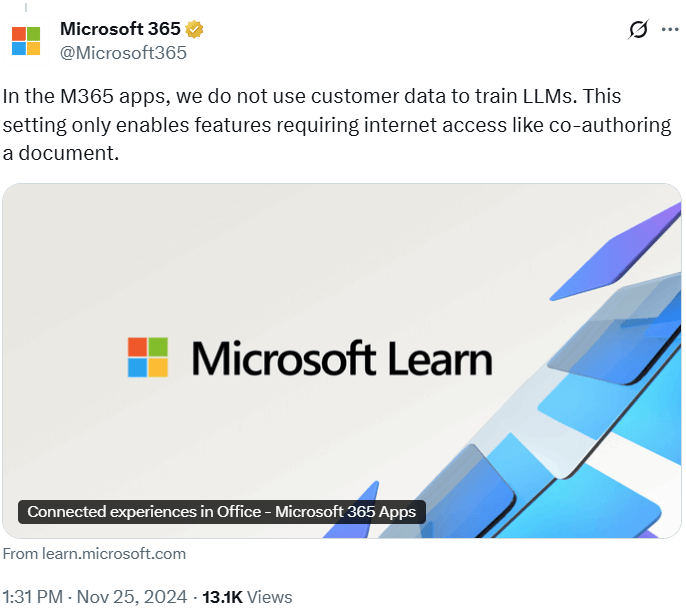
Again, if you would like an official statement, you should open a ticket as I described in the intro to this post. Additionally, there’s this post from the Microsoft account on Twitter:

In the M365 apps, we do not use customer data to train LLMs. This setting only enables features requiring internet access like co-authoring a document.
https://learn.microsoft.com/en-us/microsoft-365-apps/privacy/connected-experiences

« Newer Posts - Older Posts »

Categories