The Microsoft Unified Enterprise Support Services Description provides information on the support services available for purchase from Microsoft. It is important to familiarize yourself with the descriptions of the services you purchase, including any prerequisites, disclaimers, limitations, and customer responsibilities. The services you purchase will be listed in your Enterprise Services Work Order (Work Order) or another applicable Statement of Services that references and incorporates this document.

The document covers:

  • Customer success and support services
  • How to purchase
  • Flex allowance
  • Description of Microsoft Unified Enterprise Support Services
  • Mission Critical Services
  • Enhanced solutions
  • Unified Multi-Country Program
    • Introduction
    • Program Structure
    • Multi-Country Additional Terms and Conditions
  • Additional terms and conditions
    • Appendix A: Severity Types Charts
    • Appendix B: Success Management Services

Download the document here:

Microsoft has 2 tools for customers to create their own Generative Artificial Intelligence solutions:

  • Microsoft Copilot Studio
  • Azure AI Foundry

Each offers its own value and the following article helps break down what to choose when:

Are you looking to build custom Copilots but unsure about the differences between Copilot Studio and Azure AI Foundry? As a Microsoft Technical Trainer with over a decade of experience, I’ve spent the last 18 months focusing on Azure AI Solutions and Copilot. Through numerous workshops, I’ve seen firsthand how customers benefit from AI solutions beyond Microsoft Copilot.

Microsoft 365 Copilot Chat offers seamless integration with Generative AI for tasks like document creation, content summarization, and insights from M365 solutions such as Email, OneDrive, SharePoint, and Teams. It ensures compliance with organizational security, governance, and privacy policies, making it ideal for immediate AI assistance without customization.

On the other hand, platforms like Copilot Studio and Azure AI Foundry provide greater customization and flexibility, tailoring AI assistance to specific business processes, workflows, and data sources for more relevant support. In this blog, I’ll share insights on building custom copilots, and the tools Microsoft offers to support this journey.

Microsoft Digital on “Copilot Studio or Azure AI Foundry”
Microsoft’s own IT department, “Microsoft Digital” published an article that may also provide some insight on approaching this challenge

  • Customer questions answered: Should I use Copilot Studio or Azure AI Foundry to build my agent?
    When a customer asked us if they should use Microsoft Copilot Studio or Microsoft Azure AI Foundry to build their employee self-service agent, we knew Ravi Goriparthy was exactly the right person to talk to. He and the engineering team he works on here in Microsoft Digital, the company’s IT organization, had to answer that exact question when they set out to build agents that would help our Human Resources and IT Support teams better respond to requests for support from our employees. We had Goriparthy, a principal software engineering manager, talk with our Inside Track bot, which wrote the following story (with some help from us humans).
    https://www.microsoft.com/insidetrack/blog/customer-questions-answered-should-i-use-copilot-studio-or-azure-ai-foundry-to-build-my-agent/?msockid=06377db5fd83631014c06baefce96218

Integrating Copilot Studio with Azure AI Foundry
Additionally, it is possible to integrate both Copilot Studio with Azure AI Foundry’s capabilities in some instances. Watch this video

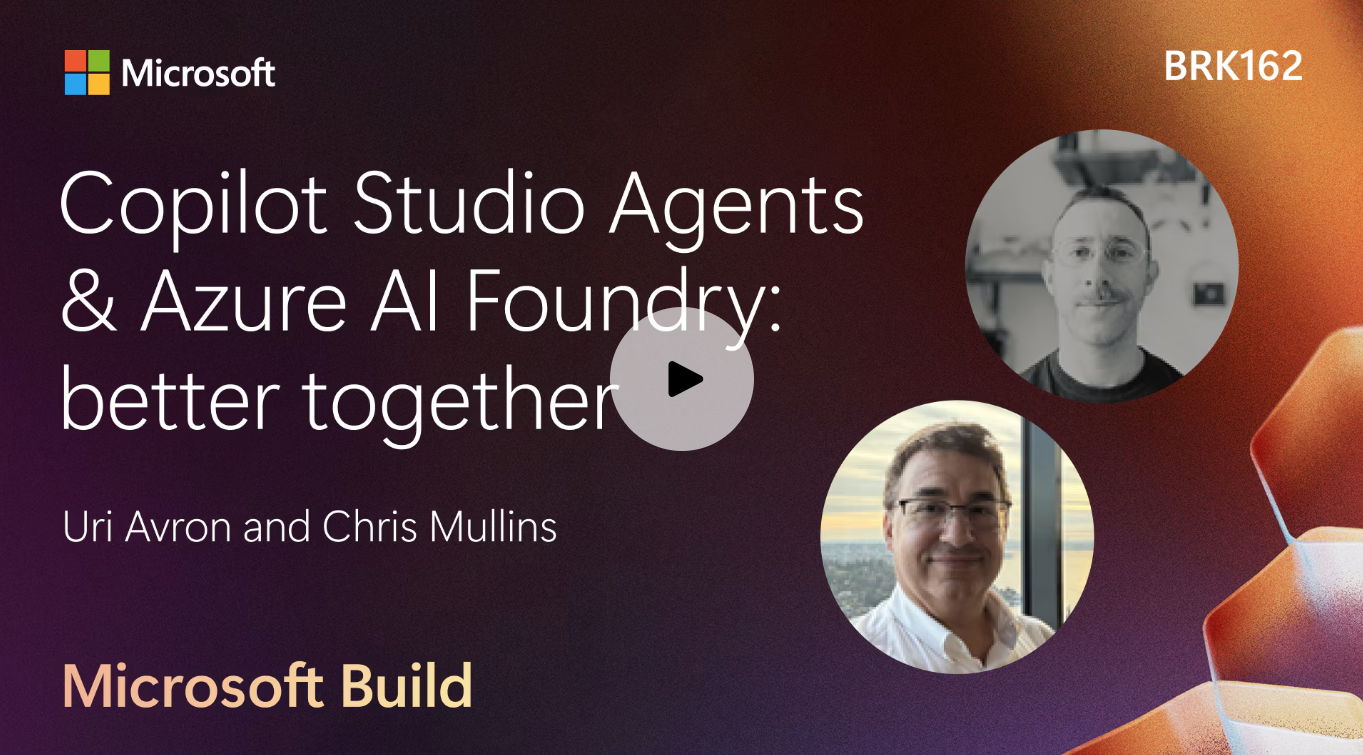
  • Copilot Studio Agents & Azure AI Foundry: better together
    Join us for a session on how to build agents in Copilot Studio with deep integration into Azure AI Foundry services. Learn to leverage your vectorized indices from Azure AI Search to perform RAG and integrate 1800+ models in the Azure model catalog into your Copilot Studio agents.
    https://build.microsoft.com/en-US/sessions/d191c44a-365b-4bfb-bfbf-5bdd9da7bf24

Emily Chang speaks with Microsoft titans Bill Gates, Steve Ballmer and Satya Nadella about the company’s journey from scrappy startup to global powerhouse, and its battle to outpace rivals in the high-stakes AI era.

Dr. Nestori Syynimaa, aka DrAzureAD, is a Principal Identity Security Researcher at Microsoft Security Research. He maintains a notoriously interesting blog for Entra ID Administrators & identity security hawks called “AADInternals – The ultimate Entra ID (Azure AD) / Microsoft 365 hacking and admin toolkit”.

Besides an on-going blog about Entra ID security & management, DrAzureAD goes over tools & techniques for breach that all Entra ID Administrators should know, including:

  • AAD Kill Chain – a collection of recon techniques and hacking tools DrAzureAD discovered and built over the last 10+ years
  • AADInternals & AADInternals-Endpoints PowerShell modules – tools for administering and hacking Entra ID, Office 365, and Entra ID related endpoints. 
  • Links to publicly available Entra ID & Microsoft 365 PowerShell modules, tools
  • OSINT Tenant Information Recon tool – tool will extract openly available information for the given tenant
  • AADInternals Identity Federation Backdoor for GoldenSAML attacks – login to Microsoft 365 tenants using backdoors created with AADInternals
  • Annual presentation recordings & PowerPoints at Defcon, Blackhat, BlueHat, Troopers, Disobey

I’m not going to pretend that I understand even half of what DrAzureAD addresses in his blog except to say that the Doctor comes very highly recommended by our security researchers in Microsoft’s cybersecurity incident response team (CIRT).

Visit AAD Internals at:

Microsoft discontinued the EA and MCA-E Support Plan Promotional Offer on 30 June 2024. This offer provided customers with the aforementioned agreements with Standard support at no additional cost to the customer. Starting 1 July 2024, customers who had support through this offer must purchase a support plan. Customers who already have a separate support plan such as Microsoft Unified are not impacted by this change.

Moving forward, customers continue to have access to Basic support for Azure subscription management and billing. In order to receive technical support for Azure, administrators must either:

  1. Purchase an Azure support plan (Developer, Standard, or Professional)
    or
  2. Contract for a Unified Enterprise plan (which provides technical support for Azure as well as other products & services)

For documentation on the retirement of the EA Promotional Offer for Azure support, visit:

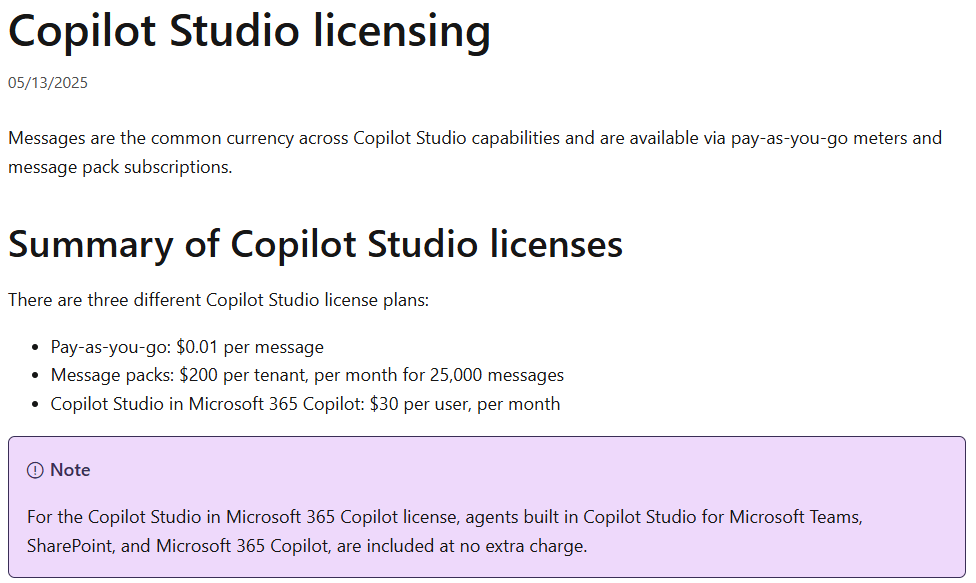
Q: How much do Copilots & Agents cost if a user is or isn’t licensed for “Microsoft 365 Copilot”?

I get this question a lot so I thought I’d just point to 2 references online to help explain how this works.

  1. Using Copilots & Agents are FREE if the user is already licensed to use “Microsoft 365 Copilot”.
  2. Using Copilots & Agents by users that do not have a “Microsoft 365 Copilot” license uses “Messages”.
    • Messages can be paid for either in pre-paid Message Packs or pay-as-you-go.
    • Messages are used at different rates depending on what the Copilot or Agent is doing.

The following sites detail the cost of messages as well as the rate at which messages are used depending on the operation.

Registration for Microsoft Ignite is now open! Get your pass today and join us in San Francisco, November 18-21, 2025 at Moscone Center.

This is your opportunity to grow your skills, build connections, and explore emerging technologies across AI, infrastructure, security, and more. Join us for an inspirational event filled with opportunities to learn from industry leaders, strengthen your network, and get hands-on experience with new products and solutions.

Take certification exams on site for free
Validate your skills and enhance your career with free onsite exams. In-person attendees can take one Microsoft and one GitHub certification exam at no cost. Registration required. Browse exams

Stay up to date on all things Microsoft Ignite
Follow the Microsoft Ignite Unplugged blog for the latest updates, session previews, and everything you need to make the most of your experience.
Go to the blog

Key dates:

  • November 17: Badge and swag pickup. Optional labs and workshops are available during the registration process as purchasable add-on experiences for in-person attendees.
  • November 18–21: In-person event featuring the keynote, breakout sessions, and an expo hall with demos, expert meetups, and networking opportunities across three and a half days.
  • November 18–20: Live global digital experience for those who can’t join in person, with the keynote and select sessions streamed online.

Register today!

Recently, I’ve gotten an unusually large number of inquiries from customers about a change to Teams, where the “animation” setting was removed & instead the Teams client defaults to the system setting in the operating system in either Windows or MacOS.

Microsoft 365 Administrators were notified of this change back a few months ago in the Microsoft 365 Message Center (through the Microsoft 365 Admin Portal) however the message was recently updated on April 16th to reflect the full deployment.  Below is the MC Message number & description for COMMERCIAL cloud instances. (For government customers, I don’t have immediate access to the GCC message but I’m sure it’s similar.)

MC1056991 – Microsoft Teams: Use OS-level animation settings instead of Teams-level animation settings

Summary

Microsoft Teams has removed its animation setting, now relying on the OS-level animation settings in Windows and macOS. This change is automatic and requires no admin action. It applies to Teams for Windows desktop, Mac desktop, and the web. Notify users and update documentation as needed.

More information

We have removed the Animation setting in Microsoft Teams. Instead, users can configure animations at the operating system (OS) level. If users disable animations in Microsoft Windows or macOS, Teams will honor that preference. This means users no longer need a separate setting in Teams to control animations. We will not reinstate the Teams-level animation control. Moving forward, Teams will rely entirely on the OS setting for animation preferences.

This message applies to Teams for Windows desktop, Teams for Mac desktop, and Teams for the web.

When this will happen:

General Availability (Worldwide): Available now.

How this will affect your organization:

This change is on by default.

What you need to do to prepare:

This change happened automatically. No admin action is required. Review your current configuration to assess the impact on your organization. You may want to notify your users about this change and update any relevant documentation

——————————————————

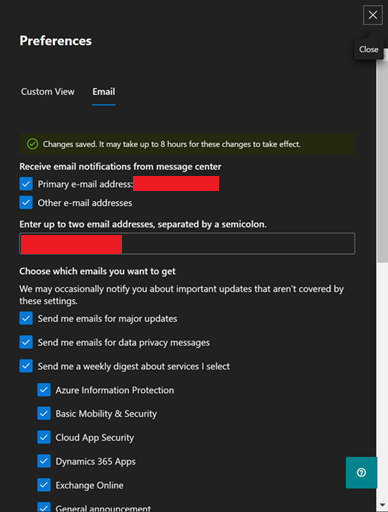
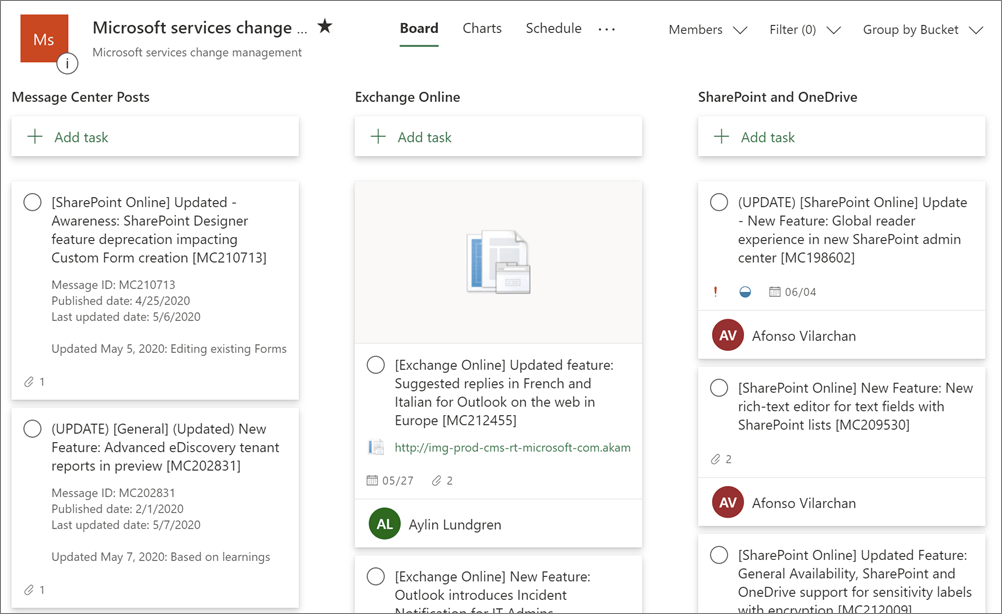
For future reference, Microsoft 365 administrators should be monitoring the Message Center daily to avoid surprises.  If an admin wants email notifications on all or some of the messages, they should set that up through the Message Center email notification service.  It’s also possible to “just get Microsoft Teams changes” notifications through filters.  I’ve outlined how to do this here:

Additionally, Microsoft 365 Admins can also sync Message Center posts to Microsoft Planner.  I documented how this is done here:

For more information around how to “stay on top of Microsoft 365 changes”, please review the following documentation:

We’re excited to announce that Microsoft 365 Copilot Chat is now generally available in the GCC environment! This AI-powered chat experience is included in your licensing and designed to help you work smarter, faster, and more securely-tailored for government use and built on Microsoft’s trusted compliance framework.

How to Get Started:

  1. Visit M365.Cloud.Microsoft or M365copilot.com and sign in with your work account.
  2. Look for the green shield icon next to “New chat” to confirm you’re in the secure GCC environment.
  3. Check out the attached prompts, a quick start guide and links/launch kits below to start sharing with your users!

Helpful Resources:

Important Notes:

Unified and/or Partner Trainings

If you’re a managed customer of mine that has questions or need help getting started, feel free to reach out and our team will be happy to collaborate on a marketing campaign, prompt a thon and much more. We’re here to support your Copilot journey!

The Acquired podcast published 2 long form podcasts – each about 5 hours long – about the history of Microsoft, the first focusing on the Bill Gates/Paul Allen founding & era & the second on Steve Ballmer’s leadership & era. (They did a good job with both so I’m posting them below – Steve even comes on to the podcast in a separate episode to expand upon certain topics & make his own remarks about a few events that took place during his term as CEO.)

Microsoft Volume I: The Complete History and Strategy of founding through Windows 95 (Audio) – 4hr 23min

  • Microsoft. After nearly a decade of Acquired episodes, we are finally ready to tackle the most valuable company ever created. The company that put a computer on every desk and in every home. The company that invented the software business model. The company that so thoroughly and completely dominated every conceivable competitor that the United States government intervened and kneecapped it… yet it’s STILL the most valuable company in the world today.
  • This episode tells the story of Microsoft in its heyday, the PC Era. We cover its rise from a teenage dream to the most powerful business and technology force in history — the 20-year period from 1975 to 1995 that took Bill and Paul from the Lakeside high school computer room to launching Windows 95 alongside Jay Leno and the Rolling Stones. From BASIC to DOS, Windows, Office, Intel, IBM, Xerox PARC, Apple, Steve Jobs, Steve Ballmer… it’s all here, and it’s all amazing.

——————————————————————-

Microsoft Volume II: The Complete History and Strategy of the Ballmer Years (Audio) – 4hrs & 51min

In 1999, Microsoft became the most valuable company in the world. And in 2019, Microsoft became the most valuable company in the world, *again*. But… what happened in the twenty years in between? The answer, as we discovered in our research, is probably not what you think. In this episode we explore and analyze the browser wars and the DOJ case, Windows XP through 8, Surface, Xbox, search, Yahoo!, Bing, the iPhone, Nokia, mobile, social, Facebook… and oh yeah, a little thing called Azure and the enterprise — which ended up becoming so big that no failures mattered.

« Newer Posts - Older Posts »

Categories