The Microsoft Security Blog post “Defending against evolving identity attack techniques” by Igor Sakhnov, Corporate VP and Deputy CISO for Identity, outlines the latest tactics used by threat actors to compromise cloud identities and offers actionable defenses. Here’s a detailed summary based on the blog and supporting internal resources:


Key Threat Trends

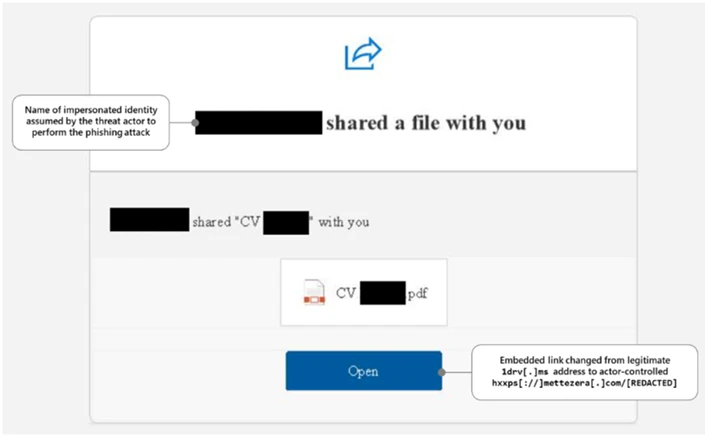
  • Adversary-in-the-Middle (AiTM) Phishing: As multifactor authentication (MFA) becomes more common, attackers are shifting to AiTM techniques. These involve proxying login sessions to steal session tokens, bypassing MFA entirely. Tools like Evilginx are increasingly used by actors such as Storm-0485 and Star Blizzard.
  • Phishing-as-a-Service (PhaaS): Platforms now offer ready-made phishing kits that enable even low-skill attackers to launch sophisticated AiTM campaigns.
  • Social Engineering: Despite technical advances, human manipulation remains a core tactic. Attackers use lures like fake document shares or payment notices to prompt users to act quickly.

Defensive Strategies

  • Phishing-Resistant Authentication: Microsoft recommends adopting passwordless solutions like passkeys and FIDO2 security keys to mitigate AiTM and credential phishing.
  • Zero Trust Architecture: Internal files such as Microsoft Cybersecurity Reference Architectures (MCRA) – April 2025 and Microsoft-DefenderXDR-Overview emphasize Zero Trust principles—assuming breach, verifying explicitly, and using least privilege access.
  • Identity as the New Perimeter: With 80% of breaches involving stolen credentials, identity protection is now the first line of defense. This is reinforced across multiple internal decks like FY25Q3 Microsoft-Defender-XDR-customer-deck and Module 07 – Microsoft Defender XDR.
  • Continuous Monitoring and AI-Driven Detection: Tools like Microsoft Defender for Identity and Microsoft 365 Defender are highlighted for their ability to detect lateral movement, compromised users, and suspicious behavior across hybrid environments.

Actionable Recommendations

  • Retire passwords in favor of phishing-resistant methods.
  • Block legacy authentication protocols.
  • Centralize identity management and enforce MFA for all users, especially admins and developers.
  • Monitor for suspicious usage patterns and enforce least privilege access.

Microsoft’s blog post Defending against evolving identity attack techniques emphasizes that as attackers adopt advanced phishing and token theft methods, organizations must shift to phishing-resistant authentication, enforce Zero Trust principles, and treat identity as the new security perimeter.

For more detailed information including screenshots please review the blog HERE

The Microsoft Security Blog post titled “How to deploy AI safely” by Yonatan Zunger, Deputy CISO for AI, outlines a set of foundational principles for deploying AI systems responsibly. These principles are designed not only for AI but for the safe adoption of any emerging technology.

Core Principles for Safe AI Deployment

  1. Anticipate What Can Go Wrong
    Safe deployment doesn’t mean eliminating all risk—it means understanding what could go wrong and having a plan to prevent those issues from escalating into major incidents. This includes technical failures, privacy breaches, misuse, and organizational impacts.
  1. Plan for the Unexpected
    Even with the best planning, unexpected problems will arise. A safe deployment includes readiness to respond to unforeseen issues quickly and effectively.
  1. Go Beyond Security
    While security is critical, safe deployment also requires attention to privacy, ethical use, and unintended consequences. For example, how users might misuse the system or how it might affect organizational dynamics.
  1. Use Principles, Not Prescriptions
    The guidance is principle-based rather than rule-based. This allows it to be flexible and applicable across different industries, technologies, and use cases.
  1. Apply Holistic Risk Management
    Risk management should be comprehensive—covering not just the AI model but also the data, infrastructure, user behavior, and downstream impacts.
  1. Test with Realistic Scenarios
    Microsoft recommends using scenario-based testing to simulate how the AI system will behave in real-world conditions. This helps uncover edge cases and failure modes before deployment.
  1. Build Organizational Readiness
    Safe deployment isn’t just a technical task—it requires organizational alignment, training, and governance structures to ensure responsible use.
  1. Iterate and Improve
    Deployment is not the end. Continuous monitoring, feedback loops, and updates are essential to maintain safety over time.

The blog also includes a companion video that walks through a hypothetical AI tool for loan officers, showing how these principles are applied in practice.

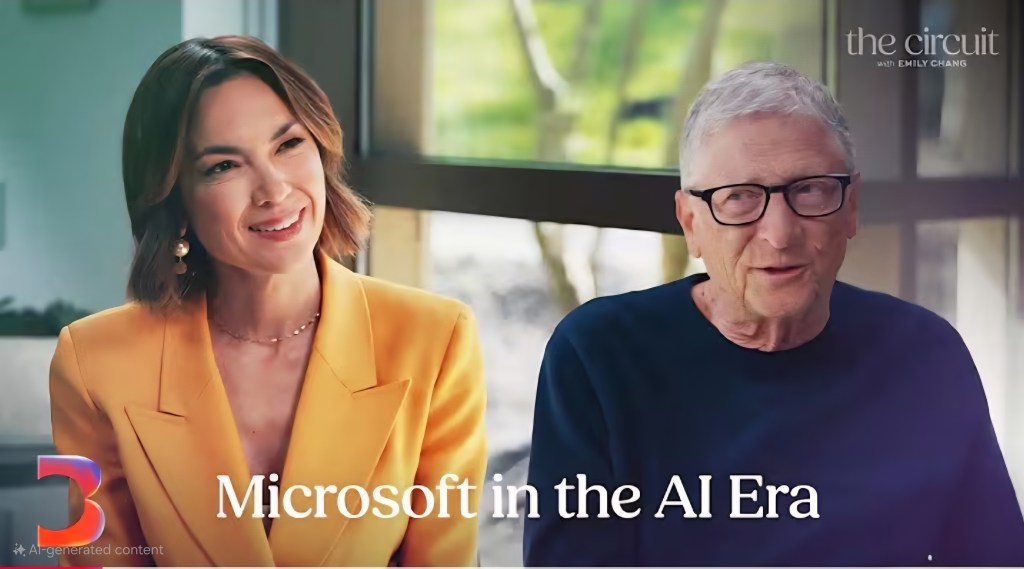
Listen to Microsoft’s 3 CEOs talk about what’s made the company successful & how it’s adapting moving forward.

▶️ Gates, Ballmer & Nadella on Microsoft in the AI Era | The Circuit with Emily Chang – Bloomberg Originals (43min)
https://youtube.com/watch?v=egeqfUGiETY&si=E7MRAH2KDwh260xZ

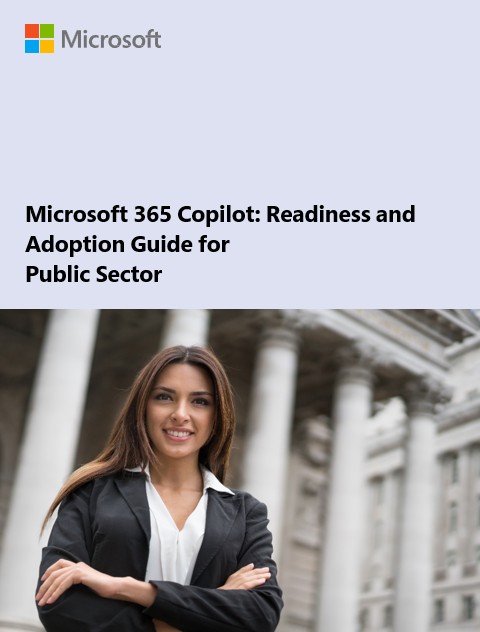
This paper provides an in-depth look at how generative AI is becoming an indispensable tool for public sector strategists, enhancing mission success across various government organizations. It also examines the role of Microsoft 365 Copilot Government in reimagining traditional workflows and processes, enabling a more agile approach to problem-solving.

Table of contents:

  • Introduction
  • Chapter 1: Generative AI is the next generation tool for public sector
  • Chapter 2: The Fundamentals of Generative AI and Microsoft 365 Copilot
  • Chapter 3: Microsoft 365 built on responsible and trustworthy AI
  • Chapter 4: Develop your workforce to maximize organizational impact
  • Chapter 5: Adopt data governance and compliance practices
  • Chapter 6: Solve organizational challenges with Copilot
  • Chapter 7: Try Copilot and develop use cases for your organization
  • Next Steps

Download the whitepaper at:
https://aka.ms/M365CopilotGCCguide

Posted by: kurtsh | June 18, 2025

eBook: Strategic CIO’s Generative AI Playbook

We’ve published a comprehensive guide crafted to support Chief Information Officers as they navigate the transformative journey of AI integration.

What’s Inside:

  • C-Suite Collaboration: Align AI strategies with overarching business goals.
  • Employee Enablement: Equip teams with tools like Microsoft 365 Copilot and Copilot Chat, complemented by targeted skilling.
  • Operational Excellence: Embed AI into business workflows, leveraging intelligent agents for scalable impact.
  • Data & Governance: Establish a robust foundation with trusted data and security protocols.

This playbook is more than just a resource; it’s a roadmap for CIOs aiming to lead with confidence and drive measurable business outcomes in the AI era.

Download a copy of the playbook here: https://aka.ms/Copilot/CIOplaybook

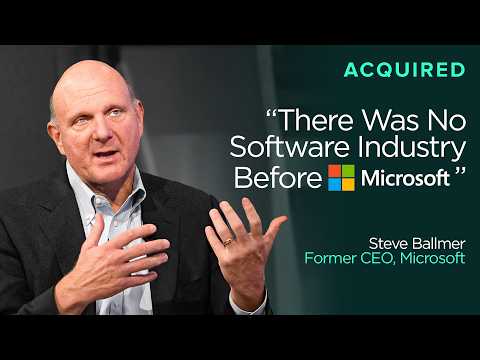
“Acquired” sits down with Steve Ballmer, former Microsoft CEO & owner of the Los Angeles Clippers, for an epic 3 hour conversation covering his 34yrs @ Microsoft, as sort of a follow on to the 2 earlier “Acquired” episodes discussing the history of Microsoft.

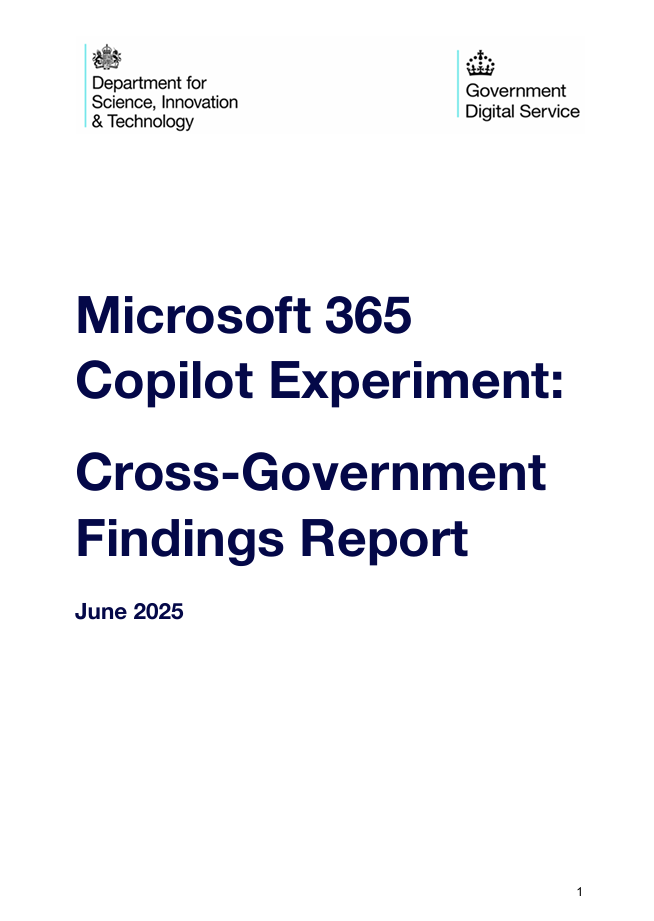
UK Gov tested M365 Copilot with 20k government employees. Here’s what they found:

  • 26 mins saved per day
  • 70%+ saw less time on mundane tasks
  • 82% don’t want to go back
  • Big boost for accessibility

(The AU Gov also released a study last year. It only included ~6k employees, but it has some good information.)

Download the reports here:

Posted by: kurtsh | June 9, 2025

OFFER: Azure Arc-enabled Windows Server Management

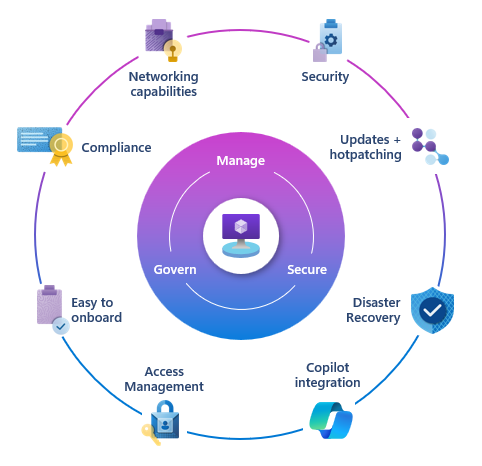
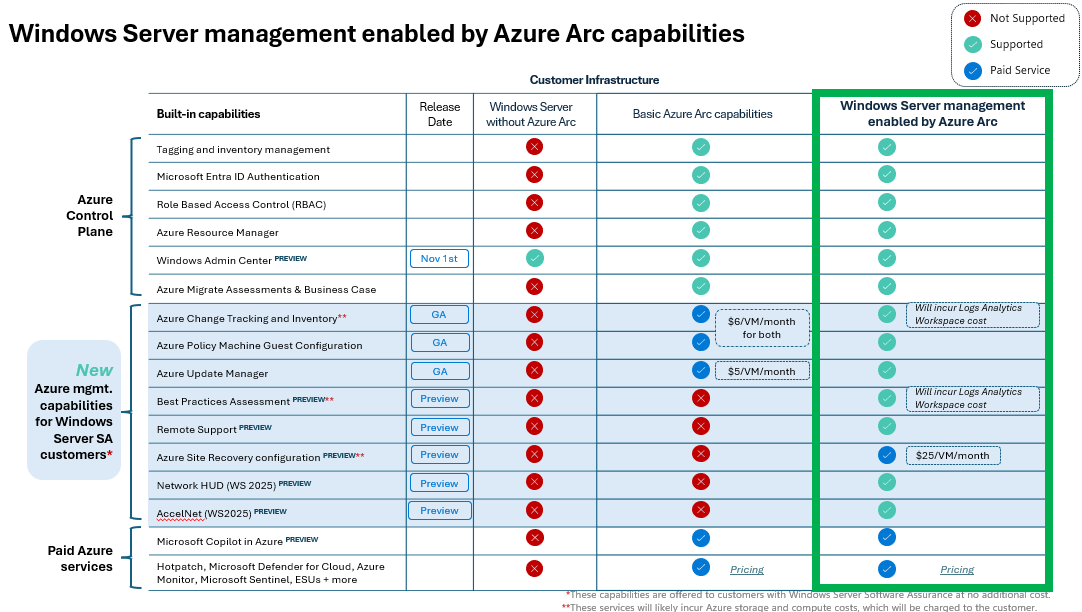
Windows Server management enabled by Azure Arc provides a single pane of glass for 20+ Azure services at no additional cost specifically for customers using either “Windows Server 2025 cores with Software Assurance” or “Windows Server 2025 enrolled in pay-as-you-go”.

These Azure services are designed to provide customers with no-charge management services:

  • Central inventory, governance and policy
  • Automated patching and maintenance
  • Cloud-based resiliency and configuration

Azure services available for Windows Management include:

  • Azure Update Manager
  • Azure Change Tracking and Inventory
  • Azure Site Recovery configuration
  • Remote Support
  • Azure Policy guest machine configuration
  • Windows Server Best Practices Assessment
  • Network HUD / Accelnet
  • …and more.

Some additional things to remember:

  1. Azure Arc Gateway:
    If you use enterprise firewalls or proxies to manage outbound traffic in your datacenter, the “Azure Arc gateway” lets you onboard infrastructure to “Azure Arc” for monitoring & management using only seven (7) endpoints. With “Azure Arc gateway“, you can:
    • Connect to Azure Arc by opening public network access to only seven Fully Qualified Domains (FQDNs).
    • View and audit all traffic an Azure Connected Machine agent sends to Azure via the Arc gateway.
  2. Activation:
    Administrators with Software Assurance on their Windows Server licenses or (or PAYGO) must enroll in or activate their Windows Server Management benefits so that the above services do not bill their Azure subscription. Not activating these benefits will result in a non-refundable charge monthly. Visit https://learn.microsoft.com/en-us/azure/azure-arc/servers/windows-server-management-overview for details.
  3. Azure Government:
    Azure Arc activation is only available from US Gov Texas: It is not available in US Gov Virginia or US Gov Arizona. Additionally, some Azure Arc-enabled services are not available in Azure Government, including Extended Security Updates for SQL Server.
  4. Additional costs:
    • Storage:
      While there are no services charges for using these Azure services for qualified servers, there may be a storage charge (specifically Azure Log Analytics) for data collected by “Azure Change Tracking & Inventory” or “Azure Best Practices Assessment”. This can be tuned based on retention requirements & volume.
    • Site Recovery:
      Automatically configuring a Azure Arc-enabled VM for Azure Site Recovery comes at no cost, however the persisting the Azure Site Recovery service to keep a VM replica “alive” is roughly $25/VM/month.

Here are some references & documentation on Windows Server Management enabled by Azure Arc:

Did you miss the Microsoft 365 Community Conference 2025? (May 6 – 8, 2025)

If so, you may want to plan for next year’s 2026 Microsoft 365 Community Conference which was announced to be held on April 21 – 23, 2026 in Orlando, FL.

SESSION RECORDINGS
And yes, it’s nowhere near the 300+ sessions that were delivered at this years 2025 conference, but the Microsoft 365 product group has released 25 recordings of keynotes and sessions that were delivered, including:

  • Keynote: Microsoft 365 Innovation in the Era of AI
  • Exclusive Interview with Jeff Teper | Community News Desk LIVE at the M365 Community Conference 2025
  • Keynote: Security in the Age of AI – Vasu Jakkal
  • Vasu Jakkal Interview w/Karuana Gatimu | Community News Desk LIVE at the M365 Community Conference
  • Keynote: A New Frontier | Building the Future Firm – Jared Spataro
  • Accelerating growth with AI first strategies for SMB
  • Featured: Content, Collab, and Agents – What’s New for SharePoint
  • Featured: Microsoft 365 Copilot – What’s New
  • Featured: What’s New & What’s Next for Viva Communications & Communities
  • Featured: The Real Mechanics of AI and How We Got Here
  • The future of content AI and content management
  • Deploying Copilot at Microsoft
  • Build and customize agents with Copilot Studio
  • Getting ready for Microsoft 365 Copilot
  • Drive customer growth for SMB with Microsoft Teams
  • Featured: Securing AI apps and agents with Microsoft Purview
  • Scale with AI: How SMB can leverage Copilot agents

Each keynote & session is about 1 hour long. Watch them at:

If you missed the Fabric Community Conference 2025 (FabCon 2025), here is 2 1/2 hours worth of Fabric keynote addresses:

Microsoft Fabric: Vision & Roadmap (FabCon Keynote part one)
Prepare for the era of AI by bringing all of your teams and data together on an AI-powered data platform. Watch the opening keynote from the Microsoft Fabric Community Conference (FabCon) 2025 in Las Vegas, Nevada to hear the latest announcements and see the newest features in action.

Harnessing AI for Business Transformation (FabCon Keynote part two)
Prepare for the era of AI by bringing all of your teams and data together on an AI-powered data platform. Watch part two of the keynote from Day 1 of the Microsoft Fabric Community Conference (FabCon) 2025 in Las Vegas, Nevada to hear the latest announcements and see the newest features in action.

Reference:
Here’s the Fabric channel with:
https://www.youtube.com/@microsoftfabric

  • Fabric Monthly Updates
  • Fabric TechTalk Fridays
  • Fabric Demo Series
  • Select Sessions from Fabric Con 2024

« Newer Posts - Older Posts »

Categories