imageRiskIQ helps customers discover and assess the security of their entire enterprise attack surface—in the Microsoft cloud, AWS, other clouds, on-premises, and from their supply chain. With more than a decade of experience scanning and analyzing the internet, RiskIQ can help enterprises identify and remediate vulnerable assets before an attacker can capitalize on them.

Today, Microsoft is announcing that we have entered into a definitive agreement to acquire RiskIQ, a leader in global threat intelligence and attack surface management, to help our shared customers build a more comprehensive view of the global threats to their businesses, better understand vulnerable internet-facing assets, and build world-class threat intelligence.

Read about the acquisition here:

imageMicrosoft has acquired “CloudKnox”, a cloud Infrastructure Entitlement Management solution that provides role & access permissions management across both on-prem & cloud, while also providing granular visibility, automated remediation, and continuous monitoring.

The combination of CloudKnox + Azure AD will give enterprise customers unmatched multi-cloud identity security and governance!

The acquisition of CloudKnox further enables Microsoft Azure Active Directory customers with granular visibility, continuous monitoring and automated remediation for hybrid and multi-cloud permissions. We are committed to providing our customers with unified privileged access management, identity governance and entitlement management including:

  • Automated and simplified access policy enforcement in one integrated multi-cloud platform for all human and workload identities.
  • The widest breadth of signal-enabling, high-precision machine learning-based anomaly detections.
  • Seamless integration with other Microsoft cloud security services, including Microsoft 365 Defender, Azure Defender and Azure Sentinel.

Read about the acquisition here:

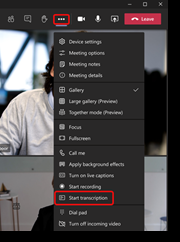
imageWe are pleased to announce that Live transcription in Teams meeting is now available in GCC. During a scheduled Teams meeting, you can start a live transcription of participant speech. The text appears alongside the meeting video or audio in real time, including the speaker’s name and a time stamp.

Live transcription can make your meetings more productive and inclusive for participants who are deaf or hard-of-hearing or have different levels of language proficiency. Participants in noisy places will also appreciate the visual aid.

After the meeting, the saved transcript is available for reference and download in Teams on the desktop and web.

Details are available for:

  • Enabling Transcription in Microsoft Teams GCC (or setting Teams Meeting policy to enable support for transcription using PowerShell)
  • Limitations around Live transcription
  • Starting, hiding & stopping a live transcription
  • Hiding the identity of speakers in transcription
  • Download the transcript
  • Permissions around transcription start/stop/view/download
  • Features available based on client type
  • etc.

For more information, visit:

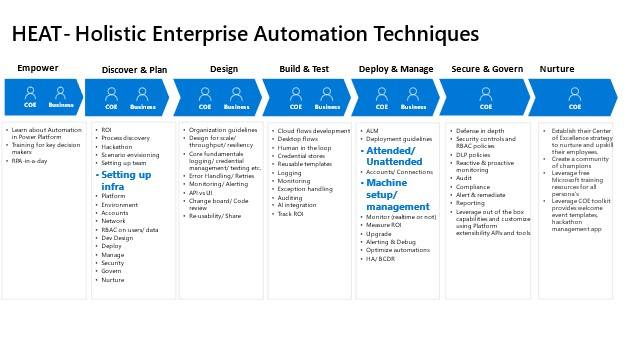
imageEarlier this year we launched HEAT (Holistic Enterprise Automation Techniques), sharing our learnings from customers building robust automation solutions on Power Automate.

Today, we are pleased to announce a special series around managing Power Automate Desktop on Windows at scale throughout your organization. This has been designed for Automation CoE’s (Center of Excellence)/ admins looking to enable and govern the roll out of Power Automate Desktop throughout the organization.

imageThis series includes 8 episodes that introduces you to the concept of managing lifecycle for Power Automate Desktop, leveraging Microsoft Endpoint Manager tools such as Intune, SCCM and ring deployment techniques to deploy, monitor and audit Power Automate Desktop.

Watch the video series on YouTube and get your copy of the playbook today.

image

Like delivery but prefer to cook yourself? Try 90 days of the eMeals app, with weekly recipes connected directly to online groceries, a benefit of your Microsoft 365 Family or Personal subscription.

Here’s some examples of what’s available:

  • imageeMeals Meal Planning & Grocery List
    Take the guesswork out of planning and shopping for groceries with eMeals. Our meal planning app streamlines your week by providing new recipes each week that directly connects to online grocery.
  • imageExperian – Control your identity and credit
    Enjoy complimentary identity theft protection — and access to your Experian Credit Report and FICO® Score — for 1 year from Experian®. Plus, you can try instantly raising your credit scores with Experian BoostTM

    • imageFUJIFILM Wonder Photo Shop
      Receive 25 free 4×6 prints (including free standard shipping) from the FUJIFILM Wonder Photo Shop – where we believe your photos were meant for more. Hold (literally) on to your special memories by taking the photos off your device and bringing them into your home. Printed on high quality Fujifilm Crystal Archive Paper.

    • …and more!

    Learn more at:

    Posted by: kurtsh | September 6, 2021

    INFO: Azure Security Newsletter

    imageSubscribe to our Azure Security Center and Azure Defender Newsletter to keep up to date on helpful tips and new releases.

    Sign up here:

    Posted by: kurtsh | September 6, 2021

    RELEASE: Microsoft Stream transcription & search

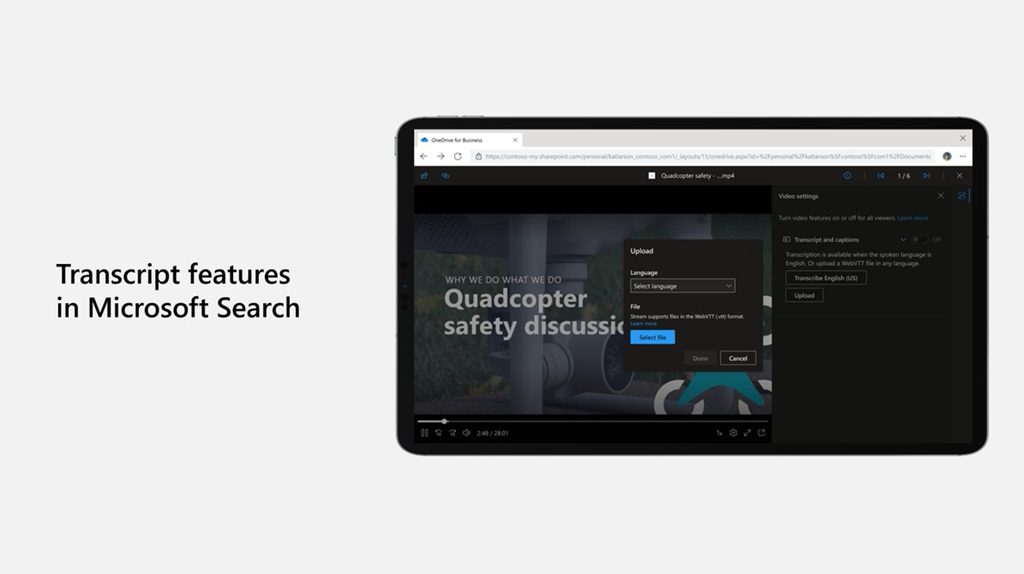
    imageNew Microsoft Stream transcript features make it even easier to find your content anywhere from Microsoft Search!

    We know that transcripts are an important tool to help you achieve more with video – whether searching across Microsoft 365 to find a video, scanning a video to find a specific spot, turning on captions while you watch in a noisy environment, or using subtitles to follow along in another language.

    As we continue to build Stream (on SharePoint), we’re excited to share the next set of transcript capabilities that will help make video in Microsoft 365 more accessible and productive.

    Read how to enable & use  this Transcription feature here:

    Microsoft is adding unlimited Microsoft Teams Meeting PSTN dial-in to enterprise, business, frontline, and government licenses.

    imageToday, we are announcing that we will add unlimited dial-in capabilities for Microsoft Teams meetings across our enterprise, business, frontline, and government suites over the next few months. Even as cloud connectivity increases, we know that people join Teams meetings while they are on the go or struggling with a bad internet connection. Currently included with Microsoft 365 E5 and Office 365 E5, we have come to see dial-in as an important part of the complete Teams experience. Available with subscription in over 70 countries and with interactive support in 44 languages and dialects, unlimited dial-in provides peace of mind that users will be able to join their Microsoft Teams meeting from virtually any device regardless of location.

    Read the blog post:

  • Microsoft adding unlimited Microsoft Teams Meeting PSTN dial-in to enterprise, business, frontline, and government https://www.microsoft.com/en-us/microsoft-365/blog/2021/08/19/new-pricing-for-microsoft-365/
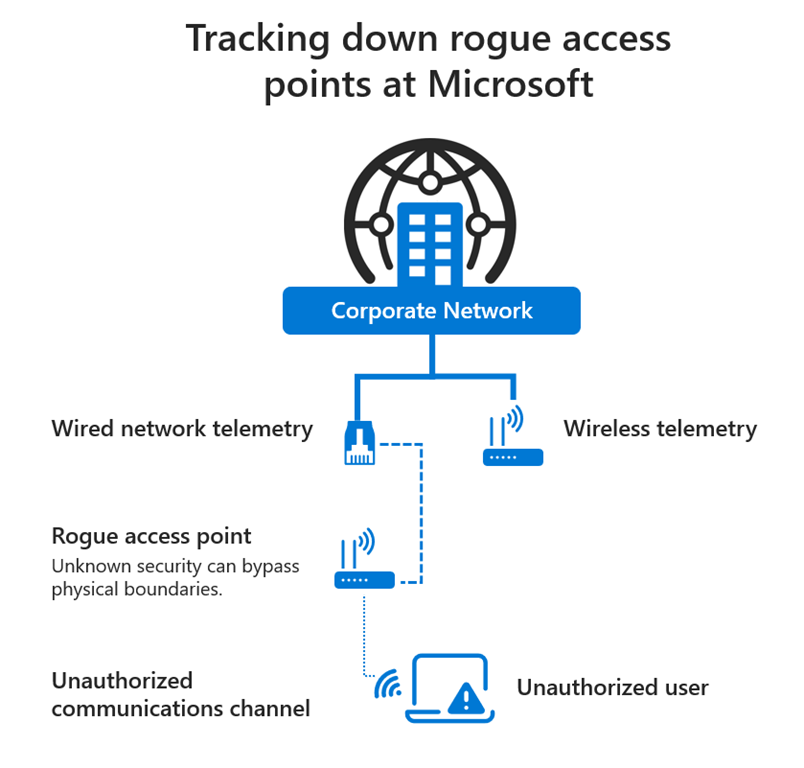
  • imageFinding rogue access points on Microsoft’s network has become an important mission inside the company.

    Wireless gadgets have come to all but dominate the IT world. Employees within Microsoft, and many other large corporations, regularly bring in their own wireless devices. Bringing in a home office wireless router or a wireless speaker system might seem harmless, but such “rogue access points,” or rogue APs, pose serious security risks.

    In the case of a wireless router designed for home use, it might have a default password that is literally “password” or the name of the brand. That could give drive-by hackers’ easy access to an enterprise’s network.

    “An unauthorized user could be sitting in the parking lot and you just knowingly or unknowingly gave them access to the corporate network,” says Pete Fortman, a principal engineer for Microsoft who focuses on security.

    Read more about Microsoft’s project to continually eliminate rogue access points:

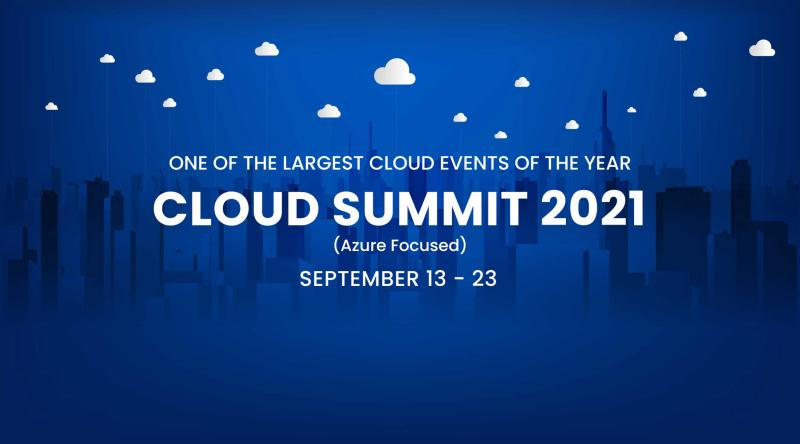
    imageJoin us at the Azure Summit 2021 for 11 days of learning of Azure that runs from September 13 – 23.

    • Learn from 150 Azure cloud leaders, trainers, and experts live!
    • View over 120 sessions available to anyone who wants to learn Azure cloud from beginner to architect level. Includes panels, Q&A, breakout sessions.

    Interested?  Check out the registration page below:

    « Newer Posts - Older Posts »

    Categories