Posted by: kurtsh | September 6, 2021

RELEASE: Microsoft Stream transcription & search

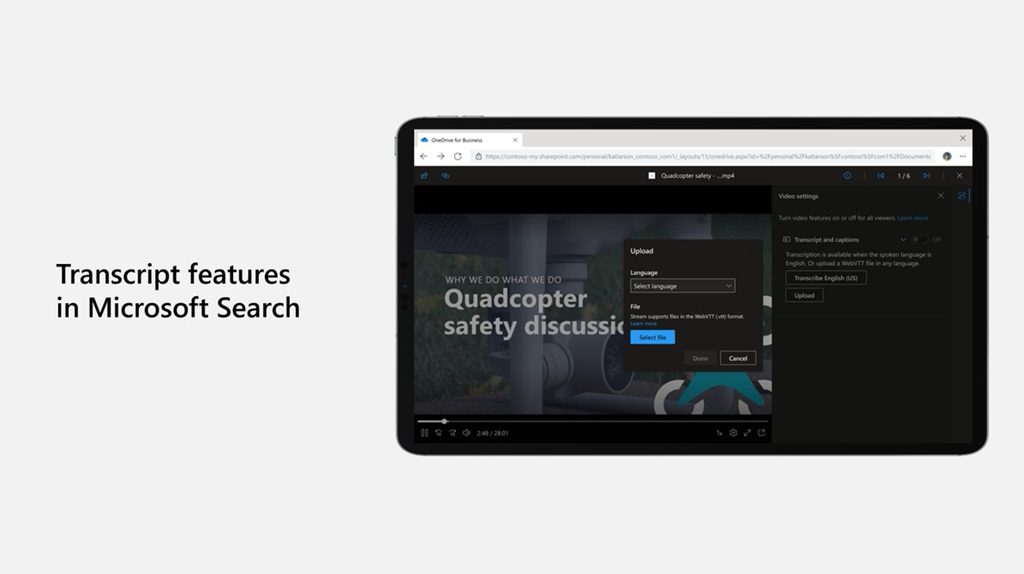
imageNew Microsoft Stream transcript features make it even easier to find your content anywhere from Microsoft Search!

We know that transcripts are an important tool to help you achieve more with video – whether searching across Microsoft 365 to find a video, scanning a video to find a specific spot, turning on captions while you watch in a noisy environment, or using subtitles to follow along in another language.

As we continue to build Stream (on SharePoint), we’re excited to share the next set of transcript capabilities that will help make video in Microsoft 365 more accessible and productive.

Read how to enable & use  this Transcription feature here:

Microsoft is adding unlimited Microsoft Teams Meeting PSTN dial-in to enterprise, business, frontline, and government licenses.

imageToday, we are announcing that we will add unlimited dial-in capabilities for Microsoft Teams meetings across our enterprise, business, frontline, and government suites over the next few months. Even as cloud connectivity increases, we know that people join Teams meetings while they are on the go or struggling with a bad internet connection. Currently included with Microsoft 365 E5 and Office 365 E5, we have come to see dial-in as an important part of the complete Teams experience. Available with subscription in over 70 countries and with interactive support in 44 languages and dialects, unlimited dial-in provides peace of mind that users will be able to join their Microsoft Teams meeting from virtually any device regardless of location.

Read the blog post:

  • Microsoft adding unlimited Microsoft Teams Meeting PSTN dial-in to enterprise, business, frontline, and government https://www.microsoft.com/en-us/microsoft-365/blog/2021/08/19/new-pricing-for-microsoft-365/
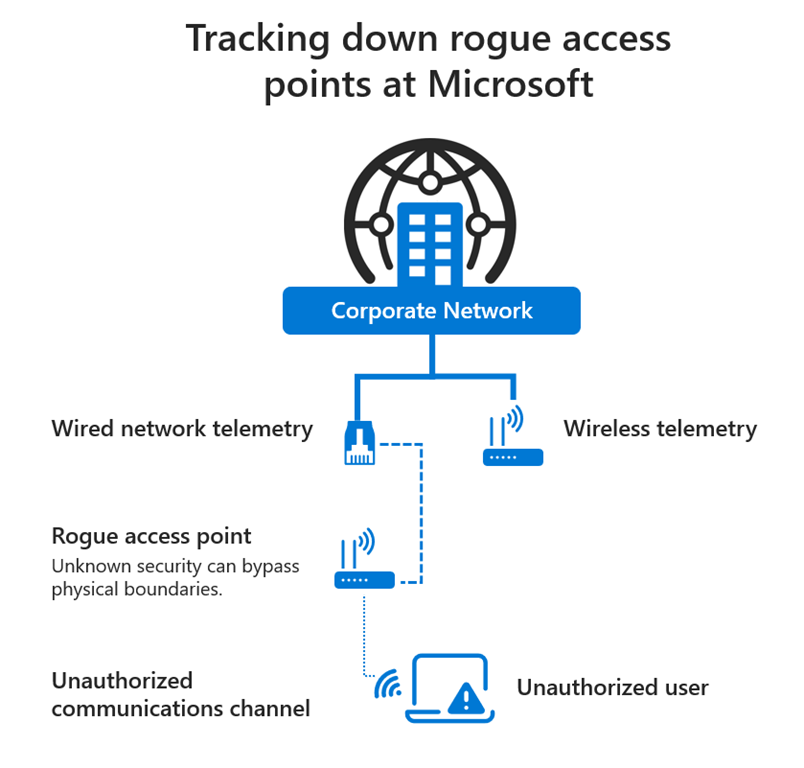
  • imageFinding rogue access points on Microsoft’s network has become an important mission inside the company.

    Wireless gadgets have come to all but dominate the IT world. Employees within Microsoft, and many other large corporations, regularly bring in their own wireless devices. Bringing in a home office wireless router or a wireless speaker system might seem harmless, but such “rogue access points,” or rogue APs, pose serious security risks.

    In the case of a wireless router designed for home use, it might have a default password that is literally “password” or the name of the brand. That could give drive-by hackers’ easy access to an enterprise’s network.

    “An unauthorized user could be sitting in the parking lot and you just knowingly or unknowingly gave them access to the corporate network,” says Pete Fortman, a principal engineer for Microsoft who focuses on security.

    Read more about Microsoft’s project to continually eliminate rogue access points:

    imageJoin us at the Azure Summit 2021 for 11 days of learning of Azure that runs from September 13 – 23.

    • Learn from 150 Azure cloud leaders, trainers, and experts live!
    • View over 120 sessions available to anyone who wants to learn Azure cloud from beginner to architect level. Includes panels, Q&A, breakout sessions.

    Interested?  Check out the registration page below:

    imageToday, we are announcing that Microsoft has been named a Leader in The Forrester Wave™: Streaming Analytics, Q2 2021.

    We believe this report truly reflects the market momentum of Azure Stream Analytics, satisfied customers, a growing partner ecosystem, and the overall strength of our Azure cloud platform. Take a look at the Forrester Wave™: Streaming Analytics, Q2 2021 report.

    imageForrester has recognized Microsoft as a Leader in The Forrester Wave™: Augmented BI Platforms, Q3 2021.

    Microsoft received the highest score of any vendor in both the strategy and current offering categories. Further, Forrester noted in the report, “It is hard not to consider Power BI as your top choice for an enterprise BI platform.”

    To review the Forrester report, visit:

    Azure customers being managed by Azure Lighthouse… rejoice!  If you’ve been using Azure Lighthouse to allow others to manage your department or organization’s Azure subscriptions/enrollments, you’ll be able to use privileged access using Azure AD PIM to:

    • Only allow others to access your Azure environment when necessary
    • Use “just-in-time” access controls to permit service providers to make changes to your Azure cloud
    • Reduce access to your Azure environment to “least privilege” access

    Today we are very excited to announce the latest iteration in our journey towards Zero Trust and least privilege access: The preview of Azure Active Directory Privileged Identity Management (Azure AD PIM) integration with Azure Lighthouse.

    To understand how this integration enables least privilege access, consider the example of the company Contoso, which partners with a service provider to manage their network security. Contoso wants to make sure that this partner is following best practices around least privilege. In particular, Contoso doesn’t want the partner to have standing access to their resources. Instead, the partner should gain access only when it is necessary for them to perform some operation.

    To achieve this, the service provider crafts their offer in Azure Lighthouse so that it requires their operators to elevate their access to a privileged role before they can work on Contoso’s network. This just-in-time (JIT) access only lasts for a limited period (up to eight hours), after which the access for that operator is automatically removed, and they go back to having read-only access to Contoso’s delegated resources. Additionally, Contoso can require that the service provider obey a defined set of policy options when authenticating, such as requiring multifactor authentication. These capabilities are free to Contoso as a customer because they are granted as part of the service provider’s tenant.

    Read more here:

    Posted by: kurtsh | September 4, 2021

    INFO: Summary of Changes to Microsoft Licensing Terms

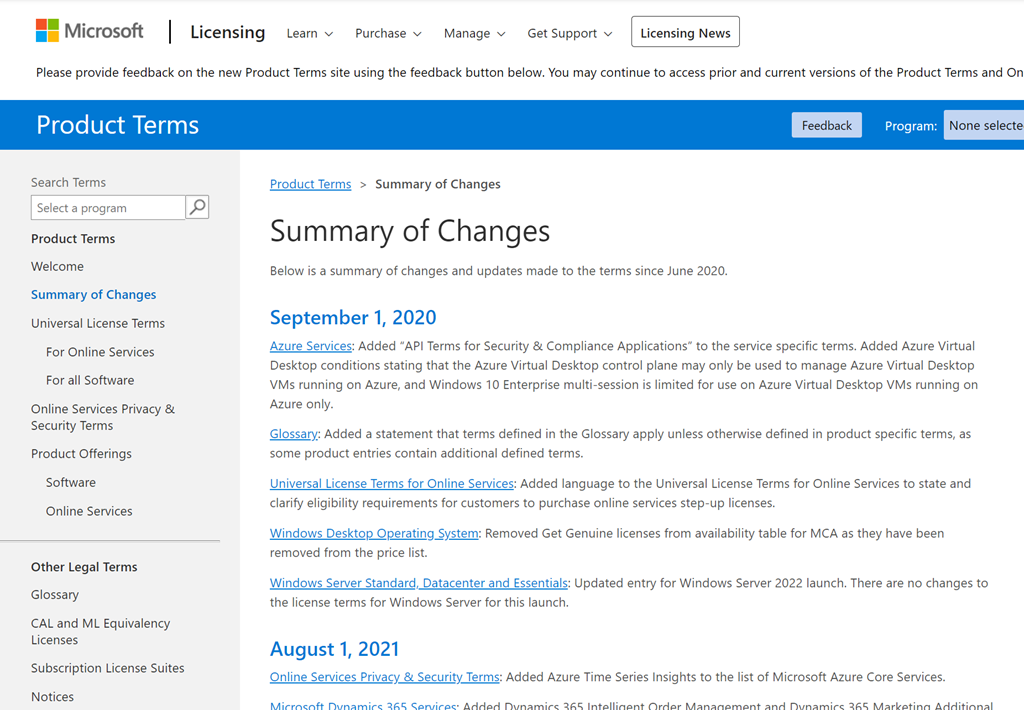
    imageAttention contracts administrators: Did you know there is a page on our web site that has a summary of changes and updates made to Microsoft’s product & services licensing terms. (since June 2020 when the page was created)

    For example, on July 1, 2021, the following change was made to the Windows Desktop Operating System Product Licensing Terms:

    • Windows Desktop Operating System: Updated all instances of Windows Virtual Desktop (and/or WVD) to Azure Virtual Desktop. Clarified Windows 10 entitlements that allow users to access Windows desktops on Azure VMs or Azure Virtual Desktops are entitlements for Customers’ own tenants. Added a clause for the new Get Genuine offer in CSP/Microsoft Customer Agree

    To see other changes made since June 2020, visit:

    Posted by: kurtsh | September 4, 2021

    RELEASE: Microsoft Nucleus – Data synchronization

    imageWe’ve recently announced the coming inclusion of Microsoft Nucleus to the OneDrive sync app.  In June 2021, we published message center notification MC261538 which highlighted the coming availability of the technology to Office 365 E3 & E5 subscribers.

    WHAT IS NUCLEUS?
    Announced at Ignite 2020, Nucleus is a sync engine for data in databases and other data repositories like Microsoft Lists – which is it’s initial use case. Because it is similar to differential synchronization for files, it makes for easy inclusion into the OneDrive synchronization client, already used for efficient file sync between disconnected laptops.

    For Microsoft Lists, users can add, remove, and update list items when working offline and Nucleus will synchronize the changes with the Microsoft Lists in Office 365.

    HOW DOES IT WORK?
    Project Nucleus enables the caching of web content on local machines in the name of improving performance. It’s not just caching data; it is also synching changes to the local cache leveraging some of the underlying technology that Microsoft uses in OneDrive sync. Project Nucleus uses SQL Lite as a metadata store and for lightweight processing.

    LICENSING?
    Microsoft Nucleus will be available as a service plan at no additional cost to Office 365 E3 or E5 licensing.  Disabling the service plan within the M365 Admin Console will disable the service for end users.

    imageRELEASE TIMEFRAME
    On August 11, we published MC277196 to announce the introduction of a Nucleus service plan to roll-out in September 2021 (Microsoft 365 roadmap item 68809).

    imageInterested in downloading some professionally created Microsoft Teams virtual backgrounds from:

    • FOX
    • FOX Sports
    • NBC
    • NBC Sports

    Also some other backgrounds like:

    • Pride
    • Xbox
    • Holidays
    • Black History Month
    • Women’s History Month

    And a really cool one:

    • Nostalgia

      (Featuring “Clippy”, Windows XP’s “Bliss” background, “Solitaire”, & “MSPaint”)

    Download them all for free here:

    « Newer Posts - Older Posts »

    Categories