Posted by: kurtsh | October 6, 2021

TRAINING: Microsoft Cloud App Security (MCAS)

This is an aggregation of training for Microsoft’s Cloud Access Security Broker, “Microsoft Cloud App Security”.

imageHave you been wanting to secure your cloud resources? Do you have agreements with non-Microsoft cloud applications? Do you want to share your cloud security knowledge and experience with others? Wait no longer, the Microsoft Cloud App Security (MCAS) Ninja training is here!

MCAS has hundreds of amazing videos available and it can sometimes be overwhelming with determining where to start and how to progress through different levels. We’ve gone through all these and created this repository of training materials – all in one central location!

Read the full post here:

Posted by: kurtsh | October 6, 2021

EVENT: Fall 2021 – Microsoft 365 Security Webinars

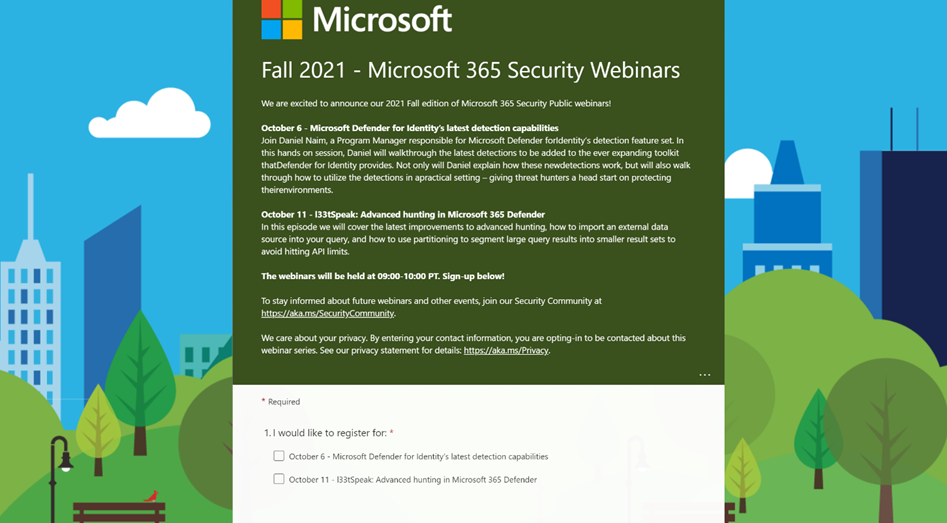
clip_image002We are excited to announce our 2021 Fall edition of Microsoft 365 Security Public webinars!

  • October 6 – Microsoft Defender for Identity’s latest detection capabilities
    Join Daniel Naim, a Program Manager responsible for Microsoft Defender for Identity’s detection feature set. In this hands on session, Daniel will walkthrough the latest detections to be added to the ever expanding toolkit that Defender for Identity provides. Not only will Daniel explain how these new detections work, but will also walk through how to utilize the detections in a practical setting – giving threat hunters a head start on protecting their environments.
  • October 11 – l33tSpeak: Advanced hunting in Microsoft 365 Defender
    In this episode we will cover the latest improvements to advanced hunting, how to import an external data source into your query, and how to use partitioning to segment large query results into smaller result sets to avoid hitting API limits.

The webinars will be held at 09:00-10:00 PT. Sign-up ASAP!

To stay informed about future webinars and other events, join our Security Community at https://aka.ms/SecurityCommunity.

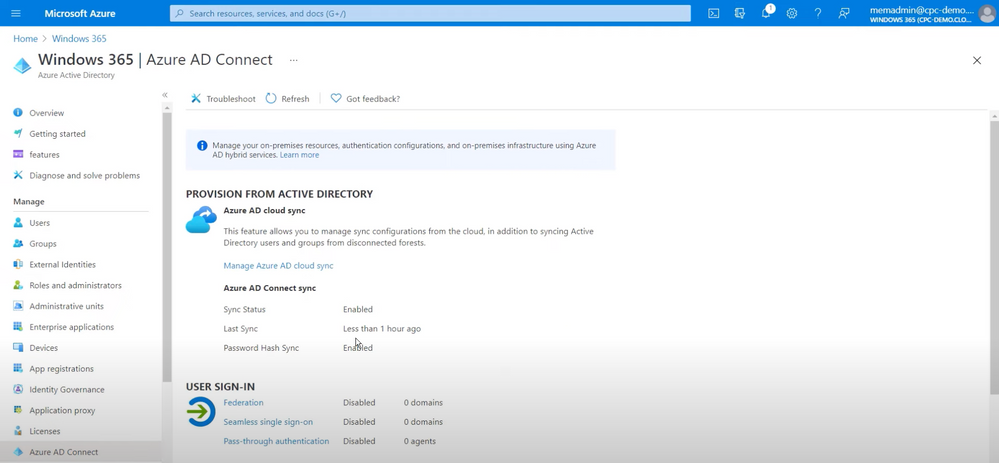
imageGet your Cloud PCs up and running with Windows 365. Explore the prerequisites, what the imaging and provisioning process looks like, as well as ongoing management.

Christiaan Brinkhoff, Principal Program Manager for Windows 365, joins Jeremy Chapman to walk you through the administrator setup in Azure and Microsoft Endpoint Manager, as well as the user experience in the browser and the additional functionality you get when you access your Cloud PC with Remote Desktop apps.

Read more here:

Posted by: kurtsh | October 6, 2021

INFO: Azure Automanage for Arc enabled servers

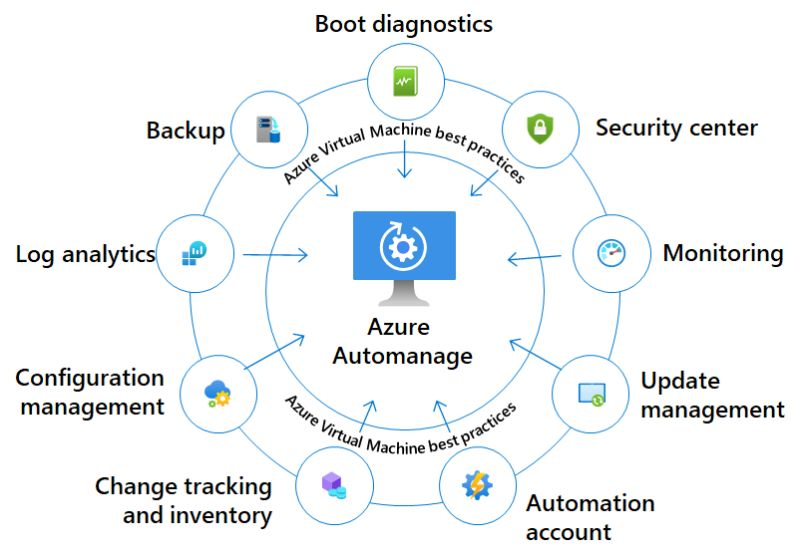
imageAt the last Azure Hybrid and Multicloud digital event, Microsoft not just announced the general availability of Azure SQL enabled by Azure Arc, but also announced the public preview of Azure Automanage for Azure Arc enabled servers.

Azure Automanage is a service that eliminates the need to discover, know how to onboard, and how to configure certain services in Azure Management services for your Azure Virtual Machine (VM) and with the new preview also for Linux and Windows Servers which are running outside of Azure. These servers can run on-premises, at the edge, or at other cloud providers, and can now benefit from the automatic configuration of Azure Management services.

Read more at:

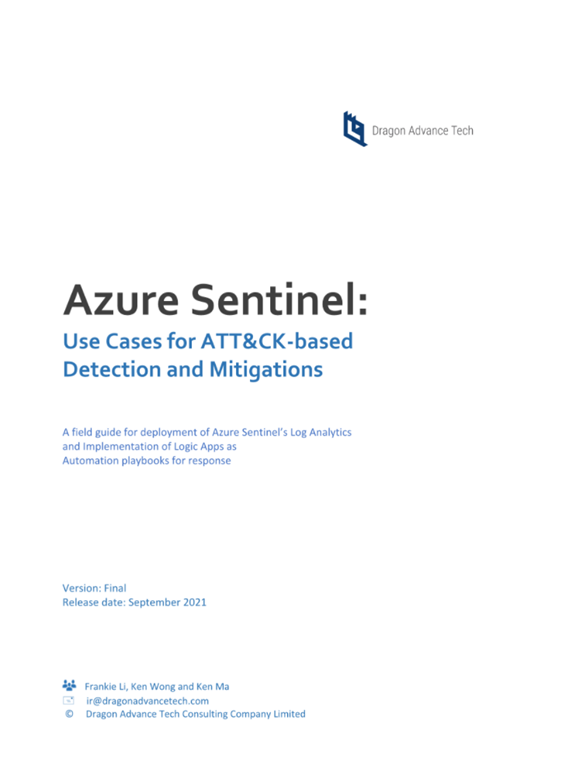
imageThis whitepaper is to provide a field guide for deployment of Azure Sentinel’s Log Analytics and Implementation of Logic Apps as automation playbooks for security responses which usually will be handled by security analysts. We intend for this guide to serve as reference examples or use cases by applying ATT&CK-based threat detections, mitigations and investigations.

When develop these three use case, we try to use practical scenarios be found in typical Microsoft hybrid-cloud environment. All detection logics and playbooks can be implemented not only on Azure Sentinel but also can be deployed to any commercial SIEM or SOAR solutions. In preparing these use cases, we assume you have already connected the relevant log sources to Azure Sentinel and have deployed, implemented and configured Azure Sentinel in your organization’s Azure tenant. For more information on basic setup and data ingestion, visit the Azure Sentinel Quick Start Guide. For further information on Strategies in data ingestion and incident response, visit Azure Sentinel Best Practices.

Download the whitepaper here:

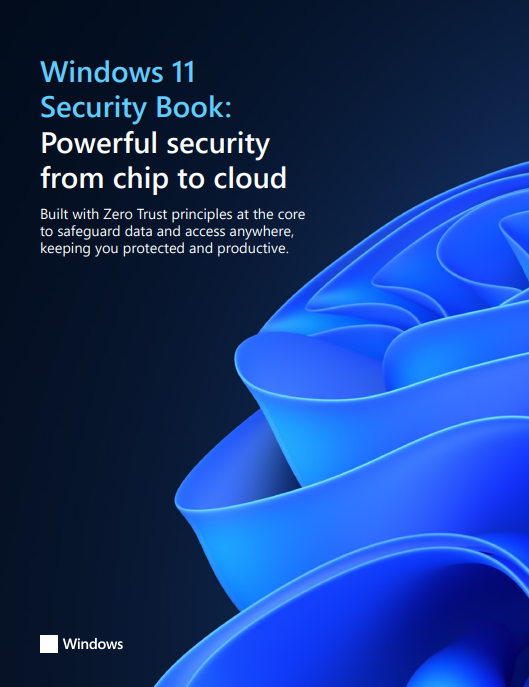
imageMicrosoft is so serious about the importance of Windows 11 & its impact on the security of it’s customers, it’s put together a 62 page document that highlights the ways it defends users from the threats of the coming decade.

Our customers need modern security solutions that deliver end-to-end protection anywhere. Windows 11 is a build with Zero Trust principles for the new era of hybrid work. Zero Trust is a security model based on the premise that no user or device anywhere can have access until safety and integrity is proven. Windows 11 raises the security baselines with new requirements built into both hardware and software for advanced protection from chip to cloud. With Windows 11, our customers can enable hybrid productivity and new experiences without compromising security

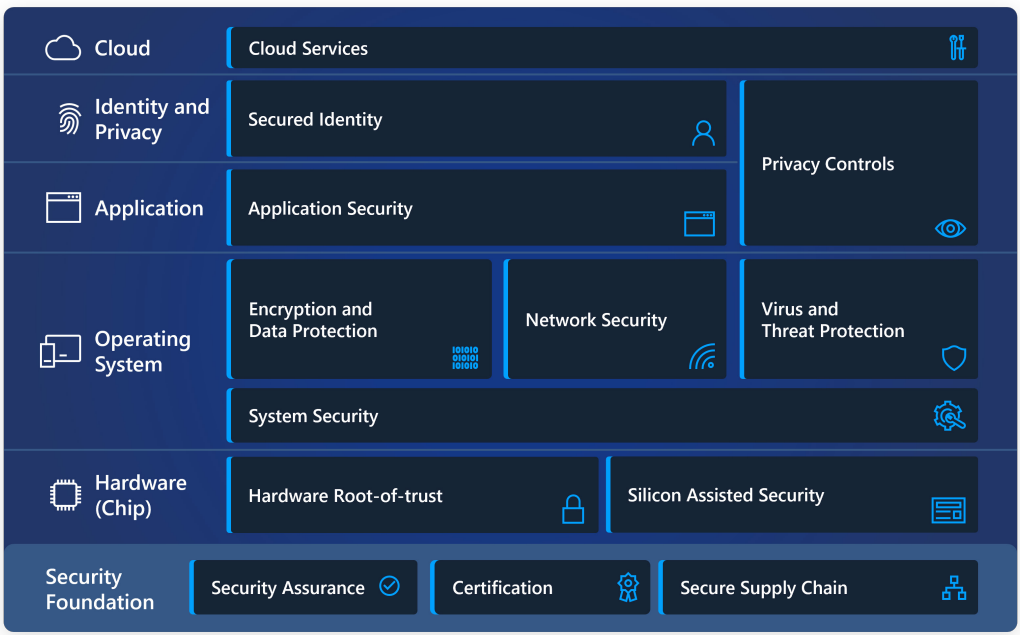
In Windows 11, hardware and software work together for protection from the CPU all the way to the cloud. See the layers of protection in this simple diagram and get a brief overview of our security priorities below.

  1. imageHardware Security
  2. Operating System Security
  3. Application Security
  4. Identity & Privacy
  5. Cloud Services
  6. Security Foundation

Download the whitepaper now.

imageGet more value from your VMware investments by modernizing your virtual desktop infrastructure with #Azure Virtual Desktop.

Get more value from your existing VMware investments by modernizing your virtual desktop infrastructure (VDI) with Azure Virtual Desktop—formerly called Windows Virtual Desktop. Learn to simplify delivery of your VMware-hosted virtual desktops and apps by using VMware Horizon Cloud Service on Microsoft Azure.

Download this guide to find out how to:

  • Deliver highly secure remote work solutions to your organization from virtually anywhere, with a familiar Windows 10 experience. 
  • Plan for implementation with prerequisites and steps to use Horizon Cloud on Azure. 
  • Apply best practices to quickly deploy, test, and scale your app and desktop virtualization on Azure. 
  • Optimize your environment after deployment with tools like Azure Advisor and VMware App Volumes.

Get the migration guide:

Posted by: kurtsh | October 5, 2021

HOWTO: Send Azure Service Health Alerts with ServiceNow

Azure Service Health alerts can trigger notifications in ServiceNow.

imageThis article shows you how to integrate Azure service health alerts with ServiceNow using a webhook. After setting up webhook integration with your ServiceNow instance, you get alerts through your existing notification infrastructure when Azure service issues affect you. Every time an Azure Service Health alert fires, it calls a webhook through ServiceNow’s Scripted REST API.

Read how to accomplish this in our documentation for Azure Service Health:

Posted by: kurtsh | October 5, 2021

DOWNLOAD: Surface Apps from Microsoft

With the release of Surface Pro 8, Surface Go 3, Surface Duo 2 and Surface Laptop Studio, it seems like a good time to revisit the different apps available from Microsoft for your Surface hardware.

Here’s a list of apps available for your Surface Hardware – generally Surface Pro 3 and above:

imageSurface App
Get the most out of your Surface. The Surface app provides you with customization options and opportunity to learn more about your Surface device. Give feedback on your experience so we can keep making it better. Safety, warranty, and regulatory info is there whenever you need it.

imageSurface Diagnostic Toolkit
For Surface 3 devices and newer. Part educator, part detective, and part doctor, the Surface Diagnostic Toolkit guides you through a set of software repairs and hardware diagnostics to quickly and efficiently uncover and resolve issues you are experiencing on your device. Use this app to lookup information about your device, repair common software issues, and validate your Surface hardware. The Surface Diagnostic Toolkit is the best place to start troubleshooting, and will guide you to the best support avenue for the quickest resolution, so you can get back to turning ideas into actions and accomplishing more with your Surface.

imageSurface Audio
The Surface Audio app is the companion to Surface Earbuds and Surface Headphones. Update your earbuds and headphones, and customize settings to get the most out of them. Here are the things you can do:

  • Update your earbuds and headphones
  • View and change device info
  • View battery info and volume level
  • Personalize settings
  • Change equalizer settings to get the sound you want
  • Set up Cortana
  • Control which devices are connected
  • Change language settings
  • Reset your earbuds and headphones to the factory settings
  • Watch tutorial videos
  • Send us feedback

Get the app here:

imageSurface Trackpad Settings
Touch and Type Covers for Surface have a trackpad built-in that functions like a mouse. Trackpad Settings lets you control functions such as tap and touch gestures on your Surface.

If this app doesn’t detect the keyboard, do the following:

  1. Make sure you have the latest updates: From the Start screen, type Update, tap Settings, then tap Check for updates.
  2. From the Start screen, type Devices, tap Settings, then tap Devices and Printers. Then tap Refresh three times (circular arrow next to Search box). Try using the app again.

imageSurface Management Extension
Surface Management Extension offers optional features for Surface apps. You can also use our CLI to query read-only information about this Surface.

imageIn May 2021, the Biden Administration signed Executive Order (EO) 14028, placing cloud security at the forefront of national security. Federal agencies are at different stages in their digital transformations yet are all facing similar challenges: rapidly changing workloads, insecure configurations, shortages of skilled professionals, and increase in sophistication and number of attacks.

The Azure Security suite helps federal agencies and partners improve their cloud security posture and stay compliant with the recent EO. While there are many areas Azure Security can support, this blog will focus on how Azure Security Center and Azure Sentinel can empower federal agencies to address the following EO goals:

Microsoft applies its industry-leading practices to Azure Security products, generating meaningful insights about security posture that simplify the process of protecting federal agencies and result in cost and time savings.

Learn more about how Microsoft Azure can help organizations abide by EO 14028 in the following article:

« Newer Posts - Older Posts »

Categories