Posted by: kurtsh | October 7, 2021

INFO: Endpoint Manager simplifies upgrades to Windows 11

imageWith the introduction of Windows 11, Microsoft Endpoint Manager is ready for you to manage your device upgrades to Windows 11 and continues to enable you to deliver quality and feature updates with the same tools.

In fact, Windows 10 and Windows 11 devices can co-exist in your Windows Update policies so that you don’t have to break them out and manage them separately. This article walks through the steps and things you need to know to upgrade to Windows 11 and manage Windows updates. Another great place to get more background into planning for Windows 11 is this article by Steve Dispensa: Planning for Windows 11: best practices for organizations.

Read more about using Endpoint Manager for the deployment of Windows 11 here:

imageJoin us November 2–4, 2021 for our digital experience, including the latest product demos, Q&A with Microsoft experts, technical deep-dives, and more. All skill levels welcome & yes, this is a free event!
Microsoft Ignite is for anyone who is motivated to be on the frontier of innovation and tech. We recognize that the role of IT has shifted considerably, as has the way IT decisions are made. Therefore, our key segments and sessions are meant for all roles, from developers and IT implementers to those who make large-scale purchasing decisions for enterprise tech and security solutions.

For those that cannot attend live, make sure you are registered so you can view content during the live event and access all content on-demand after the event is over. As long as you are registered, you will be able to stream on-demand, but sessions will not be enabled for download or offline viewing.

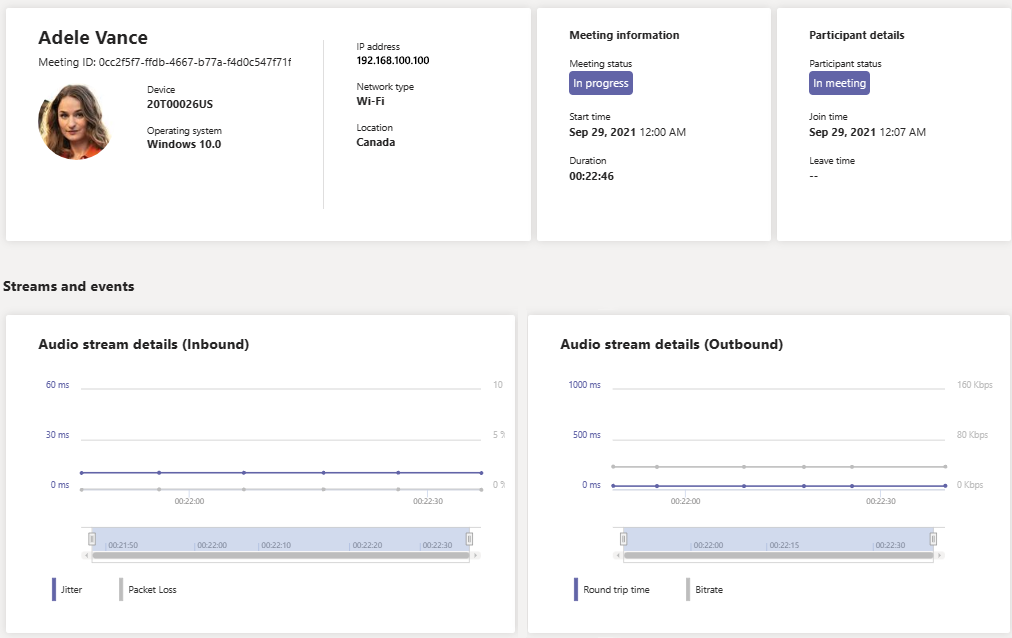
Real-Time Analytics lets IT admins look at their important users’ scheduled meetings and see audio, video, content sharing, and network-related issues. As an admin, you can use this telemetry to investigate these issues during meetings and troubleshoot in real time.

imageWhat is Real-Time Analytics?

Today, individual meeting troubleshooting is available for Teams administrators through Call Analytics after the meeting ends. Real-Time Analytics lets admins troubleshoot scheduled meetings while they’re in progress.

Real-Time Analytics shows detailed information about Teams meetings for each user in your Office 365 account, updated in real time. It includes information about devices, network, connectivity, audio, video, and content sharing issues, which will help admins troubleshoot call quality more effectively.

As a Teams admin, you get full access to all real-time telemetry data for each user. In addition, you can assign Azure Active Directory roles to support staff. To learn more about these roles, see Give permission to support and help desk staff.

This feature is currently in public preview until the end of 2021. After this time, the Advanced Communications add-on for Microsoft Teams will be required for each user whose telemetry you wish to view in real time. For more information, see Advanced Communications add-on for Microsoft Teams.

For docs on the new feature, visit:

Posted by: kurtsh | October 7, 2021

RELEASE: Microsoft Teams Rooms on Surface Hub

Today, we started to rollout our next generation of the Microsoft Teams experience for Surface Hub, Teams Rooms on Surface Hub. This new experience will automatically replace the current Surface Hub Teams app as part of a 4-week global rollout, and will be available for our customers in Commercial, GCC and GCC High environments.

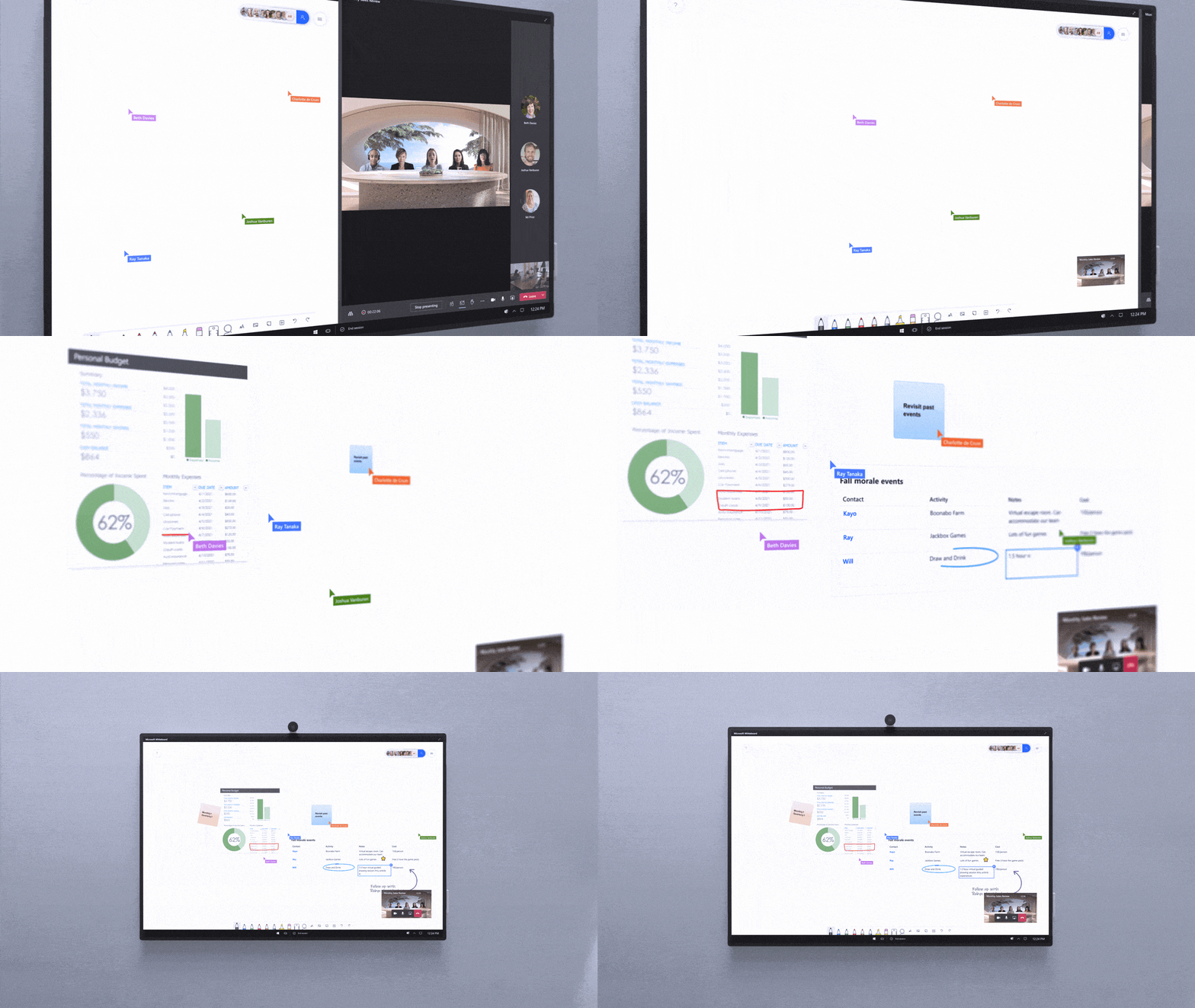
This next generation of Teams on Surface Hub has been redesigned to bring your favorite features from the desktop and Microsoft Teams Rooms directly into your meeting space. With a new meeting stage, a robust set of meeting controls, and popular features including Together mode scenes, chat bubbles, live reactions, PowerPoint Live, and Whiteboard, Teams Rooms on Surface Hub enriches collaboration for the hybrid workplace. You can easily access your Microsoft 365 files and leverage a richer Whiteboard experience to confidently present and collaborate.

Video of Microsoft Teams Room here:
https://www.youtube.com/watch?v=u2PtIwg8A9g

Read more at the announcement page here:

Posted by: kurtsh | October 6, 2021

TRAINING: Microsoft Cloud App Security (MCAS)

This is an aggregation of training for Microsoft’s Cloud Access Security Broker, “Microsoft Cloud App Security”.

imageHave you been wanting to secure your cloud resources? Do you have agreements with non-Microsoft cloud applications? Do you want to share your cloud security knowledge and experience with others? Wait no longer, the Microsoft Cloud App Security (MCAS) Ninja training is here!

MCAS has hundreds of amazing videos available and it can sometimes be overwhelming with determining where to start and how to progress through different levels. We’ve gone through all these and created this repository of training materials – all in one central location!

Read the full post here:

Posted by: kurtsh | October 6, 2021

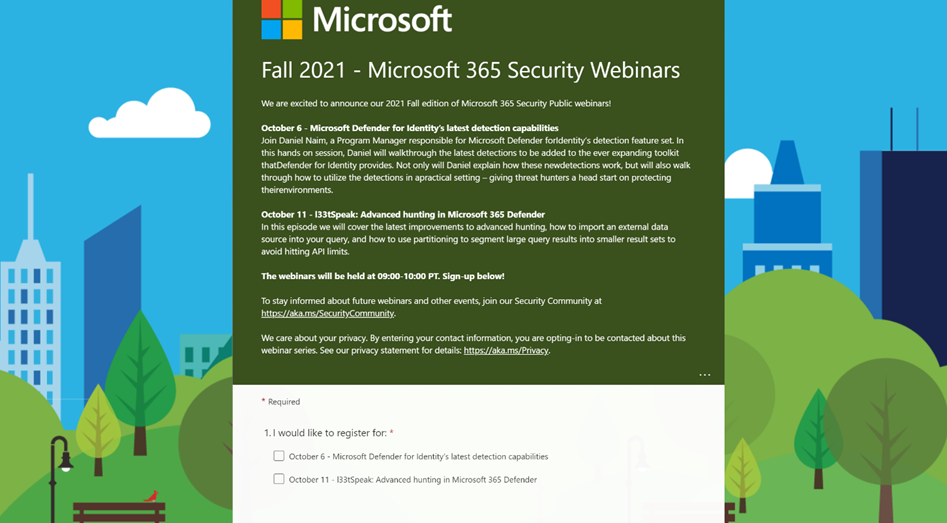
EVENT: Fall 2021 – Microsoft 365 Security Webinars

clip_image002We are excited to announce our 2021 Fall edition of Microsoft 365 Security Public webinars!

  • October 6 – Microsoft Defender for Identity’s latest detection capabilities
    Join Daniel Naim, a Program Manager responsible for Microsoft Defender for Identity’s detection feature set. In this hands on session, Daniel will walkthrough the latest detections to be added to the ever expanding toolkit that Defender for Identity provides. Not only will Daniel explain how these new detections work, but will also walk through how to utilize the detections in a practical setting – giving threat hunters a head start on protecting their environments.
  • October 11 – l33tSpeak: Advanced hunting in Microsoft 365 Defender
    In this episode we will cover the latest improvements to advanced hunting, how to import an external data source into your query, and how to use partitioning to segment large query results into smaller result sets to avoid hitting API limits.

The webinars will be held at 09:00-10:00 PT. Sign-up ASAP!

To stay informed about future webinars and other events, join our Security Community at https://aka.ms/SecurityCommunity.

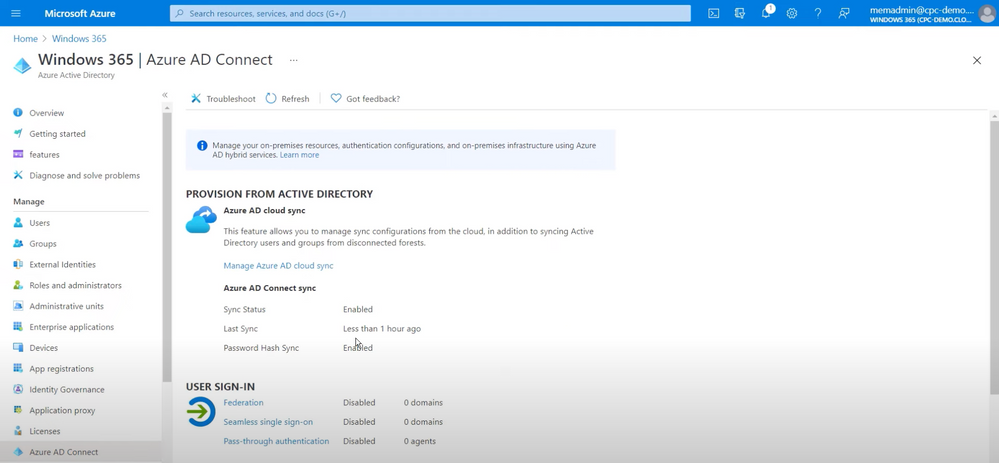
imageGet your Cloud PCs up and running with Windows 365. Explore the prerequisites, what the imaging and provisioning process looks like, as well as ongoing management.

Christiaan Brinkhoff, Principal Program Manager for Windows 365, joins Jeremy Chapman to walk you through the administrator setup in Azure and Microsoft Endpoint Manager, as well as the user experience in the browser and the additional functionality you get when you access your Cloud PC with Remote Desktop apps.

Read more here:

Posted by: kurtsh | October 6, 2021

INFO: Azure Automanage for Arc enabled servers

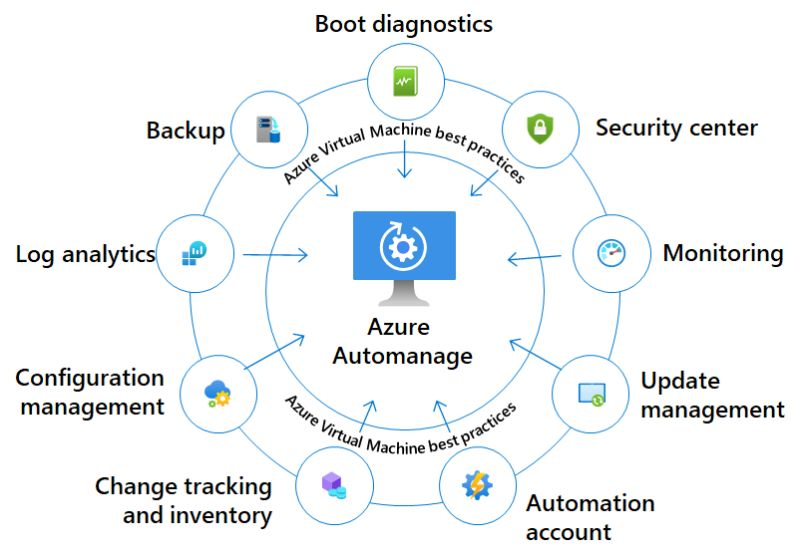
imageAt the last Azure Hybrid and Multicloud digital event, Microsoft not just announced the general availability of Azure SQL enabled by Azure Arc, but also announced the public preview of Azure Automanage for Azure Arc enabled servers.

Azure Automanage is a service that eliminates the need to discover, know how to onboard, and how to configure certain services in Azure Management services for your Azure Virtual Machine (VM) and with the new preview also for Linux and Windows Servers which are running outside of Azure. These servers can run on-premises, at the edge, or at other cloud providers, and can now benefit from the automatic configuration of Azure Management services.

Read more at:

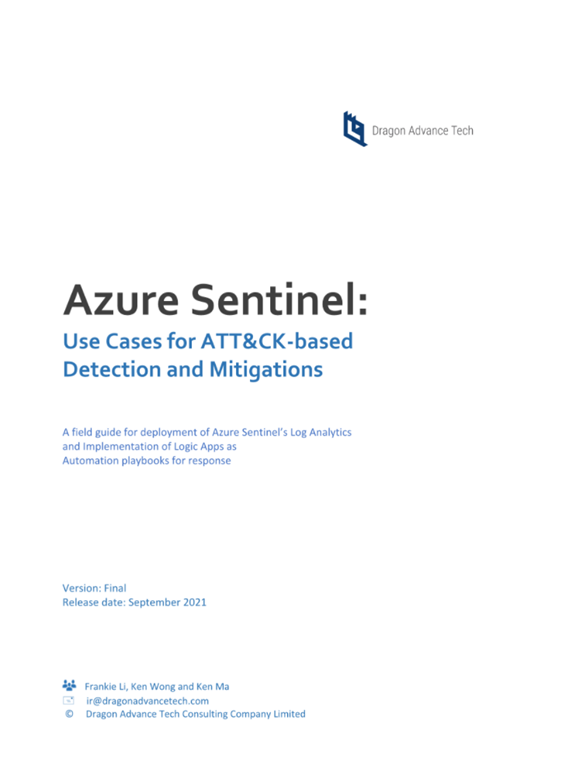
imageThis whitepaper is to provide a field guide for deployment of Azure Sentinel’s Log Analytics and Implementation of Logic Apps as automation playbooks for security responses which usually will be handled by security analysts. We intend for this guide to serve as reference examples or use cases by applying ATT&CK-based threat detections, mitigations and investigations.

When develop these three use case, we try to use practical scenarios be found in typical Microsoft hybrid-cloud environment. All detection logics and playbooks can be implemented not only on Azure Sentinel but also can be deployed to any commercial SIEM or SOAR solutions. In preparing these use cases, we assume you have already connected the relevant log sources to Azure Sentinel and have deployed, implemented and configured Azure Sentinel in your organization’s Azure tenant. For more information on basic setup and data ingestion, visit the Azure Sentinel Quick Start Guide. For further information on Strategies in data ingestion and incident response, visit Azure Sentinel Best Practices.

Download the whitepaper here:

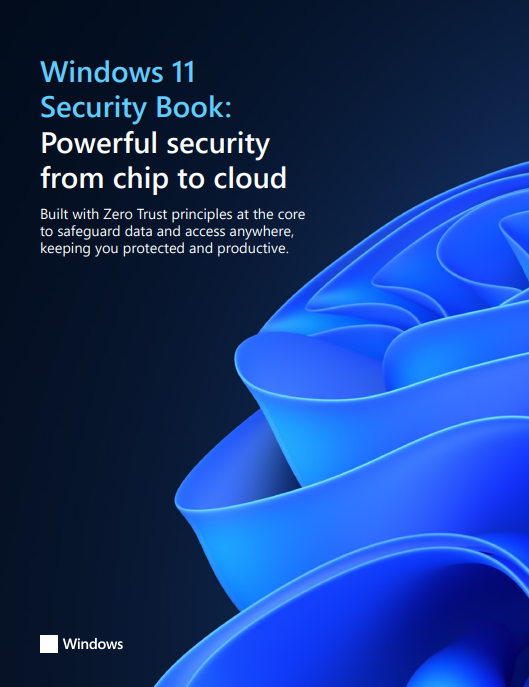
imageMicrosoft is so serious about the importance of Windows 11 & its impact on the security of it’s customers, it’s put together a 62 page document that highlights the ways it defends users from the threats of the coming decade.

Our customers need modern security solutions that deliver end-to-end protection anywhere. Windows 11 is a build with Zero Trust principles for the new era of hybrid work. Zero Trust is a security model based on the premise that no user or device anywhere can have access until safety and integrity is proven. Windows 11 raises the security baselines with new requirements built into both hardware and software for advanced protection from chip to cloud. With Windows 11, our customers can enable hybrid productivity and new experiences without compromising security

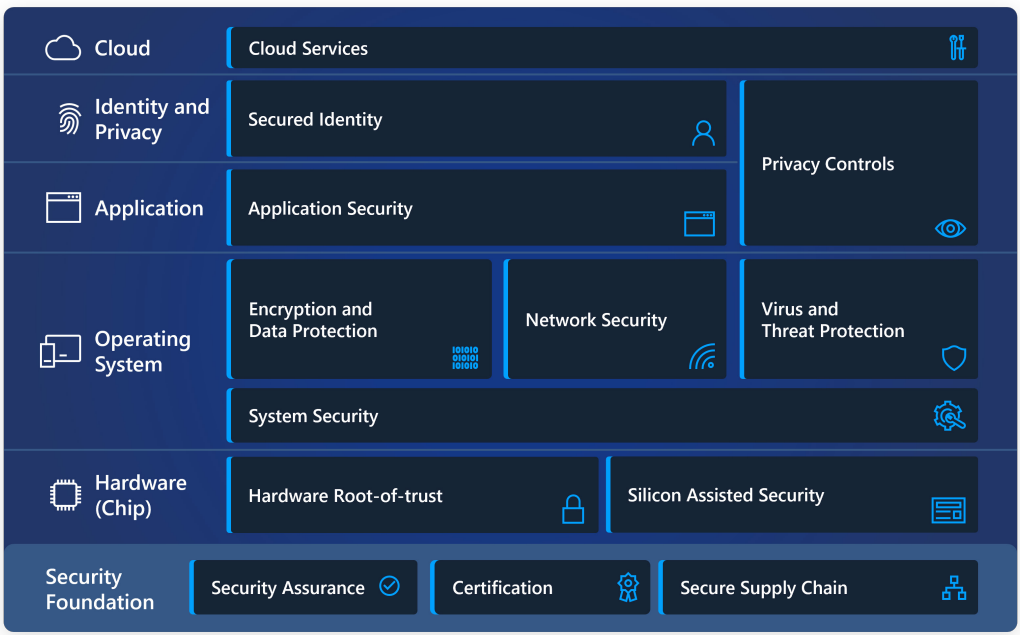
In Windows 11, hardware and software work together for protection from the CPU all the way to the cloud. See the layers of protection in this simple diagram and get a brief overview of our security priorities below.

  1. imageHardware Security
  2. Operating System Security
  3. Application Security
  4. Identity & Privacy
  5. Cloud Services
  6. Security Foundation

Download the whitepaper now.

« Newer Posts - Older Posts »

Categories