imageThis is a phenomenal blog post that describes EVERYTHING about Microsoft 365 logs.

  1. What logs exist
  2. How to enable logging
  3. What levels of audit exist
    (And the licensing requirements for each)
  4. Who can access logs
  5. What kind of lag time exists for different events
  6. How can data be accessed?
  7. Office Management API
  8. Using Azure Sentinel to ingest logs

And this is just Part 1.  If you need to collect & hunt through Microsoft 365 logs, you need to go through this post.

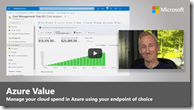
imageGet tips for visibility and management of your cloud spend in Azure using your endpoint of choice, from the Azure Cost Management portal, Power BI for custom views and reporting, to API-based integration that feeds cost data into your existing financial system. Matt McSpirit, Senior Program Manager for Microsoft Azure, joins Jeremy Chapman to share how you can configure your Azure environment to meet specific cost reporting needs.

Whether you’re from the IT team or the finance team, choose from a number of options:

  • Azure Cost Management in the Azure portal– Gives you the most comprehensive access to cost management views and reports.
  • Azure Cost Management Power BI app– Great visibility with pre-built views out-of-the-box to track your Azure spend at the account, subscription, and resource group level.
  • Power BI desktop connector– For more custom reporting, take our base Power BI template files and customize by building your own views.
  • API-based integration– For ultimate control and customization, use APIs directly to integrate the data within your internal apps and financial systems.

References:

Watch the overview from Matt McSpirit here:

imageMicrosoft Power Platform provides a low-code platform for reporting, workflow, automation, and form development. With applications like Power BI, Power Automate, and Power Apps, the platform can be used to analyze data, automate operations, and develop apps. As the use of Microsoft Power Platform increases, organizations need a mechanism to scale solutions, support makers, and ensure compliance. The best tool to get started is establishing a Center of Excellence (CoE).

Read more about the Power Platform Center of Excellence here:

image“I’ll put a link to that doc in the chat”

“Sorry, my internet is terrible, I’ll put my question in the chat”

“That GIF from Amy in the chat is hilarious”

If these phrases sound familiar to you, you’re not alone – people the world over use the chat function in Microsoft Teams and other video-calling services every day. But we could ask: why post messages in parallel to the main conversation? Does it improve or worsen the meeting experience? And crucially, what can we do to make it more effective?

Why do people chat – and is it a good thing for meetings?

Read more about the research into this question at the link below:

imageJust published!  Learn more about the features included in the latest release wave (2021 release wave 2 | October 2021 to March 2022)

There isn’t just ONE guide like there was previously: There are 12 different guides – each for

Dynamics 365

  • Sales
  • Customer Services
  • Field Service
  • Marketing
  • Human Resources
  • Commerce
  • Finance
  • Supply Chain Management
  • Business Central

Power Platform

  • Power BI
  • Power Apps
  • Power Automate
  • Power Virtual Agents

Download the Release overview guide for the product of your interest:

Posted by: kurtsh | October 10, 2021

DOWNLOAD: Windows 11 Backgrounds

W11_Teams_Light_BloomCropI just made a ZIP file with all our corporate Windows 11 backgrounds for Microsoft Teams, LinkedIn Profiles, Desktop backgrounds and Phone Screens to share with all you Windows 11 enthusiasts that know what this upgrade is all about:

  • Windows 11 isn’t just about a pretty user interface
  • Windows 11 isn’t just about a better gaming experience
  • Windows 11 isn’t just about compatibility with Windows 10
  • Windows 11 isn’t just about easier screen layouts for greater productivity

Windows 11 is about smart protection & security.

THE THREAT TODAY & ON THE HORIZON
Microsoft requires current CPU architectures (minimum Intel 8th gen) & a Trusted Platform Module (TPM) 2.0 to upgrade to Windows 11. And it’s entirely because of Windows 11’s focus on security.

In the next few years, criminals aren’t just using their old  attacks against operating systems & applications.  They’re attacking hardware, BIOS, and other difficult-to-protect elements of your infrastructure.

Windows 11 is about creating a hardened workstation with the combined strength of both modern hardware & software in an effort to protect your organization with the best defenses against next-generation of attacks from nation states.

Upgrade to Windows 11 today… for free.  And proudly showcase your upgrade to the best security & Windows 11 with these backgrounds for Desktops, Teams, LinkedIn, and Phones.

Posted by: kurtsh | October 8, 2021

DOWNLOAD: Windows 11 Security Baseline

imageWe are pleased to announce the release of the security baseline package for Windows 11!

Please download the content from the Microsoft Security Compliance Toolkit, test the recommended configurations, and customize / implement as appropriate.

Two new settings have been added for this release (which were also added to the Windows Server 2022 release), a new Microsoft Defender Antivirus setting, and a custom setting for printer driver installation restrictions. Additionally, all Microsoft Edge Legacy settings have been removed.

Read more here:

imageWatch this amazing "6D" concert experience with Washington local Allen Stone and Canadian superstar Tate McRae!

Select from completely different performance experiences that all exist simultaneously. These are not just angles, they are totally different edits and environments This has never been done before. ​

And register & login to receive NFTs for Windows 11 deals offered by Microsoft partners.

Available until Oct 10, 2021.

imageSoftware alone is not enough protection from emerging threats.

In Windows 11, hardware and software work together for protection from the CPU all the way to the cloud.

See the layers of protection in this simple diagram and get a brief overview of our security priorities below:

image

The "Windows 11 Security Guide" is a short 8-page summary of the next-gen protections that Windows 11 delivers. (For folks with short attention spans that need the "Cliff’s Notes" of the 62-page “Windows 11 Security Book”)

Download the guide here:

Microsoft Defender for Endpoint for Windows Server 2012 R2 & 2016 is here!

imageWe are proud to introduce the public preview of a completely revamped Microsoft Defender for Endpoint solution stack for Windows Server 2012 R2 and Windows Server 2016.

Whilst keeping up to date and upholding security hygiene is arguably still the best go-to when it comes to increasing resilience and reducing attack surface, we believe this modern, unified solution brings the best of the Microsoft Defender for Endpoint capabilities for prevention, detection, and response – in a single package.

With the availability of Windows Server 2012 R2 support, here is a chart that shows the functionality available from Defender for Endpoint for each operating system, starting with Windows 10/11:

image

Read the full announcement here:

« Newer Posts - Older Posts »

Categories