Posted by: kurtsh | October 21, 2021

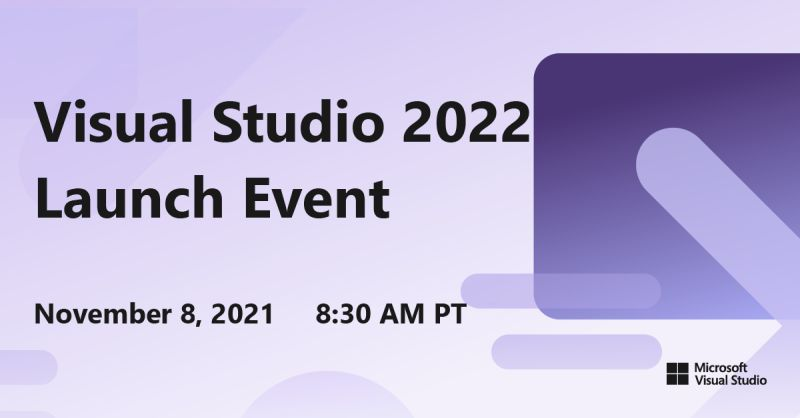
EVENT: Visual Studio 2022 Launch – November 8, 2021

imageThe countdown is on! Join us on November 8, 2021 for the Visual Studio 2022 Launch Event. Grab a calendar reminder, tune in to the virtual keynote, and join a breakout session or two.

On behalf of our entire team, I’m excited to announce the upcoming release of Visual Studio 2022 on November 8, and the immediate availability of the Visual Studio 2022 Release Candidate (RC) and Preview 5. We invite you to explore the latest capabilities of Visual Studio 2022 at our virtual launch event on November 8. Throughout the day, you can learn from some special guest speakers, talk back to the Visual Studio team, and even download exclusive digital swag.

Visit the event announcement here:

Posted by: kurtsh | October 20, 2021

NEWS: FindTime for Microsoft 365 GCC

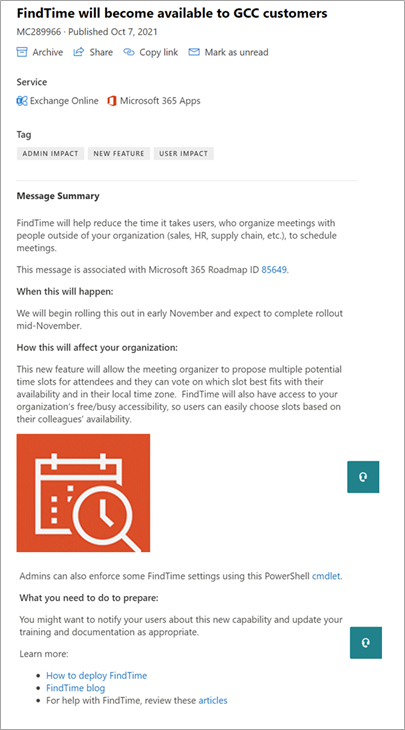
imageFor folks looking for the availability of Microsoft FindTime in Microsoft 365/Office 365 GCC tenants, there’s good news:  The product has been roadmapped and is listed on both the public Microsoft 365 Roadmap as well as posted in the Microsoft 365 Admin Message Center.

This new feature will allow the meeting organizer to propose multiple potential time slots for attendees and they can vote on which slot best fits with their availability and in their local time zone.  FindTime will also have access to your organization’s free/busy accessibility, so users can easily choose slots based on their colleagues’ availability.

We will begin rolling this out in early November and expect to complete rollout mid-November.

Posted by: kurtsh | October 17, 2021

HOWTO: Open a Premier/Unified Support ticket

image

You have two options to open a Support Ticket: 

  1. Call into the Support Line @ 1-800-936-3100. (Access ID required: You would get your organization’s access ID from the principal manager of the agreement in your organization) This option will allow you to speak with a Technical Router to define and route your issue to the appropriate team at Microsoft.
  2. Go to https://serviceshub.microsoft.com and create a Support Request under your organization’s workspace. No access ID required for registered users. (Please note, if you utilize this option you will need to accept and register in the Services Hub workspace.  If you are unregistered you will need to get an invitation from the principal manager of your agreement or your Customer Success Acct Mgr.)

Both these options are further explained in the following link as well: https://docs.microsoft.com/en-us/services-hub/unified/support/open-support-requests

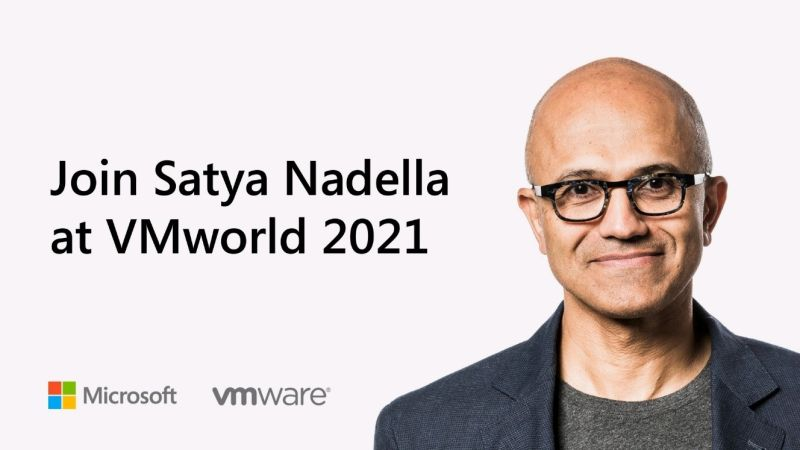
imageJoin Microsoft at VMworld and watch Satya Nadella’s fireside chat with VMware CEO Raghu Raghuram about the state of the cloud in today’s business environment.

Voices of VMworld: Satya Nadella, Microsoft Chairman and CEO and VMware CEO Raghu Raghuram
Microsoft Chairman and CEO Satya Nadella and VMware CEO Raghu Raghuram discuss industry trends and how they impact cloud adoption, our shared opportunity to help customers thrive with Microsoft and VMware Cloud offerings like Azure VMware Solution (AVS), and how leaders are navigating these shifts amidst continued uncertainty. Join us and hear these two industry luminaries engage in a meaningful discussion to better help customers achieve success in the cloud.

Watch the recording here:

Posted by: kurtsh | October 13, 2021

EVENT: Bloomberg Policy Blueprint – October 19th, 2021

Join us on October 19th at the virtual Bloomberg LP Policy Blueprint event, where government and industry speakers, including Microsoft US President Deb Cupp, will share their perspectives on skilling, sustainability, and digital transformation.

imageJoin us this October 19th for Bloomberg Policy Blueprint virtual event.

During this event, we’ll convene government technology leaders, senior policymakers, and business executives to examine how to work together, be more agile, adaptive and solve big problems better to serve their citizenries.

Discussions will include:

  • Government’s Digital Transformation
  • Supply Chain Resilience: Making American Business More Competitive
  • A Look Forward to COP26
  • Reimagining America’s Clean Energy Grid
  • A New Era of Public-Private Sector Collaboration

Speakers include:

  • Albert Bourla DVM, PH.D., Chairman and Chief Executive Officer, Pfizer
  • Deb Cupp, President, Microsoft US
  • Barbara Humpton, President and CEO, Siemens Corporation
  • Clare Martorana, Federal Chief Information Officer, Office of Management and Budget, Executive Office of the President
  • Robert Sanchez, Chairman and CEO, Ryder System, Inc.
  • David M. Turk, Deputy Secretary, U.S. Department of Energy
  • Brandon Wales, Executive Director, Cybersecurity and Infrastructure Security Agency (CISA)

Register below:

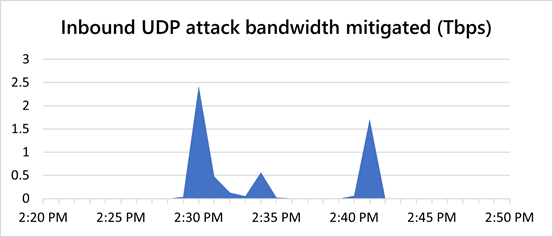
The 2nd largest recorded DDoS attack in history was mitigated the other day… with “Azure DDoS Protection Standard”. It’s a great cost-efficient way to protect organizational assets on the public Internet.

image“The last week of August, we observed a 2.4 Tbps DDoS attack targeting an Azure customer in Europe. This is 140 percent higher than 2020’s 1 Tbps attack and higher than any network volumetric event previously detected on Azure.

Attacks of this size demonstrate the ability of bad actors to wreak havoc by flooding targets with gigantic traffic volumes trying to choke network capacity. However, Azure’s DDoS protection platform, built on distributed DDoS detection and mitigation pipelines, can absorb tens of terabits of DDoS attacks. This aggregated distributed mitigation capacity can massively scale to absorb the highest volume of DDoS threats, providing our customers the protection they need.”


Read more here:

If you can attend, the former CIOs of New York State, Seattle & Redmond are going to be explaining how municipal departments & Information Security organizations can obtain Federal funding for Cybersecurity projects.

clip_image002Unlock your full cyber capability in preparation for Federal Funding

State and local government cyberattacks are increasing every day. As agencies progress in an ever-changing world, they must transform operations through secure cloud solutions as the engine for innovation and efficiency, while delivering trust at scale for their communities.

Microsoft is here to help the government answer the nation’s call on strengthening inter- and intra-agency capabilities. Together, we can help your agency reach not only modernization milestones but also greater collaboration and trust, so we can protect what matters most.

Join us in this webinar where we’ll help you get started on your cybersecurity plan in advance of Federal funding initiatives. Hear from industry experts such as former State CIOs and Microsoft State Government Affairs as you learn how to:

  • Identify considerations when creating a plan to pinpoint and monitor risks.
  • Prioritize actions based on risk.
  • Approach solutions like security information event management (SIEM) and security orchestration automated response (SOAR).
  • Increase cyber protections and gain greater visibility into cloud apps and services to control sessions and protect workloads in real-time.
  • Learn about the integration of information technology (IT) systems used for data-centric computing with operational technology (OT) systems used to monitor events, processes and devices.

Face this new age with a strong cybersecurity strategy and be prepared to garner the funds you need.

Sign up today.

image

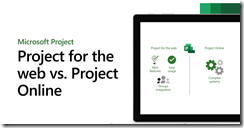
Did you know that Project Plans 1, 3, and 5 have two web-based solutions for users called “Project for the Web” and “Project Online”?

Subscribed users of any of the 3 plans have access to both however there’s some vast differences between the two “web apps” that project managers need to know about.

In general:

  1. “Project for the Web” is an innovative solution that enables people to build project plans & publish them online, similar to how “Project for the Desktop” or “Project Professional 20xx” does.
        1. Based on Power Apps, Power Automate, Power BI
        2. Being actively developed & invested in
  2. “Project Online” is a plan & portfolio management solution that enables project managers to view & manage existing plans.
        1. Based on SharePoint Online
        2. Being maintained for security & support

For visual details on the differences between the two, check out this video:

    For written documentation on the differences, review the Service Description of each:

    Posted by: kurtsh | October 12, 2021

    INFO: Windows 11 means “Security”

    imageThe Windows Security Team recent released a massive post that explains what Windows 11 is all about.

    You’ll hear about how Windows 11 is faster… how it’s smarter in how it enables collaboration… how it improves productivity… how it provides a Windows 10 compatible & consistent experience…

    But the biggest & most important value of Windows 11 is it’s security… it’s ability to protect data & secure access, anywhere as a ‘”Zero Trust-ready” operating system.

    As the world has changed over the past 18-months, companies have been wrestling with ways to keep employees and data protected as they support new ways of hybrid working. We built Windows 11 to be the most secure Windows yet with built-in chip to cloud protection that ensures company assets stay secure no matter where work happens.

    Seventy-five percent of software decision-makers feel that the move to hybrid work leaves their organization more vulnerable to security threats.

    We designed Windows 11 for today’s hybrid workplace. With Windows 11, hardware and software work together for protection from the central processing unit (CPU) all the way to the cloud so our customers can enable hybrid productivity and high-quality employee experiences without compromising security.

    To address the increasing sophistication and number of attacks against firmware/hardware, we partnered with manufacturers to create a new class of Secured-core PCs in 2019 and a new security-specific processor in 2020, the Microsoft Pluton, that redefines Windows security at the CPU.

    The new hardware security requirements that come with Windows 11 are designed to build a foundation that is even stronger and more resilient to attacks. Windows 11 isolates software from hardware. This isolation helps protect access—from encryption keys and user credentials to other sensitive data—behind a hardware barrier, so malware and attackers can’t access or tamper with that data during the boot process.

    Read the blog here:

    imageThe Microsoft Digital Defense Report 2021 released today with some interesting findings.  Here are a few:

    • There are more than 25 different kinds of malicious email techniques in addition to phishing.
    • We’ve seen a 50% year-over-year reduction in employee susceptibility to phish after simulation training
    • 20 million devices: This was the number of devices found to use the default password “admin” in just 45 days of signals.
    • Basic security hygiene still protects against 98% of attacks

    To download the report, visit

    « Newer Posts - Older Posts »

    Categories