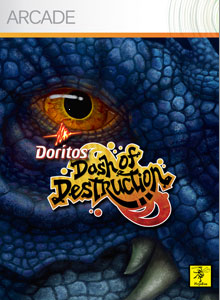
image According to my customer in Plano, Doritos is giving away a free Xbox Live Arcade game.  Basically, it’s called “Dash of Destruction” created by NinjaBee, famed creators of Kingdom of Keflings, Outpost Kaloki, Band of Bugs, and Cloning Clyde. 

Essentially the plot goes like this: 
A Doritos delivery truck is making deliveries and… well… DINOSAURS are coming after it, trying to eat it’s cargo.

Yeah.  I know. 

But hell – you get what you pay for.  All 60MB of it.  And if you recall, Burger King was immensely successful with their Xbox/Xbox360 promo game campaign.  Remember, “Sneak King”?  “Big Bumpin’”?

So who knows?  I haven’t tried it yet but it might actually be fun!

Add this to your Xbox 360 download queue

Digg This

UPDATE 12/18/2008:
I just got a note that the original link for this didn’t work.  I’ve updated the registration link below to point to the right web site at http://co1piltwb.partners.extranet.microsoft.com/mcoeredir/mcoeredirect.aspx?linkId=11062521&s1=64f91b0f-009e-5a38-3cf5-2d4cb973e070.

—————
ORIGINAL POST:
Are you interested in learning Microsoft’s Virtualization technologies… for free?

image Prepare for Exam 70-652 for Free (US$159.99 value)
This collection of five 2-hour online courses helps you develop the skills necessary for implementing and managing Hyper-V in an IT environment, as well as, creating and managing virtual machines and hosts in a virtual environment.

The courses within the collection include the following topics:

  • An overview of the Hyper-V technology
  • Creating a virtual environment
  • Deploying systems in a virtual environment
  • Configuring high availability in a virtual environment
  • Administering a virtual environment with SCVMM

This collection helps you prepare for exam 70-652 TS: Windows Server Virtualization, Configuring
This collection requires that students meet the following prerequisites:

  • At least a year and a half of experience working in Windows Server 2003 or Windows Server 2008 environments as system administrators
  • Familiarity with virtualization products and technologies

The package includes all the content from the following 5 online virtualization training courses:

How to register for free:

  1. Go to the following site:
    Collection 6319: Configuring Hyper-V in Windows Server 2008
    http://co1piltwb.partners.extranet.microsoft.com/mcoeredir/mcoeredirect.aspx?linkId=11062521&s1=64f91b0f-009e-5a38-3cf5-2d4cb973e070
  2. Register using the following promo code:
    9350-Y2W6-3676
  3. The course may be revisited for a period of 18 months after registration.
Digg This

Posted by: kurtsh | December 17, 2008

DOWNLOAD: Branding Sharepoint Server 2007

image I’ve gotten a lot of questions about how customers are interested in rebranding and res-kinning the Sharepoint Server 2007 user interface to either be “prettier” or simply align with their corporate policies around “look and feel”.  This topic comes up enough that it’s probably worth posting something about.

First of all, I’ve got a Powerpoint which goes over most of the considerations of rebranding a site for personal taste or corporate policies.  Click below to download this 4.0MB Acrobat file.

http://cid-00da410c7f7e038d.skydrive.live.com/embedrow.aspx/ProductMaterial/Sharepoint/2007/BrandingSharePoint.zip

There are additionally a ton of resources to go to for more information on how to accomplish this task of “rebranding” a Sharepoint site.  If this is a topic that’s interesting to you, I would highly recommend attending the Microsoft Sharepoint Conference that is usually a week long and usually takes place annually in Redmond, WA.  Watch http://www.mssharepointconference.com/ for details on the next event.

Here are some of the resources out there around ‘branding’ in the meantime:

Tools

Office Online

Samples

MSDN

Videos

WebCasts

Expert Resources:
Heather Solomon, Microsoft MVP, Expert in SharePoint branding & design techniques

Digg This

image Alright – with the exception of Windows Live Sync and Live Mesh, I don’t really care as much about the other Windows Live family members outside of Windows Live Writer.

I’m currently using the latest build – and the last from what I understand before we release it as supportable. 

I was looking at the blog for Windows Live Writer and I guess we intend on calling it “Windows Live Writer 2009”.  Apparently, the list of newly added capabilities into this Release Candidate build include:

  • “Instant photo” border treatment
  • Insert multiple photos
  • Insert and upload Windows Live photo albums
  • Insert and publish video to YouTube
  • Spell checking in: Arabic, Basque, Bulgarian, Catalan, Croatian, Czech, English (Australia), Estonian, Greek, Hebrew, Hungarian, Indonesian, Latvian, Lithuanian, Malay, Polish, Romanian, Russian, Slovak, Slovenian, Turkish, and Ukrainian
  • Server-side tagging (support coming soon to WordPress.com and BlogEngine.NET)
  • Type-down filtering in the Open dialog
  • Improved blog account setup
  • Windows Live Spaces inline preview support
  • Support for bidirectional languages
  • Updated look and feel


    image But what’s more interesting to me are the new Plug Ins – namely the Twitter plug in and the Digg plug in. 

    The Twitter Plug In for Windows Live Writer enables you to immediately post a notification about your new blog entry to your Twitter account.  It’s not very sophisticated but it’s amazingly easy to use and very convenient.  I myself was kind of wondering about the usefulness of Twitter beyond social events and “friend communities” but this might actually be something to prove me wrong.
    http://gallery.live.com/liveItemDetail.aspx?li=e5556096-52c7-4d95-9e6d-9ca0d5f65ce1&pl=8&bt=9

    The Digg Plug In for Windows Live Writer is something that I hadn’t thought of because I don’t care about the “popularity” of this blog.  The plug in makes it possible for people that read interesting things on your blog to “digg it up” and raise it’s profile on the famous “Digg.com” web site.
    http://gallery.live.com/liveItemDetail.aspx?li=4c89ead0-4478-4248-86d6-bb5fa882ee55&pl=8&bt=9

    (There’s also a Flickr plug in as well, but I could care less about Flickr since Spaces supports photo uploads and galleries just like Flickr through Windows Live Photo Albums, which Windows Live Writer natively supports.)

    Digg This

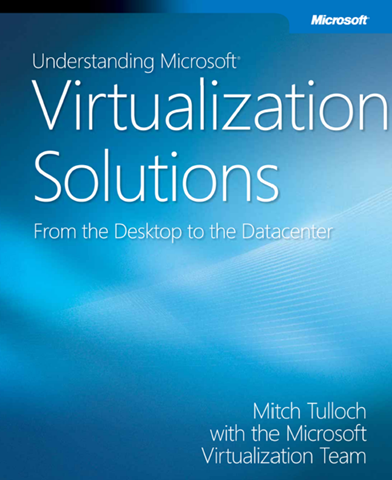
  • imageMitch Tullock provides a thorough look at the capabilities, features, and operations of Microsoft virtualization technologies from the desktop to the datacenter, and how to plan, implement, and manage virtual infrastructure solutions.

    This is a 417 page Microsoft Press book and a 14.4MB PDF download.  It covers everything soup to nuts, from:

    • An overview of the differing types of virtualization
    • Server Virtualization & Hyper-V in depth
    • Server Virtualization Management & Virtual Machine Manager 2008
    • Application Virtualization & App-V
    • Presentation Virtualization & Terminal Services from Windows Server 2008
    • Desktop Virtualization & the differences between Enterprise Desktop Virtualization & VDI
    • User State Virtualization
    • Designing & Planning a Virtualization Infrastructure

    Be sure to grab it while you can!

    DOWNLOAD:
    https://www.getvirtualnow.com/usevents/education/download/693371eBook.pdf

    Digg This

    clip_image002Next Generation Enterprise Web Solutions – Lunch Seminar
    PHP Application Platform on Windows Server 2008 and Microsoft Office SharePoint Server (MOSS) 2007 for the Internet
    Join Microsoft for lunch and learn how to leverage next generation enterprise web solutions like Microsoft Office SharePoint Server 2007 for the Internet and PHP Application Platform for Windows in your organization.

    Featured Speaker
    Peter Meister, Group Product Manager – NextWeb
    Windows Server Division (Microsoft HQ – Redmond, WA) 

    Agenda (Lunch included)

    • Introduction – Welcome
    • MOSS 2007 for the Internet
    • Windows Server 2008 PHP Solutions and PHP Application Platform
    • ASK THE EXPERTS Panel Discussion

    Session Overview – MOSS 2007 for the Internet
    The services and capabilities built into SharePoint Server 2007 provides a scalable and extensible platform for external-facing web applications.  The discussion will include an overview of these capabilities and the appropriate workloads and scenarios for external-facing MOSS, as well as a discussion on real-world implementations of SharePoint for Internet Sites.

    Session Overview – Windows Server 2008 PHP Solutions and PHP Application Platform
    Microsoft’s flagship server released this year takes Web Services to a new level of enterprise performance, scalability and dependability. With the addition of PHP support, rich centralized management and great database integration – Windows Server 2008 is a great solution for your web services and application platform needs.

    Date/Time/Location:
    January 13, 2009 – 11:45am – 4:00pm
    Microsoft Irvine
    3 Park Plaza Suite 1600, Irvine, CA 92614
    949.263.3000

    Registration:
    This event is invite only.  If you are customer of mine, please contact me for details on how to get registered.

    Digg This

    Interesting article for Infoworld, written back in April of 2008.

    <taken from an Infoworld article>

    Microsoft designing application virtualization on server
    The technology will let apps get centrally managed on a server and then streamed to desktops, devices, or shared PCs, and can also deliver upgrades on demand

    Microsoft is working on application virtualization technology for the server that is designed to provide administrators the flexibility to quickly deploy infrastructure and even stream applications on-demand.

    The capabilities would be similar to the application virtualization capabilities available in the client side via Microsoft Application Virtualization (formerly SoftGrid).  

    SoftGrid, which Microsoft acquired when it bought Softricity in May 2006, lets users package applications into "containers," store them on a server where they can be centrally managed, and then stream those containers to desktops, devices or shared PCs. It also can be used for on-demand delivery of patches and upgrades.

    The benefit is that each application has a properly configured operating environment tailored to its needs. It also ensures applications don’t interfere with each other, such as running different versions of Office on the same desktop.

    "We are working to move server applications into stateless environments so applications don’t need to go through the install process; they can be copied on top of the operating system," said Microsoft senior vice president Bob Muglia in his keynote address at the company’s annual Microsoft Management Summit.

    The effort is part of Microsoft’s expanding virtualization strategy ahead of the shipment of Hyper-V, the server virtualization add-on to Windows Server 2008 expected to ship this summer.

    Microsoft wants to bring application virtualization capabilities to the datacenter so users can quickly roll out infrastructure (middleware and operating systems) and then deliver applications either directly to the server or streamed on-demand when needed.

    Images of applications and infrastructure would be stored in an online library, and deployed dynamically ensuring that the middleware’s configuration is aligned with the needs of the application, but also allowing different versions of server applications to run on the same box.

    LINK:
    http://www.infoworld.com/article/08/04/29/Microsoft-designing-application-virtualization-on-server_1.html

    Around this topic, the Server Application Virtualization team has recently posted a blog entry on their site asking for people to participate in a survey to help them in their planning process.

    Our goal, as a team, is to improve server applications serviceability, reliability, and availability by allowing a consistent deployment experience.  We’ll accomplish this goal by making Server Applications “Xcopy-able” without requiring application code changes, maintain application state separation and thus unifying the deployment and servicing processes.

    Server Application Virtualization will allow customers to rapidly deploy and service Windows Server workloads in a manageable way. Today it may take days or weeks to provision applications in the data center. Decoupling the server application from the operating system affords customers a great deal of flexibility that can be applied in various scenarios to improve operational efficiency. Server Application Virtualization will allow IT departments and businesses act quickly and efficiently to the demands of their customers.  The Server App-V technology will be able to run on bare metal or inside a virtual machine.

    The Server App-V Engineering team needs your help!  We need additional customer data to help us with our planning process to help ensure our next generation application virtualization software aligns with our customers’ business requirements and scenarios.

    We would appreciate it if you could take 1 – 2 minutes to complete the survey below.  Please include your contact information if you wish to be contacted and included in further discussions to help us shape the Server App-V product!”

    LINK:
    http://blogs.technet.com/softgrid/archive/2008/12/17/server-application-virtualization-product-team-needs-your-help.aspx

    Digg This

    image Use Kinoma FreePlay, the world’s first mobile media browser, to find and play video, audio, and pictures on your mobile phone, home PC, or favorite sites (including YouTube and Flickr).

    Without Kinoma FreePlay, your smartphone is just a phone. With Kinoma FreePlay, it’s a mobile media powerhouse. Kinoma FreePlay is the world’s first mobile media browser—it’s everything you need to find and play video, audio, and pictures, whether the media is on your phone, on your home PC, or on your favorite web sites.

    • Video
      Search, play and share YouTube video. Watch movies and TV, catch breaking news, and view hundreds of webcams and traffic-cams.

    • Audio
      Bring your music with you on your phone or stream it from home. Instantly access tens of thousands of great podcasts, streaming radio stations, and audiobooks.

    • Pictures
      Browse, search, and view your own photos, or photos from Flickr or other sites. Even create and play slideshows, complete with music.

    • Kinoma Guide
      Browse or search this constantly updated, always fresh guide to the best mobile-ready content, with no monthly subscription fees.

    DOWNLOAD:
    http://www.microsoft.com/windowsmobile/en-us/totalaccess/software/software/kinoma.mspx

    clip_image002
    Next Generation Enterprise Web Solutions
    Lunch Seminar

    PHP Application Platform on Windows Server 2008 and Microsoft Office SharePoint Server (MOSS) 2007 for the Internet
    Join Microsoft for lunch and learn how to leverage next generation enterprise web solutions like Microsoft Office SharePoint Server 2007 for the Internet and PHP Application Platform for Windows in your organization.

    Featured Speaker
    Peter Meister, Group Product Manager – NextWeb
    Windows Server Division (Microsoft HQ – Redmond, WA) 

    Agenda (Lunch included)

    • Introduction – Welcome
    • MOSS 2007 for the Internet
    • Windows Server 2008 PHP Solutions and PHP Application Platform
    • ASK THE EXPERTS Panel Discussion

    Overview

    • Session Overview – MOSS 2007 for the Internet
      The services and capabilities built into SharePoint Server 2007 provides a scalable and extensible platform for external-facing web applications.  The discussion will include an overview of these capabilities and the appropriate workloads and scenarios for external-facing MOSS, as well as a discussion on real-world implementations of SharePoint for Internet Sites.
    • Session Overview – Windows Server 2008 PHP Solutions and PHP Application Platform
      Microsoft’s flagship server released this year takes Web Services to a new level of enterprise performance, scalability and dependability. With the addition of PHP support, rich centralized management and great database integration – Windows Server 2008 is a great solution for your web services and application platform needs.

    Date/Time:

    • January 12, 2009
      11:45am – 4:00pm
      Microsoft Phoenix
      2929 N. Central Ave.
      Suite 1400
      Phoenix, AZ 85012
      602.280.8600
    • January 13, 2009
      11:45am – 4:00pm
      Microsoft Irvine
      3 Park Plaza
      Suite 1600
      Irvine, CA 92614
      949.263.3000

    Registration:
    This event is restricted to my customers.  If you are a direct customer of mine, please contact me for online registration information.  Attendance is limited so please contact me ASAP.

    WOW!  After all the bashing and criticism, Peter Molyneux and his team at Lionhead Studios has done it.  They won a Game of the Year award from a respected publisher of game reviews.  G4TV’s X-Play does year round reviews of games published for both PC and console and gave the highly coveted “game of the year” honors to “Fable 2”.

    1UP News: http://www.1up.com/do/newsStory?cId=3171749

    Peter Molyneux, the acclaimed creator of Populous, Black & White, and the original Fable, was widely criticized for his original overhype of the original “Fable” for the first Xbox.  With Fable 2 however, it’s clear that he’s redeemed himself in the eyes of the gaming community and recaptured his crown as one of the most visionary designers of video games of our time… and the “Game of the Year” title reflects this respect.

    Winning the award over:

    • Fallout 3
    • Grand Theft Auto 4
    • Metal Gear Solid 4
    • Left 4 Dead
    • Resistance 2
    • Gears of War 2

    … it’s clear that Peter & Lionhead Studios have accomplished something truly remarkable.  Here’s a video of Peter Molyneux himself accepting the award from G4TV’s Morgan Webb and Adam Sessler:

    http://www.g4tv.com/lv3/35425

    « Newer Posts - Older Posts »

    Categories