image Are you a developer?  Are you interested in tools that root out security vulnerabilities in your software?

We have two tools that we use within Microsoft to help ensure that our applications are secure:  CAT.NET and Anti-XSS.  One scans managed code by installing itself as a Visual Studio plug-in.  The other focuses on protecting ASP.NET from cross-site scripting issues.

DOWNLOAD:

  • Download CAT.NET CTP (32 bit here and 64 bit here)
  • Download Anti-XSS 3.0 Beta (here and source code here)


    MORE INFORMATION:

    Digg This

  • clip_image001[4]

    "FastForward is the best ‘user-conference’ I have ever experienced. Given the quality of the speakers and content and the thought-leadership of your executives and clients, the event amounts to a meeting of the best minds in search and content technologies."
    – Krista Thomas, VP Marketing and Communications, Thomson Reuters

    Join the discussion at FASTforward’09, February 9 – 11 in Las Vegas, to see how businesses are responding — and evolving — in the face of rapid technological change and the growing demands for user control. As The User Revolution continues, we examine search’s critical role in helping companies engage their users.

    The rising tide of user empowerment has become a revolution that continues to fuel fundamental change in the way business are conducted. At FASTforward’09 — the industry’s largest business and technology conference dedicated to search-driven innovation — you’ll see how search can engage your users in unique experiences to help them find and assimilate vast amount of information to deliver new value to your organization.

    Microsoft is proud to present new and information-packed keynotes, business and technology sessions, breakout sessions, and workshops — led by search and industry experts — to advance your knowledge and give you valuable insight into how others are using search to create unique and engaging experiences that drive revenues externally, and empowerment internally. Check out the following breakout session tracks:

    • Search-driven Monetization
    • User-driven Innovation Powered by Search
    • FAST Technology
    • SharePoint Technology
    • Partner Solutions

    Whether you are a business or technical professional who is using search today or seriously considering the technology, don’t miss this opportunity to hear from the experts and join your peers in a forum that will expand your knowledge and show you how to apply the search strategies and innovations that are fueling the next stage of the User Revolution.

    Register for FASTforward’09 by January 9th and save $400 off the regular conference price of $1,695. Visit www.fastforward09.com

    clip_image001[14]

    clip_image001[16]

    clip_image001[18]

    clip_image001[20]

    clip_image001[22]

    clip_image001[24]

    Don Tapscott
    Chairman, nGenera Innovation Network

    Clay Shirky
    Author, Consultant, Professor

    Charlene Li
    Independent Analyst on Emerging Technologies, Author

    John M. Lervik
    Chief Executive Officer, FAST and Corporate Vice President, Enterprise Search Group, Microsoft

    Bjørn Olstad, Ph.D
    CTO, FAST and Microsoft Distinguished Engineer

    Daniel W. Rasmus
    Director, Information Work Vision, Microsoft

    Do you want to lower IT operation costs for your business?

    Introducing the “Simple to Save” cost saving analysis calculator – a tool written by Alinean which provides a personalized analysis of your IT infrastructure and platform to identify cost savings opportunities for your organization.

    The tool generates a report with specific project recommendations that can be implemented to generate high-impact costs savings with minimal investment.

    VIDEO TRAINING:
    http://www.microsoftio.com/content/simpletosave/ama0310.wmv

    WHITEPAPER:
    http://www.alinean.com/articles/CostCutHero.asp

    WEB SITE: 
    http://www.microsoft.com/optimization/tools/overview.mspx

    BEGIN:
    http://roianalyst.alinean.com/msft/AutoLogin.do?d=823813431289153339
    https://roianalyst.alinean.com/microsoft/simpletosave/


    image

    Digg This

    Have you ever had Outlook 2007 lockup on you? 
    Did you believe that it had something to do with the inability to connect to Exchange?

    It turns out that you can force a reconnection to the Exchange Servers in your company when it locks up. The feature is buried in the bowels of Outlook however:

    1) Press simultaneously Ctrl  + Right Click on the Outlook icon on the Windows system tray multiple times until you get the Outlook “special” menu.

    clip_image001

    2) On the special menu, click on “Connection status …”.
    You get a modeless dialog box that shows the connection status, plus a Reconnect button that can be used to unlock Outlook whenever it gets completely unresponsive.

    image

    A coworker tells me that you should review the numbers in the Requests/Failures column.  Notice the high number of “Fail”. On average, the percentage of failures is > 50% when the system is working

    This hidden tool is fantastic in understanding why Outlook has gone unresponsive on you.  At least now you can tell if it’s a directory issue, something having to do with public folders or simply your mail store.

    (Thanks to Eugene Siu for the original post)

    Digg This

    Posted by: kurtsh | December 21, 2008

    DOWNLOAD: Windows Search Indexer Gadget v1.2

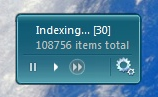
    image Interesting… “Brandon” updated his Windows Search Indexer Gadget in October.  Since there’s no “check for new versions” capability in his gadget, I didn’t know that he’d revised in a couple months ago on 10/5/2008 to version 1.2.

    This is one of the most useful gadgets I’ve had in a while because it provides visibility into what the Windows Search indexing engine is doing, and equally important, it provides the ability to CONTROL or THROTTLE the CPU resource usage of the indexing engine.

    You can STOP the engine from the Vista Sidebar, START the engine up again at it’s normal speed, or you can throw it into overdrive by setting the priority of the service to high, disabling the ‘back off’ functionality of the indexer to complete indexing quicker, and restarting the service.  Great for… say if you have to reindex your whole Outlook mail store again and you have 6GB of mail to do.

    Don’t ask.

    DOWNLOAD:
    http://brandontools.com/files/folders/sidebar_gadgets/entry511.aspx

    Digg This

    image Currently the following courses are available to Technet Plus Subscribers:

    Course 6690: Exploring the Fundamentals of Network Infrastructure in Windows Server 2008
    This 2-hour online course is a part of the eLearning Collection 6420: Fundamentals of a Windows Server 2008 Network Infrastructure and Application Platform. It provides you with an overview of network infrastructure in Windows Server 2008. Topics covered in the course include:

    • A conceptual introduction to the physical network infrastructure
    • Introduction to the organization of logical networks
    • Introduction to Active Directory
    • Introduction to server roles and features

    Course 6694: Fundamentals of Administering Windows Server 2008
    This 2-hour online course is a part of the eLearning Collection 6420: Fundamentals of a Windows Server 2008 Network Infrastructure and Application Platform. It provides you with the knowledge and skills required to administer Windows Server 2008. Topics covered in the course include:

    • Introduction to administrative tools in Windows Server 2008
    • Introduction to performance monitoring tools in Windows Server 2008
    • Procedures to perform server administration

    Course 6698: Fundamentals of Implementing Network Load Balancing and Virtualization
    This 2-hour online course is a part of the eLearning Collection 6420: Fundamentals of a Windows Server 2008 Network Infrastructure and Application Platform. It provides you with the knowledge and skills required to implement network load balancing and virtualization in Windows Server 2008. Topics covered in the course include:

    • Various methods to implement server scalability and availability
    • Implementation of Windows network load balancing
    • Introduction to server virtualization
    • Implementation of server virtualization
    • The courses above are all part of a Microsoft E-Learning course collection designed to help you build your knowledge to design, deploy & secure your environment.

    Individuals with Microsoft Technet Plus Subscriptions may access these courses at:
    http://technet.microsoft.com/subscriptions/manage

    Digg This

    Posted by: kurtsh | December 20, 2008

    RELEASE: SQL Server 2005 Service Pack 3 releases!

    image Service Pack 3 for Microsoft SQL Server 2005 is now available. SQL Server 2005 service packs are cumulative, and this service pack upgrades all service levels of SQL Server 2005 to SP3. You can use these packages to upgrade any of the following SQL Server 2005 editions:

    • Enterprise
    • Enterprise Evaluation
    • Developer
    • Standard
    • Workgroup

    Microsoft SQL Server Service pack 3 (SP3) can be downloaded at :
    http://www.microsoft.com/downloads/details.aspx?FamilyID=ae7387c3-348c-4faa-8ae5-949fdfbe59c4&displaylang=en

    List of the bugs that are fixed in SQL Server 2005 Service Pack 3
    http://support.microsoft.com/?kbid=955706

    Note: To upgrade SQL Server 2005 Express Edition, obtain the SP3 version of Express Edition or Express Edition with Advanced Services.
    For a list of new features and improvements that are included in SQL Server 2005 SP3, review the What’s New document.

    Support lifecycle for SQL Server 2005 :
    http://support.microsoft.com/lifecycle/?p1=2855

    Digg This

    <blatently ripped from the DPM blog>image
    Storage Solutions is very excited to announce the release of Service Pack 1 for DPM 2007.

    Service Pack 1 for Microsoft System Center Data Protection Manager (DPM) 2007 provides continuous data protection for Windows application and file servers using seamlessly integrated disk and tape media and includes the following expanded capabilities:

    • Protection of Hyper-V™ virtualization platforms, including both Windows Server 2008 Hyper-V and the Microsoft Hyper-V Server, has been added to the existing set of protected workloads, building on the virtualization protection originally delivered for Virtual Server 2005.
    • Enhanced SQL Server 2008 protection, including the addition of new protection capabilities for mirrored databases, support for parallel backups of databases within a single instance, and the ability to move data from SQL Server 2005 to SQL Server 2008 for migration scenarios.
    • Microsoft Office SharePoint Server 2007 and Windows SharePoint Services 3.0 receive index protection, significant catalog optimization, and support for mirrored content databases.
    • Added protection for Exchange Server 2007 Standby Cluster Replication (SCR), enabling a complete disaster recovery solution that leverages SCR failover alongside DPM point-in-time restores.

    In addition to enhancing the protection of each of the core Microsoft application workloads, additional capabilities have also been introduced with the release of DPM 2007 SP1, such as:

    • Local Data Source Protection enabling the DPM 2007 SP1 server to act as a branch office server offering self-protecting File Services and Virtualization hosting within one platform.
    • Cross-Forest Protection allowing large enterprise customers with multiple Active Directory® forests to now have even more flexibility in their DPM deployments.
    • Provision for a Client DPML answers customer demand for a more cost-effective way to protect Windows XP and Windows Vista clients using the same DPM 2007 infrastructure that protects their servers
    • Disaster Recovery capabilities within DPM 2007 SP1 now include the ability to leverage a third-party vaulting partner via the cloud (SaaS)

    All of this new functionality builds on the features released in the DPM 2007 ‘Rollup Update’ in June 2008, which provided protection of Windows Server 2008, including Windows Server 2008, Windows Server 2008 core, Windows Server 2008 System State and BitLocker™ support – as well as new tape media capabilities around tape sharing and media library sharing. 

    Between ‘Rollup Update’ and Service Pack 1, most of the core features of DPM 2007 have seen incremental capabilities or workload advancements which promises to keep Data Protection Manager on a trajectory toward improving how Microsoft customers protect and recover their Windows application and file servers with the Microsoft backup and recovery solution.

    Digg This

    <stolen from the IAG product team blog –
    http://blogs.technet.com/edgeaccessblog/archive/2008/12/19/intelligent-application-gateway-2007-service-pack-2-is-now-available.aspx… I made an edit though.  See the items in GREEN.>

    We are happy to announce the availability of IAG SP2.

    Marking a significant milestone for our product, Service Pack 2 brings with it a variety of enhancements that improve overall IAG scalability, interoperability, and functionality.

    Alongside these benefits, IAG SP2 has the ability to run as a virtual machine on Hyper-V, achieving low TCO, deployment flexibility, and a simplified solution for disaster recovery. For the first time ever, customers are able to download a fully functional, trial version of the IAG that can be used in their production environment without ordering an evaluation hardware.

    IAG product team wish you and your family happy holidays
    (we are sure that you will use all this free time to install and evaluate SP2!)

    IAG Team celebrates SP2 release

    Digg This

    There are active threats floating around out there on web sites right now.  It’s so important that we’ve released this patch out-of-band, i.e. we didn’t wait until the next “patch Tuesday”.

    Please strongly consider deploying this patch to your users.  Seriously.  No joke.

    Microsoft Security Bulletin MS08-078 – Critical
    Security Update for Internet Explorer (960714)

    This security update resolves a publicly disclosed vulnerability. The vulnerability could allow remote code execution if a user views a specially crafted Web page using Internet Explorer. Users whose accounts are configured to have fewer user rights on the system could be less impacted than users who operate with administrative user rights.

    This security update is rated Critical for Internet Explorer 5.01, Internet Explorer 6, Internet Explorer 6 Service Pack 1, and Internet Explorer 7. For information about Internet Explorer 8 Beta 2, please see the section, Frequently Asked Questions (FAQ) Related to This Security Update. For more information, see the subsection, Affected and Non-Affected Software, in this section.

    The security update addresses the vulnerability by modifying the way Internet Explorer validates data binding parameters and handles the error resulting in the exploitable condition. For more information about the vulnerability, see the Frequently Asked Questions (FAQ) subsection under the next section, Vulnerability Information.

    This security update also addresses the vulnerability first described in Microsoft Security Advisory 961051.

    Recommendation. Microsoft recommends that customers apply the update immediately.

    http://www.microsoft.com/technet/security/bulletin/ms08-078.mspx

    « Newer Posts - Older Posts »

    Categories