image Do you blog?

Do you use Windows Live Writer? 

Did you install the Twitter Notify Plug-in? 

Does it annoy you that you have to use TinyURL.com as your shortener?

  • GOOD NEWS: 
    Turns out some guys out there figured out how to use OTHER shortening services.
  • BAD NEWS: 
    It requires hacking the registry, which for most technophobic bloggers is akin to an unnatural act.
  • GOOD NEWS: 
    Someone wrote a tool to make the registry edit an automated process i.e. safe too.

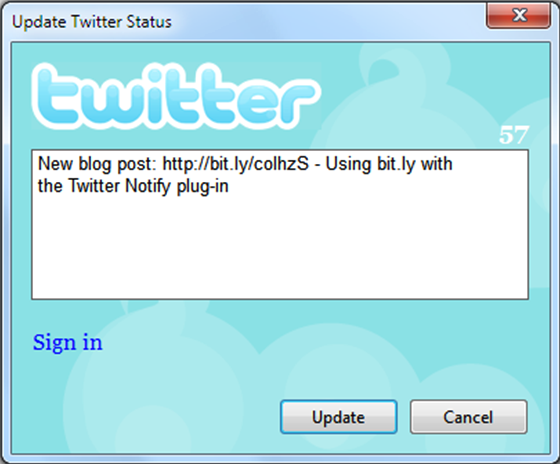
In fact, this post will be the first attempt for me to use this new Bit.ly mod:

(Epilogue:  SICKNESS!  It worked on the first try!  Me = Happy!)

The Microsoft Museum, a place that used to exist in Building 27 on our campus, was for all intents and purposes moved over to the Microsoft Visitor Center in the new Building 92.

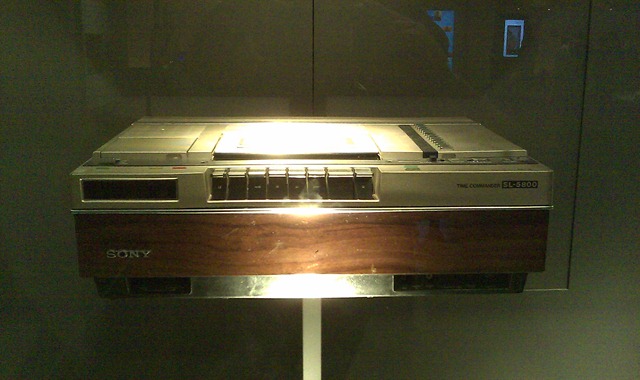
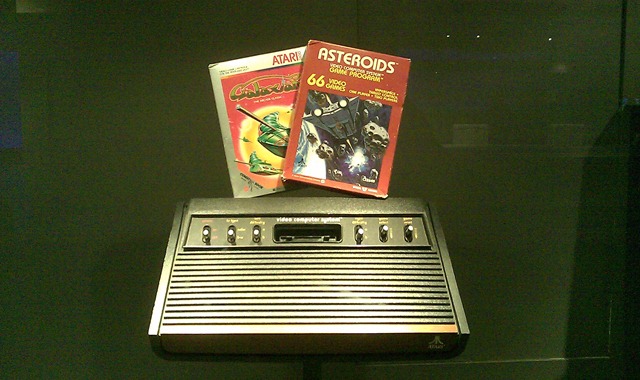
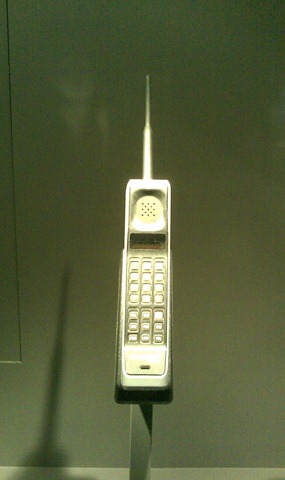
Carried over were several interesting artifacts from the history of Microsoft and from the golden age of computers that I was able to take photos of using my HTC Touch Pro 2 camera phone.  Here’s just a quick sample of some of the things on display:

IMAG0436“The MITS Altair Personal Computer”
This was the fabled computer that Bill Gates & Paul Allen created BASIC for.  A kit computer that was produced and manufactured out of Albuquerque, NM, The Altair was a monstrosity that brought out the true geek in everyone at the time, giving rise to computer clubs and software companies like “MicroSoft”.

I recall Paul Allen & Bill Gates recounting the day that Paul had flown to Albuquerque to demonstrate their version of BASIC which had to be hand entered into the Altair slowly and painstakingly using switches.  Paul was on the phone will Bill during it’s first run through and Bill asked him, “What’s going on?”  and Paul responded, “It’s doing something!”  An it started to do arithmetic. 

Yup.  In case you missed that, their BASIC ran and executed perfectly on it’s first run through.  Awesome.

“Technology from the past”
Here some other classics that you can find on display at the Microsoft Visitors Center:

IMAG0435
IMAG0434IMAG0432IMAG0433

There’s actually quite a bit on display but these are the items that I couldn’t help but take a photo of for posterity.  It’s interesting how the center is designed to take you past the historical areas before you hit the areas focusing on Windows “today” sections, Xbox, Windows Phone, Bing, Surface, etc.

IMAG0456 - Copy I’ve been with Microsoft for 14 1/2 years. 

THE DAWN OF 32-BIT
When I joined in late 1995, Microsoft was still in the buzz of releasing Windows 95, our first truly 32-bit consumer operating system, transitioning the industry from DOS-based computing. 

Windows NT experience & certification was very uncommon (the reason I was hired) and we had just released “Daytona”, Windows NT Server 3.5 which was for all intents and purposes the dawn of the CAL model of licensing that we have today.

THE CLASS OF ‘95
There were about 19,000 employees at the time worldwide and it was fairly rare to find someone at the company for longer 3-4 years if you were in sales.  If you’d been at the company for longer than that, it meant you’d persisted past the great stock drought of the early 90’s, a period between 92-94 where MSFT stock was essentially flat, similar to what we’ve sustained recently. 

Individuals that had been around since before then had witnessed a few very relevant stock splits back in 1991 that likely made them multi-millionaires in the mid-90’s when the stock skyrocketed and people’s stock options grants went galactic.

image THE ‘OLD’ TENURE AWARDS
The awards people used to get granted were as follows:

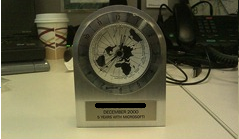
  1. The “5-year” Aluminum Clock
    People were given a clock commemorating their 5th year of employment.  I still have mine sitting on my desk at work.  The batteries have died obviously but it’s a funny reminder of where we’ve come from.
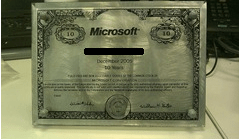
  2. The “10-year” Stock Certificate
    We got 10 shares of Microsoft stock and a glass award commemorating the grant.  With the stock hoving around $25 these days, it’s not worth much so I keep mine for  image posterity.  This was the first award I was really excited about.  I never imagined I’d be here 10 years later.
  3. The “15-year” Sabbatical
    This was the first award that I was kinda upset about because it used to be that every Microsoftie, after 15 years, got a ‘rest’ or a sabbatical of I think a couple months.  Since then, they’ve recinded this policy and I think only managers at a certain level are granted a sabbatical.  Sob.

Back then, I wasn’t aware of anyone that had been with the company for 20 years or more other than ‘founding fathers’.

THE ‘NEW’ TENURE AWARDS
So over the last few years, they re-standardized the awards we employees get.  The photo in this post shows what the awards look like now.  I think they look pretty cool and I’m actually a bit excited about getting my big-assed “orange crystal” for 15 years!  (Assuming I make it halfway through FY11, God willing.) 

I’ve known a few cynical, ungrateful, mightier-than-thou types here at Microsoft that have made some not-so-nice comments about the awards but personally, I think that at the very least, it’s a really beautiful piece of art symbolic of a wonderful career thus far.  And who knows – as an engineer, maybe I can turn it into a cool laser!

Obviously these crystal awards get larger and heavier as more tenure is accrued.  It was recently advertised that our CEO/President Steve Ballmer, at our latest Worldwide Sales meeting was awarded by our COO Kevin Turner, a monstrous, one-of-a-kind 30-YEAR CRYSTAL.
Much lore revolves around Microsoft’s past.  For those that have never been to our corporate location in Redmond, WA, Microsoft’s campus has a place called “Building 92”, also known as “The Commons” where we house a variety of fun things like our company store, more than a dozen restaurants, our company library, cellular carrier outlets for all 4 major phone vendors, a bike shop, etc.

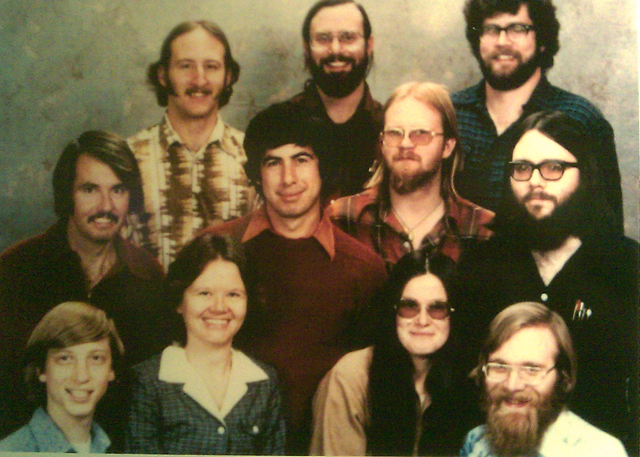
“THE FOUNDER PHOTOS”
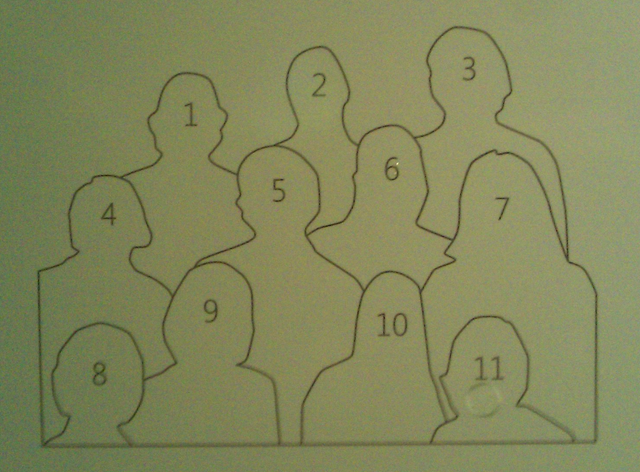
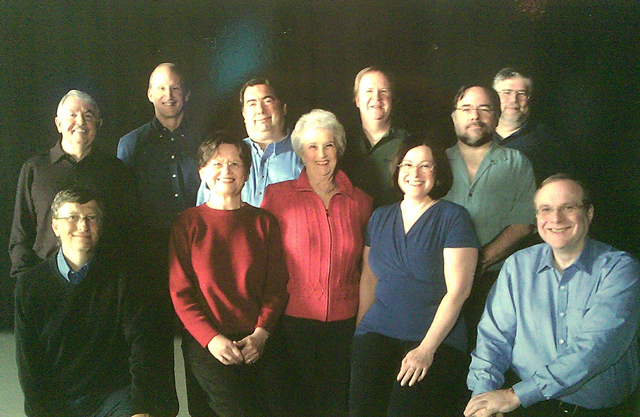
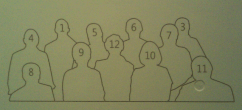
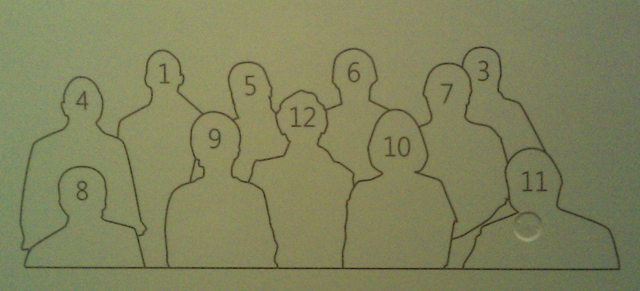
One of the things they have there is the Visitor Center, which is sort of like what used to be the Microsoft Museum.  It’s one of my favorite places because they have so many old memories of the computing industry from the past that has shaped our present today.  A classic is a photo they have on display of the early employees or “founders’ of Microsoft – the one everyone is familiar with.  What’s special however about the display however is that they did two things:

  • They identified all the people pictured in the photo.

image image

image

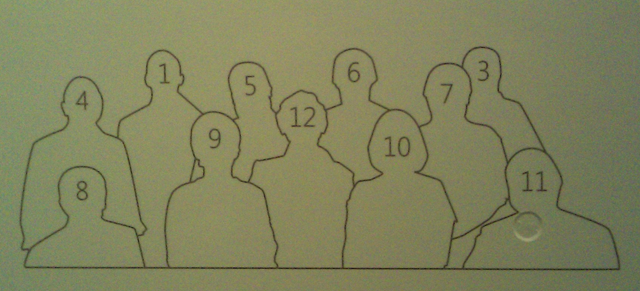
  • They took another photo of what they look like today.

image image

image

For those paying attention, you’ll notice two differences in the photos from “then” & “now”.

  1. Bob Wallace is missing from the ‘now’ photo.
    Sadly, Bob passed away in 2002.  Employee #9 at Microsoft, Bob was known for having engineering a solution for printing software manuals from the fledgling Microsoft back in the day.  He was a leader of the Shareware movement of the era and went on to create the highly popular PC-Write word processing software.  (God – I remember that program so fondly as being on every Shareware floppy in the known universe.)
    Bob Wallace, 53, Software Pioneer, Dies:
    http://www.nytimes.com/2002/09/26/business/bob-wallace-53-software-pioneer-dies.html?sec=&spon=
  2. Miriam Lubow was not in the original ‘then’ photo.
    Who is Miriam Lubow you may ask?  Microsofties remember her as the original matriarch of Microsoft.  In a company of geeks, she kept the company operational with her common sense, for example, making sure Bill remembered to eat and wear a clean change of clothes to business meetings.  Miriam sadly passed away soon after this photo was taken in 2008.
    Miriam Lubow: 1935-2008: Microsoft loses the ‘Mama’ of its early years
    http://www.seattlepi.com/business/373123_lubowobit01.html

There’s also a cutout with ‘the founder’s’ signatures on it:

IMAG0437

I have quite a few photos from my last trip so I think I’ll post a few more things about our campus that I think people would be interested in reading about.

image Microsoft Hohm is a free online application that helps you save energy and money. With Hohm you can better understand your home energy usage, get recommendations to help conserve energy and start saving. As with any recommendation product, Microsoft Hohm will provide increasingly more accurate and relevant suggestions for energy conservation as our users contribute home energy input and feedback. One of the objectives during our beta period is to refine our tool and further increase the value our product can offer to you.

Hohm uses advanced analytics licensed from Lawrence Berkeley Labs and the Department of Energy, to give you personalized energy saving recommendations. These recommendations are tailored based on your specific household circumstances including home attributes and use of appliances and systems. You will also be able to compare your energy usage with that of others in your area. In this beta version, the Microsoft Hohm team will learn from its users and communities and will make improvements to the site and analytics.

image This is pretty insane.  It’s a 70Gpixel shot of Budapest using a combination of Silverlight, Microsoft Deep Zoom, and Windows Azure, Microsoft’ cloud computing offering.

Panoramic photography is the new buzz, getting worldwide recognition as we speak. Audiences love its immersiveness—the way it transports you into places never visited or inaccessible by any means other than your computer screen Gigapixel photographs are capable of displaying environments and artwork in unprecedented detail. The gigapixel photographs of two paintings (by Csontváry Kosztka Tivadar and Rippl-Rónai József; courtesy of the Hungarian National Gallery) recently displayed on our website resulted in 10,000 unique page views within a week—such is the magnetism of extreme detail. We are all about promotig this technology locally as well as internationally. We wanted to make a statement—a professionally challenging one with substantial entertainment value to boot. Hence the of making a high definition spherical panorama.

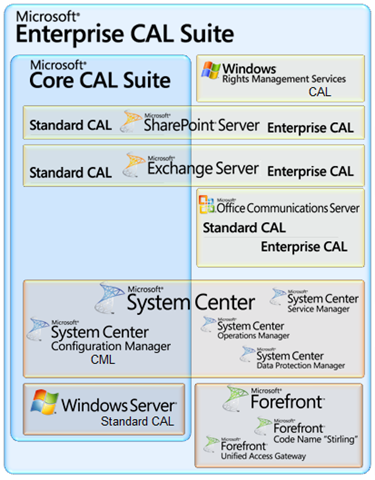
image Microsoft recently introduced the new “Enterprise CAL Suite” for volume licensed businesses, a special per user or per device ‘mega-license’ that permits the usage of a massive number of Microsoft technologies at one extremely attractive cost.

For those of you that are into saving licensing costs for software, this has to be one of the most attractive deals out there for customers looking to consolidate licensing, support, and maintenance under a single umbrella.

The following is a chart that ‘simplifies’ what is available in the Microsoft Enterprise CAL Suite for 2011:

WHY IS THIS SIMPLIFIED?
This is a ‘simplified’ chart because it actually lists two additional “suite” products WITHIN the Enterprise CAL Suite itself.  I repeat:  That’s TWO SUITES, within the SUITE.  These are:

  • System Center Client Management Suite, which contains:
    • Operations Manager for Clients
    • Data Protection Manager for Clients
    • Service Manager
  • Forefront Protection Suite, which contains:
    • Forefront Client Security
    • Forefront Protection for Exchange
    • Forefront Security for Sharepoint
    • Forefront Security for Office Communications
    • Forefront Online Protection for Exchange 2010
    • Forefront Threat Management Gateway Web Protection Service

RESOURCES
For more information about these products, check the following web site:

For a DETAILED view of every license in the Enterprise CAL Suite as well as an explanation of each license’s function, download this 12 page document:

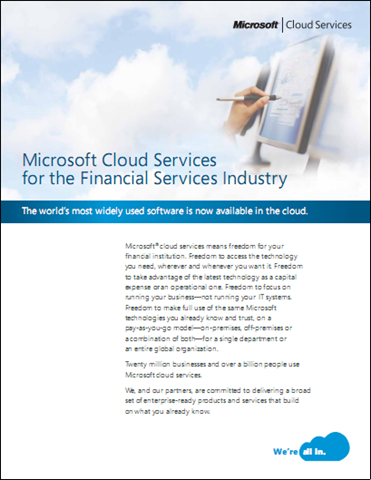
image Microsoft® cloud services means freedom for your financial institution. Freedom to access the technology you need, wherever and whenever you want it. Freedom to take advantage of the latest technology as a capital expense or an operational one. Freedom to focus on running your business—not running your IT systems. Freedom to make full use of the same Microsoft technologies you already know and trust, on a  pay-as-you-go model—on-premises, off-premises or a combination of both—for a single department or an entire global organization.

Twenty million businesses and over a billion people use Microsoft cloud services.

We, and our partners, are committed to delivering a broad set of enterprise-ready products and services that build on what you already know.

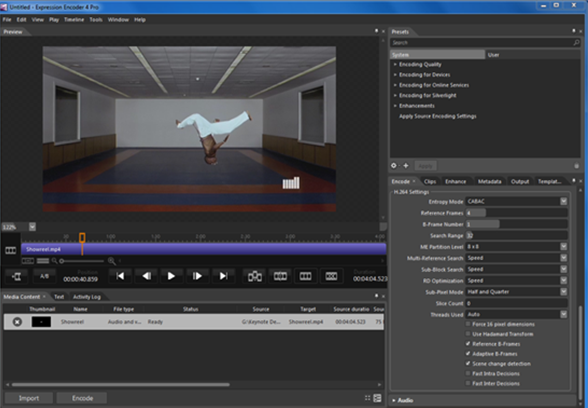
image Earlier this month we announced the availability of Express Studio 4. At that time we made the free version of Expression Encoder 4 available on our website.

Today we are pleased to announce that Expression Encoder 4 Pro is now available for purchase from the Microsoft Store for only $49.95.

If you purchased a retail version of either Expression Encoder 3 with IIS Smooth Streaming or the full-featured Expression Studio SKU, you can upgrade to Expression Encoder 4 Pro for FREE!. Find out how here.

Expression Encoder 4 Pro contains the full feature set of the product and gives you the following additional functionality not available in the free version:

  • H.264/AAC Encoding
  • Additional decoders for input types (MPEG2, MPEG/TS Splitter, Dolby Digital (AC3), MP4 and H.264/AAC)
  • Live IIS Smooth Streaming Support
  • Unlimited Screen Capture
  • Digital Rights Management (PlayReady) Integration

Posted by: kurtsh | July 22, 2010

TRAINING: BizTalk Server 2010 Online Training

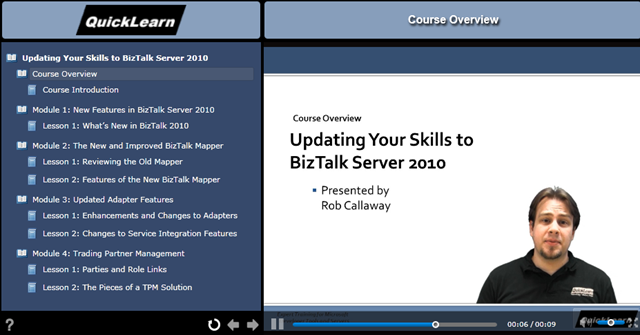
image Our training partner Quicklearn is announcing the availability of new online training on BizTalk Server 2010.

This is a series of self-paced online training courses that include hand-on lab experience and instructor support. It really allows you to take control of your learning experience and choose the pace and time to do it without having to travel.

Starting next month, Quicklearn will be offering diverse online training courses ranging from BizTalk Developer Fundamentals to specific experts topics such as Business Rule Engine (BRE) and Business To Business with EDI.

You can test drive these online training session with the free sample available today:
Updating Your Skill to BizTalk Server 2010.

« Newer Posts - Older Posts »

Categories