Posted by: kurtsh | November 30, 2023

BETA: Microsoft 365 Backup

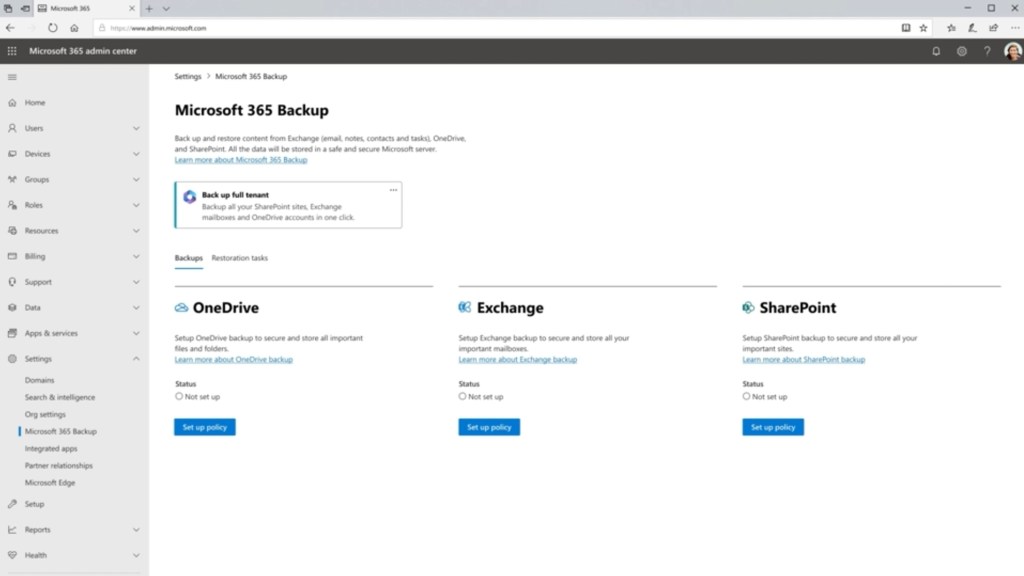
Introducing “Microsoft 365 Backup” for backup/recovery of your OneDrive, SharePoint & Exchange Online data at unprecedented speed with a restore SLA & keeping within the Microsoft 365 security boundary.

✅ Introducing Microsoft 365 Backup
https://techcommunity.microsoft.com/t5/sharepoint-premium-blog/welcome-to-microsoft-inspire-2023-introducing-microsoft-365/ba-p/3874887
✅ Overview of Microsoft 365 Backup (Preview)
https://learn.microsoft.com/en-us/microsoft-365/syntex/backup/backup-overview
✅ Set up Microsoft 365 Backup (Preview)
https://learn.microsoft.com/en-us/microsoft-365/syntex/backup/backup-setup
✅ Microsoft 365 Backup – Adoption
https://adoption.microsoft.com/en-us/microsoft-365-backup/

✅ Pricing
https://learn.microsoft.com/en-us/microsoft-365/syntex/syntex-pay-as-you-go-services

Also, the most recent news from Microsoft Ignite 2023 includea details about the storage “Microsoft 365 Backup” uses & how this integrates with existing backup solutions like Rubrik, Commvault & Veaam.

✅ Microsoft 365 Backup and Microsoft 365 Backup Storage at Ignite 2023
https://techcommunity.microsoft.com/t5/microsoft-365-blog/microsoft-365-backup-and-microsoft-365-backup-storage-at-ignite/ba-p/3981049

#Microsoft #Microsoft365 #Backup
Posted by: kurtsh | November 30, 2023

RELEASE: SharePoint eSignature

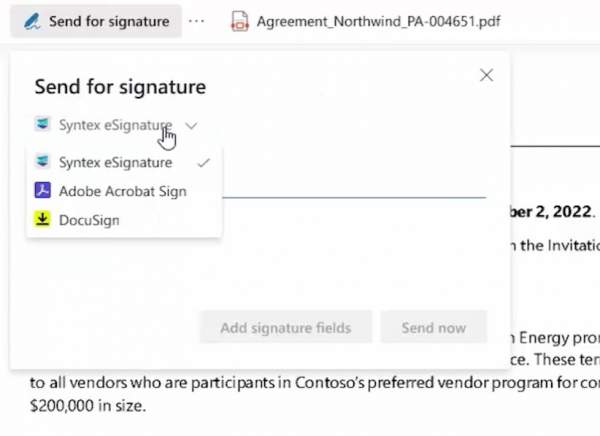
SharePoint eSignature is Microsoft’s first-party electronic signature service which allows users to easily request eSignatures on a #PDF document via SharePoint Online.  

Signers can easily add their electronic signature. Signed documents are saved securely back to SharePoint.

Rolling out to tenants now in the US. Other regions in 2024.

✅ Overview of Microsoft Syntex eSignature
https://learn.microsoft.com/en-us/microsoft-365/syntex/esignature-overview

✅ Create a signature request using Microsoft Syntex eSignature
https://learn.microsoft.com/en-us/microsoft-365/syntex/esignature-send-requests

✅ Set up Microsoft Syntex eSignature
https://learn.microsoft.com/en-us/microsoft-365/syntex/esignature-setup

✅ SharePoint eSignature – Microsoft Adoption
https://adoption.microsoft.com/en-us/sharepoint-premium/esignature/

✅ Pay-as-you-go services and pricing for Microsoft Syntex
https://learn.microsoft.com/en-us/microsoft-365/syntex/syntex-pay-as-you-go-services

#Microsoft #SharePoint #Syntex #eSignature

Posted by: kurtsh | November 14, 2023

NEWS: Disabling unsigned SMB & inbound NTLM authentication

For cybersecurity professionals, it’s generally accepted that unsigned SMB networking & inbound NTLM authentication need to be eliminated from everyone’s networks.  Both are too unsafe to be allowed to exist.

The problem for cybersecurity professionals however has been that explaining the threat – relay attacks, Actor in the Middle, Pass the Hash, etc. – has been too difficult for decision makers in digest.  Even telling them that this is a fundamental ransomware threat hasn’t been enough to take action – leaving you, the security pro responsible, biting your nails on the sideline.

So we’ll be making the decision for them.

NEW SECURITY DEFAULTS FOR SMB & NTLM
Microsoft will be making SMB signing mandatory by default & we are removing and replacing NTLM by default. Both of these coming actions are officially public – see links below.

If you’re in cybersecurity & have leadership that hasn’t prioritized this for your organization, let them know that your organization can either preemptively test & disable unsigned SMB networking & inbound NTLM authentication now… or they can wait for Microsoft to do it for them. Smile

imageMany of the product groups here at Microsoft have documented what they consider to be their “can’t miss” sessions at the upcoming Microsoft Ignite 2023 conference – coming this November 14-17. (If you haven’t registered for the online/virtual event, you need to do so ASAP)

Here’s each of their respective "session guides”:

Posted by: kurtsh | November 7, 2023

HOWTO: Provide feedback for Microsoft products

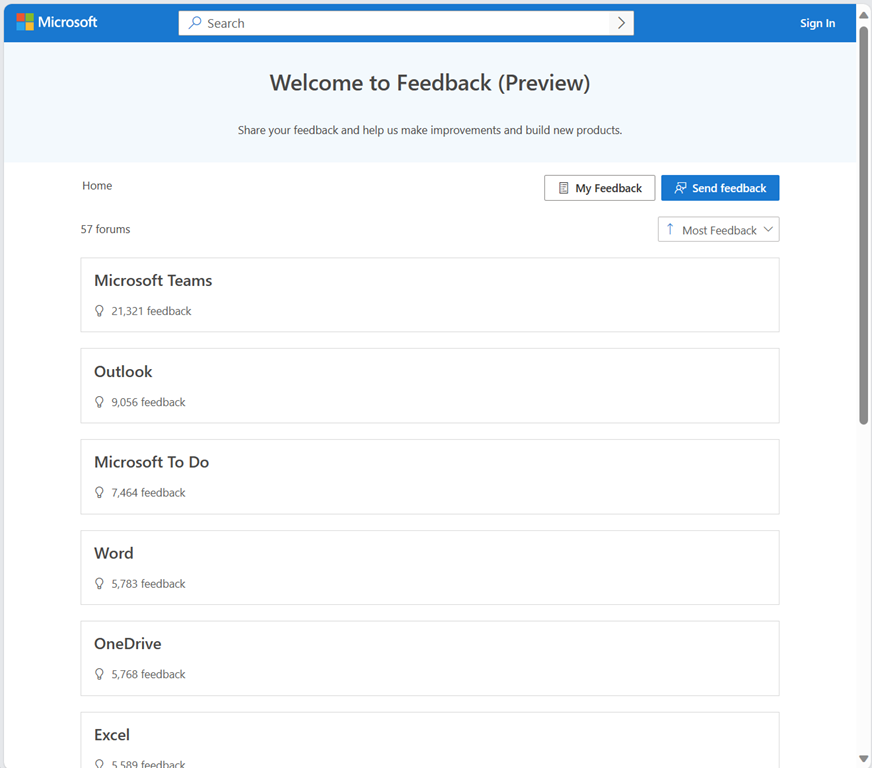
imageProviding feedback, suggestions or requests around Microsoft products & services is relatively simple. 

Simply go to the “Ideas community” (aka the “Feedback Portal”) at https://feedbackportal.microsoft.com and you’ll see hundreds of communities – one for each product or service – where you can:

  1. Search for other people’s submissions for your request
  2. Vote up or Amplify a request submission to give it more attention
  3. Submit your own feedback or suggestion
  4. Review the status of a highly requested or in-demand suggestion

Our product groups use this forum for giving people updates on when a suggestion or request has been moved into the product roadmap & what it’s general status is  Fun fact: There’s even a feedback community for the actual “Feedback Portal” itself.  How meta. Smile

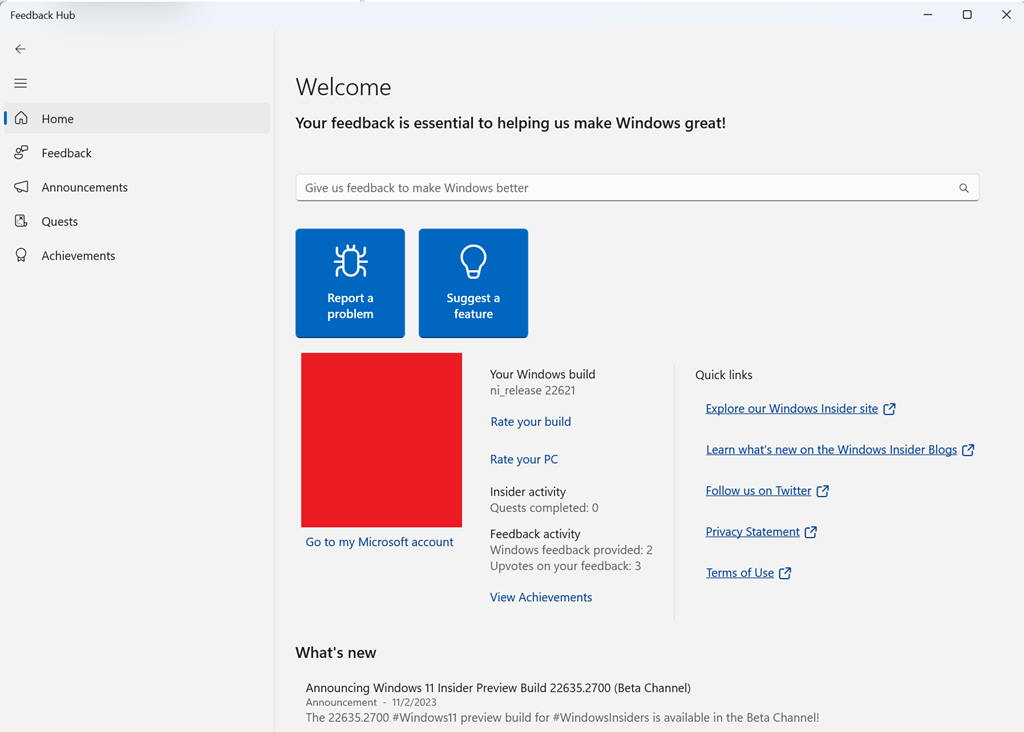
imageABOUT FEEDBACK FOR “WINDOWS”
The exception to the rule is that feedback around Windows OS itself, is submitted through the “Feedback Hub”, a built-in application within Windows 10 & 11 which enables easy submission of Windows-based feedback including screenshots.

Posted by: kurtsh | November 3, 2023

RELEASE: Secure Future Initiative (SFI)

MicrosoftSecureFutureInitiativeMicrosoft has just unveiled the Secure Future Initiative (SFI), a groundbreaking roadmap for tomorrow’s cybersecurity, innovatively crafted to protect our digital existence.

Here’s a sneak peek at the core pillars of the Secure Future Initiative (SFI):

  • Faster Vulnerability Response: Proactive defenses and swift threat mitigation will define the new era of cybersecurity response times.
  • Secure Identities: Next-level authentication mechanisms are set to create an unbreachable shield around user identities.
  • Secure Development: Integrating security DNA into every strand of our development process, ensuring the software of tomorrow is safe today.

For a deeper dive, into these pillars and how they will shape our digital landscape, check out the insightful blog posts by Microsoft’s senior executives:

Detailed announcement by Microsoft President, Brad Smith:

Detailed blog by Microsoft Executive VP of Security, Charlie Bell:

Deep perspectives on Secure Future Initiative by Microsoft Corporate VP of Security, Vasu Jakkal:

(Image courtesy of Sameh Younis, Sr Microsoft Cybersecurity Specialist)

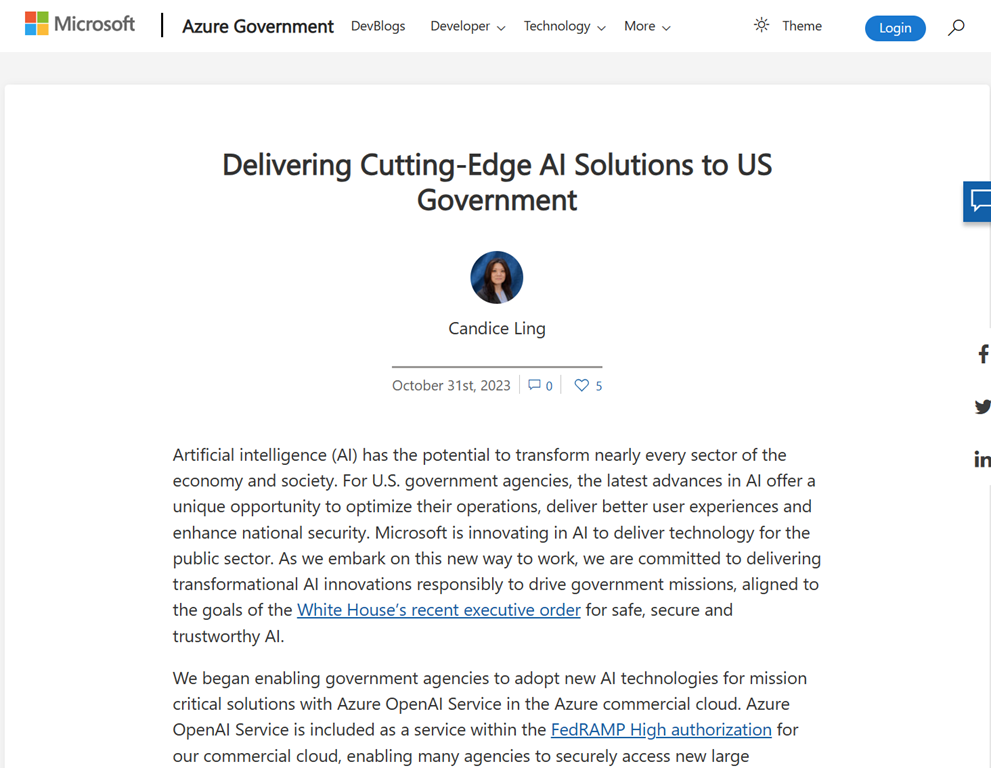
imageThe release schedule for Microsoft artificial intelligence in US Government posted.  The GCC roadmap includes:

  • Azure OpenAI Service for Government
    Q1 CY2024
  • Microsoft 365 Copilot for Government 
    Summer 2024
  • Teams Intelligent Recap for Government
    Spring 2024
  • Open Source LLMs via Azure ML (Llama-2, etc.) for Government
    Available today

Read the full article here:

Heads up that everyone needs to either prepare to have their clients upgraded to the new Teams Client or proactively upgrade their clients to the new Teams Client.

The following noticed was just posted to the Microsoft 365 Admin Console in the Message Center:

Classic Teams Users Will be Automatically Updated to New Teams After March 31, 2024

MC686187

imageOn October 5, 2023, we announced general availability of the new Microsoft Teams app for Windows and Mac. Read the message center post MC679451 for details.

We mentioned in our GA announcement that classic Teams users will be automatically updated to new Teams in the coming months. Today, we want to inform you that after March 31, 2024, any classic Teams users who have not updated to new Teams, will be automatically updated to new Teams.

With just one click, you can join millions of users who are relying on new Teams to stay connected with colleagues, partners, and customers.

How will this affect your organization?

· New Teams is a performance-focused update. New Teams is up to 2x faster and use 50% less memory. There is no major impact to the user experience for new Teams. This means you don’t need to invest in any additional training.

· Between now and March 31, 2024, you can continue to use classic Teams without interruption.

We encourage you to review the service agreement that governs Teams app updates.

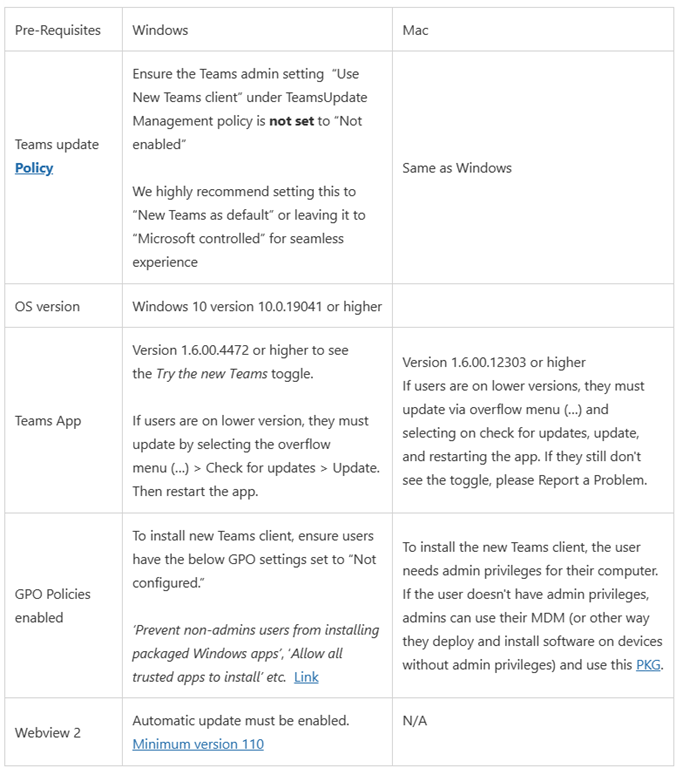
If you haven’t already updated to new Teams yet, review the prerequisites and policy updates for the update to new Teams.

How can I prepare for a seamless update to new Teams?

· Admins can enable new Teams in their organizations by leveraging robust IT admin policies and taking advantage of deployment options such as office update channels that allow them to enable users and groups within their organizations as needed.

· Admins who currently have the Teams update policy set to ‘Not enabled’ for the ‘Use new Teams client’ setting, we suggest setting the value as ‘New Teams only’ after selecting the Teams update policy to ‘Microsoft controlled’ in the Teams admin center.

Notes:

· We have not made the new Teams in the Virtual Desktop Infrastructure (VDI) environment generally available yet, so the VDI users will not be affected by the auto-update timeline of March 31, 2024.

· Microsoft Teams Rooms (MTR) and Surface Hub devices will also not be affected by the March 31, 2024, timeline.

· For our education users, the update option to new Teams is available now and they can be seamlessly updated at any time. Please visit this page for more information.

To learn more about this announcement, view this page.

View in the Microsoft 365 admin center

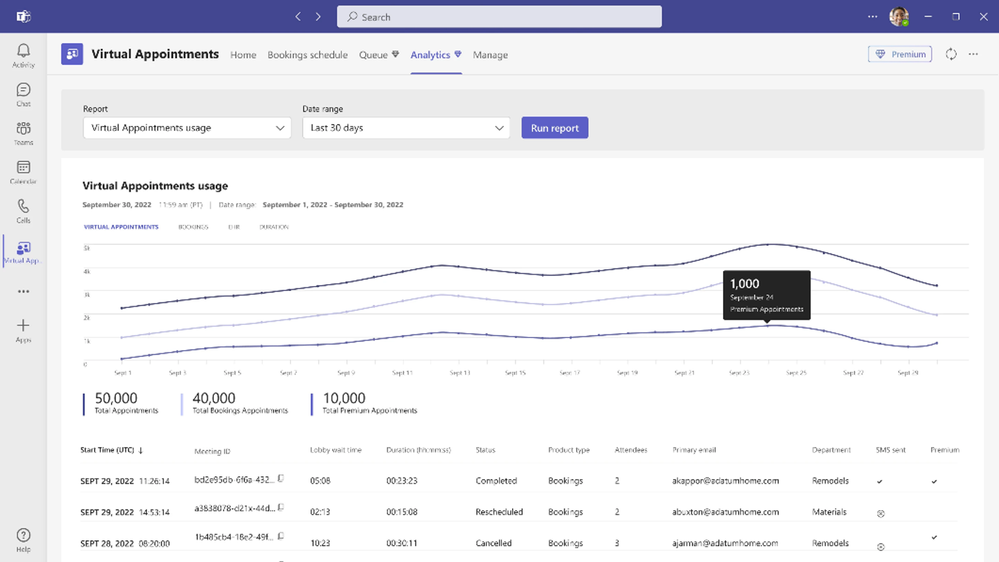
    imageTeams Premium has made quite a name for itself, having thousand of customers in just a short time.  The showcase feature that attracts the most attention is usually “Intelligent Recap”.

But there’s SO MUCH MORE to Teams Premium for:

  • IT management & control
  • Information & meeting security
  • Engagement & sentiment analytics
  • Appointment schedulers & assistance
  • Webinar trainers & marketers

Here’s a quick 10minute overview of what else there is to experience with Teams Premium:

Check some of these features out:

Read more here:

This was actually released earlier this year but I forgot to post about it.  So here’s a summary of one of the lesser known secrets of Microsoft Teams, starting with the announcement:

imageToday, I am excited to introduce the Games for Work app,* developed by Microsoft Casual Games, an Xbox Games Studio.** Now, you can easily add a game in the context of where work happens: in Microsoft Teams meetings. Choose from a selection of favorite casual games including Microsoft IceBreakers, Wordament, Minesweeper, and Solitaire—all easy to play in quick, interactive, and multi-player versions (from 2 to 250 players). They are safe for work (verifiably “E” rated) and ad-free. To address the various needs of teams, each game within the app emphasizes a different element of team building.

VIDEOS ABOUT GAMES FOR WORK:
Seeing is believing so:

FAQ:
A few things that I’ll add:

  • Does “Games for Work” require a Microsoft Teams meeting?
    YES.  Games for Work is a Microsoft Teams meeting add-in.  It works when assigned to a previously scheduled meeting & run within an actual Teams meeting only.  It can also be added to a meeting during the meeting itself on the fly.
  • Does this require a Microsoft 365 Enterprise subscription?
    YES.  This is only available to Microsoft 365 Enterprise & Education customers.
  • Does this work with Microsoft Teams on Mobile devices or browsers?
    YES.  The apps scale to the form factor that is using it.  It works on iPhones, Android-based phones as well as tablets. It will also render in a browser when using Teams for the Web.
  • Can you use Games for Work with people in other Microsoft 365 tenants?
    YES.  The Teams experience within a browser will render “Games for Work” games with people outside of your Microsoft 365 tenant.
  • Can we disable/enable Games for Work for our tenant?
    YES.  Read the following post for details.
    https://techcommunity.microsoft.com/t5/microsoft-teams/how-to-use-and-disable-the-teams-games-for-work-app/m-p/3680971

Read the announcement for “Games for Work” with Microsoft Teams here:

« Newer Posts - Older Posts »

Categories